Travel connectivity guide
Kakata eSIM: Mobile Internet in Liberia
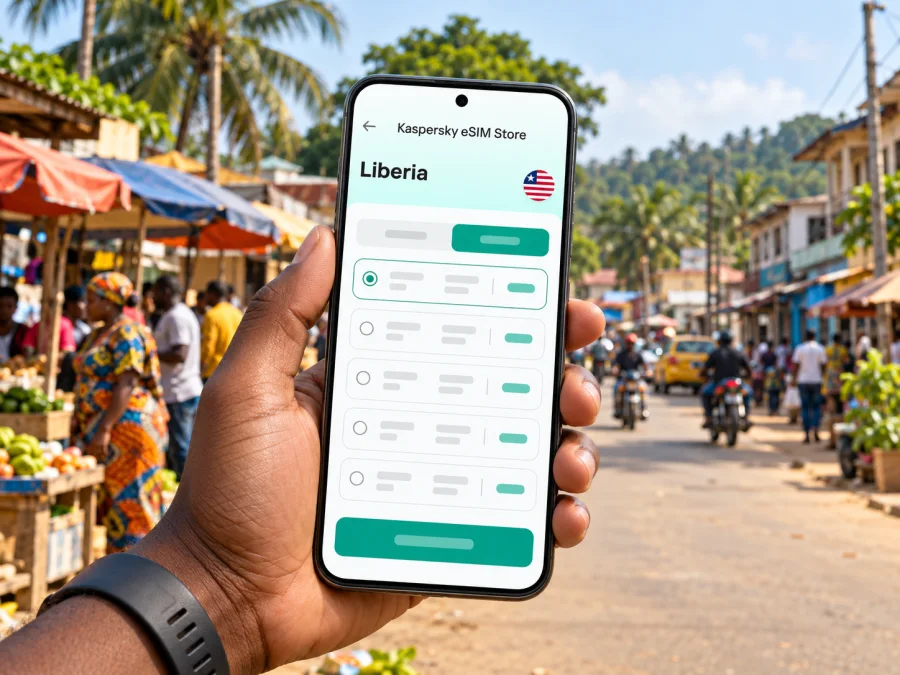
Kakata eSIM: mobile connection and internet for your Liberia trip
Kakata is a practical stop for travellers moving through Margibi County, visiting family, working locally or continuing inland from the coast. A working mobile connection can help with the first ride, directions to your accommodation, messaging a host and checking plans as they change. An eSIM can make the data part of that preparation simpler, provided your phone supports it and the selected travel plan actually covers Liberia.
This guide focuses on using mobile internet in Kakata: what to prepare before arrival, how to think about the route from Roberts International Airport, which local situations deserve offline preparation and how to choose a plan without assuming that every network or package behaves the same way. Kakata is in Liberia; it is not the similarly named city in Costa Rica.
At a glance: connectivity in Kakata
| Travel question | Practical answer |
|---|---|
| Where is Kakata? | Kakata is a city in Margibi County, Liberia, and the county administrative building is located there. |
| Which airport serves many international arrivals? | Roberts International Airport (ROB) is at Robertsfield, also in Margibi County. Plan the onward road journey to Kakata separately. |
| Can you use an eSIM? | Potentially. Check that the phone is unlocked and eSIM-compatible, then confirm that the particular plan includes Liberia. |
| Does every eSIM connect to the same local operator? | No. The network depends on the plan and its roaming arrangements. Check the plan details before paying. |
| Is there guaranteed signal on every street or road? | No. Coverage, indoor reception, congestion and service interruptions can vary by location and operator. |
| Does a data eSIM replace your normal number? | Usually not. Unless the tariff explicitly says otherwise, plan for data rather than ordinary calls or SMS. |
The main point is simple: prepare the phone and the plan before relying on mobile data for navigation. Download essential information offline, keep your regular SIM available if you need its number, and confirm the network and validity conditions shown for the exact Liberia offer you choose.
Why mobile data is useful around Kakata
Kakata is more than a name on a route map: it is the county seat of Margibi, and travellers may use it as a destination in its own right or as a stop between the airport area, Monrovia and other parts of Liberia. The reason for visiting changes what you need from a connection.
A visitor staying with relatives might mainly need messaging and occasional map checks. A work trip can depend on email, document access and arranging a driver. Someone passing through may need to share a live arrival update and then conserve battery and data for the road ahead. Thinking through these tasks gives you a better basis for choosing a data allowance than estimating by trip length alone.
Mobile data is especially useful for:
- confirming an address, meeting point or accommodation contact before setting off;
- checking a route when a driver takes a different turn or a planned stop changes;
- messaging a host, colleague or family member if arrival timing shifts;
- viewing online maps, translation tools, email and cloud documents when available;
- arranging the next leg of a journey without relying on a public Wi-Fi connection.
These are practical uses, not promises about speed or signal. A map can load slowly, a building can weaken reception, and a road segment can have limited service. Save what you can while connected and keep a non-digital fallback for critical details.
Arrival through Roberts International Airport
Liberia’s Civil Aviation Authority identifies Roberts International Airport by the code ROB and lists Robertsfield in Margibi County. This is useful context for a trip to Kakata, but it does not mean the airport and city are the same place. Your transfer is an overland journey; confirm the pickup arrangement and destination directly with your driver or host.
Before leaving the airport area, make sure you have the information needed even if mobile data is temporarily unavailable:
- Save your accommodation or meeting address in a note that opens offline.
- Keep the host’s name and phone number somewhere accessible without internet.
- Confirm who is collecting you, where to meet and how the driver will identify you.
- Download an offline map covering the airport approach and Kakata, if your mapping app supports it.
- Check that your phone has charge and that the eSIM profile is installed if you intend to use one.
Do not plan a transfer around an assumed drive time. Traffic, weather, road conditions, waiting time and the exact destination can all affect the journey. Ask locally for a current estimate, allow a margin after landing and tell the person meeting you if your flight or baggage takes longer than expected.
If you activate a travel eSIM before departure, read when its validity starts. Some products begin their term on installation, others on first connection or another event set out in the plan conditions. Do not assume that installing it at home will preserve every day for use in Liberia. If timing is unclear, check the provider’s instructions before installation.
Choose a plan for your actual itinerary
A plan suitable for a short visit to Kakata may not fit a multi-stop trip across Liberia. Start with the activities you expect to do and where you will need them. Video calls, frequent uploads and map use can consume more data than text messages and occasional email. Automatic photo backups and app updates may also use data in the background.
Use this simple planning table as a guide, then compare it with the allowance and validity shown in the actual offer:
| Travel pattern | What to estimate | Useful preparation |
|---|---|---|
| One or two days in Kakata | Messaging, a few route checks and essential browsing | Save addresses, maps and contact details offline before departure. |
| Several days with local work | Email, shared documents, calls through internet apps and navigation | Check how your work apps behave on mobile data; pause large automatic uploads. |
| Kakata plus onward travel | Data use in each destination and along the route | Confirm the plan’s country or regional scope and whether it remains valid across the full itinerary. |
| Longer stay or heavy media use | Video, tethering, uploads and multiple connected devices | Check hotspot rules, fair-use terms, top-up options and the cost of extra data. |
A rough daily estimate is only a starting point. If your phone’s settings show past mobile-data use, use that as a reference and adjust for the trip. Navigation and messaging are generally lighter than streaming or sending large files, but actual consumption depends on the apps and settings you use.
Before checkout, inspect the offer itself rather than relying on a search snippet or a generic description. Verify the destination, data amount, validity period, supported network information if supplied, activation instructions, top-up rules and any restrictions on tethering. Terms may change, so the details displayed at the time of purchase are the ones to follow.
When you are ready to review the available destination options, you can check eSIM plans for a trip to Liberia. This is the Liberia destination page, not a promise that a specific plan uses a particular Liberian network or has a particular price, allowance or coverage footprint. Compare the current plan details with your route through Kakata before selecting one.
Local network and coverage: what to verify
Liberia has local mobile network operators, and Lonestar Cell MTN publishes information about eSIM service for its own subscribers. That is evidence that local eSIM service exists in the market; it does not establish that a travel plan purchased elsewhere uses that operator, or that any one service will work at every Kakata address.
The network listed in a travel plan matters. If the plan identifies a local partner, note the name and check whether the offer is intended for Liberia. If it does not identify a network, do not guess based on another provider’s offer or on a traveller’s report from a different year. Coverage and roaming arrangements can change.
Even within one town, reception may differ between an open street, a crowded venue, a room behind thick walls and a moving vehicle. Treat a coverage map as a planning aid rather than a guarantee. If uninterrupted communication is important for work or safety, agree on a backup contact method and keep key details offline.
A useful preparation rule for Kakata is: use mobile data for convenience, but do not make a single live connection the only way to find your accommodation, contact your driver or continue your journey.
Check your phone before travelling
An eSIM plan works only if the device supports eSIM, is not locked in a way that prevents another provider’s profile and can complete the required installation. Device names alone are not enough: support can vary between regional versions of the same phone model. Confirm the exact variant with the manufacturer or seller and check the phone’s settings for an EID or an option to add an eSIM. You can also check whether your device supports eSIM.
Before you buy, confirm all of the following:
- eSIM capability: the exact device variant supports eSIM, not just another version with a similar name;
- network unlock status: the phone can accept a profile from a different provider;
- profile capacity: you know how to add a profile and which existing line will remain active;
- operating system: the phone is updated enough to follow the current installation flow;
- connectivity for setup: you have reliable Wi-Fi or another internet connection available when the profile must be downloaded.
Keep your existing physical SIM in place if you still need its number for calls, SMS verification or account access. Before landing, review the dual-SIM settings so you know which line handles mobile data. Disable data roaming on your regular line if you want to avoid unexpected roaming charges, and enable it for the travel eSIM only if its provider’s instructions require it. The correct setting depends on the plan, so follow the plan-specific guidance.
Install and activate with a clear sequence
The exact screens vary by phone and plan, but the sequence below helps prevent last-minute confusion. Use a stable Wi-Fi connection for installation, keep any QR code or activation details available on another screen, and do not delete an installed profile unless the plan provider tells you to.
- Before purchase: verify device compatibility, unlock status, destination, allowance, validity and activation terms.
- After purchase: read the installation instructions and save any QR code or manual details securely. A QR code displayed on the same phone may need another device or a manual setup route.
- Install the profile: follow the device-specific steps for installing eSIM on Android or installing eSIM on iOS.
- Label the line: choose a clear name such as “Liberia data” so you can distinguish it from your home SIM.
- Set mobile data: select the travel eSIM for data when you are ready to use it. Keep voice and SMS defaults on the line you intend to use for those services.
- Activate at the right time: follow the plan’s stated start condition. If the eSIM should connect only after arrival, wait until you are in Liberia before changing the relevant settings.
- Test a small task: once connected, open a simple page or send a short message through an internet app. If it does not connect, check the troubleshooting steps before repeatedly switching settings.
An eSIM is a digital SIM profile, but that does not mean every plan automatically activates at the same moment or works without setup. Follow the instructions associated with the selected plan and keep the confirmation message until you know the line is working.
Different Kakata trip scenarios
Work or a county-related visit
If you have meetings in Kakata, download documents and calendars before leaving a dependable connection. Confirm whether a video call is essential or whether a voice call or message is an acceptable fallback. For work that depends on a stable connection, identify a backup place or connection method with your local contact rather than assuming a hotel or office has suitable Wi-Fi.
A brief stop while travelling onward
For a short stop, keep the essentials lightweight: a saved destination, a charged phone, a small amount of data for coordination and a contact who knows your next leg. If you are continuing beyond Kakata, check that the selected plan remains valid for the places you will visit, not simply for Liberia in a generic headline.
Troubleshooting when the eSIM does not connect
If the phone shows no service or mobile data does not load, work through the checks calmly. The issue could be the selected data line, the plan’s start condition, local coverage or a device setting; the symptom alone does not identify the cause.
- Confirm that you are in a location covered by the plan and that its validity has started.
- Check that the eSIM profile is enabled and selected for mobile data.
- Confirm the required roaming setting in the plan instructions; do not change unrelated network settings at random.
- Toggle airplane mode once, then give the phone time to register.
- Restart the phone if the provider’s instructions recommend it.
- Check the plan’s remaining data, validity and any activation notice in your account.
- If service still fails, use Wi-Fi if available and contact the plan provider through its support channel. Keep a screenshot of the error and the plan details.
Avoid deleting the eSIM profile as a first troubleshooting step. Some profiles cannot be reinstalled freely, and removal may make it harder to restore service. Ask the provider before resetting network settings or removing a profile.
Offline preparation checklist
Before leaving for Kakata, save your accommodation address and contact, airport pickup details, an offline map if available, key documents and essential phone numbers. Confirm the eSIM is compatible, unlocked, installed as intended, and that you understand which line handles data. Pack a charger and agree on a backup contact plan in case the signal is delayed or unavailable.
Frequently asked questions
Is Kakata in Liberia or Costa Rica?
This article is about Kakata in Margibi County, Liberia. It is distinct from Liberia, Guanacaste, a city in Costa Rica. When choosing a data plan, select Liberia the country, not a place with a similar name elsewhere.
Will my eSIM work throughout Kakata and the road from the airport?
No provider can be assumed to offer uninterrupted service at every address and along every stretch of road. Reception depends on the local network, plan, device, location and conditions at the time. Download important information and keep a fallback contact method.
Can I use the eSIM for ordinary phone calls and SMS?
Unless the selected tariff explicitly includes voice and SMS, treat it as a mobile-data service. Internet messaging and calling apps can work over data, but they are not the same as an ordinary phone number or carrier voice service.
What if my phone does not support eSIM?
You can ask your home operator about roaming, check whether a physical local SIM is suitable for your trip, or use Wi-Fi where practical. If considering a different phone, confirm eSIM support for its exact regional variant and unlock status before relying on it.
Prepare for your Kakata journey
For a visit to Kakata, plan connectivity around the route and the tasks you will actually do: getting from Roberts International Airport to your destination, staying in touch with a host or colleague, and navigating locally. Check compatibility, activation timing, the Liberia coverage statement and the current allowance before choosing a plan. Keep addresses and essential contacts offline so the trip does not depend on a single signal.
When you are ready, review the current eSIM options for Liberia in Kaspersky eSIM Store, the app and website that help you choose, purchase and activate an eSIM with a suitable mobile-data plan for an international trip. Compare the displayed conditions with your itinerary, then install the eSIM using the instructions for your device.


