Travel connectivity guide
Kaliningrad eSIM: Mobile Internet for Travel
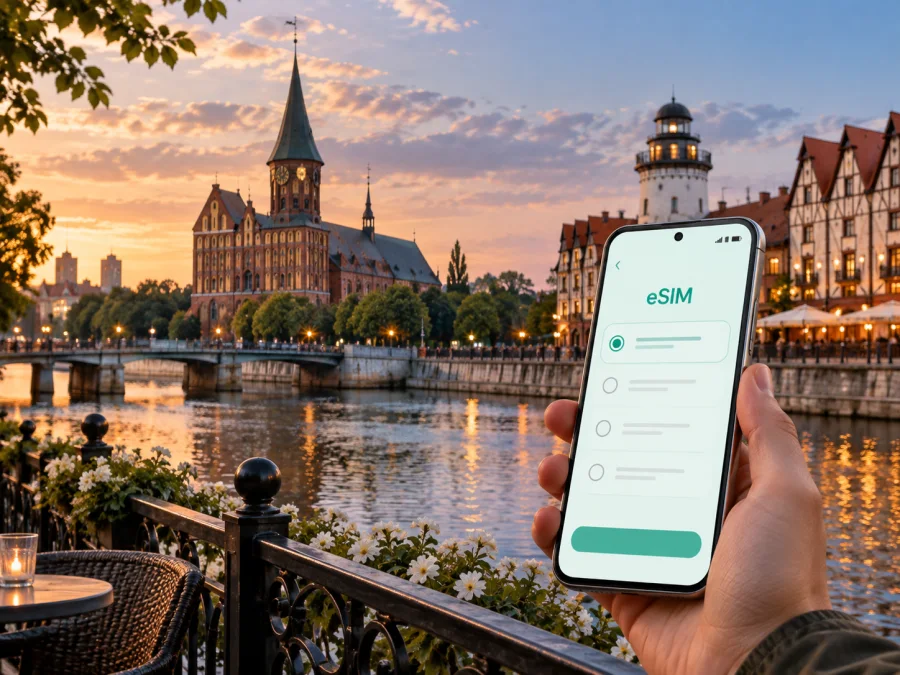
Kaliningrad eSIM: reliable mobile connection and internet for your trip
Kaliningrad rewards travelers who can move between different kinds of places in one day: the airport and a hotel, a business meeting and the waterfront, a museum in the center and a longer route toward the Baltic coast. A dependable mobile connection makes those transitions easier. With an eSIM, or digital SIM, you can prepare mobile internet for the Russian Federation without changing the physical SIM card in your phone.
The short answer for a trip to Kaliningrad
An eSIM can be useful in Kaliningrad when you need mobile data as soon as you leave the airport, want to use navigation while changing transport, or are combining the city with another place in the Kaliningrad region. It is especially convenient when your itinerary includes several hotel changes, a business schedule, or a short stopover during which there is little time to visit a shop for a physical SIM card.
The right plan depends on your actual route and habits. A traveler who mainly checks maps and messages needs a different allowance from someone who joins video calls, uploads photographs, or uses a phone as a hotspot. Before choosing, look at four things:
- the country or region where the plan is valid;
- the length of your stay and when validity starts;
- the amount of data needed for maps, messaging, work, and media;
- whether your device supports eSIM and is not locked by an operator.
The eSIM is intended for mobile internet. Unless the conditions of a particular plan say otherwise, it does not add a separate phone number or include ordinary calls and SMS. You can continue using messaging apps over the internet, while deciding which line should handle calls and which profile should handle mobile data.
Why mobile internet matters specifically in Kaliningrad
Kaliningrad is compact enough for a visitor to cover several central areas on foot, but a trip rarely stays inside one small walking loop. You may arrive at Khrabrovo Airport, travel into the city, check in near the center, and then head toward the embankments or a meeting venue on the other side of town. Later, a route may continue to a coastal settlement or another destination in the region. Each change creates a moment when a current map, a message, a booking confirmation, or a translation is more useful than a saved screenshot.
Mobile data helps with small, frequent tasks that are easy to underestimate before departure:
- checking the next stop, hotel address, and best way to reach it;
- calling a taxi or sending the driver a precise location;
- opening a ticket, reservation, meeting invitation, or translation;
- keeping relatives or colleagues updated without searching for public Wi-Fi.
Arrival through Khrabrovo Airport
Most air arrivals for Kaliningrad use Khrabrovo Airport, outside the urban center. The first part of the journey is therefore a transfer rather than a walk from an airport terminal into the city. You may need to find a bus, order a taxi, contact a host, or check the location of a hotel before you have unpacked.
Prepare the important details before the flight:
- save the hotel name and address in your notes;
- keep the arrival instructions available offline;
- make sure the eSIM QR code or installation profile can be opened when needed;
- charge the phone and carry a power bank if the transfer follows a long flight;
- decide whether the eSIM or your primary line should be used for mobile data;
- check that your account or app access works before leaving your home network.
If you install the eSIM before departure, you can complete the technical part while you have a stable internet connection. If you prefer to install after arrival, remember that downloading or adding a profile may require access to the internet and that the airport environment may be busy. A prepared profile does not replace checking the plan conditions: activation timing and the beginning of data use depend on the selected offer and device behavior.
For a taxi or transfer, the useful information is usually simple: the hotel address, the vehicle details, the pick-up point, and a way to message if the meeting point changes. Keep those items easy to reach rather than relying on a single open map screen. When moving from the airport into Kaliningrad, a mobile connection also lets you react if a route, stop, or pick-up instruction is updated.
Moving around the city
Kaliningrad has an urban surface transport network that includes buses, trolleybuses, and trams. For a visitor, the main challenge is not memorizing every route number. It is combining a walking segment with public transport and allowing time to find the correct stop or entrance. A map connection is useful because the most convenient route can change with the time of day, weather, temporary road conditions, or a meeting schedule.
Use a simple navigation routine:
- Enter the exact destination, not only the name of the museum, hotel, or office.
- Check whether the route ends at a stop, an entrance, or a short walk away.
- Look at the direction of travel before boarding.
- Keep the destination saved while walking so that you can recalculate without starting over.
- Download key addresses or write them down if you expect to spend time in places with uncertain reception.
For short central journeys, walking may be the clearest option. Kaliningrad’s museums, historic structures, river views, and public spaces are spread across several areas, so a route that looks short on a city map can still include a bridge, a busy road, or a long riverside section. For longer journeys, public transport or a taxi can make the day more predictable, especially when you are carrying luggage or travelling for work.
Areas and routes where a connection helps
The historic center and Kant Island
The central sightseeing route often combines the Cathedral on Kant Island with the riverfront, museums, bridges, and streets around the old city. This is a good walking environment, but it is also a place where visitors stop frequently, change direction, and decide what to see next. Mobile data helps you check opening information, share a meeting point, or find a café and a transport stop without returning to the hotel.
Business hotels, offices, and the southern station area
Business travelers often move on a tighter schedule than tourists: airport–hotel–office–restaurant–station rather than a list of attractions. A stable data profile supports calendar changes, messages, online check-in, taxi coordination, and a last-minute search for a quiet place to work. For video meetings or hotspot use, allow more traffic and confirm that tethering is permitted; for large files, use trusted Wi-Fi when practical. The conditions shown in Kaspersky eSIM Store belong to the selected destination and offer, so review the displayed validity, traffic, and other limitations before completing the order.
Choosing an eSIM plan for Kaliningrad
Start with the itinerary rather than the name of the city alone. If you will remain in Kaliningrad and mainly use maps and messages, your needs are different from a route that includes coastal towns, a second hotel, remote work, and frequent uploads. Confirm that the destination coverage matches the full route through the Russian Federation, not just the first address.
A useful decision sequence is:
- Count the days when you expect to use mobile data.
- Mark activities that are data-heavy, such as video calls, hotspot use, or media uploads.
- Keep a reserve for arrival, navigation, and unexpected route changes.
- Compare the traffic allowance and validity shown for the available destination plan.
- Check whether the offer is intended for a single country or a wider region if your route continues beyond Kaliningrad.
- Read the activation and usage conditions before you install the profile.
Do not choose by duration alone. A long validity period is not automatically the best fit if the traffic allowance is too small; a large allowance may be unnecessary for a short visit built around walking and messaging. The practical goal is a plan that matches how you will actually use the phone.
Once your route and data habits are clear, you can choose an eSIM plan for your trip to Kaliningrad and review the available conditions for the Russian Federation. Kaspersky eSIM Store helps you prepare the eSIM workflow; the mobile service itself depends on the selected plan, compatible device, and local network conditions.
Installing and activating an eSIM
Install the profile before departure when that suits your plan conditions and gives you time to resolve questions. Some travelers prefer to add it after arrival, but doing so can be less convenient if the phone is low on battery or the first transfer requires immediate navigation.
Before you begin, check three prerequisites: the phone supports eSIM, it is not locked by an operator, and you have the QR code or profile details available. If you need to verify support, check your device compatibility before choosing a plan. Some model versions can differ by market, so do not assume that a phone with a familiar model name has identical eSIM capabilities in every region.
The general sequence is:
- Check compatibility. Confirm eSIM support and the absence of an operator lock.
- Open mobile network settings. Choose the option for adding a mobile plan or eSIM.
- Add the profile. Scan the QR code or follow the instructions shown in your Kaspersky eSIM Store profile.
- Label the line clearly. A label such as “Kaliningrad trip” can help you avoid selecting the wrong line later.
- Choose the data line. Set the travel eSIM as the line for mobile data when you are ready to use it.
- Check data roaming settings. Some devices may require data roaming to be enabled for the eSIM according to the plan instructions.
- Test the connection. Open a simple page or send a message, then check that the expected profile is active.
For device-specific steps, use the Android installation instructions or the iOS installation instructions. The exact menu names can differ by operating system version and manufacturer. Installation may take a few minutes; if the profile does not activate, check the plan conditions, restart the device if appropriate, and contact support with the relevant details.
If you want to use your home number for calls or messages, keep that line configured according to your normal settings and verify which profile is selected for data. Turning off automatic data switching can help prevent accidental use of the wrong line, but the available controls depend on the device.
Before buying: a practical checklist
Use this checklist while preparing the trip:
- [ ] The destination plan includes the Russian Federation and fits the planned route.
- [ ] Your phone supports eSIM for its specific model and market version.
- [ ] The phone is not restricted by an operator lock.
- [ ] You know when the plan validity begins and when data can be used.
- [ ] The traffic allowance matches maps, messages, work, and media habits.
- [ ] You know whether data roaming must be enabled for the travel profile.
- [ ] The QR code or activation details are accessible when you need them.
- [ ] Hotel addresses, meeting points, and the first transfer details are saved offline.
- [ ] You have a charging plan for the airport-to-hotel journey.
These checks prevent the most common avoidable problems: installing a profile on an incompatible phone, selecting an unsuitable destination, using the wrong data line, or arriving without the address needed for the first transfer.
Three realistic Kaliningrad travel scenarios
A short stopover
If you have only a few hours, make the first goal simple: get from the airport to the next departure point or hotel, keep the route visible, and stay reachable for changes. A small, well-matched plan may be enough for maps and messages, but you should still leave a reserve for a delayed transfer or a revised pick-up point. Install before the trip when possible so the stopover is spent moving rather than troubleshooting.
A city break with museums and waterfront walks
For a weekend-style visit, mobile data is most useful in short bursts: navigation between central attractions, opening information, restaurant searches, transport changes, and coordination with travel companions. Downloading a few key details offline can reduce data use, while the eSIM remains available when the route changes or a booking needs to be shown.
Frequently asked questions
Is eSIM useful if I am staying only in Kaliningrad?
Yes, it can be useful even for a city-only stay. Arrival transfers, maps, taxi coordination, restaurant searches, messaging, and hotel communication all benefit from mobile data. The right choice depends on your device, trip length, traffic habits, and the conditions of the destination plan.
Prepare your Kaliningrad connection
Kaliningrad travel becomes easier to manage when the mobile-data plan is treated as part of the itinerary: prepare the airport transfer, save the first address, select the right data profile, and leave enough traffic for navigation and changes. Check compatibility, review the validity and traffic conditions, then install the eSIM using the instructions for your device.
When you are ready, select an eSIM plan for a trip to the Russian Federation and prepare the profile before you leave. Kaspersky eSIM Store helps you choose, arrange, and activate the eSIM; the final experience depends on the selected plan, your compatible device, and local network conditions.


