Travel connectivity guide
Kampala eSIM: Mobile Internet Travel Guide
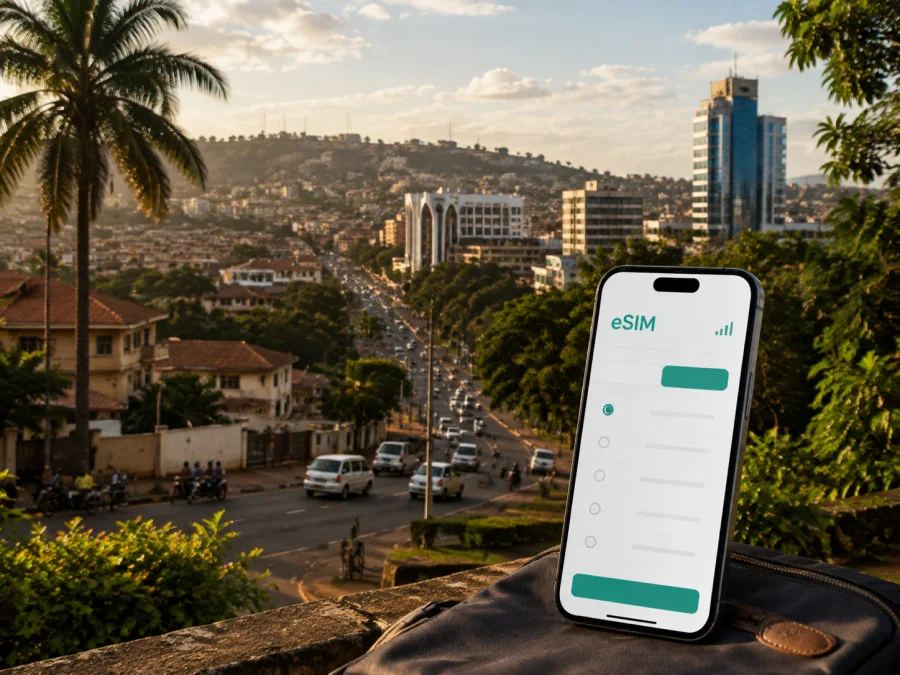
Kampala eSIM: Mobile Connection and Internet for Your Trip
Kampala is a city of hills, busy junctions, leafy residential areas, markets, offices, cultural sites and restaurants that can sit surprisingly close together on a map. That contrast is part of the experience, but it also makes a dependable mobile connection useful from the moment you land. You may need to open a map, message a driver, check a hotel pin, translate a menu, join a work call or confirm a meeting while moving between very different parts of the city.
An eSIM can make the data part of your arrival plan easier to organise. Kaspersky eSIM Store is an app and website where you can choose, arrange and activate an eSIM with a suitable plan for mobile internet during an overseas trip. The service helps prepare a digital SIM profile for Uganda; it is not a mobile network operator. Coverage depends on the local network, your device, local conditions and the plan’s terms.
This guide covers arrival through Entebbe, city movement, neighbourhoods, business visits and eSIM preparation.
Why mobile internet matters in Kampala
Kampala rewards flexible planning. A hotel, appointment, cultural venue and restaurant may all be in different areas, while a short-looking route can take longer in heavy traffic. A phone with data helps you adjust during the day.
The most useful tasks are practical:
- checking the exact entrance to a hotel, office or venue;
- sharing your location when a meeting point is difficult to describe;
- comparing a route before leaving one neighbourhood for another;
- reading an online map while walking between nearby places;
- keeping messaging and work tools available during a meeting-heavy day.
Arriving from Entebbe International Airport
Most international visitors reach Kampala via Entebbe International Airport. Uganda’s Civil Aviation Authority describes the airport as about 40 kilometres south-west of Kampala. The airport and the capital are therefore separate places, and the first part of the journey is an intercity road transfer rather than a short city-centre airport ride.
Before leaving the terminal, make sure you can access:
- the accommodation address in plain text;
- the phone number or messaging contact for the property;
- the name of the Kampala area where you are staying;
- a map pin and an alternative landmark;
- your driver or transfer details, if arranged in advance.
Traffic conditions can change the rhythm of the transfer. Keep your phone charged, carry the address offline, and avoid depending on a last-minute public Wi-Fi sign-in when you need to coordinate a pickup. If travelling with colleagues, agree on one arrival contact before the flight.
Understanding Kampala’s urban layout
Kampala’s five city divisions bring together commercial, residential, cultural and academic areas. For a visitor, the practical question is not to memorise every administrative boundary but to understand how the city changes from one part to another and to plan each movement around a specific destination.
| Area or setting | Typical reason to visit | Useful data task |
|---|---|---|
| Central business district | Offices, hotels, shops and busy streets | Keep meeting pins and walking directions ready |
| Kololo and nearby leafy areas | Accommodation, embassies and restaurants | Confirm the exact entrance |
| Ntinda, Naguru and Bukoto | Dining, accommodation and offices | Check routes before timed plans |
| Bugolobi and nearby commercial areas | Shopping and business appointments | Save a landmark with the venue name |
| Old Kampala, Mengo, Lubaga and Makerere | Heritage, religious and academic visits | Share the entrance or gate name |
These labels are planning aids, not substitutes for a full address. Keep the plot number, road, building name and landmark together in your notes. When booking accommodation, ask which neighbourhood it is in and how the property describes its location to drivers.
Moving around Kampala
Road transport shapes daily movement in the capital. KCCA materials identify boda-bodas, 14-seater minibus taxis, cars, bicycles and walking among the transport modes used in Kampala. Each option has a different information need, so a phone with mobile data is most useful when paired with sensible local judgement.
Boda-bodas
Boda-bodas can be useful for short movements, but make safety the first consideration. Use a clearly identified service where possible, confirm the destination, wear a helmet and keep your phone secure. A car may be more practical with luggage or work equipment.
Minibus taxis
Fourteen-seater minibus taxis are a familiar part of Kampala’s public transport system. They can suit travellers who understand the route, but may be less straightforward with luggage or a timed meeting. Ask your accommodation or local contact about the correct route.
Cars and ride-hailing
A car or ride-hailing trip is useful for door-to-door journeys, luggage and several appointments. Mobile data helps you check the pickup pin and read driver messages. Use a recognisable location and confirm the vehicle before getting in.
Walking
Walking can be practical for short distances within one area. Kampala’s terrain, heat, rain and traffic can make a route feel different from its map distance, so use navigation as a guide and ask your hotel about the best approach after dark.
A transport checklist
- Check the destination, not just the neighbourhood.
- Allow extra time for a scheduled meeting.
- Save the hotel address and one local landmark.
- Keep the phone charged before a long cross-city journey.
- Confirm a car or motorcycle pickup before entering the vehicle.
- Keep essential details offline in case mobile service is temporarily unavailable.
Planning your data use before the trip
The right plan depends on how you will use your phone in Kampala, not simply on the number of days on your itinerary. A traveller who mostly checks maps and messages has a different pattern from someone who uploads video, joins work calls or shares a hotspot with a laptop.
| Travel pattern | Typical online tasks | What to consider when choosing a plan |
|---|---|---|
| Short stopover | Messages, a few map checks, hotel coordination | A smaller allowance may be enough if you prepare bookings offline |
| City break | Navigation, restaurant research, photos and regular messages | Leave room for repeated map use and occasional uploads |
| Business visit | Video calls, document access, email and transport apps | Consider a larger allowance and a backup connection for important meetings |
| Multi-day Kampala stay | Daily navigation, communication, reservations and media | Match the validity period to the full itinerary, including arrival and departure days |
| City plus regional travel | Kampala plans followed by onward movement | Check whether the selected plan covers the complete route, not only one stop |
The figures and validity shown in the store can change, so compare the current Uganda options at the time of planning. Look at data volume, validity, activation conditions and limitations. Kaspersky eSIM Store helps you review those details and prepare an eSIM; the plan itself operates through the relevant local network under its own terms.
Once you know your dates and usage pattern, choose an eSIM plan for a trip to Uganda and review the current details before departure. For a Kampala itinerary, it is sensible to include the airport transfer, hotel check-in, city movements and any trip beyond the capital when estimating your data needs.
Hotels, work trips and short stays
When comparing accommodation in Kampala, confirm the exact address, arrival instructions and a clear entrance for a driver. Save the booking and property contact details before the flight.
A practical business-day setup
For a conference or client visit, prepare a small digital folder before leaving home:
- meeting invitations and calendar details;
- the exact venue name, address and entrance;
- contact numbers for the host and accommodation;
- transport instructions, offline documents and the local time for every online meeting.
On the day, use mobile data for live route changes and messages, but keep important documents offline. If you need a video meeting, test it before the call and do not assume that a hotel room, café or conference venue will have identical conditions at every moment. For a short stopover, arrange the airport transfer, save the hotel pin, and keep one nearby meal option in your notes.
Check your phone before choosing an eSIM
The device must support eSIM, and it should not be locked to another operator. Models can vary by region, so check the exact phone version rather than relying only on the model family. If you travel with two SIM profiles, decide which line will handle calls and messages and which profile will provide mobile data.
Before purchase, check whether your device is compatible with eSIM. Also make sure the operating system is up to date enough for the installation flow, the phone has free storage for the profile, and you can access the email or account where the activation details will arrive.
Before you leave home
- Confirm eSIM support and the absence of an operator lock.
- Charge the phone and carry a power bank for the airport transfer.
- Keep your primary SIM active if you need its number for verification.
- Save the Uganda plan details and hotel information.
- Install or update the Kaspersky eSIM Store app if you use the app flow.
- Have a stable internet connection available for installation.
- Do not delete a working profile until you understand the plan’s validity and your return setup.
How to install and activate the eSIM
Install the profile with a stable internet connection, preferably before the flight if the plan allows it. Keep your primary SIM available for calls or verification and label the travel profile clearly.
Step 1: Confirm the prerequisites
Check device compatibility, operator-unlock status and the plan’s installation conditions. Keep the activation message, QR code or account instructions available.
Step 2: Add the eSIM profile
Open mobile-network settings, choose the option for adding a mobile plan or eSIM, and scan the QR code if that is the method provided.
Step 3: Name the line
Give the profile a clear label such as “Uganda travel” and keep your primary line clearly identified.
Step 4: Choose the data line
When you are ready, select the travel profile for mobile data. Turning off automatic data switching can help prevent unexpected use of the other line.
Step 5: Activate at the right time
Read the plan’s activation conditions and choose the moment that fits your arrival in Uganda. After landing, enable the travel line and check that mobile data is assigned to it.
For device-specific guidance, use the Android installation instructions or the iOS installation instructions. If the phone does not connect, check the selected data line, restart the device, review the plan instructions and confirm that the phone is in an area with service. Do not remove the profile as a first troubleshooting step.
Common questions about Kampala eSIM use
Is an eSIM useful for a first trip to Kampala?
Yes, if your phone supports it and you want mobile data for maps, messages, transport coordination or work. It can be prepared digitally and used alongside a primary SIM, subject to the plan and device conditions.
Can I keep my usual number active?
Usually, a compatible dual-SIM phone can keep the primary line active while the eSIM is selected for mobile data. Check device settings and your operator’s roaming conditions; primary-line calls, messages or verification codes may have separate charges.
Does the eSIM include a phone number?
Not by default. These travel eSIM plans are intended for mobile internet and do not automatically include a separate number, ordinary calls or SMS unless the selected plan says otherwise. Internet-based messaging and calling apps can be used where appropriate.
What if my phone cannot install the profile?
Confirm eSIM support, operator-unlock status, a stable internet connection and the correct instructions. Check the selected data profile. If the issue continues, use the support route associated with the order rather than deleting the profile immediately.
Final preparation checklist
Use this checklist the day before departure:
- [ ] The phone supports eSIM and is not operator-locked.
- [ ] The Uganda plan matches the length and route of the trip.
- [ ] The hotel address includes a neighbourhood, building name or landmark.
- [ ] Entebbe-to-Kampala transfer details are saved offline.
- [ ] Meeting invitations and contact numbers are available without live data.
- [ ] The travel eSIM is installed or its activation instructions are ready.
- [ ] The primary SIM settings, maps and booking confirmations are accessible.
- [ ] The phone is charged and a backup power source is packed.
Kampala is easier to navigate when the practical details are prepared before the first road journey. Choose a plan around your real data needs, keep addresses and landmarks together, allow time for city traffic, and use mobile internet to make decisions as the day changes.
When you are ready to prepare connectivity for the trip, select an eSIM plan for Uganda in Kaspersky eSIM Store and check the current data, validity and activation conditions. Install it on a compatible, unlocked device before you travel, then arrive in Kampala with the information you need for the airport transfer, hotel check-in, city appointments and onward plans.


