
Travel connectivity guide
Kananga eSIM for mobile internet travel
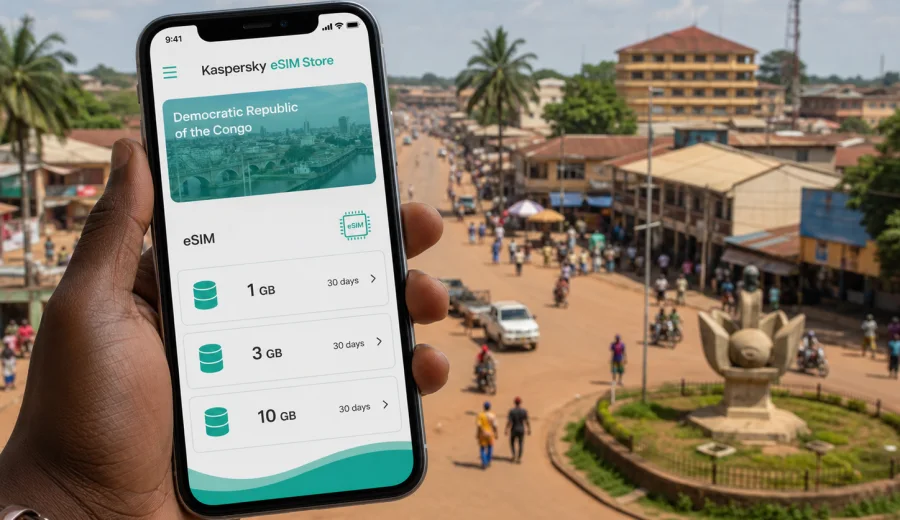
Kananga eSIM: mobile connection and internet for a city trip
Kananga is a city where practical mobile internet can make the difference between a smooth arrival and a slow first day. You may need data when you land at Kananga Airport, message a driver, confirm a hotel address, check a meeting location, or coordinate a route through communes such as Kananga, Katoka, Lukonga, Ndesha, and Nganza. An eSIM helps you prepare this part of the trip before you start looking for a physical SIM card.
This guide is for travelers going to Kananga in the Democratic Republic of the Congo and planning mobile connection for the city, not for a generic country itinerary. It focuses on airport arrival, local movement, hotel stays, business visits, family trips, short stopovers, and onward travel from Kananga to other places in the country.
An eSIM is a digital SIM profile for a compatible phone or tablet. In Kaspersky eSIM Store, you can choose a destination, review data allowance and validity, arrange a suitable eSIM plan for mobile internet, and activate it on your device. Travel eSIM plans are mainly for data. They usually do not include a local phone number, regular voice calls, or SMS unless those services are stated in the conditions of a specific plan.
Why mobile internet matters in Kananga
Kananga is the capital of Kasai-Central and a practical regional hub. Many visits are connected with administration, business, family, NGOs, church or education work, logistics, and travel across the Kasai region. The city is not built around a single tourist strip, so your phone often becomes the tool that keeps addresses, contacts, and route changes organized.
Mobile internet is useful in Kananga for:
- contacting a hotel, host, driver, colleague, or family member after landing;
- checking saved location pins and route notes during a transfer;
- translating short messages, street directions, or meeting details;
- opening booking confirmations at reception;
- using messenger calls when a standard phone call is not available through the eSIM plan;
- checking flight updates or onward travel arrangements;
- sharing your live location during a pickup or city errand;
- keeping work documents and schedules available away from hotel Wi-Fi.
Public Wi-Fi may help in some hotels, offices, or cafes, but it is not a full connectivity plan for Kananga. You may need internet in a car, at the airport, outside a meeting point, or while checking an address. Preparing mobile data before the trip reduces the number of tasks you have to solve on arrival.
Arrival at Kananga Airport
For many visitors, the first important online tasks happen before they reach the hotel. Kananga Airport is close to the city compared with larger international airports, but the arrival still involves coordination: luggage, pickup, a driver, a host, an office contact, or a hotel check-in time.
Prepare these details before departure:
1. Save your hotel or host address offline.
2. Keep the name of the commune or nearby landmark in your notes.
3. Download key documents such as booking confirmations and meeting schedules.
4. Install the eSIM profile while you still have stable Wi-Fi, if the plan rules allow it.
5. Keep your usual SIM active if you need calls, SMS, or banking verification.
After arrival, set the eSIM as the mobile data line and follow the activation instructions for the selected plan. Some plans require data roaming for the eSIM profile; others may have different setup steps. Check the instructions shown after purchase rather than guessing from another phone model.
Moving around Kananga
Kananga travel often depends on local instructions as much as map apps. Addresses can be described by commune, avenue, school, church, market, office, hotel, or a well-known junction. Mobile data helps you combine digital navigation with the local description you receive from a driver or host.
| City situation | Why mobile data helps |
|---|---|
| Airport pickup | You can send a message, share your location, and confirm the vehicle or meeting point. |
| Hotel transfer | You can keep the address and contact details available during the ride. |
| Business visit | Calendar updates, document links, and route notes remain accessible between meetings. |
| Family or private visit | You can coordinate changes without waiting to return to Wi-Fi. |
| Market or city errand | You can check prices, translate short notes, and message local contacts. |
| Return to the airport | You can confirm flight timing and share your departure plan. |
Do not depend only on a map pin. In Kananga, a good route explanation may include the commune, a nearby public building, a church, a school, a hotel, or a road condition note. Mobile internet is most useful when it supports those local details.
Hotels, guesthouses, and work bases
Hotel Wi-Fi can be helpful, but it can vary by property, room location, power conditions, and time of day. If your Kananga trip includes meetings, project work, family visits, or early transfers, an eSIM gives you a separate mobile data option for the hours when you are outside the building.
Before choosing a data plan, think about your base in the city:
- Will you mostly use hotel Wi-Fi in the evening?
- Do you need mobile data for daytime rides and meetings?
- Will you upload documents or only send messages?
- Do you expect video calls, or can audio and chat handle most tasks?
- Will you use hotspot mode for a laptop, and is it allowed by the plan?
For a short stay, a modest data package may be enough if you use it for maps, messages, email, and booking confirmations. For a business week, choose more carefully: validity period, data allowance, hotspot rules, and activation timing all matter.
Choose the right eSIM plan for Kananga
There is no separate city plan to search for first. Kananga is in the Democratic Republic of the Congo, so the relevant destination for most city trips is the country. This is also practical if you may continue from Kananga to Mbuji-Mayi, Kinshasa, Tshikapa, Lubumbashi, or another city in the country.
Use this planning table before you choose:
| Trip type | Typical data use | What to prioritize |
|---|---|---|
| Same-day stopover | Messaging, pickup coordination, flight checks | Small allowance and short validity |
| 2-3 day city stay | Maps, chat, email, bookings, light browsing | Moderate allowance and validity for the full stay |
| Business or NGO visit | Documents, maps, messenger calls, possible hotspot | Larger allowance and clear hotspot terms |
| Family visit | Messaging, photos, calls over apps, shared locations | Enough data for daily communication |
| Wider DRC route | Kananga plus other cities | Country coverage and validity that matches the whole route |
Before payment, review the destination, data amount, validity period, price, activation rules, and whether tethering is allowed. The best choice is not always the largest package. It is the plan that fits the way you will actually use data in Kananga.
If you are preparing mobile internet for the city, you can review eSIM plan options for a trip to Kananga and the Democratic Republic of the Congo in Kaspersky eSIM Store. Read the plan details before choosing, especially if you will use the eSIM for business coordination or a wider route.
Check device compatibility first
An eSIM only works on a device that supports eSIM and is not locked to one mobile operator. This check should happen before you order a travel data plan. If the phone cannot install an eSIM profile, the plan will not help during the trip.
Before buying, check your device and confirm:
- the phone or tablet supports eSIM;
- the device is not carrier-locked;
- the operating system is up to date enough for eSIM setup;
- you can access stable Wi-Fi for installation;
- you know which SIM should handle calls, SMS, and mobile data.
If your phone supports dual SIM, you can often keep your regular SIM for calls or SMS while the eSIM handles mobile data. Turn off mobile data roaming on your home SIM if you want to avoid unintended roaming charges, and use the eSIM only for data when it is ready.
Install eSIM before departure or after arrival
Installing an eSIM is usually easier before you travel, while you have a stable connection and time to read the instructions. Activation rules can differ by plan, so check whether validity begins after installation, after first connection to a supported network, or at another point described in the plan details.
Basic setup flow:
1. Confirm that your device supports eSIM and is unlocked.
2. Choose Democratic Republic of the Congo as the destination for a Kananga trip.
3. Select a data allowance and validity period that fit your itinerary.
4. Follow the installation steps provided after purchase.
5. Label the eSIM clearly, for example "Kananga data" or "DRC trip".
6. Set the eSIM as the mobile data line when you are ready to use it.
7. Enable data roaming for the eSIM only if the setup instructions require it.
For device-specific help, use the Android installation guide or the iOS installation guide. Menu names can vary by model and operating system version, so follow the instructions shown on your device.
Practical scenarios in Kananga
Different Kananga trips create different data needs. Plan around the day you expect, not only around the number of nights.
Business and project visits
Business, administrative, education, healthcare, church, NGO, and logistics trips often involve several stops in one day. Mobile internet helps you keep calendar changes, document links, meeting messages, and driver coordination available while moving between offices or project sites.
If you expect video calls or laptop tethering, choose a larger data allowance and confirm hotspot rules. If possible, use hotel or office Wi-Fi for large file uploads and reserve mobile data for route changes, urgent messages, email, and document access on the move.
Family and personal travel
For family visits, mobile internet is often about staying reachable. You may need to send a location, coordinate an address, confirm a pickup, make an internet-based call, or share updates with people outside the city. Save important numbers and addresses offline before arrival, then use mobile data for live coordination.
Short stopovers
If Kananga is a short stop before another city, you may not want to spend time arranging a local physical SIM. An eSIM can be useful for essential tasks: maps, airport pickup, hotel contact, flight status, and messages. Install the profile before the trip if possible so the stopover is not consumed by setup.
Trips from Kananga
Kananga may be a starting point for routes through Kasai-Central or to other cities in the Democratic Republic of the Congo. If the trip continues beyond the city, check whether the selected plan covers the country and whether the validity period covers the full route. Network experience can vary by area, building, and local conditions, so keep key addresses and documents offline as a backup.
Manage data use during the trip
Travel data lasts longer when you decide which tasks belong on mobile data and which tasks can wait for Wi-Fi. In Kananga, the priority is usually communication, navigation, documents, and travel coordination.
Data-saving checklist:
- download offline maps before leaving your hotel or office;
- save meeting notes, addresses, and tickets for offline access;
- turn off automatic app updates on mobile data;
- set cloud photo backup to Wi-Fi only;
- reduce video quality in meeting and streaming apps;
- disable automatic media downloads in messengers;
- use hotspot mode only when necessary;
- check data use in phone settings once a day.
These habits are useful even with a larger allowance. They keep data available for the moments when you need it most: a changed meeting point, a driver message, an urgent email, or a travel update.
eSIM, roaming, local SIM, and Wi-Fi in Kananga
Each connectivity option has a role. The right choice depends on your phone, trip length, budget, and need for voice or SMS.
| Option | Good for | Check before relying on it |
|---|---|---|
| eSIM | Prepared mobile data without changing a physical SIM | Device support, plan terms, validity, data allowance |
| Home roaming | Keeping your usual number active | Roaming costs, daily caps, data limits, billing rules |
| Local physical SIM | Longer stays or local voice/SMS needs | Registration process, shop availability, language support |
| Public Wi-Fi | Large downloads at a hotel or office | Security, reliability, speed, and coverage inside the building |
An eSIM is attractive when you want mobile data ready for arrival and do not want your first city task to be finding a SIM shop. It can also work alongside your regular SIM on many dual SIM phones.
Quick preparation checklist
Use this checklist before traveling to Kananga:
- Your phone supports eSIM.
- Your phone is not locked to one mobile operator.
- You selected Democratic Republic of the Congo as the destination.
- The data allowance fits your expected use.
- The validity period covers the full Kananga stay and onward route.
- You understand when plan validity begins.
- You saved installation instructions and important contacts.
- You downloaded offline maps and key documents.
- You know whether hotspot mode is allowed.
- Your home SIM roaming settings are under control.
FAQ: eSIM and mobile internet in Kananga
Can I use eSIM for a trip to Kananga?
Yes, if your device supports eSIM, is not carrier-locked, and you choose a plan that includes the Democratic Republic of the Congo. Review the plan conditions before ordering.
Does an eSIM include a Congolese phone number?
Usually no. Travel eSIM plans are mainly for mobile internet. Voice calls and SMS are not included unless the selected plan clearly says so. You can often use internet-based calling and messaging apps over mobile data.
Should I install the eSIM before flying to Kananga?
It is usually more convenient to install it before departure over stable Wi-Fi. Check the plan rules first, because the validity start can depend on the selected plan.
Can I keep my regular SIM active?
On many dual SIM devices, yes. You can keep your regular SIM for calls or SMS and use the eSIM for mobile data. Review roaming settings carefully so your main SIM does not use data by accident.
Is hotel Wi-Fi enough for Kananga?
Hotel Wi-Fi can help with large downloads and evening work, but it may not cover airport pickup, city movement, meetings, or route changes. Mobile data gives you a separate option when you are away from the hotel.
What if my phone does not support eSIM?
Then an eSIM plan will not work on that device. Check compatibility before purchase and consider another compatible device or another connectivity option for the trip.
Prepare mobile internet for Kananga
A good Kananga connectivity plan is simple: check your device, choose a data allowance that matches your stay, install the eSIM carefully, keep essential details offline, and use mobile data for the moments when movement and coordination matter most. This approach is useful whether you are arriving for one meeting, visiting family, working with a local team, or continuing to another city in the Democratic Republic of the Congo.
Before you travel, open Kaspersky eSIM Store, compare available data amounts and validity periods, and prepare an eSIM plan for your trip to Kananga. It is a practical way to set up mobile internet on a compatible device before the first transfer, message, or city errand begins.