Travel connectivity guide
Kandy eSIM: Mobile Internet and Connection Guide
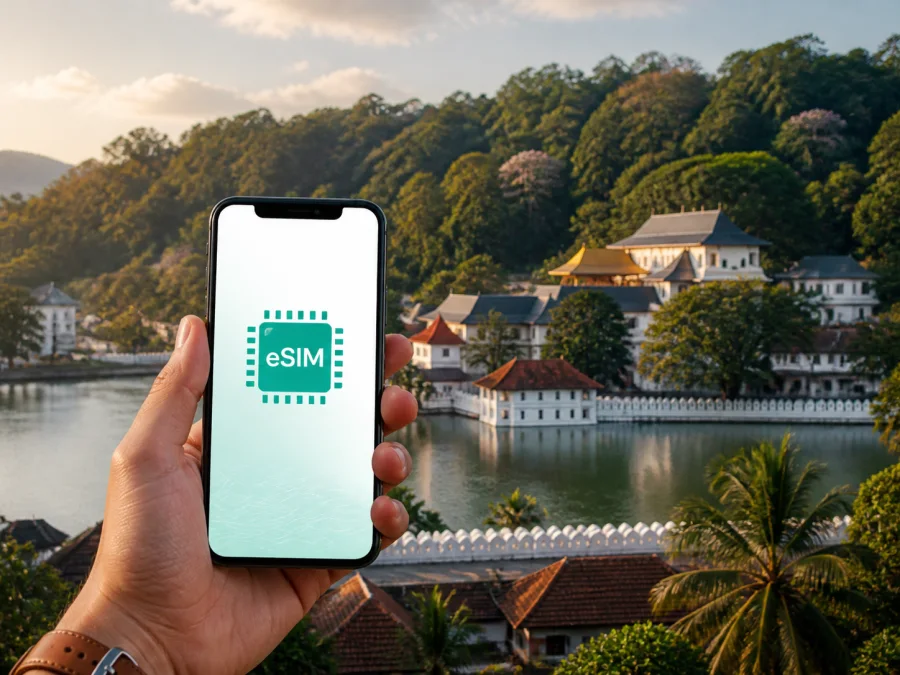
Kandy eSIM: mobile connection and internet guide for your trip
Kandy is a useful base for Sri Lanka’s central hills, but getting around is easier when your phone can go online between planned stops. An eSIM, or digital SIM, lets you prepare mobile internet without removing your everyday physical SIM card. It can help at the airport, while finding a hotel, confirming a transfer or checking a route.
This guide covers using an eSIM in Kandy for arrival, central streets, transport, sightseeing, accommodation, work and trips beyond the city. It also explains what to check before selecting, installing and activating a travel eSIM.
Why mobile internet matters in Kandy
The first hours may involve confirming a pickup, opening a map, translating a message, checking a hotel address or telling someone that your arrival time has changed. A mobile-data profile ready for your trip reduces the need to search for a café or hotel Wi-Fi network before you can complete these tasks.
An eSIM is useful when you want to keep your usual number active for messages or verification. You can leave the physical SIM in the phone and select the eSIM for mobile data, subject to device and tariff settings. Read the chosen tariff’s destination, data volume, validity and activation rules carefully.
In Kandy, mobile internet can support:
- map searches between the railway station, accommodation and the lakeside center;
- transfer and tuk-tuk coordination after a long journey;
- online reservations, tickets and address checks where the provider offers them;
- translation, currency calculations and quick itinerary research;
- messages and calls through internet-based apps;
- work email, cloud documents and a short online meeting;
- sharing a location with a companion when plans change.
Hotel Wi-Fi may be enough for large downloads, but you still need data on the road to Peradeniya, around Kandy Lake or while changing transport outside the city.
Kandy situations where an eSIM can help
Arriving from the airport
Kandy does not have Sri Lanka’s main international airport. International visitors commonly arrive through Bandaranaike International Airport and continue towards the central hills by road or rail. The onward trip can take a substantial part of the day, so prepare the essentials before leaving the airport area: your accommodation address, the transfer contact, an offline map and a way to send a message.
If you arranged a private transfer, keep the driver’s name, vehicle details and meeting point in an accessible note. If you use public transport, mobile data can help with the final part of the route after your long-distance ticket is arranged. Save key details offline as well, because a connection can vary with the route, device settings and local conditions.
Moving around the center
Parts of central Kandy are walkable, but slopes, traffic and heat can make a short distance feel longer. Your phone can help compare a walk with a tuk-tuk or car ride, identify a side street and check whether a hotel is uphill from the main road. An exact map pin is useful when accommodation names are similar.
Around Kandy Lake and the historic center, navigation is often based on landmarks and entrances rather than a long straight road. Keep the full accommodation name and address ready to copy into a message. When meeting a driver, choose a clear landmark and confirm the direction before starting the ride.
Visiting the Temple of the Sacred Tooth Relic
The Temple of the Sacred Tooth Relic is one of Kandy’s best-known landmarks. A connected phone can help you check the approach, coordinate with your group and review current visitor information before leaving. Arrangements can change, so do not rely only on an old screenshot for time-sensitive details.
Phone use and photography may be restricted in particular areas. Follow signs and staff instructions. Check your route before entering a quiet or restricted space and put the device away when it is not appropriate to use it.
Kandy Lake and Peradeniya
Kandy Lake is a convenient orientation point for the center. Visitors often combine a lakeside walk with a meal, a temple visit or a return to a nearby hotel. Data is handy for a meeting pin, an address or an update when you do not want to walk back to the accommodation.
The Royal Botanic Gardens at Peradeniya are a common addition to a Kandy itinerary and lie outside the compact lakeside core. Plan the outbound route, return meeting point and the rest of the day before setting off. If Kandy is the first stop on a longer Sri Lankan route, save the next accommodation details before you leave the city.
Choosing a tariff for a Kandy trip
There is no universal data amount for every visitor. Base the choice on the length of your stay, map use, work requirements and whether Kandy is one stop on a wider route. Start with the itinerary and the tariff conditions, not with a number chosen at random.
| Kandy travel pattern | Main data tasks | Practical consideration |
|---|---|---|
| Short stopover | Arrival messages, maps and a few searches | A smaller package may be enough if heavy use is on hotel Wi-Fi |
| Two- or three-day visit | Daily navigation, messages, bookings and photos | Leave room for route changes and repeated map use |
| Longer cultural stay | Translation, uploads, calls in apps and sightseeing research | Check validity as closely as data volume |
| Business trip | Email, authentication, documents and meetings | Estimate meeting time and keep a backup Wi-Fi option |
| Kandy plus other regions | Route planning and data across several stops | Confirm that the destination scope covers the whole itinerary |
Maps and messaging usually use less data than video, automatic photo backup or streaming. If you work on the road or upload many images, add a reasonable margin. A fixed validity period may make excess data unhelpful.
Before selecting an option in Kaspersky eSIM Store, compare the destination, package size, validity and price shown for the chosen tariff. The app and website help you choose, arrange and activate an eSIM for mobile internet during an overseas trip.
For a visit that starts in Kandy and continues elsewhere in Sri Lanka, choose an eSIM tariff for Sri Lanka after estimating the complete route. This keeps the choice tied to the trip rather than to the city name alone.
Installing an eSIM before departure or after arrival
Install the profile with stable internet, a charged phone and enough time to read the instructions. Menu names vary by model and operating-system version, but the general sequence is similar.
1. Check the device
Confirm that your phone supports eSIM and is not locked to an operator. Some models differ by region of sale. Before purchasing, check whether your device is compatible, and make sure you can access the email or profile where the QR code will appear.
2. Select the destination and tariff
Choose the country or region that matches your Kandy itinerary. Check data volume, validity, activation conditions and any service limitations shown for that option. If you will visit other Sri Lankan cities, confirm that the destination scope fits the full route.
3. Add the profile
Open mobile-network settings and select the option to add an eSIM or mobile plan. Scan the QR code from another screen, or follow the activation flow offered by the app or website. If the phone cannot scan a code displayed on itself, use another screen or the manual details when provided.
4. Name the line
Label the profile clearly, for example “Sri Lanka travel data”. This prevents confusion when you choose a line for mobile data. Keep the regular line available if you need its number for calls or verification.
5. Choose the data line
Set the travel eSIM as the line for mobile data when you want to use it. Consider turning off automatic data switching so the phone does not change lines unexpectedly. Follow the tariff instructions about data roaming for the eSIM; some devices may require that setting.
6. Test the connection
Test the profile before departure or after reaching Kandy, depending on the tariff’s activation rule. Connection may take a few minutes and depends on the device, local network and account status. If it does not connect, check the selected line, airplane mode, profile status and required network settings.
For device-specific help, use the Android installation instructions or the iOS installation instructions. Keep the instructions accessible until testing is complete.
Device and account checklist
Complete this checklist before travelling to Kandy:
- [ ] The phone supports eSIM and is not operator-locked.
- [ ] You have stable internet for installation and access to the confirmation email.
- [ ] The selected tariff covers Sri Lanka and lasts for the itinerary.
- [ ] You know when validity and data use begin.
- [ ] You know which line is selected for mobile data.
- [ ] You have saved the first hotel address, arrival contact and route offline.
- [ ] You have a charger or power bank for transfers and sightseeing.
Check compatibility again if you change phones. A device can differ by regional version, and an operator lock can prevent a profile from working even when the hardware has eSIM support. If you are unsure, confirm the status in the phone settings and with the device seller or operator.
Managing data in Kandy
Turn off automatic updates and cloud photo backup over mobile data if you do not need them while travelling. Set a data warning where your phone supports it, and check the selected data line after every major dual-SIM settings change. Use Wi-Fi for large updates when appropriate, while keeping mobile data for navigation and coordination between hotels and attractions.
An eSIM travel tariff is normally intended for data. It does not automatically provide a standard local phone number, ordinary calls or SMS unless the specific conditions say otherwise. Messaging apps can handle calls and messages over internet data.
Practical Kandy scenarios
- First visit, central hotel: Install before departure, save the accommodation pin and keep the first route offline. Use mobile data to confirm the transfer, then reserve it for walks, meals and day trips after checking in.
- Kandy plus the coast: Choose with the whole Sri Lankan itinerary in mind. Keep route and booking details accessible on both phones and agree on recognizable meeting points.
- Business trip: Label the profile, test data before the first meeting, save addresses offline and plan a backup connection for a video call. An eSIM does not guarantee a particular speed or uninterrupted service everywhere.
- Late arrival or early train: Save transfer, hotel and check-in details in an offline note. Check the route to the station the evening before and keep the next accommodation details ready.
If your phone does not support eSIM, is operator-locked or has no available profile slot, resolve that issue before purchasing. If you need a conventional local number for ordinary calls or SMS, verify the selected tariff’s conditions and decide whether you need another communication arrangement.
Troubleshooting after installation
If the profile is present but the phone is offline, work through these steps:
- Check that the eSIM line is enabled.
- Confirm that it is selected for mobile data.
- Check whether data roaming is required for this line.
- Turn airplane mode on briefly, then turn it off.
- Restart the phone, move to a safe open location and allow a few minutes for registration.
Do not delete the profile while troubleshooting unless the instructions or support team tell you to do so: depending on the conditions, a removed profile may not be reusable. If the problem continues, contact support with the device model, operating system, profile status and steps attempted. Never share passwords or full payment details.
Frequently asked questions
Can one eSIM cover Kandy and the rest of Sri Lanka?
That depends on the destination scope of the selected tariff. Choose an option that covers the country or region for the full route and check its validity before payment. The tariff conditions determine where the profile can be used.
Will it replace my usual phone number?
Not automatically. A travel eSIM is generally intended for mobile data and may not include a standard number, calls or SMS. Keep your regular line for number-based services where appropriate, and use internet messaging apps when that suits your plans.
How much data does a Kandy visit require?
There is no fixed answer. A short stay using maps and messages needs less than a work trip with meetings, cloud files and photo uploads. Estimate your daily habits, add a margin for route changes and compare the result with the package size and validity for Sri Lanka.
Prepare for Kandy with a clear connection plan
The useful preparation is straightforward: confirm the device, choose a tariff for the right destination and duration, install the profile with reliable internet, and select the correct line for mobile data. Save your first hotel details and route offline, then keep mobile internet available for the moments between planned stops.
Kandy may take you from the lake and historic center to Peradeniya or onward into the hills. With addresses, routes and eSIM settings ready, you can adapt the day without repeatedly searching for a connection.
When you are ready to prepare your trip, choose an eSIM tariff for your Kandy itinerary in Sri Lanka. Review destination, data volume, validity and device requirements, then install and activate the selected eSIM according to its instructions.


