Travel connectivity guide
Kano eSIM: Mobile Internet for Your Trip
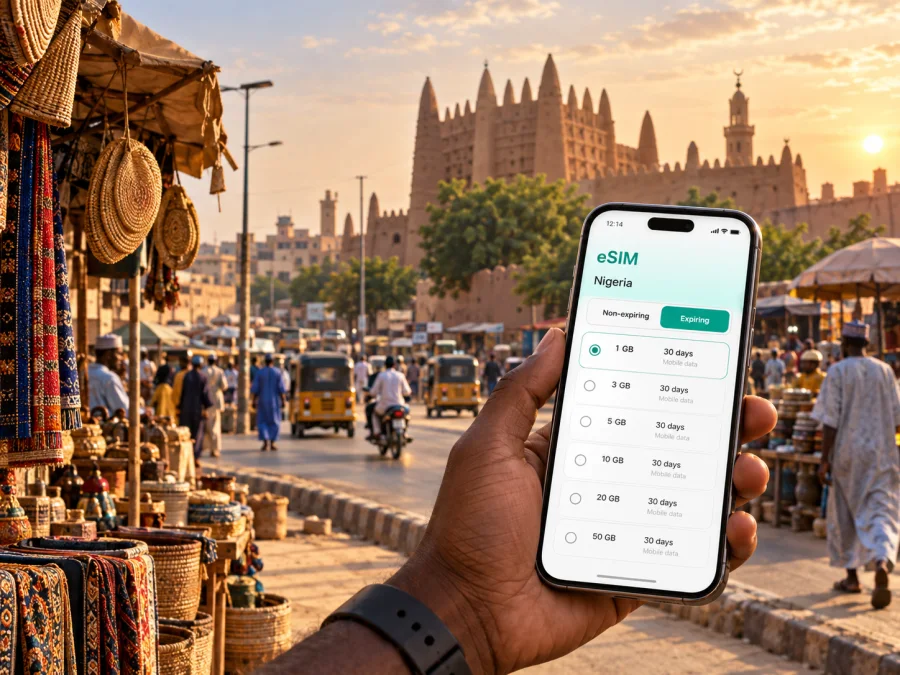
eSIM for Kano: Mobile Connection and Internet for Your Trip
Kano is a practical base for a visit to northern Nigeria, whether you arrive for a meeting, pass through on a regional itinerary, or want time to explore one of the country’s historic commercial centres. A reliable mobile connection helps from airport transfer onwards: you may need a map, a message to a driver, a hotel confirmation, a translation, or a quick call through an internet messenger. An eSIM, or virtual SIM card, can prepare mobile internet for the trip without replacing the physical SIM in your phone.
The useful question is how you will use data in Kano: at Mallam Aminu Kano International Airport, on the way to your accommodation, around the central districts, during meetings, and on any onward journey. Planning those moments helps you choose a suitable prepaid eSIM plan and avoid relying on public Wi-Fi.
Why mobile internet matters in Kano
Kano travel is made up of short, practical decisions. You may land with luggage, confirm a pickup, check the address of a hotel, and then switch between several neighbourhoods in one day. A data connection is useful for each step, but the amount of traffic depends on your routine.
- Arrival: open a map, contact the person meeting you, and keep the hotel address available offline as a backup.
- City movement: compare routes, share your location when needed, and save the next destination before leaving a busy area.
- Historic centre: use a map to move between places such as Kurmi Market and Gidan Makama Museum, while remembering that a pin is a guide rather than a substitute for local directions.
- Business travel: exchange messages, join a short video call, read documents, and send a revised meeting location without searching for a café.
- Short stays: keep reservations, boarding passes, translation tools, and transport contacts accessible during a stopover.
- Trips beyond Kano: check the next leg of a route before leaving the city and download essential details in case the signal changes on the road.
Kano is a large, active city, so market streets, hotel districts, airport roads, and residential areas can require different preparation. Mobile data gives you more control over those transitions, but does not replace extra time, confirmed addresses, or local advice.
From Mallam Aminu Kano International Airport to the city
Mallam Aminu Kano International Airport is the main air gateway serving Kano. After landing, the first useful online tasks are usually simple rather than data-heavy: contact your driver, check the spelling of the accommodation, open a route, and tell someone that you have arrived. If your transfer is arranged in advance, save the name and phone number before take-off as well as keeping the details in your email.
An eSIM can be installed before departure and activated according to the plan conditions, or prepared after arrival if you already have Wi-Fi. Installing before the flight is often more comfortable because you have time to read the instructions and check the correct data line. Activation still depends on the device, the selected plan, and the local network, so leave the physical SIM available until the eSIM is ready.
Use this arrival checklist:
- Charge the phone and carry a power bank if you have one.
- Save the hotel or meeting address in the phone’s notes and in a map application.
- Keep the driver’s contact details and a backup meeting point accessible offline.
- Confirm which SIM is selected for mobile data after the eSIM is activated.
- Turn off data roaming on the home SIM if your operator’s conditions could create additional charges.
- Test a message and a map request before leaving the airport area.
Choosing an eSIM plan for a Kano itinerary
Start with the itinerary, not with the largest available data package. Someone staying in Kano for a weekend and using maps, messages, and occasional browsing has a different pattern from a consultant spending two weeks in meetings and sharing files. The right plan is the one whose destination, validity period, and data allowance match your actual trip.
| Travel pattern in Kano | Typical data use | What to consider |
|---|---|---|
| Short stopover | Messages, maps, booking checks | A smaller allowance may be enough if video and large downloads are avoided |
| City break | Navigation, translation, social updates, browsing | Allow extra data for repeated map searches and photo uploads |
| Business visit | Email, cloud documents, calls through messengers | Estimate work traffic separately from sightseeing and keep a Wi-Fi backup for large files |
| Longer regional trip | Kano plus other Nigerian destinations | Check that the plan covers the whole country and lasts for the full route |
| Shared hotspot use | A second device or laptop connects to the phone | Confirm that the plan and device support tethering before depending on it |
There is no universal amount of data for a Kano trip. Navigation can use little traffic when maps are prepared in advance, while video calls, backups, and streaming can consume much more. If hotel Wi-Fi is available, reserve mobile data for movement around the city and add a margin for work on the road.
Before choosing, compare these points in the plan details:
- country or regional coverage for the complete route;
- data allowance and whether the package is limited to mobile internet;
- validity period and when it begins under the stated terms;
- supported top-up or renewal options, if any;
- whether hotspot use is allowed;
- the device requirements and installation method;
- the currency and final price displayed at the time of selection.
For a route that begins in Kano and continues to another Nigerian city, a country plan may be more practical than trying to manage separate profiles. For a single-city visit, a plan for Nigeria can still be evaluated by the same criteria: duration, data habits, and the need for a reserve. The destination label is only one part of the decision.
Select a Nigeria plan for the city trip
Once you know your dates, route, and data habits, you can choose an eSIM plan for your trip to Kano. The Kaspersky eSIM Store app and website help you select, arrange, and activate an eSIM with a suitable plan for mobile internet during an overseas trip. Review the destination, validity, data allowance, and conditions on the plan page before confirming.
The service is a tool for preparing travel connectivity, not a replacement for every local mobile service. An eSIM plan is generally intended for mobile data; a regular phone number, voice calls, and SMS are not included unless the specific terms say otherwise. You can use internet messengers for calls and messages when your contacts and account settings support them.
When an eSIM is useful around Kano
Central Kano and historic places
The older parts of Kano reward a flexible plan. A visitor may move between Kurmi Market, Gidan Makama Museum, the Emir’s Palace area, and other historic sites in a sequence that changes during the day. Maps can help with the broad route, but dense market streets and local landmarks are easier when you also keep a written destination name and ask for confirmation when necessary.
Mobile data is useful for sending a current location, translating a short phrase, checking a meeting time, or retrieving a saved reservation. Keep the screen brightness and background synchronization under control if you are walking for many hours. Downloading a city map or saving key addresses while connected to Wi-Fi can also reduce data use.
Sabon Gari and mixed-purpose days
Some visits combine errands, shopping, meals, and meetings. In that situation, the value of mobile internet is continuity: the same data line can support a route change, a message, and a payment or booking confirmation without repeatedly searching for access. Keep sensitive account actions on your own mobile connection where possible, and use a trusted connection for anything that requires a password.
Hotels and business meetings
Accommodation Wi-Fi is useful for large files, operating-system updates, and backups, but it may not cover the trip between the hotel and a meeting. A prepared eSIM plan can serve as the mobile layer for route planning, calendar changes, email, and messenger calls. If you use a laptop, check the hotspot setting in advance and carry the meeting address in more than one format.
For work travel, separate essential communication from optional traffic:
- Mark meeting locations and the hotel on a map before the first appointment.
- Save presentation files locally rather than depending on a download at the door.
- Use mobile data for messages and route changes; move large uploads to a trusted Wi-Fi connection when practical.
- Keep a contact’s phone number and company address in your notes in case an application signs out.
- Allow time for traffic and navigation changes instead of planning a sequence with no buffer.
Moving through Kano without losing your connection
Kano can be easier to navigate when each leg is prepared separately. Instead of starting a route only after you leave the hotel, check the destination name, neighbourhood, and approximate direction first. For an airport transfer, agree on the meeting point. For a market visit, use a recognisable nearby landmark as well as a map pin. For an intercity journey, save the departure location and keep the transport provider’s confirmation accessible offline.
Transport choices can vary by route and time. Depending on the journey, you may use a private car, taxi, local bus, or a pre-arranged transfer. The important eSIM scenario is the same: the phone should be able to receive a message and display the next address while you are changing vehicles. Do not assume that a route application knows the most convenient local option; combine digital directions with advice from your accommodation or a trusted local contact.
For a day that includes several stops, use this simple sequence:
- check the next destination while you still have a stable connection;
- save the address, contact name, and a screenshot if the location is unfamiliar;
- verify the selected data SIM before starting navigation;
- carry a small offline note with the itinerary and emergency contacts;
- recharge the phone before an evening return or a long onward journey.
This approach is helpful in a stopover as well. A short visit leaves little time to solve account, map, or installation problems. Prepare the profile and essential information before leaving the airport, then use the connection for the specific tasks that matter.
How to install and activate an eSIM
Use a stable connection and follow the Android eSIM installation instructions or iOS eSIM installation instructions. Before purchase, check your device compatibility and confirm that the phone is not operator-locked.
- Open the eSIM details in the app or website.
- Add a cellular or mobile plan in the phone settings.
- Scan the QR code or enter the details manually.
- Keep the home SIM if you need its number, but select the travel eSIM for Nigerian mobile data.
- Enable data roaming for that profile only when the instructions or plan conditions require it.
- Test a map search or message and verify the intended line is using data.
Installation and activation are separate. If the profile does not connect, check the selected data line, roaming setting, signal, and validity before deleting it.
What to check before you leave
Confirm that the phone supports eSIM, has no operator lock, and matches the plan’s destination and validity. Save the hotel address, transfer contact, QR code, and key itinerary details offline. Check the selected data line, understand whether roaming is required for the travel profile, and carry a charging option. A phone with two SIM slots is not automatically eSIM-compatible; check the model and region. Moving an activated eSIM to another device may not be possible under the plan conditions.
Manage data during a Kano stay
Disable automatic updates and photo backups over mobile data unless you have planned for them. Use trusted hotel Wi-Fi for large files, limit hotspot to deliberate tasks, and check data remaining, validity, and the active profile each evening. For a stopover, keep the transfer details offline. For business or onward travel, save work files locally and choose a Nigeria plan for the full route. Around markets and heritage sites, save key locations and combine map directions with local confirmation.
FAQ
Can I install the eSIM before travelling to Kano?
Yes, if the phone is compatible with eSIM and you have a stable connection. Activation timing depends on the plan conditions, so check validity before setup.
How much data is enough?
It depends on the stay and usage. Maps and messages use less than video calls, streaming, large uploads, or backups. Estimate your routine and add a reserve for route changes.
What if it does not connect?
Check the travel profile, mobile-data selection, roaming requirement, signal, and validity. Restart if appropriate, do not delete the profile during troubleshooting, and contact support if the basic checks do not help.
Final preparation
For Kano, match the eSIM setup to your airport arrival, hotel transfer, city movement, work or sightseeing, and onward route. Check compatibility, choose by dates and data habits, install on a reliable connection, and confirm the data line. When ready, select an eSIM plan for mobile internet in Nigeria, review its terms, and prepare the profile for your trip to Kano.


