Travel connectivity guide
Kaohsiung eSIM for Mobile Internet in Taiwan
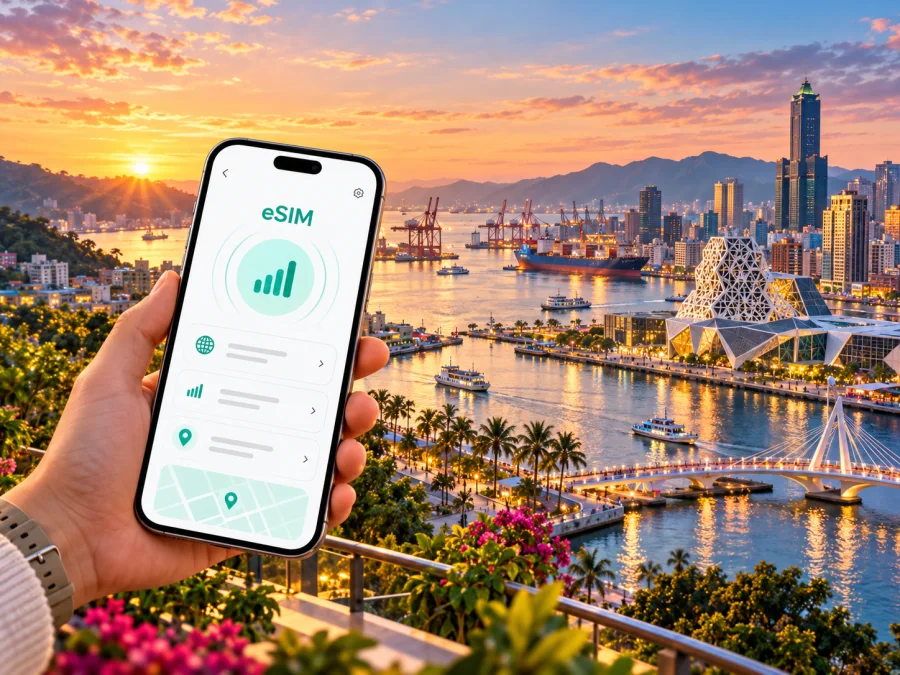
Kaohsiung eSIM: mobile connection and internet for a city trip
Kaohsiung is a spread-out port city where a day can move from the airport to an MRT station, a waterfront art district, a ferry pier and a late dinner in a different neighborhood. A reliable mobile data plan helps you check the next train, save a map, confirm a hotel address and message your travel companions while you move between these places. An eSIM can be a practical option if your phone supports it and the selected plan covers Taiwan.
This guide focuses on the decisions that matter in Kaohsiung: preparing before arrival, getting from Kaohsiung International Airport into the city, navigating public transport, planning a harbor day and staying connected on longer trips from the city. Network availability and performance can vary by location, building, device and plan, so check the terms of the specific eSIM you choose.
Before you travel: make a connection plan
Start with the practical tasks you expect to do online. A short visit with offline maps saved in advance may use less data than a business trip with video calls, cloud documents and frequent rideshare bookings. A useful plan accounts for both the number of days and how you use your phone.
| Trip pattern | Likely data use | Preparation that helps |
|---|---|---|
| Airport transfer and one overnight | Maps, messages, transport checks | Save the hotel address and an offline map area before departure |
| Two or three sightseeing days | Route searches, translation, photos and messaging | Check how much data photo backup and video apps use |
| Work visit | Email, documents, hotspot or calls over apps | Review hotspot rules and estimate work data separately |
| City plus regional excursions | Navigation for longer journeys and bookings | Confirm that the plan covers Taiwan for the full route |
The figures on a plan describe its allowance and validity, not a promise of a particular speed. Read whether the allowance is a fixed amount, whether reduced-speed use is possible after it is reached, when the validity period begins and whether tethering is permitted. If the terms do not answer a question you rely on, check with support before purchasing.
A practical pre-trip checklist:
- Confirm that the exact phone model and its regional version support eSIM.
- Check that the phone is unlocked for use with another mobile plan.
- Make sure you can access the email or account containing installation details.
- Keep access to a second internet connection for setup, such as trusted Wi-Fi.
- Save hotel details, airport directions and key addresses for offline use.
- Decide which SIM or eSIM will handle mobile data and which will receive calls or texts.
- Review the plan’s Taiwan coverage, data allowance, validity and activation conditions.
Check device support before choosing a plan
An eSIM-capable product family does not guarantee that every device in that family supports eSIM. Features can differ by model number and sales region, and some phones may be locked to the original carrier. Check the manufacturer’s specifications for the exact variant and use the device compatibility checker before you commit. Taiwan carrier guidance also cautions that certain versions sold in mainland China, Hong Kong or Macao may differ; a model name alone is not enough to establish support.
If your phone does not support eSIM, you can consider a physical local SIM or a roaming option from your home carrier. If you are unsure about the variant, search the model number in the phone’s settings and compare it with the manufacturer’s support information. Do not rely only on a seller’s broad description such as “global version.”
Arriving at Kaohsiung International Airport
Kaohsiung International Airport (KHH) is within the city. The airport has a Kaohsiung Metro Red Line station, making the MRT a direct public-transport option for reaching central interchange areas. The Red Line connects with the Orange Line at Formosa Boulevard, a useful transfer point for continuing toward different parts of the city. Check the current train timetable and station information on the day of travel, particularly if you arrive late or have a tight connection.
Once you have collected your luggage, open your saved route and compare the destination station with the address where you are staying. “Kaohsiung” is not a single compact center: a hotel near Sanduo Shopping District, a guesthouse around Yancheng, and accommodation by Zuoying HSR station call for different journeys. Look at the station exit and walking distance as well as the line name; the final stretch may be easier by taxi or bus with luggage.
Prepare these details before boarding so you can focus on the route after landing:
- Save the accommodation name and address in English and, if available, Chinese.
- Screenshot the booking confirmation and its check-in instructions.
- Pin the airport and accommodation on a map while you have Wi-Fi.
- Check the last-train timing if you land late; do not assume the metro runs around the clock.
- Keep your phone charged and carry a backup payment method for transport.
If your eSIM is already installed, select it as the mobile-data line when appropriate. Keep your home line enabled only if you need it and understand its roaming charges. Turn off data roaming on the home line if your goal is to avoid accidental roaming charges, and follow the instructions for the travel eSIM: some plans require data roaming to be enabled on that eSIM. The setting is line-specific on many phones, so confirm which line is selected before enabling it.
Getting around: use the map and the transit network together
Kaohsiung’s public transport includes metro, light rail, buses and ferries. The city’s visitor information describes two metro lines, Red and Orange, meeting at Formosa Boulevard, and a light-rail route that serves a number of waterfront and cultural areas. Routes and operating details can change, so use live station information or a current transit app when making a same-day plan. A route map is excellent for orientation; a current journey result is better for deciding which exit to use or whether a transfer is operating.
Mobile data is most useful when it answers a small, immediate question: which platform, which station exit, how far the walk is, or whether the next stop is yours. Download a map for offline fallback, then use live directions when you need current routing. Keep place names in both English and Chinese when possible; this can help if a driver, hotel desk or ticket counter needs to verify the destination.
| Area or landmark | Why you might go | Connection and navigation note |
|---|---|---|
| Formosa Boulevard | Central metro interchange and the Dome of Light | Save the exit you need; a large station can have several useful street approaches |
| Yancheng and Pier-2 Art Center | Warehouses, galleries and harbor walks | Combine the light rail with walking directions between individual venues |
| Hamasen and Sizihwan | Historic railway setting, harbor views and ferry access | Check the route to the ferry pier separately from the nearest rail stop |
| Love River and the Music Center | Riverside paths, evening views and events | Pin the exact riverside entrance or venue rather than searching only the district |
| Zuoying and Lotus Pond | HSR connections and northern city sights | Confirm the onward bus or rail leg before leaving the metro station |
| Cijin | Island-side food, beaches and harbor scenery | Check ferry departure point and service updates before crossing |
Payment rules vary by service, so confirm accepted methods before relying on a phone wallet or card. A data plan does not include transit fares or a local voice number; keep your phone charged and carry a backup payment method.
Cijin and other waterfront plans
Cijin is reached by ferry, and the journey itself is part of the outing. Confirm the departure pier, operating hours and return service before setting out; do not assume every ferry leaves from the same waterfront stop or runs at the same frequency each day. A map can help you compare the Gushan and other ferry options with your starting point. Save the return pier location as well as the outward route.
On the island, mobile maps can help you find food, waterfront paths and the return terminal, but some beach or harbor stretches may be less convenient for continuous phone use. Keep an offline map and the pier name available. If travelling with others, agree on a meeting point in case someone’s battery runs low or the group separates.
Plan a few stops and leave room for changes. Check weather and transport notices close to departure, especially when your plan depends on a ferry or outdoor visit.
Picking an eSIM plan for Kaohsiung
A city itinerary usually needs a Taiwan plan rather than a product labelled only for Kaohsiung: the city is within Taiwan, and many trips also include the airport, nearby districts or onward journeys. Check the country and any regional coverage description on the plan itself. Kaspersky eSIM Store is an app and website where you can choose, arrange and activate an eSIM with a suitable plan for mobile internet while travelling abroad. The specific coverage, allowance, validity, price and restrictions are set out in the plan details and can vary.
To compare options, estimate your trip from actual use rather than selecting the largest allowance by default. Navigation and messaging are generally lighter than repeated video streaming, uploading large photo libraries or using your phone as a laptop hotspot. If you need a hotspot for work, verify that the plan permits it and budget data for connected devices.
A simple choice process:
- Count the days you need mobile data, including arrival and departure days.
- List high-use activities such as video meetings, tethering and automatic cloud backup.
- Compare each plan’s Taiwan coverage, data amount and validity period.
- Read when the plan activates and what happens when the allowance is used.
- Check supported installation methods and whether the plan can be installed before travel.
- Keep a separate option for calls and SMS if you need a regular number.
You can review eSIM options for Taiwan and compare the current terms before choosing. Treat the page as a starting point for checking available plans, not as a guarantee that one particular plan fits every trip. Read the conditions displayed for the option you select, including the supported destination, validity and data allowance.
Install and activate with a little time to spare
Before installation, confirm eSIM support and an unlocked device, read the plan’s instructions and connect to reliable Wi-Fi if the setup method requires internet access. Keep the QR code or installation details accessible on another screen or device if you need to scan them. Follow the steps supplied for your purchase, since activation and validity rules can differ by plan.
- Open the eSIM settings. Find the mobile or cellular settings and choose the option to add an eSIM.
- Add the profile. Scan the supplied QR code or use the manual installation details if offered.
- Label the line. Give it a clear name such as “Taiwan data” so you can distinguish it from your home number.
- Choose the data line. Select the travel eSIM for mobile data when you intend to use it.
- Check roaming settings. Enable data roaming only for the travel eSIM if its instructions require it; keep your home line’s roaming settings aligned with your carrier’s charges.
- Wait for registration. A connection may take a few minutes after arrival or activation. Follow the plan’s instructions before deleting or reinstalling a profile.
For device-specific steps, use the Android eSIM installation guide or the iOS eSIM installation guide. Install before departure if the plan permits it, but check when validity starts: some plans begin when installed, while others start at first connection or under a different stated condition. If you prefer to wait until arrival, keep the QR code and purchase details accessible offline.
After setup, test the line with a simple webpage or message when you have a stable connection. If it does not connect, check that the eSIM is switched on, selected for mobile data, and configured as the plan requires. Toggle airplane mode once or restart the phone if instructed by support. Avoid deleting the eSIM as a first troubleshooting step; some profiles cannot be installed again without assistance.
Taking day trips from Kaohsiung
Kaohsiung is a useful base for exploring southern Taiwan, but coverage and transport conditions outside the city can differ from those in the urban core. Before leaving, check that your selected plan covers the whole destination, save maps for the route, download tickets and note the station or bus terminal for the return journey. Do not assume a plan described for one destination covers every nearby island or region; read its coverage list.
For a trip beginning at Zuoying, allow time to reach the high-speed rail station from your accommodation and verify the train and onward transfer details. If your day includes rural, mountain or coastal areas, download offline maps and keep your lodging address in text as well as on the map. A connection can be intermittent in some places, and app routing may not be enough to find a remote entrance.
Pack a charging cable or power bank if you will use navigation throughout the day. A drained phone can mean losing access to bookings, maps and messages at once. Save essential information in more than one form, and make a simple plan for meeting your group if mobile data is temporarily unavailable.
If the connection does not work
Troubleshooting is easier when you change one setting at a time and note what happened. Start with the basics:
- Confirm you are in Taiwan and within the plan’s stated coverage area.
- Check that the travel eSIM is enabled and selected for mobile data.
- Confirm the APN and roaming settings only against the instructions for that plan.
- Turn airplane mode on briefly, then off, or restart the phone.
- Check whether the plan has started and whether data remains.
- Try another location; indoor signal and building materials can affect reception.
- Contact the plan’s support channel with the device model, location and steps already tried.
Do not assume that a visible signal icon means mobile data is active. Conversely, a temporary loss of data does not by itself prove that the eSIM is faulty. Keep Wi-Fi available where practical and do not remove the profile unless support or the plan instructions tell you to do so.
Common questions
Does an eSIM for Taiwan work only in Kaohsiung?
No. The city is in Taiwan, but coverage depends on the specific plan. Check its stated destinations before travelling beyond Kaohsiung, including any island or regional stops.
Can I use the eSIM to call a local phone number?
Usually a travel data eSIM is intended for mobile internet and does not include a regular phone number, voice calls or SMS unless the plan explicitly says otherwise. Keep your home SIM for calls if suitable, or use internet-based calling apps where permitted and connected.
Will the same phone model always support eSIM?
No. Support may differ by the exact model, region of sale, software and carrier lock. Verify the full model identifier and check the manufacturer’s specifications and compatibility information before buying.
Should I install the eSIM before flying?
It depends on the plan’s instructions and when validity begins. Some plans can be installed in advance; others may start a validity period during installation or when they first connect. Read the activation terms and choose a time that leaves you access to Wi-Fi and the setup details.
Is mobile data necessary for the MRT or light rail?
No. You can travel without mobile data if you already have the route and payment method you need. Data helps with live route checks, station exits and changes, while an offline map and saved directions provide a useful backup.
Can I rely on the airport metro for every arrival time?
The airport is served by Kaohsiung Metro’s Red Line, but service is not a 24-hour guarantee. Check the current timetable for your arrival and have an alternative for late-night travel or service disruptions.
What if my phone is not compatible?
Use a compatible unlocked device, ask your home carrier about roaming, or compare physical SIM options available in Taiwan. Confirm the terms and identification requirements of any local service before you travel or purchase.
A simple plan for your first day
Before departure, check the exact phone variant, choose a Taiwan plan whose data and validity match your itinerary, and save your hotel details and offline map. At KHH, follow the metro signs if the timing suits your arrival; otherwise, use a suitable alternative and keep the destination address ready. For your first trip across the city, use the current transit route and verify the final station exit. Then explore one area at a time, with ferry and event timings checked before you set out.
Choose and install an eSIM through Kaspersky eSIM Store if it fits your device and travel needs. Review the current Taiwan eSIM options, compare the terms shown for each plan and follow its setup instructions. A few checks before departure can make it easier to navigate Kaohsiung from the airport to the harbor and onward through your trip.


