Travel connectivity guide
Kaolack eSIM Guide: Mobile Internet in Senegal
Kaolack eSIM: Mobile Connection and Internet for Your Senegal Trip
Kaolack is a practical stop for travelers crossing central Senegal, visiting the Saloum area, or working with the region’s commercial and agricultural businesses. It is not a resort city built around a single visitor route: daily life here moves between busy streets, markets, transport hubs, offices, hotels, and the river landscape. That makes reliable mobile data useful for small, concrete tasks—confirming a pickup point, sharing a location, checking a booking, messaging a host, or changing plans while you are already on the move.
An eSIM can help you prepare mobile internet before you leave home. You choose a plan for Senegal, install its digital SIM profile on a compatible phone, and use it for data when the plan’s conditions allow. The details still matter: the package must cover Senegal, the validity period must fit your trip, and your phone must support eSIM and be unlocked. A city name alone cannot guarantee signal in every building, on every road, or with every provider.
Why mobile data is useful in Kaolack
Kaolack is both the capital of the Kaolack region and a department-level center. Official regional statistics describe the wider region as a transport and commercial crossroads. The Saloum and the surrounding agricultural basin are part of the regional setting, while road journeys connect the city with other parts of Senegal and neighboring routes. For a visitor, that means plans may change between city errands and longer travel legs.
Use mobile data as a practical tool rather than assuming every task needs a continuous connection. A map is useful when approaching an unfamiliar hotel or meeting point; downloaded directions are a backup if service drops. Messaging helps coordinate with a driver, but the driver may describe a landmark or neighborhood rather than share a precise map pin. Keep the written address and a local contact number available as well.
| When you are in Kaolack | How mobile internet can help | Useful backup |
|---|---|---|
| Arriving by road | Confirm the meeting point and send an arrival message | Save the address and host’s number offline |
| Finding a hotel or office | Open a map and compare the destination name with the booking | Keep a screenshot of the reservation |
| Visiting a market or commercial area | Coordinate with your group and check your next stop | Agree on a recognizable meeting point |
| Working between appointments | Send documents, use email, and update colleagues | Download key files before leaving Wi-Fi |
| Leaving the city | Check your route and tell contacts about a delay | Carry a paper note of the destination and route |
The table describes possible uses, not a promise of coverage. Actual service depends on the local network selected by the plan, radio conditions, device settings, congestion, and the exact location. Keep a second way to find your lodging or contact your host, especially for the first journey after arrival.
Arriving and getting oriented
For international travel, check the arrival airport shown on your ticket and plan the onward journey to Kaolack separately. Do not assume that a flight search result for “Kaolack” represents a currently operating scheduled passenger service. The practical itinerary may involve arriving elsewhere in Senegal and continuing overland, but the right route depends on your airline, date, and connection. Confirm each segment with the carrier or transport provider before departure.
If you are continuing from Dakar or another city, use the route name and pickup location supplied by your transport company. Kaolack is connected to the national road network; the N1 and other regional routes serve journeys through the area. Road conditions, traffic, departure points, and travel times can change, so rely on current operator information instead of planning around a fixed estimate copied from an old guide.
Before leaving a transport terminal or vehicle, check that you have:
- the exact address of your first stop, saved in writing;
- the name and phone number of your host, hotel, or colleague;
- enough battery for maps and messages, plus a charging cable or power bank;
- offline copies of your booking and onward transport details;
- a data plan that is already installed or clear instructions for activating it.
When you arrive in the city, ask your host which local landmark or entrance is easiest to recognize. A map pin may point to a large block, a business may have more than one entrance, or a street name may be unfamiliar to a driver. Send a short message before you start walking rather than navigating while distracted in traffic or a crowded area.
Moving around the city
Kaolack is a working regional center, so visitors may make several short trips in a day instead of following a fixed sightseeing circuit. You might move from your accommodation to a market, an office, a station, or a riverside area, then leave for a meeting outside the center. Mobile navigation is most useful when you treat it as one source of directions and confirm the final details with a person who knows the destination.
At pickup points, share a landmark and your destination name as well as a map pin. If a driver calls or messages with a question, keep data-based messaging available, but remember that a data-only travel eSIM may not include a local telephone number or ordinary calls and SMS. If your itinerary depends on voice calls, check your home line’s roaming conditions or arrange a suitable local option separately.
A simple arrival routine reduces missed connections:
- Save your lodging and the first meeting point before you set off.
- Ask your host which road entrance or nearby landmark to use.
- Share your estimated arrival and keep your phone reachable.
- Check the route again if your driver suggests a change.
- Once you arrive, save the confirmed location for the return trip.
Keep maps readable offline where possible. Search for the destination while you still have a stable connection, save or screenshot the route, and avoid relying on live navigation as your only option. If you travel beyond the built-up area, download the broader map region in advance and agree how you will reconnect with companions if the group separates.
Markets, meetings, and everyday stops
The central market and surrounding commercial streets can be busy, with many similar-looking entrances and stalls. If you are meeting someone, agree on a specific entrance, shop, or public landmark rather than “the market” as a whole. A short mobile message can resolve a change of meeting point, but a screenshot of the agreed location is useful if the connection becomes slow or unavailable.
For a business visit, exchange the full organization name and address in advance. Map labels may use spelling variations, so send your contact the destination name you see and ask them to confirm it. Download documents before leaving Wi-Fi so an interruption does not delay the meeting.
If you are travelling with colleagues, agree on check-in times. Keep a charged phone accessible, but avoid handling it while crossing roads. A power bank helps on a day of maps, email, and translation tools.
Choosing an eSIM plan for Kaolack
A city-specific eSIM plan is not necessarily required. Most travelers should first look for a plan whose listed destination includes Senegal, then compare its data allowance and validity with the full itinerary. If you will also visit other countries, check whether the plan covers those destinations too; a Senegal-only package may not apply once you cross a border.
To estimate your data needs, consider what you will actually do. Navigation and text messages usually use less data than frequent video calls, uploading large files, or watching streamed video. Hotel Wi-Fi can reduce mobile use, but it should be treated as an additional connection rather than the only way to get online. A business traveler who sends attachments may need more data than someone using maps and messaging for a short stop.
| Travel pattern | What to check before choosing |
|---|---|
| Short visit within Kaolack | Plan validity, included data, and whether the plan starts on installation or first network connection |
| Several days with daily navigation | A data allowance that leaves room for map updates and messages, not just the first day |
| Work trip with file sharing | Whether the allowance suits email attachments, cloud files, and video calls |
| Kaolack plus other Senegalese destinations | Senegal coverage and validity across the full date range |
| Senegal plus a neighboring country | The exact list of covered countries and whether one regional package fits the route |
Before confirming a purchase, read the current plan conditions: destination, data amount, validity, supported network or networks if shown, activation rules, and any top-up terms. These details belong to the selected plan and can change. Do not infer that a plan includes voice calls, SMS, tethering, or a specific local number unless its terms say so.
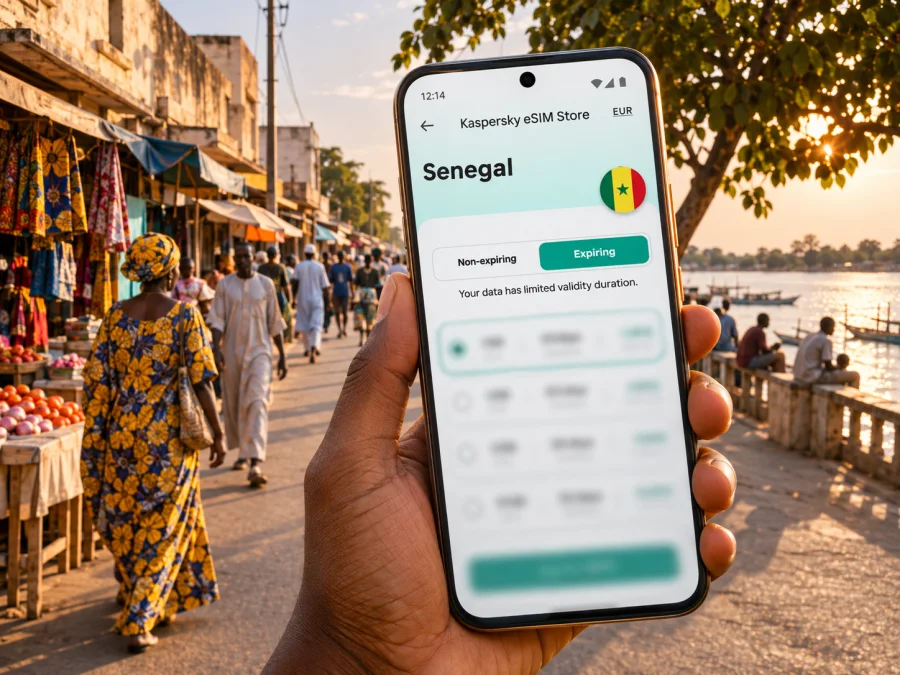
Kaspersky eSIM Store is an app and website that helps you choose, purchase, and activate an eSIM with a suitable mobile-data plan for an international trip. To review available destinations and current plans, select Senegal and confirm that the displayed conditions suit your route to Kaolack before you choose.
Check your phone before departure
An eSIM profile can only be installed on a compatible device that is not restricted by a carrier lock. Support may differ between regional variants of what appears to be the same phone model, so check the exact model number and the manufacturer’s guidance for the market where it was sold. Do not rely on a broad product-family name alone. Check whether your device supports eSIM before buying a plan.
Also confirm that you can access the account or email address used for purchase while travelling. Keep the installation instructions and any activation details somewhere you can open without searching through an inbox on a weak connection. If the device has two SIM lines, decide which line should handle mobile data and which should remain available for your regular number.
A data-only eSIM is not automatically a replacement for your usual phone line. Your primary SIM can remain enabled for calls or texts if your device supports dual SIM use, but your home carrier may charge roaming fees. Check its terms before travel, and make sure the phone’s mobile-data setting points to the intended eSIM when you want to use the travel plan.
Install and activate before the trip
When convenient, install the eSIM while you have stable Wi-Fi and time to follow the on-screen steps. Some plans begin their validity at a particular stage of installation or first connection; check the plan terms so that you do not activate earlier than intended. Keep the QR code or manual details available until the profile is installed, and do not delete an active eSIM unless the plan instructions or support team tell you to.
The exact menus differ by phone and operating-system version. Follow the plan’s installation flow and the relevant device guide: instructions for Android and instructions for iOS.
A careful setup sequence is:
- Connect the phone to reliable Wi-Fi and make sure it has enough battery.
- Add the eSIM by scanning the supplied QR code or following the supported manual method.
- Label the line clearly, such as “Senegal data,” so it is easy to identify later.
- Select the travel eSIM for mobile data when the plan should be used.
- Leave your regular number configured as needed for calls or messages, and review its roaming settings.
- Follow the plan’s activation instructions. If data roaming must be enabled for the travel profile, do so only for that profile and in line with the plan guidance.
- After arrival, allow time for the phone to register and check the plan’s troubleshooting steps if it does not connect.
Installation and service are separate steps. A profile can appear in your phone’s settings before it has registered on a local network. Likewise, a successful installation at home does not prove that the plan will connect in every location in Kaolack. If the connection does not start, verify the selected data line, activation state, roaming setting if applicable, and the destination and validity shown in your plan details.
Use data thoughtfully while travelling
To keep the plan useful throughout the visit, connect to trusted Wi-Fi for large downloads and updates, and reserve mobile data for maps, messages, email, and time-sensitive tasks. Disable automatic app updates and cloud photo uploads over mobile data if you want to control usage. Download translation packs, tickets, and documents before you leave your accommodation.
For location sharing, send a pin and a plain-language meeting point. Move somewhere safe before typing, and ask staff to confirm the entrance.
When service is weak or unavailable
A dropped connection does not always mean the eSIM is faulty. Local signal can vary with indoor walls, the phone’s radio bands, network load, weather, or the exact place you are standing. Move to an open area if it is safe, wait briefly, and recheck the selected line and network-registration status. Avoid repeatedly deleting or reinstalling the profile, as some QR codes or profiles may be limited to a single installation.
Use this troubleshooting order: confirm that the eSIM is switched on and selected for data; check that Senegal is covered and the plan is valid; review activation and roaming instructions; then restart or briefly toggle airplane mode. If manual network selection is required, follow the plan’s instructions. Contact its support channel with your device model, location, and the phone’s displayed status.
For urgent directions or a pickup, use your saved address, booking screenshot, or host contact while troubleshooting. Service may vary from one room, street, or journey segment to another.
Short stop, work trip, or regional journey?
For a short stop: save the destination offline, use data for arrival messages and maps, and check when validity begins so the plan is not activated too early.
For a work visit: download meeting files, confirm addresses with local contacts, and account for video calls or attachments. Arrange a separate option if you need ordinary voice calls.
For onward travel: check the next destination before leaving Kaolack. Plan coverage applies to the listed country or region, not to a city itinerary by implication. Download maps and share your next stop before departure.
For a group: make sure each traveler has access to their own route and booking details. One person’s phone connection should not be the group’s only source of directions, particularly when splitting up or travelling outside the city center.
Frequently asked questions
Is an eSIM useful for a visit to Kaolack?
It can be useful if you want mobile data for maps, messaging, email, or coordination without changing a physical SIM. Whether it is the right option depends on your phone, plan conditions, trip length, data needs, and any roaming arrangement you already have.
Can I rely on a Kaolack airport for my arrival?
Check the airport and flight details on your ticket; a local airport listing does not guarantee scheduled passenger service on your date. Confirm the itinerary with your airline and plan any road transfer separately.
Can I expect coverage across Kaolack?
No plan can promise service in every building or at every point on a road. Coverage depends on its local network arrangements, the device, and current radio conditions. Check the plan details and keep offline directions and contact information available.
Does a travel eSIM give me a Senegalese phone number?
Not necessarily. Many travel eSIMs are intended for data only. Check the selected plan if you need a local number, ordinary calls, or SMS.
A practical Kaolack connectivity checklist
Before you leave, confirm the route and arrival airport, save addresses and bookings offline, check that the exact phone variant supports eSIM and is unlocked, compare plan data and validity, download maps and documents, and carry a charger.
On arrival, select the correct data line, follow activation steps, message your host or driver with a clear meeting point, and keep a backup route for weak-signal areas.
Kaolack is easier to navigate when you combine mobile tools with local confirmation. A map helps you get close; a saved address, host contact, and clear landmark help complete the trip. Choose an eSIM plan for Senegal only after checking its current conditions against your exact route, device, and dates.
Prepare your eSIM for Kaolack
Check device compatibility, compare the current data allowance and validity for your itinerary, and install the eSIM using the plan’s instructions. When you are ready, browse destinations and compare current eSIM options and select Senegal to find a plan whose terms fit your trip to Kaolack.


