
Travel connectivity guide
Kapan eSIM: mobile internet for your trip
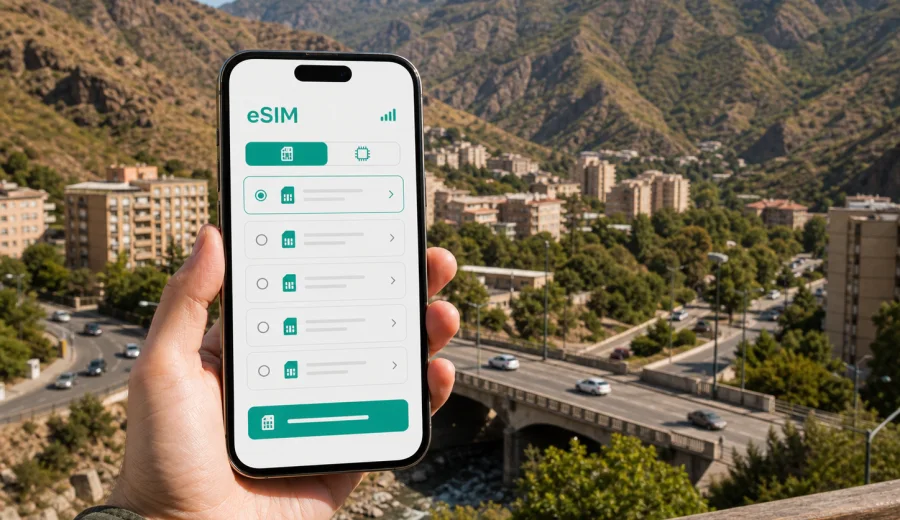
Kapan eSIM: mobile connection and internet for your trip
Kapan is a practical city to plan carefully: it sits deep in southern Armenia, surrounded by mountains, river valleys, regional roads, hotels, offices, mines, hiking routes, and onward trips across Syunik Province. If you are coming for business, family travel, a road journey, or a short stop before continuing through the south, mobile internet is not just a convenience. It helps you find your hotel, message a driver, translate signs, check bookings, follow maps, and stay reachable when your schedule changes.
An eSIM can make that first day in Kapan simpler because you do not need to look for a physical SIM card after arrival. You choose a suitable data plan before the trip or when you already have Wi-Fi, install the eSIM on a compatible phone, and use it for mobile data during the journey. Kaspersky eSIM Store is an app and website where you can choose, arrange, install, and activate an eSIM with a suitable data plan for international travel.
This guide focuses on Kapan itself: arrival, local movement, hotels, workdays, mountain routes, transport apps, messaging, and day trips from the city. Armenia is the country context, but the main question is local: how much mobile internet do you need when Kapan is your base?
Why mobile internet matters in Kapan
Kapan is not a city where every travel task happens in one compact tourist zone. You may move between central streets, hotels, industrial sites, public offices, apartment areas, cafes, mountain viewpoints, and nearby roads. Even if you arrive with a clear itinerary, the useful travel details often appear on the move: a driver sends a new pickup point, a hotel asks for arrival time, a business meeting changes location, or a hiking plan needs a weather check.
Mobile data is especially useful in these Kapan scenarios:
- Finding your hotel or apartment after a long road transfer.
- Sharing your live location with a local contact or driver.
- Checking maps when streets, bridges, and mountain roads create detours.
- Translating restaurant menus, messages, and local service details.
- Confirming bus, taxi, or private transfer arrangements.
- Using messaging apps for calls when your main SIM is kept for your home number.
- Sending work files, photos, or travel documents from the hotel.
- Planning short trips from Kapan to nearby valleys, monasteries, viewpoints, or villages.
The value of an eSIM is that you can prepare mobile internet before the moment you need it. In a city like Kapan, where many arrivals are by road and the first useful connection may be needed before check-in, that preparation can reduce friction.
Arrival in Kapan: what to plan before the first hour
Many visitors reach Kapan as part of a longer Armenia route. Some come from Yerevan or another Armenian city by car, minibus, private transfer, or business transport. Others include Kapan in a Syunik itinerary with Goris, Tatev, Meghri, Kajaran, or mountain areas. However you arrive, the first hour usually includes several online tasks.
You may need to:
1. Message your hotel or host with an estimated arrival time.
2. Open maps before the vehicle reaches the city center.
3. Check whether your meeting point is a hotel lobby, office entrance, roadside pickup point, or apartment courtyard.
4. Translate directions from a driver or host.
5. Save an offline copy of a route in case the next section has weaker signal.
An eSIM for Armenia can help you handle these tasks without waiting for public Wi-Fi. It is still smart to save key addresses offline before departure, especially if your route passes through mountain roads. eSIM is mobile data, not a guarantee that every road bend or remote valley will have the same signal quality. Conditions depend on the selected tariff, local networks, terrain, and device settings.
Local movement: maps, taxis, walking routes, and timing
Kapan is shaped by mountains and the Voghji River valley, so movement can feel different from flatter cities. A short distance on the map may include slopes, bridges, traffic points, or a route that works better by car than on foot. Mobile data helps you make small decisions without asking for Wi-Fi at every stop.
For daily movement inside Kapan, keep these habits in mind:
- Pin your hotel, meeting location, and return point in your map app.
- Download the city area offline before leaving your hotel.
- Keep your eSIM data profile selected for mobile internet.
- Use messaging apps for location sharing when coordinating with drivers.
- Check walking routes before sunset if you are unfamiliar with the area.
- Keep enough battery for maps on the way back, not only for the outbound trip.
For business visitors, mobile internet is also useful between meetings. You can check documents in a car, answer time-sensitive messages, join a short call from the hotel, or use your phone as a backup connection if hotel Wi-Fi is crowded or unstable. Before using tethering, check whether the selected eSIM tariff allows modem mode and whether your device settings permit it.
How much data do you need for a Kapan trip?
Data use depends on your habits, not only on trip length. A traveler who mostly uses maps and messaging may need far less data than someone who uploads videos, joins work calls, or uses cloud files throughout the day.
| Travel style in Kapan | Typical online tasks | Data planning approach |
|---|---|---|
| Short stopover | Maps, hotel messages, taxi coordination, light browsing | Choose a smaller package if you already have hotel Wi-Fi |
| Weekend in Syunik | Navigation, photos, restaurant searches, messaging, day trip planning | Choose enough data for maps and regular app use |
| Business trip | Email, documents, video calls, hotspot backup, schedule changes | Choose a larger allowance and check tethering conditions |
| Road route through southern Armenia | Maps, weather, accommodation updates, route checks, messaging | Plan for navigation and communication across several towns |
| Family trip | Several phones, bookings, translation, photos, shared locations | Consider each device separately; one eSIM usually belongs to one device |
As a practical baseline, maps, messaging, ride coordination, and browsing are moderate uses. Video calls, cloud backups, streaming, and automatic photo uploads are heavier uses. Before leaving for Kapan, turn off unnecessary background updates and set large app downloads to Wi-Fi only. This helps your eSIM data allowance last longer during travel days.
Choosing an eSIM plan for Kapan
For a city trip, the main choice is not "Kapan or Armenia" as separate destinations. Kapan belongs to Armenia, so you should look for an Armenia eSIM plan or a regional plan that includes Armenia if your route crosses more than one country. The city is the travel scenario; the country defines the plan coverage area.
When comparing options, check five details:
- Coverage destination: Armenia or a region that includes Armenia.
- Data allowance: enough for maps, messaging, work, and route planning.
- Validity period: long enough for the full trip, including arrival and departure days.
- Activation rules: when the validity period starts and what steps are needed.
- Device compatibility: whether your phone supports eSIM and is not locked to one operator.
If your trip is centered on Kapan but includes Yerevan, Goris, Tatev, Kajaran, Meghri, or other parts of Syunik, the same Armenia-focused plan may be relevant for the whole route. If your itinerary continues to another country, compare whether a regional option makes more sense than separate country plans.
When you are ready to compare options, you can choose an eSIM tariff for your trip to Kapan through the Armenia page in Kaspersky eSIM Store. Review the data volume, validity period, destination, and activation details before payment so the plan fits your actual route.
Before you install: compatibility and phone settings
Not every phone supports eSIM, and some devices are locked by an operator. Before buying a plan, check your device and make sure the phone you will carry in Kapan can add an eSIM profile. This matters more than the destination: even a suitable plan will not help if the device cannot install it.
Use this checklist before the trip:
- Your phone supports eSIM.
- The device is not locked to a single mobile operator.
- You have internet access for installation, such as home Wi-Fi or hotel Wi-Fi.
- Your operating system is up to date enough for eSIM setup.
- You know which SIM profile will handle mobile data.
- You know whether data roaming must be enabled for the eSIM profile.
- You understand that most travel eSIM data plans do not include a regular phone number, voice calls, or SMS unless the plan conditions say otherwise.
For installation steps, use the relevant guide: Android eSIM instructions or iOS eSIM instructions. Install the eSIM while you have a stable connection. If the plan allows installation before departure, that can be easier than doing everything after a long transfer.
Practical setup for a smooth first day
The best time to prepare mobile internet is before it becomes urgent. If you are traveling to Kapan from another Armenian city, install the eSIM while you still have reliable Wi-Fi. Then check the profile name and make sure you can quickly select it for mobile data when needed.
A simple setup flow looks like this:
1. Choose Armenia as the destination, or choose a regional plan only if your route needs it.
2. Select a data volume and validity period that match your stay in Kapan.
3. Install the eSIM using the on-screen instructions or QR code flow.
4. Keep your primary SIM active if you need your usual number for banking or SMS.
5. Set the eSIM as the mobile data line when you are ready to use travel data.
6. Enable data roaming for the eSIM profile if the plan instructions require it.
7. Test a low-data task, such as opening a map or sending a message.
Do not delete the eSIM profile after installation unless the instructions or support team tell you to do so. Some eSIM profiles cannot be transferred or reinstalled freely after activation. If something does not work, check the profile settings, data line selection, roaming setting for the eSIM, and available local signal before changing the setup.
Kapan travel scenarios where eSIM helps
Different travelers use mobile data in different ways. The point is not to stay online every minute; it is to have enough access for the moments when travel depends on information.
Business visit. You may move between a hotel, office, industrial site, municipal building, or meeting venue. eSIM data helps with maps, schedule updates, document access, and messaging when you are away from hotel Wi-Fi. For heavier work, choose a larger data allowance and confirm whether hotspot use is allowed by the plan.
Road trip through Syunik. Kapan can be a base or a waypoint on a route through southern Armenia. Mobile internet helps with navigation, accommodation updates, weather checks, and route changes. Save offline maps as a backup because mountain terrain can affect signal quality outside urban areas.
Short stop in the city. If you are in Kapan for one night, you still need arrival messages, maps, restaurant searches, and departure coordination. A smaller data plan may be enough if you use hotel Wi-Fi for heavier tasks.
Family travel. Families often use more data than expected because several people share photos, maps, calls, and entertainment. Remember that an eSIM profile is normally installed on one compatible device. If several travelers need independent mobile data, plan each device separately.
Hotel-based remote work. Hotel Wi-Fi may be enough for some tasks, but a mobile data plan can be useful as a backup. Test your connection before an important call, keep large uploads for Wi-Fi where possible, and avoid spending your travel data on automatic cloud sync.
What to save offline before leaving for Kapan
Even with an eSIM, offline preparation is useful. It protects you from weak signal areas, low battery, or a missed setting. Prepare these items before the road section of your trip:
- Hotel name, address, phone number, and booking confirmation.
- Main meeting address and a backup contact.
- Offline map area for Kapan and your route into the city.
- Screenshots of the eSIM setup instructions and QR code details if provided.
- Important travel documents saved locally.
- A short Armenian or English message with your hotel address for drivers.
- Emergency contacts and your next destination details.
This offline layer does not replace mobile data. It gives you a fallback so that eSIM, hotel Wi-Fi, and saved information work together.
Using eSIM alongside your main SIM
Many travelers keep their home SIM active for calls, banking confirmations, or messenger identity, while using eSIM for mobile data abroad. This can work well, but it needs careful settings.
Before you start using data in Kapan, check which line is selected for mobile internet. If your home SIM remains selected by mistake, your phone may use roaming instead of the travel eSIM. On most modern phones, you can keep the primary SIM for calls and SMS while setting the eSIM as the data line. Review the labels in your phone settings so you know which profile is which.
If you use messengers for calls, remember that call quality depends on mobile signal, app performance, and the data connection at that location. If you expect long video calls, use Wi-Fi where possible or choose a larger data package.
Common mistakes to avoid
Small setup mistakes can make travel internet feel more complicated than it needs to be. Avoid these before and during your Kapan trip:
- Waiting until you are in a car with weak signal to install the eSIM.
- Buying a plan without checking device compatibility.
- Choosing too little data for a work trip with video calls.
- Forgetting to set the eSIM as the mobile data line.
- Leaving cloud photo backup active on mobile data.
- Deleting the eSIM profile while troubleshooting.
- Assuming a data eSIM includes a local phone number, calls, or SMS.
- Depending only on public Wi-Fi for maps and driver messages.
The safer approach is simple: install with stable Wi-Fi, check settings calmly, save offline maps, and keep the eSIM profile ready before the most time-sensitive part of the journey.
FAQ: eSIM and mobile internet in Kapan
Can I use an Armenia eSIM for Kapan?
Yes. Kapan is in Armenia, so for a city trip you should look at Armenia plans or regional plans that include Armenia. Check the destination and plan conditions before payment.
Should I install the eSIM before arriving in Kapan?
If the plan conditions allow it, installing before the trip is usually easier. You need a stable internet connection for setup, and that is often simpler at home, at the office, or on hotel Wi-Fi than during a road transfer.
Will an eSIM give me a local Armenian phone number?
Most travel eSIM data plans are for mobile internet and do not include a regular phone number, voice calls, or SMS unless this is stated in the plan details. You can use internet-based messaging and calling apps through mobile data.
Can I use eSIM for navigation outside Kapan?
You can use mobile data for maps and route checks where the selected plan and local network conditions allow service. For mountain roads and rural areas, download offline maps as a backup.
Is hotel Wi-Fi enough for a Kapan trip?
Hotel Wi-Fi helps with heavier tasks, but it does not cover arrival, taxis, walking routes, road stops, or messages while moving around the city. eSIM is useful for those mobile moments.
Can I share eSIM data with a laptop?
Sometimes, but it depends on the selected plan and device settings. Check whether hotspot or modem mode is allowed before relying on it for work.
What if activation takes longer than expected?
Check that the eSIM profile is installed, selected for mobile data, and configured according to the instructions. If data roaming for the eSIM is required, enable it for that profile. If the issue continues, contact support through the available Kaspersky eSIM Store channels.
Final checklist before your Kapan trip
Use this quick checklist the day before departure:
- Choose a plan for Armenia or a suitable region that includes Armenia.
- Confirm that the validity period covers your arrival and departure days.
- Check that your phone supports eSIM and is not operator-locked.
- Install the eSIM while connected to stable Wi-Fi.
- Save Kapan maps and hotel details offline.
- Set your eSIM profile name clearly in phone settings.
- Turn off mobile data for heavy background apps.
- Keep your main SIM active only for the services you need.
- Carry a charger or power bank for map-heavy travel days.
Kapan rewards good preparation because the city is both urban and mountainous. You may spend the morning in meetings, the afternoon crossing town, and the evening planning a route through Syunik. With an eSIM prepared in advance, mobile internet is ready for the practical parts of the trip: maps, messages, bookings, translation, and route changes.
Before you travel, prepare an eSIM plan for Armenia in Kaspersky eSIM Store, review the tariff details, install it on a compatible device, and keep mobile data ready for your time in Kapan.