Travel connectivity guide
Karak eSIM: Mobile Data for Your Jordan Trip
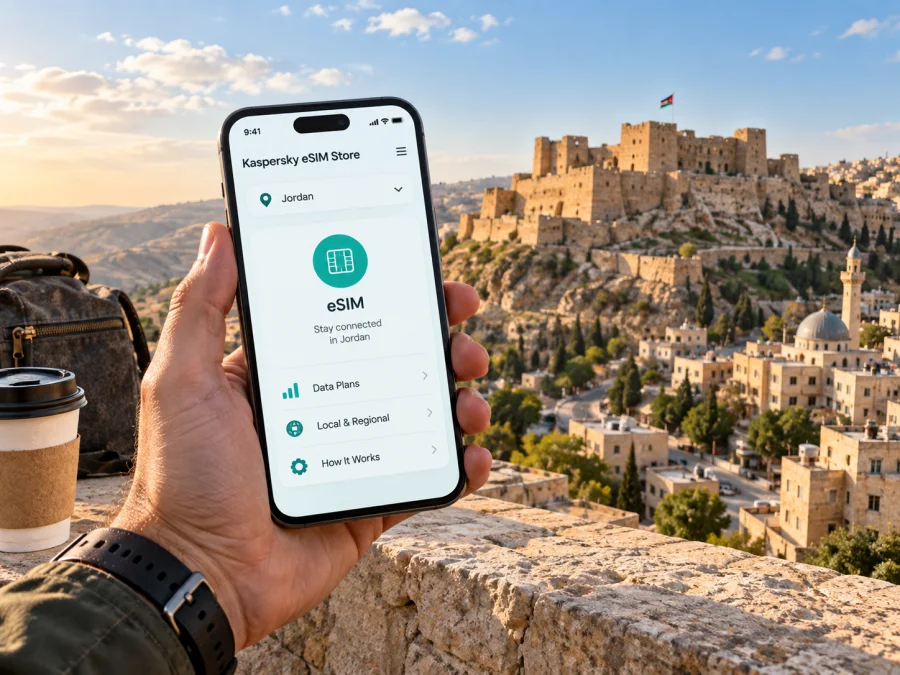
Karak eSIM: mobile connection and internet for a city visit
Karak is a compact historic town in Jordan’s southern highlands, known above all for its imposing castle and the lanes of its old centre. A visit may be a short stop on a longer drive, an overnight stay, or a base for exploring nearby landscapes. In each case, mobile data is useful for checking your route, contacting a host, translating a sign, or sharing a change of plan. An eSIM can make that part of the journey easier to prepare, provided your device supports it and your chosen plan suits the trip.
This guide focuses on using mobile internet around Karak: what to plan before arrival, how to move between the castle and your accommodation, what to consider on a day trip, and how to avoid relying on a single connection method. It is not a promise of signal in every street or building. Local coverage, indoor reception, device settings, and the terms of your selected plan all matter.
What to expect from a visit to Karak
Karak’s historic core is closely associated with Karak Castle, which occupies a prominent position within the old city. The Jordan tourism authority describes the town as a fortified settlement on the route of the ancient King’s Highway and notes its setting above the surrounding landscape. The castle itself is a large complex of stone corridors, halls, and open viewpoints. Nearby, Castle Plaza groups visitor-oriented facilities in restored Ottoman-era buildings. These landmarks give the centre a clear focus, but the town is not simply a single monument: you may also need to find a guesthouse, a place to eat, a meeting address, or the road onward.
The layout is easier to understand when you treat the castle and the old centre as your main reference points. An address may be given by a local name, a landmark, or a pin rather than by a street number that is immediately obvious to a visitor. Save the accommodation’s location before setting out, and ask the host how they describe the final approach. A map pin helps, but a short message or call through an internet-based service can settle the last details.
Karak can be a stopping point between different parts of Jordan. You may approach along the King’s Highway or from the direction of the Dead Sea. Check the route and current road conditions before leaving; map estimates can change with stops, weather, and roadworks.
A quick planning table
| Part of the visit | Why data may help | Useful preparation |
|---|---|---|
| Arrival in town | Confirming the final turn or meeting point | Save the address and pin while you have Wi-Fi |
| Castle and old centre | Orienting yourself between the main landmark and nearby streets | Download an offline map area as a backup |
| Accommodation | Messaging about check-in or a late arrival | Keep the host’s details somewhere accessible offline |
| A drive out of town | Following a route and checking a change of plan | Review the full route before departure |
| Work or a longer stay | Joining messages and checking schedules | Confirm the plan’s data allowance and validity |
Set up your connection before the first trip across town
The most useful time to make a few mobile-data decisions is before you are standing outside a hotel or trying to coordinate a pickup. First, check whether your phone supports eSIM and whether it is unlocked for use with another mobile plan. Device support varies by exact model and sales region, so verify the manufacturer’s specifications or your phone settings. Check your device’s eSIM compatibility before choosing a plan.
Next, decide what you will use data for. A traveller who mainly opens maps and sends occasional messages has a different usage pattern from someone joining video calls or uploading large files. Consider the length of your stay, how often you expect to navigate, whether you will travel beyond Karak, and whether your accommodation offers Wi-Fi. Look at the plan details themselves, including its destination, data allowance, validity period, price, activation conditions, and any restrictions. Do not assume all plans have the same terms.
Karak’s highland setting makes it sensible to keep a backup for navigation. Save the address of your lodging, the castle, and any appointment location. If you use an online map, download the relevant map area when you have a dependable connection. Keep your essential booking details in a note or screenshot. Offline preparation will not replace live directions, but it can help you find your way if reception is weak, your battery is low, or you temporarily have no data.
For an international trip, Kaspersky eSIM Store is an app and website where you can choose, arrange, and activate an eSIM with a suitable mobile-data plan. You can review eSIM options for Jordan and compare the displayed plan terms with your itinerary. Check the destination and validity carefully if Karak is one stop among several, especially when your route continues to another city or region.
Before you leave your accommodation
Use this short checklist when you are about to head into town or start a drive:
- Confirm that mobile data is assigned to the intended eSIM in your phone settings.
- Keep the accommodation address, host contact, and next destination available offline.
- Open your route once before departure and check that the destination pin is correct.
- Carry a charging cable or power bank if you expect to use navigation for a long stretch.
- Review your data balance and plan validity if you have been using data heavily.
- Keep another way to contact your travel companion, such as an agreed meeting point.
If you keep your usual SIM active for calls or verification, check which line is selected for mobile data and how your phone handles data switching. Label the eSIM in settings if you use more than one profile. This makes it easier to see which line is handling data when you open a map or message your host. These steps also reduce decisions while walking through unfamiliar streets or changing vehicles.
Moving around Karak and finding your bearings
A first visit often begins around the castle because it is the town’s most recognizable landmark. From there, you may walk through the nearby old-centre streets, stop at Castle Plaza, or continue to a hotel or restaurant. The local terrain is not a flat, uniform grid: the historic setting sits on elevated ground, and the route between a map pin and a doorway can include slopes, turns, or steps. Choose footwear for walking and allow time to orient yourself rather than judging a route only by its distance on screen.
Navigate in short stages, setting the next clear point such as your accommodation or a meeting place. If a lane or entrance is unclear, pause somewhere safe, check the map, and ask locally. A live map may not show every entrance or current access condition, and a route for a car may differ from one on foot.
With luggage, ask your host for the recommended drop-off point and a landmark for the final approach. A pin at the centre of a property may not identify its vehicle entrance. Save those instructions before leaving Wi-Fi.
A short stop, an overnight stay, or a work trip
Your data needs depend on the length and purpose of the visit. A brief stop may call for directions and essential messages; an overnight stay adds check-in details and a morning route. A work trip may involve calendar changes, documents, and calls through internet-based apps. Choose a plan for your expected use and read its terms.
| Travel pattern | Plan for | Useful habit |
|---|---|---|
| A few hours in town | Navigation and essential messages | Save the next destination before arriving |
| One night near the centre | Check-in details, maps, and local coordination | Confirm how to reach the entrance with your host |
| Several days in the area | Repeated navigation and possible trips beyond town | Check plan validity against the full itinerary |
| Business appointment | Meeting updates and online work tools | Download key documents and meeting details in advance |
| Road trip with several stops | Route changes and communication between stops | Check that the selected destination coverage fits the route |
Do not assume a data eSIM includes ordinary calls or SMS; check the plan terms. Internet messaging apps depend on your account and available data. Keep your usual number available for reservations or verification if needed.
Keeping navigation useful on a road trip from Karak
A trip from Karak may continue toward the Dead Sea, follow the King’s Highway, or head south to another overnight stop. Confirm the route you intend to drive, save stops in order, and allow time for breaks. If you use a hired driver, agree which stops are included and where you will meet afterward.
Set navigation before departure and stop safely to review route changes. Download maps beforehand for less built-up stretches, keep your phone charged, and tell another traveller the plan if your group may separate. Give the castle and old centre their own time in the itinerary; check the onward route, daylight, check-in, and rest stops separately rather than relying only on a map’s driving estimate.
Install and activate an eSIM with care
Complete setup while you have a stable internet connection and enough time to read each screen. The exact wording differs between phone models. Follow the instructions shown for your device and the activation details supplied with the plan. If you are not ready to use mobile data yet, you can usually leave the eSIM profile installed and select it for data when appropriate, subject to the plan’s activation rules. Read those rules first.
- Check the device. Confirm eSIM support and that the phone is not restricted to another carrier.
- Open the setup instructions. Use the Android eSIM installation guide or the iOS eSIM installation guide for your device.
- Connect to the internet. Keep Wi-Fi or another working connection available during installation if the instructions require it.
- Add the eSIM profile. Scan the QR code or follow the installation method provided with your plan.
- Choose the data line. In mobile settings, select the intended eSIM for mobile data when you are ready to use it.
- Check the plan conditions. Some plans start their validity at a specific point in setup or first connection, so check before activating.
- Allow time to connect. Initial registration can take several minutes; follow the displayed instructions and avoid deleting the profile while troubleshooting.
If the eSIM does not connect, check that the profile is enabled and selected for data, then review the plan instructions for any roaming setting. Restarting may help. If the problem continues, use the support route supplied with the plan; do not delete and reinstall the profile unless instructed.
Data habits that help on a city visit
Prioritize maps, accommodation messages, translation, and essential updates. Save reservation details and contacts offline. If your allowance is limited, pause photo backups on mobile data and download travel documents on Wi-Fi. Before a work call, download essential files and test the meeting link. Check your phone’s data-usage screen and the plan’s displayed validity during a longer stay.
- Maps: save the area offline where possible.
- Battery: close navigation at your destination.
- Plan: check allowance and validity instead of assuming they renew.
Questions travellers ask about Karak eSIM
Can I count on reception throughout Karak?
No plan can guarantee reception in every street or building. Coverage depends on local network, terrain, device, and plan conditions. Check the destination details and keep offline navigation.
Can I use the same eSIM outside Karak?
That depends on the plan’s destination and terms. Compare its coverage and validity with your full Jordan itinerary.
Do I need mobile data to visit Karak Castle?
No. Data can help with directions and messages, but save key details in advance so your visit does not depend on a signal.
Does a data eSIM replace my regular phone number?
Usually not. Unless the plan says otherwise, it may not include a number, calls, or SMS. Keep your usual line available if needed and review roaming settings.
Should I install the eSIM before I arrive?
It can be convenient while you have stable internet. Check when validity begins; if you wait, make sure another connection will be available for setup.
What should I do if the map pin is not enough?
Send it to your host or driver and ask for a landmark or entrance. A pin may not show the best car route or exact doorway.
Prepare for your Karak visit
Before travelling, save your accommodation details, the location of Karak Castle, and the route you plan to take next. Check that your phone can use eSIM, compare plan terms with the length of your stay, and keep an offline copy of essential information. Around town, use the castle and old centre as orientation points, navigate in short stages, and ask locally when a pin does not match the street.
When you are ready to prepare mobile data for the trip, use Kaspersky eSIM Store to choose, arrange, and activate an eSIM plan that fits your itinerary. Choose an eSIM plan for your trip to Jordan after reviewing its coverage, data allowance, validity, and activation conditions.


