Travel connectivity guide
Karonga eSIM: Mobile Internet for Malawi Travel
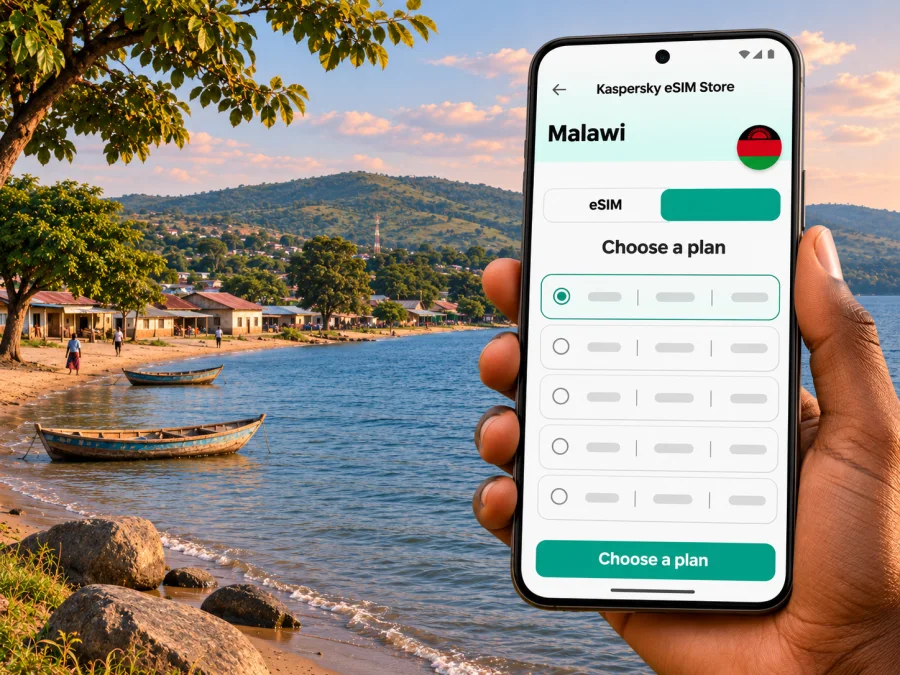
Karonga eSIM: Mobile Connection and Internet for Your Trip
Karonga is a small town on the northern shore of Lake Malawi, close to the country’s border with Tanzania. It is a stop on longer journeys through northern Malawi as well as a destination for visitors interested in lakeside landscapes, local history and the Cultural & Museum Centre Karonga. In a place where you may be arranging a driver, checking a lodge reservation or navigating the next leg of a road trip, having mobile internet ready can make the practical parts of travel easier.
An eSIM can give a compatible, unlocked phone a separate mobile data profile for a trip. It does not guarantee a signal in every part of Karonga or along every road, and it is not automatically a local phone number. Choose a plan only after checking its country coverage, validity, data allowance, activation rules and device requirements. In northern Malawi, keep offline maps and booking details available as well: the phone should be a useful tool, not the only copy of your plans.
What to plan for in Karonga
Karonga sits on Lake Malawi’s northern shore, close to the border with Tanzania. It is a stop on longer journeys through northern Malawi and a destination for visitors interested in local history, lakeside scenery and the Cultural & Museum Centre Karonga. Many travelers reach the area as part of a longer itinerary rather than an international flight directly to town.
Malawi’s airport operator lists Karonga Airport, but routes and schedules can change. Confirm a flight for your dates with the airline before building a tight connection around it. Overland travelers should allow flexibility for road conditions and stops. For either arrival, save your accommodation address, pickup contact, bookings and onward route before leaving a reliable connection.
Mobile internet can help with navigation, pickup coordination and changing plans, but it should not be the only copy of important information. Download an offline map of Karonga and the next section of your route. Keep key contacts in a note, and carry a charging cable or power bank if the day includes road travel and navigation.
Arriving and getting oriented
Karonga is in Malawi’s Northern Region, on the lake and near the Tanzania frontier. You may arrive from elsewhere in Malawi, from the border area, or by a domestic flight if one is operating on your dates. Confirm the airport and airline information close to departure; if the schedule is unsuitable, arrange a land transfer with your accommodation or transport provider.
Think of connectivity in stages. Before setting off, download the route and confirm where your driver expects to meet you. During the journey, use live updates where service is available, but do not make navigation depend on them. After reaching town, send an arrival message and check the next transfer while you have a usable connection. Offline directions help if a map pin takes time to load.
Mobile data for town errands and lakeside plans
In central Karonga, mobile internet may help you find a service, message a local contact, confirm a lodge booking or check the final turn to a destination. Reception and speed depend on the local network, device, building and exact location. Service in town does not prove that the same connection will be available at a lakeside property or on a road outside the built-up area. Download maps while you can.
Lake Malawi is central to Karonga’s setting, but lakeside locations can differ. Ask your accommodation what connectivity is available, how to find the property and how guests arrange transport. For a boat trip, birding outing or visit beyond town, agree on check-in times and a meeting point instead of assuming continuous coverage.
| Trip moment | Mobile internet can help with | Keep offline |
|---|---|---|
| Reaching your lodge | Route checks and messaging your host | Address and written directions |
| Visiting the museum | Confirming the route or visit details | Saved map and planned time |
| Driving onward | Route updates where service is available | Map, driver’s number and next stop |
| Staying by the lake | Messages and booking details | Lodge instructions and meeting point |
Use this as a planning aid, not a coverage promise. Avoid scheduling an online task that cannot tolerate a short interruption while you are outside town.
A useful cultural stop: the museum
The Cultural & Museum Centre Karonga is one of the town’s distinctive stops. Malawi’s tourism information describes the centre as a place to explore the area’s cultural history and archaeological discoveries. Its “Malawi from Dinosaurs to Democracy” exhibition includes a life-size reconstruction of Malawisaurus, based on dinosaur remains found in Karonga District. Visitors can use mobile data to confirm the route or contact a guide, but the practical step is to check opening arrangements before setting out; hours and tour availability should not be assumed from an old itinerary.
If you are travelling with family or have only a short stop, download the map and note the museum’s location before leaving your accommodation. Keep enough phone battery for the return journey, and ask locally whether a driver will wait or return at an agreed time. The centre is a cultural visit, not just a pin on a map: leave room in the schedule to look around rather than planning a connection-heavy sequence of stops.
Choosing an eSIM for Malawi
A city guide cannot identify one universally suitable tariff. The right option depends on your device, route, trip length, expected use and the current terms shown at purchase. For a Karonga visit, begin with the country: make sure the tariff explicitly covers Malawi. If your route continues through Tanzania or another country, check whether those destinations are included separately or whether you need another plan. A Malawi plan should not be assumed to cover a border crossing.
Kaspersky eSIM Store is an app and website where you can choose, arrange and activate an eSIM with a suitable tariff for mobile internet during an international trip. Before choosing, compare the conditions displayed for the specific option: data amount, validity period, start of validity, supported destination and any top-up or tethering conditions. These details can change and vary by tariff. To review current options for the country, choose an eSIM tariff for a trip to Malawi. This is a country-level destination page; it is not a Karonga-specific coverage map or a guarantee of signal in town.
A simple way to estimate data is to list the tasks you will actually do. Maps and messaging usually need less data than frequent video calls, photo uploads or streaming. If you will spend most of the trip in accommodation with dependable Wi-Fi, you may need a smaller mobile allowance than a traveler who works online from the road. Leave room for unplanned navigation and transport messages, but do not buy more data than you can reasonably use just because the trip includes remote stretches.
Match the plan to your itinerary
- Short town visit: prioritize the exact validity window and enough data for maps, messages and booking checks.
- Several days in northern Malawi: consider trip length and the number of days you will be away from reliable Wi-Fi. Download maps before day trips.
- Work calls or hotspot use: verify that the plan and device permit tethering, and have a quiet location with stable service as a backup. A mobile plan is not a guarantee of call quality.
- Cross-border route: confirm coverage in every country on your itinerary and check how the plan handles separate destinations. Border areas can make a phone select a network from the neighboring country; review the selected line before using data.
- A phone with two SIMs: decide which line handles mobile data and which line remains available for your usual number. Check the settings before the trip so you do not accidentally use your home carrier’s roaming data.
Device compatibility and regional variants
Before paying, confirm that your exact phone model supports eSIM, is not carrier-locked and can add another eSIM profile. Product names can cover different regional versions, and a device with a familiar model name may have different SIM capabilities depending on where it was sold. Do not rely on a general “this series supports eSIM” claim. Check the manufacturer’s support information for the precise model number and confirm that the device is unlocked.
Check whether your device is compatible with eSIM before you select a tariff. If you are unsure, look for the EID or eSIM option in the phone settings and ask the manufacturer or retailer to confirm your exact variant. Save your existing SIM settings before making changes. If the phone is locked to a carrier, adding a travel eSIM may not work until the carrier removes the restriction.
Also consider where and when you will install the profile. Many eSIMs are installed by scanning a QR code or following an in-app process, and the details vary by tariff and device. Some activation steps require an internet connection. If you are using only one phone, make sure the QR code is displayed on another screen or that the plan provides a direct installation method. Do not delete a profile during troubleshooting unless the instructions say it can be installed again.
Install before departure, activate with care
If the tariff permits it, install the eSIM before travel on stable Wi-Fi so there is time to resolve setup questions. Read its terms carefully: installation and the start of validity are not always the same event. A plan may begin at installation or at its first connection in the destination, depending on its stated conditions.
Use the Android eSIM installation instructions or iOS eSIM installation instructions for device-specific steps. Menu names vary by manufacturer and software version. If you use one phone, make sure the QR code can be displayed on another screen or that the plan provides another installation method. Do not delete an installed profile while troubleshooting unless the instructions confirm it can be added again.
A careful setup sequence:
- Connect to Wi-Fi and open the selected tariff’s installation guidance.
- Add the profile and label it clearly, for example “Malawi data.”
- Keep your usual number enabled if you need calls or verification messages; check its roaming settings.
- Select the Malawi eSIM for mobile data. Enable data roaming for that line only if the plan’s instructions require it.
- On arrival, allow the phone to register and test a basic web page. If it fails, review the plan settings before removing the profile.
A data eSIM may not include an ordinary phone number, voice calls or SMS. Check the plan terms. Internet calls and messaging apps can use data, subject to the connection and app. If you need your usual number, retain its SIM profile and avoid unintended roaming data use.
If the eSIM does not connect
A brief delay during registration does not always mean the profile has failed. Check the plan’s destination, validity and activation conditions first. Then confirm that the travel eSIM is turned on, selected for data and allowed to use roaming if its instructions require it. Restart the phone if the plan’s support guidance recommends that step, and give the device a little time to register.
If service is still unavailable, use Wi-Fi at your accommodation or another trusted location to consult the plan instructions and support channel. Check that the phone is not locked and that the eSIM profile remains installed. Avoid deleting it or resetting network settings until the relevant support guidance says what to do. If travel must continue, use a backup connection you arranged in advance.
Frequently asked questions
Does an eSIM guarantee internet throughout Karonga?
No. Signal depends on the network and exact location, including buildings, the lakeshore and roads outside town. Download maps and keep important details offline.
Can I buy a local eSIM in Malawi?
Apple’s current iPhone carrier information lists Airtel in Malawi for eSIM activation methods, including prepaid plans for international travelers. This does not confirm eligibility for every visitor, phone variant or current offer. Ask Airtel directly about registration requirements and service in the places you plan to visit.
Will a Malawi eSIM work in Tanzania?
Only if the selected tariff explicitly includes Tanzania or a regional plan covering it. Check the country list before crossing the border.
Can I keep my usual number?
A compatible dual-SIM phone can often keep more than one line available, but setup depends on the device and carrier. Select the correct data line and check roaming settings for your usual number.
Should I install the eSIM before travelling?
If the tariff permits it, installing on stable Wi-Fi beforehand gives you time to resolve setup questions. Check when validity begins; this varies by plan.
A calm connectivity plan for Karonga
For a visit to Karonga, the reliable approach is to prepare in layers: confirm how you will arrive, save your lodging and transport details, download maps, and choose a Malawi tariff whose terms match your route and device. Treat mobile coverage as something to confirm on the ground rather than a guarantee. An eSIM can simplify the data part of a trip, while offline information and a clear pickup plan cover the moments when a signal is not available.
When you are ready, use Kaspersky eSIM Store to review the terms and choose a suitable eSIM tariff for Malawi before departure. Check device compatibility, install the profile according to its instructions and activate it as directed by the selected plan. Then keep a map, key contacts and onward travel details available offline as you explore Karonga and the northern lakeshore.


