Travel connectivity guide
Karongi eSIM: mobile internet for your trip
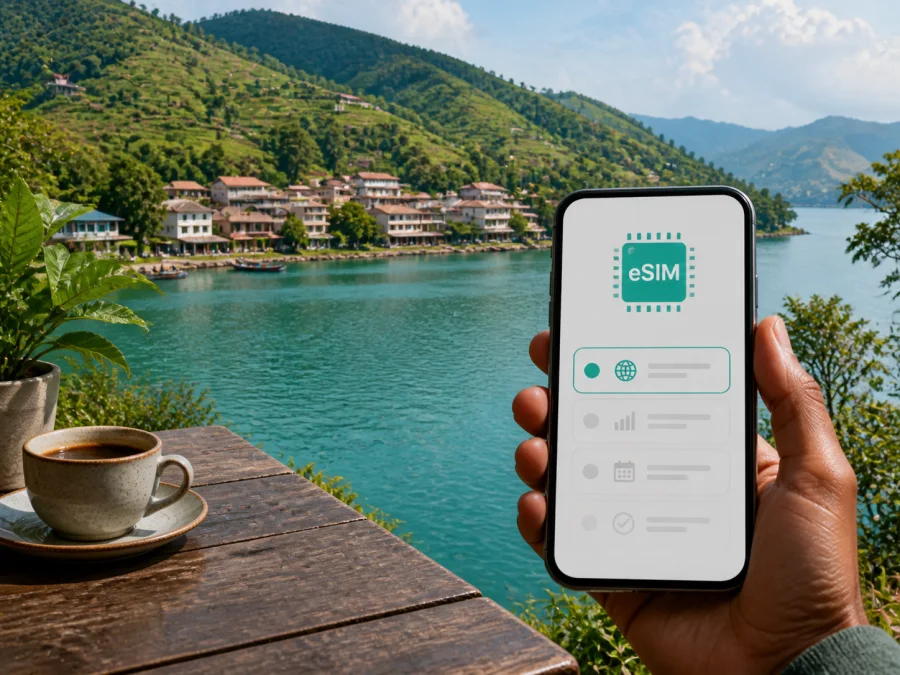
Karongi eSIM: mobile connection and internet for your trip
Karongi is a lakeside destination in western Rwanda where a calm waterfront, steep green hills and long road journeys meet. You may arrive from Kigali, spend days around Lake Kivu, continue towards Nyungwe, or use the town as a base for work and sightseeing. Mobile internet helps with accommodation, drivers, maps, bookings and messages home.
An eSIM, or digital SIM, can prepare mobile data for a foreign trip without replacing the physical SIM already in your phone. Kaspersky eSIM Store is an app and website that helps you choose, arrange and activate an eSIM with a suitable tariff for mobile internet during an overseas journey. The useful question for Karongi is not simply whether you need “an internet plan”, but how you will use data during arrival, lakeside days, road transfers and excursions beyond the town.
Why mobile internet is useful in Karongi
Karongi District sits on the shore of Lake Kivu in Rwanda’s Western Province. The town is often associated with Kibuye, while Karongi is the name used for the district and the destination. Its setting is beautiful but more spread out than a compact city break: the waterfront, hotel areas, hills, markets, road junctions and attractions beyond the centre are connected by roads that you may need to navigate as you go.
That changes the way you plan connectivity. A reliable data setup can help you:
- check the route from your arrival point to a lakeside hotel;
- send your accommodation details to a driver or travel companion;
- use maps while walking along the shore or travelling between hillside areas;
- coordinate boat, hiking, cycling or day-trip plans by message;
- translate short exchanges when you need directions or services;
- confirm check-in information without looking for hotel Wi‑Fi;
- join a work call or send documents when your itinerary includes remote work.
For a Karongi trip, an eSIM is most useful when your plan includes several moving parts: a road transfer, a lakeside stay, navigation away from the centre and one or more excursions.
Arrival: plan the first hours before you reach the lake
International visitors commonly begin the Rwanda part of their journey in Kigali and continue west by road. Karongi is not a destination where you should build your arrival plan around walking out of an airport and finding a hotel nearby. The transfer itself is part of the itinerary, so save the important details before departure: accommodation name and address, driver contact, arrival estimate, booking references and a map area that can be viewed if service becomes limited.
An eSIM is convenient here because its profile can be installed before the trip while you still have a stable internet connection. You can then activate it according to the tariff instructions and device settings. If you prefer to install it after reaching Rwanda, keep the QR code or profile details available and make sure you have an internet connection for the setup.
The device must support eSIM, must not be operator-locked, and may require mobile-data or data-roaming settings for the eSIM. You can check your device compatibility before the road transfer. Conditions can vary by device and tariff, so leave time to check the instructions.
Getting around: the town, the shore and the hills
Karongi’s hills affect navigation. Lakeside accommodation may be separated from a road junction or higher neighbourhood by a slope, so use a map to understand the shape of the journey, not only a straight-line distance.
For local movement, choose transport according to the route and the amount of luggage you have. Walking can suit a short lakeside outing in daylight. A local taxi or moto-taxi may be practical for a quick connection when available and appropriate. For hills, several stops or a trip outside the town, arrange a car or driver and confirm the meeting point in writing. Ask your accommodation which local transport options are currently convenient; availability and road conditions can change.
Mobile data helps with the small handoffs that make a trip work:
| Situation | What to prepare on your phone |
|---|---|
| Arrival transfer | Accommodation address, driver contact and a saved route |
| Lakeside walk | Map area, meeting point and a charged battery |
| Several hotel stops | Booking messages and directions for each property |
| Hillside or rural visit | Pickup time, return plan and key offline details |
| Workday or change of plan | Calendar, messages, documents and enough data to contact the next host |
Keep the address as plain text and save a booking screenshot as a backup. This helps when your phone is being used continuously for maps, messages and photos.
Choosing a tariff for your Karongi itinerary
The suitable tariff depends on the trip rather than on the city name alone. Before selecting one, define the route and the way you normally use mobile data.
1. Confirm the destination and route
Choose a tariff that covers Rwanda or the relevant region for your journey. If Karongi is one stop in a wider route through Rwanda, check that the same tariff remains valid for the other places you intend to visit. Do not assume that a city article means a city-specific tariff: the relevant country landing page is the Rwanda option, while the article helps you plan the use case in Karongi.
2. Estimate your data pattern
Light use may include messages, map checks, email and short searches. A more active trip can consume more data through navigation, video calls, social media, cloud documents and photo backup. If you work remotely, allow room for meetings and file transfers.
Consider these questions:
- Will you mostly use data for messages and maps, or also for calls and video?
- Will you connect a laptop or tablet through a hotspot, if allowed?
- Will you need navigation for long road sections or share directions with a companion?
- Do you have regular Wi‑Fi at your accommodation, or will the eSIM carry most of the trip?
3. Match the validity period to the whole journey
Check the tariff’s validity and the point at which usage begins. A short visit and a multi-stop Rwanda itinerary create different requirements. Read the conditions for activation, data consumption, possible top-ups and expiry before payment. These details belong to the selected tariff and can change, so do not infer them from another plan or from a previous trip.
4. Keep the roles of the eSIM and physical SIM clear
The eSIM in this travel scenario is for mobile internet. It is not automatically a replacement for a regular phone number, voice calls or SMS. Unless the selected tariff says otherwise, keep your usual number available for the services that depend on it and use internet messaging for calls and messages where appropriate. Check which line is selected for mobile data before you start navigating in Karongi.
After reviewing your route, you can choose an eSIM tariff for a trip to Karongi. Kaspersky eSIM Store helps you review the destination and tariff conditions, then complete the eSIM setup for your overseas journey; it does not operate the mobile network or replace the local provider.
Hotels, work and lakeside days
When booking accommodation in Karongi, keep the property name, contact details, check-in time and map pin together. “Near the waterfront” can cover a broad area, so ask for a precise meeting point. For work, estimate meetings and file transfers, test hotspot settings and use Wi‑Fi for large downloads when practical. Mobile data remains useful as you move between the hotel, shoreline and hills.
Day trips from Karongi
Karongi is a useful base for seeing more of western and southern Rwanda, but an excursion changes your connectivity needs. The area includes Lake Kivu, the Kivu Belt Road, Ndaba Rock, Gisovu tea plantations, Bisesero and routes towards Nyungwe. Some locations are reached over hills and roads rather than through a dense urban network, so plan the return as carefully as the outbound trip.
Possible plans include:
- a slow lakeside day with a boat or kayak activity;
- a road outing towards a scenic rock or waterfall area;
- a tea-country route through the highlands near Gisovu;
- a longer journey towards Nyungwe or a suitable section of the Congo Nile Trail;
- a multi-stop route linking Karongi with other Lake Kivu destinations.
These are different journeys, not interchangeable attractions. Before leaving, confirm the meeting point, estimated return and driver or guide contact. Save the route and essential details; route times and local conditions can change. Carry water, a charged phone and a power bank.
Install and activate the eSIM
The safest time to prepare the profile is when you have a stable internet connection and enough time to read the device prompts. The exact menu names differ between Android and iOS, but the sequence is broadly the same.
Before installation
- Check that the phone supports eSIM and is not locked to an operator. You can check your device compatibility before paying.
- Confirm that the tariff covers Rwanda and matches the duration and route of your trip.
- Keep the QR code or profile information from Kaspersky eSIM Store accessible.
- Connect the phone to Wi‑Fi or another reliable internet connection for setup.
- Decide which line will remain the default for calls and which eSIM will be used for mobile data.
Step-by-step setup
- Open the mobile-network settings on your phone.
- Select the option to add an eSIM or mobile plan.
- Scan the QR code or follow the profile instructions.
- Label the new line so you can identify it while travelling.
- Select the eSIM as the line for mobile data when you are ready to use it.
- Enable data roaming for the eSIM if the tariff instructions and device settings require it.
- Wait for the profile to register; connection can take a few minutes and depends on the device and local network.
- Open a map or send a short message to confirm that mobile data works.
For detailed device-specific steps, use the Android installation instructions or the iOS installation instructions. If you install before departure but want the tariff to be used only after arrival, follow the selected tariff’s activation conditions and keep the data line disabled until the appropriate point.
Do not delete a working eSIM profile during the trip just to tidy the settings. If a problem appears, first check the selected data line, mobile data, roaming settings, signal and the tariff status. If the issue remains, contact support and describe the device, the step you reached and the message shown on screen.
What to check before you pay
Use this short checklist for Karongi:
- [ ] The tariff is for Rwanda or the region covering your complete route.
- [ ] The validity period matches the whole trip, including the road transfer to and from Karongi.
- [ ] The data allowance suits maps, messages, work and any hotspot use you expect.
- [ ] Your phone supports eSIM and is not operator-locked.
- [ ] You know which physical SIM will handle calls and SMS, if needed.
- [ ] You understand when activation and data usage begin.
- [ ] You have the QR code or profile details available.
- [ ] You can reach the installation instructions and support information.
- [ ] You have saved accommodation addresses and key contacts.
Connectivity is part of preparation, not a replacement for a route plan. Keep a written or offline copy of the information needed for the next stop.
Frequently asked questions
Is Karongi the same as Kibuye?
Karongi is the name of the district and destination used in this guide; Kibuye is a name commonly associated with the lakeside town. When booking transport or accommodation, use the exact property and meeting-point details supplied by the provider.
Do I need a city-specific eSIM tariff for Karongi?
Not necessarily. The relevant choice is a tariff that covers Rwanda or the region of your route. Karongi is the city focus of the travel planning, while the tariff’s coverage, data allowance and validity determine whether it suits your itinerary.
Can an eSIM replace my usual number?
Usually not for the purpose described here. A travel eSIM is intended for mobile internet and does not automatically include a regular phone number, voice calls or SMS. Keep your physical SIM for the services you need, and check the conditions of the selected tariff for any additional features.
What if my phone does not connect in Karongi?
First verify the selected data line, mobile data, eSIM roaming setting, signal and tariff status. Check that the phone is compatible and not operator-locked. Restarting the device may help, but do not delete the profile before you understand the support instructions. If needed, contact support with the device model and the exact step or message that caused the problem.
Prepare your Karongi connection
Karongi rewards a flexible plan: leave room for a lakeside walk, a road detour, a change of accommodation and a day beyond the town. A suitable eSIM tariff can simplify the mobile-data part of that plan when you need maps, messages, bookings or work access without relying on a physical SIM purchase after arrival. Check the device first, read the tariff conditions, install the profile carefully and keep essential trip details available offline.
When your route and device are ready, choose an eSIM tariff for Rwanda and prepare for your Karongi trip. Kaspersky eSIM Store helps you choose, arrange and activate an eSIM tariff for mobile internet abroad; the actual service conditions depend on the selected tariff, compatible device and local network.


