
Travel connectivity guide
Kasane eSIM for mobile internet in Botswana
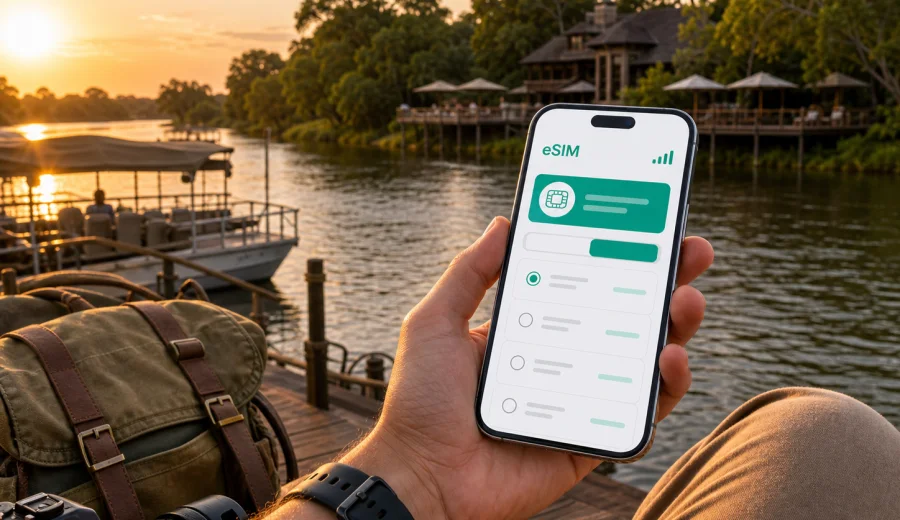
Kasane eSIM: mobile connection and internet for your Botswana trip
Kasane is a practical travel base with an unusual rhythm: you may land, collect a rental car, check in near the Chobe River, arrange a safari, cross toward Namibia or Zimbabwe, and still need maps, confirmations, messages, and payment apps to work smoothly. For many visitors, eSIM is a convenient way to prepare mobile internet before arriving in northern Botswana without looking for a physical SIM card on the first day.
This guide focuses on Kasane itself: the airport arrival, riverfront lodges, Chobe National Park access, local transfers, business travel, short stopovers, and onward routes. It explains where mobile data matters, how to choose a travel eSIM plan, what to check before purchase, and how to use Kaspersky eSIM Store as an app and website for selecting, arranging, and activating an eSIM with a suitable data plan for an international trip.
Why mobile internet matters in Kasane
Kasane is compact, but the travel logistics around it can be surprisingly layered. The town sits near the meeting point of Botswana, Namibia, Zambia, and Zimbabwe, so many trips combine airport transfers, river activities, park gates, hotel pickups, and border-adjacent routes. A working mobile connection helps you keep those moving parts visible.
Mobile internet is useful in Kasane when you need to:
- confirm lodge pickup times after landing;
- use maps between Kasane International Airport, the riverfront, Kazungula, and Chobe access points;
- message a driver, guide, colleague, or hotel desk;
- show booking confirmations without depending on hotel Wi-Fi;
- check flight changes or transfer details;
- keep travel documents and maps available in cloud apps;
- use translation, banking, ride, or navigation apps when plans change.
Kasane is not a city where you want your first online task to be a search for connectivity. Arrivals often lead directly to transfers, check-in, or an afternoon river cruise. If your phone is eSIM-compatible, preparing a digital SIM in advance can make the first hour easier.
Arrival in Kasane: the first online tasks
Kasane International Airport is close to town, which is convenient, but that does not remove the need for mobile data. The moment you leave the aircraft or terminal, you may need to coordinate with a lodge driver, rental desk, safari operator, or group organizer. If you are arriving after a connection through Johannesburg, Gaborone, Maun, or another regional airport, you may also want to tell someone that you have landed.
Typical first-day scenarios in Kasane include:
| Moment | What you may need mobile data for |
|---|---|
| At the airport | Messaging your transfer, opening hotel details, checking a QR code or email |
| On the way to town | Following the route, sharing arrival time, checking lodge instructions |
| At check-in | Confirming booking details, opening travel insurance or payment apps |
| Before a river cruise | Contacting the operator, sharing photos, checking weather or meeting time |
| Before a park drive | Downloading maps, messaging your guide, keeping emergency contacts reachable |
Wi-Fi may be available at some hotels, lodges, cafes, or business venues, but it is not a replacement for mobile internet during transfers and outdoor plans. eSIM is especially useful when the trip starts before you have time to settle into reliable Wi-Fi.
Where eSIM helps around town
Kasane's visitor areas are spread along the riverfront, the airport road, lodge clusters, shops, and routes toward Kazungula and Chobe National Park. You might not travel far by distance, but you may move between different contexts several times a day.
Use mobile data for navigation when you move between:
- Kasane International Airport and riverfront accommodation;
- lodges and activity pickup points;
- supermarkets, pharmacies, banks, and fuel stops;
- Chobe National Park access areas;
- Kazungula Bridge routes and border-adjacent transfer points;
- day-trip pickup locations for Victoria Falls or regional itineraries.
The value of eSIM in Kasane is not only speed. It is control. You can choose a prepaid data plan, see the data allowance and validity period before you arrange it, and use the eSIM profile on a compatible phone without changing your main physical SIM card. Your regular phone number can remain available for calls or messages if your device and home plan support that setup, while mobile data can run through the travel eSIM.
Choosing a data plan for Kasane
Before choosing a plan, think about how you will actually use mobile internet in and around Kasane. A traveler who needs maps, messages, and booking apps for three days has different data needs from a remote worker spending a week at a lodge and joining video calls.
Start with these questions:
1. How many days will you be in Kasane and Botswana?
2. Will you also travel to nearby countries?
3. Do you mostly need maps and messages, or will you upload photos and use video calls?
4. Will your accommodation have dependable Wi-Fi?
5. Do you need mobile data as a backup for work?
For light travel use, a smaller data package may be enough for navigation, messaging, email, and booking apps. For photo uploads, cloud backups, social media, and remote work, choose more data and monitor your usage. If you will cross into another country, check the destination and coverage conditions of the selected plan before arranging it.
For Kasane, also pay attention to validity. A short plan may suit a stopover or safari extension. A longer plan can be more practical if Kasane is part of a wider Botswana itinerary that includes Maun, the Okavango Delta, Gaborone, or road travel.
Prepare eSIM before the trip
The best time to prepare eSIM is usually before departure, when you have stable Wi-Fi and time to check device settings. In Kaspersky eSIM Store, you can use the app or website to select a destination, review available plan conditions, arrange the plan, and then install and activate the eSIM on a compatible device.
For a Kasane trip, you can review available eSIM options for travel in Africa and choose a plan that matches your route, data needs, and validity period. Check the plan details carefully, especially if your itinerary includes Botswana plus nearby countries.
A simple preparation flow looks like this:
1. Check that your phone supports eSIM and is not locked to one carrier.
2. Choose a plan for the destination or region that fits your route.
3. Review the data allowance, validity period, destination list, and activation conditions.
4. Arrange the plan through Kaspersky eSIM Store.
5. Install the eSIM while connected to stable Wi-Fi.
6. Keep your primary SIM active if you still need your usual number.
7. Turn on the eSIM data line when the plan conditions tell you to activate it.
Do not wait until you are standing outside the terminal with luggage if you can avoid it. Installing before travel gives you time to read the instructions, keep the QR code or setup details accessible, and confirm that the eSIM profile is present on your phone.
Device compatibility checklist
Not every smartphone or tablet supports eSIM. Some models support it only in certain regions, and some phones can be locked by a mobile operator. Before you arrange a plan, check your device and make sure you understand how your phone handles dual SIM settings.
Check these points:
- Your device model supports eSIM.
- The device is not carrier-locked.
- Your operating system is up to date enough for eSIM setup.
- You can access stable Wi-Fi during installation.
- You know which SIM line will be used for mobile data.
- You understand whether calls and SMS are included in your selected plan.
Travel eSIM plans are usually focused on mobile data. They may not include a local phone number, standard voice calls, or SMS unless the plan conditions clearly say so. For calls and messages, many travelers use internet-based messaging apps over mobile data.
Installing eSIM for a Kasane trip
Installation is easier when you treat it as a setup task, not something to rush during boarding. After arranging your plan, follow the instructions shown in the app or website, or use the QR code and setup details provided for your device.
If you need device-specific steps, use the Android installation guide or the iOS installation guide. The exact screens can vary by phone model and operating system version, so follow the instructions for your device and plan.
General setup steps:
1. Connect to Wi-Fi.
2. Add the eSIM profile to your phone.
3. Label the line clearly, for example "Travel" or "Botswana data".
4. Keep your primary line for calls if you need it.
5. Select the eSIM line for mobile data when you are ready to use the plan.
6. Enable data roaming for the eSIM line if the plan instructions require it.
7. Restart the phone or toggle airplane mode if the profile needs a fresh network search.
Activation can take a few minutes and depends on your device, settings, selected plan, and local network conditions. Avoid deleting an eSIM profile unless support instructions tell you to do so, because some profiles cannot be reinstalled after removal.
Practical data use in Kasane
Kasane is a place where mobile data is often used in short bursts: checking a meeting point, sending a message to a guide, opening a map, uploading a few photos, or confirming a transfer. That makes data planning easier if you know your habits.
Use this guide as a practical estimate:
| Travel style | Typical mobile data use | Planning tip |
|---|---|---|
| Short stopover | Maps, messages, flight updates | Choose enough validity for arrival and departure days |
| Safari-focused stay | Messaging, photos, booking confirmations | Save large uploads for hotel Wi-Fi when possible |
| Business trip | Email, documents, video calls | Choose more data and keep a backup connection plan |
| Regional route | Navigation, borders, hotel changes | Check destination coverage and validity carefully |
| Family trip | Shared photos, messaging, maps | Track usage and avoid automatic cloud backups on mobile data |
You can reduce data use by downloading offline maps before the trip, turning off automatic app updates, limiting cloud photo backup to Wi-Fi, and saving booking confirmations offline. eSIM gives you mobile internet access for the trip, but it is still worth managing data if your plan has a fixed allowance.
Local movement, transfers, and navigation
Kasane is a gateway town, so the main challenge is not a complicated metro system or dense urban grid. The challenge is coordination. Many visitors rely on lodge transfers, safari vehicles, private drivers, rental cars, or cross-border transport. Mobile internet helps you manage those arrangements without repeatedly asking for Wi-Fi passwords.
For local movement, keep these details available on your phone:
- accommodation name, address, and phone number;
- driver or operator contact;
- activity pickup time and location;
- flight number and arrival time;
- offline map of Kasane and the surrounding route;
- passport and booking copies stored securely for offline viewing;
- emergency contacts.
If you rent a car, mobile data supports turn-by-turn navigation and route checks, but you should still download maps in advance. Road conditions, park access, and border-area travel can require more planning than a normal city commute. Do not rely on a single app or one connection method for critical travel details.
Hotels, lodges, and Wi-Fi expectations
Many Kasane accommodations understand that guests need internet for travel coordination. Still, Wi-Fi quality can vary by property, room location, number of guests, and local infrastructure. A mobile data plan can act as a practical backup, especially when you are outside the room, between activities, or waiting for a transfer.
At a lodge or hotel, mobile data may help when:
- Wi-Fi is strongest only in the reception area;
- you need to message a guide before an early pickup;
- you are checking in after a long travel day;
- you need two-factor authentication for banking or work tools;
- you want to use maps before leaving the property;
- a power or network issue affects the local Wi-Fi.
Business trips and conferences in Kasane
Kasane may host meetings, conservation events, government travel, NGO work, logistics visits, and regional business trips. In these scenarios, mobile internet is less about sightseeing and more about continuity: email, calendars, document access, messaging, and authentication.
Before a business trip, prepare:
- a data allowance that matches your work tools;
- offline copies of key documents;
- a plan for two-factor authentication;
- messaging channels for local contacts;
- a power bank for long transfer days.
Stopovers and short stays
Some visitors use Kasane as a short stop before Chobe, Victoria Falls, the Caprivi route, or another Botswana destination. Short stays still benefit from mobile data because the schedule is tight. You may need to confirm a pickup, find the correct lodge entrance, message a tour operator, and check departure details within a few hours.
For a one- or two-night stay:
- install the eSIM before departure if possible;
- download offline maps for Kasane and your onward route;
- save booking confirmations to your phone;
- keep important contacts in both email and messaging apps;
- use mobile data for essential coordination first;
- postpone heavy uploads until you have reliable Wi-Fi.
Trips from Kasane
Kasane is often part of a broader journey. Travelers may continue to Chobe river activities, national park drives, Kazungula, Maun, the Okavango Delta, Nata, or cross-border routes. Mobile internet can help during planning and coordination, but you should check plan conditions before assuming a single data plan fits every route.
When planning trips from Kasane, ask:
- Does the selected plan cover the destination countries or only one region?
- When does the validity period begin?
- Is the data allowance enough for navigation and messaging across the route?
- Will you spend long periods away from towns or lodges?
- Do you have offline maps and saved confirmations?
Coverage and speed can vary by location and local network conditions, especially outside towns or near parks. For safety-critical plans, follow your guide's instructions and keep essential information available offline.
Quick checklist before you fly
Use this short list the day before you travel to Kasane:
- Confirm your device supports eSIM and is unlocked.
- Choose a plan with suitable data, validity, and destination coverage.
- Install the eSIM while connected to Wi-Fi.
- Save installation instructions and QR details where you can access them.
- Download offline maps for Kasane and onward routes.
- Save hotel, driver, guide, and flight details offline.
- Turn off automatic app updates over mobile data.
- Decide which SIM line handles data, calls, and messages.
- Pack a charger and power bank.
Common questions about eSIM in Kasane
Is eSIM useful if my hotel has Wi-Fi?
Yes, because hotel Wi-Fi helps mainly when you are on the property. eSIM is useful during airport arrival, transfers, town errands, activity pickups, and route changes. It also helps when Wi-Fi is slow, unavailable, or limited to shared areas.
Can I keep my regular SIM active?
On many compatible phones, you can keep your primary SIM for calls or messages and use the eSIM line for mobile data. The exact setup depends on your device and home operator. Check your SIM settings before travel so you know which line is used for data.
Does a travel eSIM include calls and SMS?
Many travel eSIM plans are data-focused and do not include a standard local phone number, voice calls, or SMS unless the plan conditions say otherwise. You can usually use messaging and calling apps over mobile data.
Should I activate eSIM before arriving in Botswana?
Install the eSIM before travel if possible, but read the plan's activation rules. Some plans start when installed; others start when they connect to a supported network. Follow the instructions for the specific plan you choose.
What if mobile data does not connect immediately?
Check that the eSIM line is enabled, selected for mobile data, and allowed to use data roaming if required by the instructions. You can also toggle airplane mode, restart the phone, and confirm APN or network settings if the guide asks for it. If the issue continues, contact support with your device model and plan details.
Choose eSIM for a smoother Kasane arrival
Kasane is a destination where small pieces of information matter: a pickup message, a lodge location, a changed activity time, an onward transfer, or a map between the airport and the riverfront. Preparing mobile internet before arrival gives you more control over those details.
With Kaspersky eSIM Store, you can choose, arrange, install, and activate an eSIM with a suitable data plan for an international trip through the app or website. Before buying, check device compatibility, plan conditions, destination coverage, validity, and data allowance. For your Kasane itinerary, review available eSIM options for travel in Africa and select the plan that best fits your route through Botswana and the region.