Travel connectivity guide
Kasese eSIM: Mobile Internet in Uganda
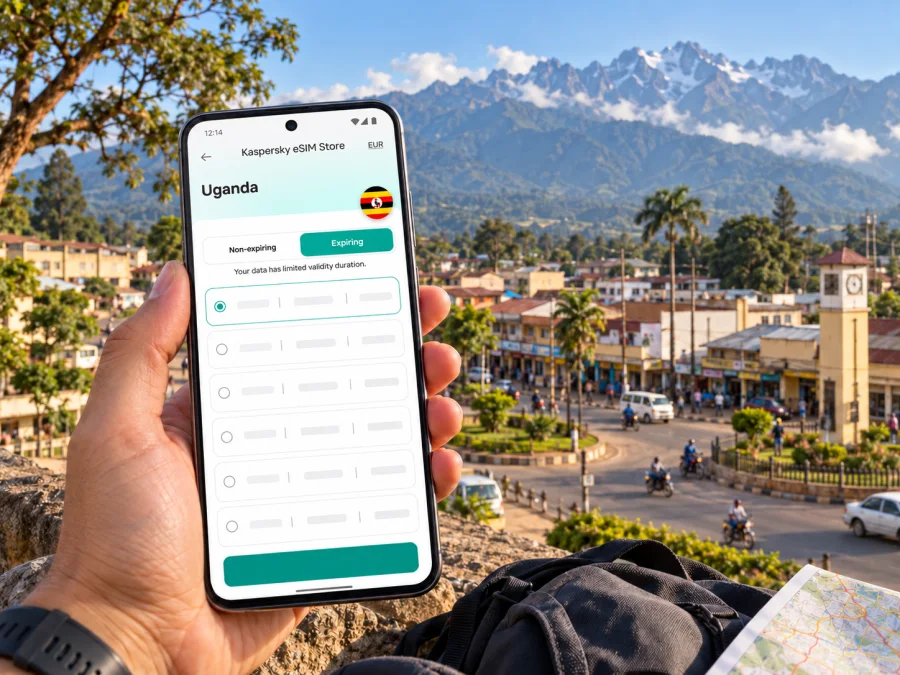
Kasese eSIM: Mobile Connection and Internet Guide
Kasese is a practical base for travel in western Uganda: visitors may arrive for work in town, continue toward the Rwenzori Mountains, or use the area as part of a wider Queen Elizabeth National Park itinerary. In each case, a working mobile data connection helps with directions, accommodation messages, meeting changes and coordination with a driver or guide. An eSIM can provide mobile internet without replacing the physical SIM in your phone, provided your device supports eSIM and the selected plan covers Uganda.
This guide focuses on how to prepare for Kasese, what to check before relying on mobile data, and how to use your connection sensibly as you move between town and nearby destinations. Network availability, signal strength and speed depend on the local network, your exact location, the device and current conditions. No mobile service should be treated as guaranteed in every building, road corridor or outdoor area.
Why mobile internet helps in Kasese
Kasese is a town in Uganda’s Western Region near the Rwenzori Mountains. The Uganda Civil Aviation Authority lists Kasese Airfield about 4 km from town and describes it as serving general aviation, including charter and private flights. That means you should confirm the details of your own arrival rather than assume a regular commercial flight: check the airfield, timing, baggage arrangements and transfer with your carrier or tour operator before departure.
Once you arrive, mobile data can help with practical, short tasks:
- message your accommodation or driver if an arrival time changes;
- open a saved map to orient yourself between your hotel, meeting point and town centre;
- check a booking confirmation or contact a local guide;
- share an updated location with a colleague or family member;
- use translation, currency or note-taking apps when you need them;
- check onward arrangements before setting out toward a park or mountain activity.
Do not plan around the assumption that a map, ride service or booking app will always load immediately. Save essential information offline, agree on a meeting point in advance, and keep a written address or phone number where possible. A data connection is a useful travel tool; it is not a substitute for a confirmed transfer or an agreed itinerary.
A town stop and a park itinerary are different
A stay in Kasese town usually means short, local journeys and access to accommodation, shops and meeting points. An excursion beyond town can involve longer road travel and less predictable signal. The Uganda Wildlife Authority identifies Queen Elizabeth National Park in Kasese District and notes access by road and by nearby airstrips, including Kasese. Park visits also involve specific gates, lodges, activities and collection times, so confirm those details directly with your operator instead of using the town name as a proxy for the whole route.
| Your plan | What to prepare on your phone |
|---|---|
| Arrive and stay in town | Accommodation address, transfer contact, map area and booking details |
| Meet a driver or colleague | A clear meeting point, offline contact details and a message with your arrival time |
| Continue toward the Rwenzori Mountains | Route, guide details, activity timing and a backup way to contact your host |
| Visit Queen Elizabeth National Park | Park or lodge arrangements, pickup point, itinerary and offline copies of confirmations |
| Travel onward through western Uganda | Check whether your data plan includes every country or region on the route; save key maps before leaving |
Plan for the first hours after arrival
Your first need may be modest: tell someone you have arrived, find the agreed transfer and reach your accommodation. Prepare those steps before travel so that a weak connection or a delayed setup does not turn into a search through email while standing outside.
Before you leave
- Save your accommodation name, full address and a map pin in a note that works offline.
- Ask the property or tour operator to confirm how you will meet your driver, including a recognizable landmark and a backup contact method.
- Download the relevant map area over a trusted connection. Check that the offline map is available without data.
- Keep booking confirmations, flight or charter details and important phone numbers in an accessible format.
- Decide which SIM or eSIM should be used for mobile data and which line should remain available for calls or messages, if your device supports two active lines.
At the airfield or on the road
Kasese Airfield is close to town according to the Civil Aviation Authority, but the exact transfer still depends on where you are going and the arrangements made for your trip. Do not assume a taxi, shuttle or ride-hailing app will be available at a particular time. Confirm pickup details in advance, and make sure the driver has a way to identify you if mobile data takes time to connect.
If you arrive by road from another part of Uganda, save the route and destination before departure. Long-distance travel can include areas where service varies, and a live map may stop updating temporarily. Keep navigation instructions downloaded, charge your phone before setting out, and avoid using the phone while driving. If you are a passenger, share your destination and estimated arrival time with the person expecting you.
For work travel, send the first meeting location and contact details to your calendar or notes app before leaving your hotel. If the meeting moves, a mobile connection can help you receive the update, but a local contact number and a predetermined fallback location remain useful.
Choosing a travel eSIM for Kasese
A city name is not usually the unit that defines a travel eSIM’s coverage. Check that the plan is for Uganda, then check its stated network, data allowance, validity, activation conditions and any other restrictions. If your itinerary leaves Uganda, confirm that the plan includes each additional country; a Uganda-only plan should not be assumed to work across a border.
Kaspersky eSIM Store is an app and website where you can choose, purchase and activate an eSIM with a suitable plan for mobile internet during an international trip. The available options and their terms can change, so review the live plan details before you decide. The page for checking current eSIM options for Uganda is the country destination for a Kasese trip; it should not be read as a claim that one specific tariff is right for every traveller or location.
A useful selection process is:
- Start with the itinerary. Count the days you expect to use data in Uganda, including arrival and departure days. If you will visit several places, consider the full route rather than only the nights in Kasese.
- Estimate your data use. Messaging, browsing and map checks generally use less data than frequent video calls, high-resolution uploads or streaming. Download large files and entertainment before travel when practical.
- Compare the terms shown. Check how much data is included, how long it remains valid, when validity begins, whether top-ups are possible and whether tethering is allowed. Do not infer an answer from a plan name alone.
- Check the network and destination. The plan should explicitly include Uganda. Coverage still depends on the local partner network and conditions in the particular place you visit.
- Keep your current line in mind. If you need ordinary calls or SMS to your existing number, check how your phone handles dual SIM and what your home carrier charges for roaming.
Think about the way you will use the phone. A traveller who mainly checks messages and confirms pickups may need a different data allowance from someone who regularly joins video meetings or uploads large photo files. There is no universally correct package: choose using your expected use, the validity period and the written terms rather than an advertised “popular” label.
Check your device before you purchase
An eSIM works only if the exact phone variant supports it, the device is not restricted by a carrier lock, and the plan is compatible with that device. Support can differ between regional variants of the same model. Do not rely on a model family name or a list for a different market; check the manufacturer’s information for your exact model and the eSIM settings on the phone. Check your device’s eSIM compatibility before you choose a plan.
A quick pre-purchase check:
- Find the exact model number in the phone settings or on the device information page.
- Look for an option to add or download an eSIM in the mobile-network settings.
- Confirm with the seller or carrier that the device is unlocked for use with another provider.
- Check that your operating system is up to date and that you can access the email or account used for the eSIM purchase.
- Make sure you have a reliable internet connection during installation; you may need Wi-Fi to download the profile.
- Read the plan’s destination and activation conditions before payment.
If there is no eSIM option in settings, do not assume that a software update will add support. Ask the phone manufacturer or carrier about the exact regional version. You can still plan another route: use your existing SIM with roaming after checking its rates, or ask a local provider about a physical SIM and the documents or registration requirements that apply at the time of your trip.
Install and activate the eSIM
Install the profile while you have stable internet and enough time to troubleshoot. The point at which the plan begins its validity can vary, so read the current terms before installation. If you want to wait until arrival to use mobile data, you may be able to install the profile in advance and keep it switched off, depending on the device and plan instructions. Do not delete an eSIM profile to troubleshoot unless support or the plan instructions tell you to: some profiles cannot be installed again after removal.
A general setup sequence is:
- Check compatibility, carrier unlock status and the plan’s Uganda coverage.
- Purchase the selected plan in Kaspersky eSIM Store and read the installation instructions shown with it.
- Connect to stable Wi-Fi and add the eSIM through your phone’s cellular or mobile-network settings, using the QR code or the in-app installation flow provided for your device.
- Label the line clearly, for example “Uganda data”, so that you can distinguish it from your regular SIM.
- Choose which line will handle mobile data. Keep your usual number selected for calls or messages if needed and supported by your device.
- When you are ready to use the travel plan, enable the eSIM and follow the plan’s activation steps. Some plans require data roaming for that eSIM; enable it only if the plan instructions require it.
- Open a simple webpage or messaging app to confirm that data works. If it does not, check the selected data line, roaming setting, coverage area and plan status before changing other settings.
For device-specific steps, use the Android eSIM installation guide or the iPhone eSIM installation guide. Menu names can differ by operating-system version and manufacturer. Follow the instructions on your own device and the activation guidance attached to the selected plan.
Keep your main number available
A travel eSIM intended for mobile data does not automatically provide a regular phone number, voice minutes or SMS. Those services are included only if the terms of the specific plan say so. If you need calls or verification messages on your usual number, check your home carrier’s roaming conditions before departure. On a dual-SIM phone, assign mobile data to the travel eSIM and keep the primary line configured according to your needs. Watch for roaming charges on that primary line.
For voice calls, you may use internet-based calling in apps when both parties can use them and the connection is adequate. Do not assume every contact will be reachable through an app, and do not rely on internet calling as your only way to contact a driver, accommodation or emergency service.
Using data around town and beyond
Use mobile data for quick updates and keep a low-data fallback for essential navigation. In Kasese, your exact signal can depend on the local network, your surroundings and the place you are visiting. A connection that works near your accommodation may behave differently indoors, on a busy road or farther from town. The plan’s country label does not promise identical reception in every location.
A few habits make travel data easier to manage:
- Load the day’s route before leaving your accommodation.
- Keep the destination pin and the contact for your driver or guide in an offline note.
- Send a short message when you leave and when you arrive, rather than relying on continuous location sharing.
- Carry a power bank if your phone is also your camera, map and booking wallet.
- Switch off automatic media uploads when you are away from Wi-Fi.
- If service drops, move to a safe place, wait briefly, and retry; avoid repeatedly deleting or reinstalling the eSIM.
If you cross into another country, pause before using mobile data. Border regions can make it difficult to tell which network a phone has selected, and your Uganda plan may not include another country. Check the destination list in your plan, keep automatic network selection enabled unless your provider’s instructions say otherwise, and verify the active network and roaming settings before continuing.
If the eSIM does not connect
A short troubleshooting check can resolve common setup issues without removing the profile:
- Confirm that the eSIM is turned on and selected for mobile data.
- Check that the plan is active and that its validity period has started.
- Verify whether the plan requires data roaming for the eSIM.
- Move to a place where you can safely test again and toggle airplane mode once, then wait for the phone to reconnect.
- Restart the phone if the network still does not appear.
- Check the plan instructions for any network-selection steps; do not guess at manual network settings.
- Contact support with your device model, location, plan status and a description of what you have already tried.
Common questions about eSIM in Kasese
Is there a Kasese-specific eSIM plan?
Travel eSIM plans are generally listed by country or region rather than by town. Check that the plan includes Uganda, then review the current conditions and local network information. The Uganda destination page is the relevant place to inspect current options for a trip to Kasese.
Can I install the eSIM before I arrive?
Usually, installation can be completed before travel if your device and plan support the method provided and you have internet access. The plan’s validity may start at installation, first connection or another event described in its terms. Check that timing before you install, and follow the plan-specific guidance.
Will an eSIM work throughout Kasese and the surrounding parks?
No plan can guarantee reception everywhere. Availability depends on the local network and conditions at your exact location. Download maps and save contacts before leaving town, and confirm communication arrangements with your guide or accommodation.
Can I keep my usual number?
Often you can keep a physical SIM active while using an eSIM for mobile data, if your phone supports dual SIM operation. Whether calls or SMS arrive, and what they cost, depends on your device settings and home-carrier plan. Check those details before departure.
Does an eSIM include calls and SMS?
Not necessarily. A travel data eSIM usually provides mobile data only unless the specific plan says otherwise. Use your regular number or internet-based calling for voice communication, subject to your carrier terms and data availability.
What should I do if I am travelling beyond Uganda?
Check whether your selected plan includes every destination on your route. If it covers Uganda only, arrange a suitable alternative for other countries before you cross the border. Do not assume that a neighbouring destination is included.
A practical Kasese connectivity checklist
Before travel, confirm your arrival and transfer directly with the airline, charter provider or tour operator. Save your accommodation address, driver contact, booking details and offline maps. Check that your exact phone variant supports eSIM and is unlocked. Compare the Uganda plan’s coverage, validity, data allowance, activation conditions and top-up rules. Install the profile over stable internet, then test it before relying on it for a pickup or meeting.
During the trip, use the travel eSIM for mobile data only after selecting it in your phone settings. Keep the usual number available if you need calls or SMS, and monitor its roaming settings. Download navigation for each leg, especially before leaving Kasese for a park or mountain activity. Where mobile reception is uncertain, use the itinerary and contacts you saved in advance.
Prepare your eSIM for a trip to Kasese
Kaspersky eSIM Store is an app and website that helps you choose, purchase and activate an eSIM with a suitable plan for mobile internet during an international trip. Review the Uganda destination page, compare the live terms with your route and expected data use, and install the eSIM on a compatible device before you set off. Explore current eSIM options for Uganda and prepare the digital details you will need for arrival, town travel and onward journeys around Kasese.


