Travel connectivity guide
Best Kaspersky eSIM Store Alternatives
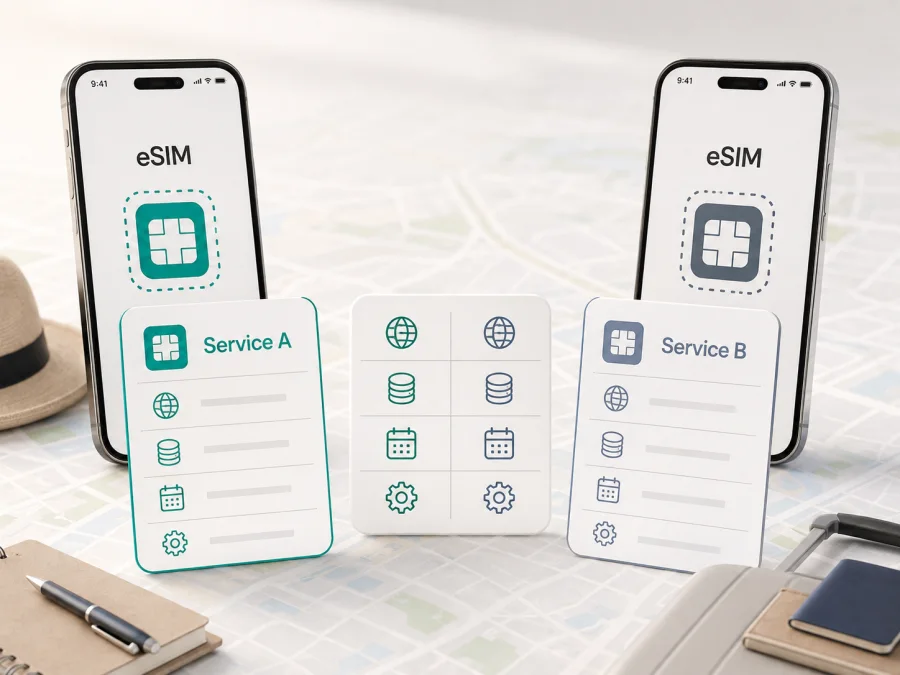
Best Kaspersky eSIM Store Alternatives
“Best” in this search topic is a request for a practical choice, not a claim that one unnamed provider is superior in every country. This guide keeps the comparison neutral: it explains what to check in Kaspersky eSIM Store and in any alternative travel-eSIM service before a purchase, using the same criteria for both.
Publication date: September 5, 2026.
Kaspersky, Kaspersky eSIM Store and other names or marks belong to their respective rights holders. Kaspersky eSIM Store is not affiliated with, and is not an official partner or distributor of, any alternative eSIM service referred to generically in this article. No unnamed alternative brand is being endorsed or reviewed by name.
What an alternative should be compared with
Kaspersky eSIM Store presents itself as a website and app for selecting, ordering and activating an eSIM with mobile data for travel; it is not the mobile network itself. Its terms identify a technology-platform provider and say that services are supplied through local telecommunications providers. Compare the selected offer’s destination, network information and rules rather than treating the store as an operator.
Source: Kaspersky eSIM Store homepage and “Terms & Conditions | SaaS eSIM PLATFORM”, checked September 5, 2026.
The same baseline should be applied to an alternative. Compare the destination or region, included data, validity model, activation rule, device compatibility, top-up process, support route and refund conditions. Do not treat a familiar brand name, an attractive headline, or a lower-looking entry price as a complete comparison. A plan for one country and seven days is not equivalent to a regional plan for 30 days, even when both show the same number of gigabytes.
Short answer
Kaspersky eSIM Store may fit a traveler who wants to select a destination plan online, install an eSIM on a compatible device, use data abroad, monitor the allowance and add data through the website or app. An alternative may fit better when its destination list, activation model, validity, device support, support or payment conditions match the itinerary. No universal ranking is responsible without a destination, date, currency, allowance, validity and exact offers for the same device.
This guide does not name competing brands or declare a winner; use the same criteria for any alternative.
The comparison at a glance
| Criterion | Kaspersky eSIM Store baseline | Verify in an alternative |
|---|---|---|
| Product role | Website and app to select, order and activate a travel data eSIM | Store, operator, reseller or layered app |
| Geography | Local and regional offers show their destinations | Route, borders, transit and exact inclusion list |
| Data and duration | Expiring and non-expiring offers show amount and duration | Allowance, validity, fair use and speed rules |
| Price | Changes by destination, currency, data and duration | Same route, currency, amount, validity and date |
| Installation | Compatibility check, profile or QR installation and activation | QR, in-app or manual setup; Wi-Fi and second-screen needs |
| Activation | FAQ separates activation from later consumption; scheduling may apply | Trigger: purchase, install, first connection or manual activation |
| Data line | Data-only; no regular number for calls and texts | Data-only or voice/SMS; number and dual-SIM rules |
| Management | Website/app usage view; manual and scheduled top-ups | Balance, top-up, auto top-up, renewal and payment controls |
| Support | Terms mention live chat and email; FAQ states 24/7 support | Hours, language, escalation and device-help scope |
| Transfer and refund | Activated eSIM cannot be transferred; stated refund cases apply | Transfer, cancellation window, activation exceptions and proof |
Source for the Kaspersky eSIM Store column: official Europe and United States plan pages, homepage FAQ and “Terms & Conditions | SaaS eSIM PLATFORM”, checked September 5, 2026. The alternative column is a checklist, not a claim about an unnamed service.
Geography and coverage: compare the offer, not a slogan
Start with the route rather than a general country count. Check every stop, including a layover where data may be needed, and confirm that the destination list belongs to the exact local or regional package.
The current Kaspersky eSIM Store Europe page separates local and regional selection, shows included destinations, and presents expiring and non-expiring plan families. This does not mean every plan has the same geography or network experience. A destination list is not a speed test or evidence of identical reception in cities, buildings, roads or rural areas.
Source: Kaspersky eSIM Store, “eSIM Europe” plan page, checked September 5, 2026.
For network claims, demand a named source and defined measurement. An official page can establish destinations or networks named for an offer, not a universal speed or quality ranking. If an alternative cites Ookla Speedtest, Opensignal or another independent measurement, check its geography, technology, sample, period and metric; otherwise leave the claim unverified.
Packages, data and validity
The key question is not only “how many gigabytes?” but also “how long may they be used, and what starts that period?” Keep these ideas separate:
- Installation puts the profile on the device.
- Activation enables the profile or service under the offer’s rule.
- Automatic activation is a separate rule that may start a package after a defined event.
- Validity is the use period; expiry is when remaining data is no longer available under that package.
The Kaspersky eSIM Store Europe page distinguishes “Expiring” packages, valid for a fixed period, from “Non-Expiring” packages, usable until the included gigabytes are depleted. It shows the data amount and duration beside each offer; use the exact checkout card because a destination may contain more than one plan family.
The public FAQ says the data plan becomes active immediately after purchase, while data consumption starts only after connection to local networks at the destination. For a later trip it points to scheduled activation at checkout or a non-expiring plan. Purchase, activation and consumption are not interchangeable; read the checkout wording instead of guessing when the clock starts.
Source: Kaspersky eSIM Store, “eSIM Europe” plan page and homepage FAQ, checked September 5, 2026.
The terms add that a 30-day package runs for 30 days from activation or until data is depleted, whichever comes first; another 30 days requires opt-in to auto-renewal. Lifetime Services last while data remains valid until depleted and do not renew automatically after depletion. Save the package wording and check the renewal setting before payment.
Source: Kaspersky eSIM Store, “Terms & Conditions | SaaS eSIM PLATFORM”, Articles 2 and 7, checked September 5, 2026.
When checking an alternative, use the same questions: Is validity calendar-based or measured from activation? Does installation trigger anything? Does first connection trigger usage? Is activation scheduled, automatic or manual? Does the package end at a fixed date, after a number of days, or when the data is exhausted? Is a depleted plan renewable, and is renewal opt-in? Record the answers in plain language before comparing prices.
Prices and conditions: a fair method
This topic does not specify a country or region, so a current price table would create false precision. Prices are not compared here. Select the same destination, currency, data amount and validity for both services, and record both snapshots on the same date. If no close match exists, say “not price-comparable” rather than calling one cheaper.
Include taxes, checkout or activation fees, recurring charges, auto-renewal and top-up minimums. A 1 GB package with no expiry is not equivalent to 1 GB valid for seven days. An “unlimited” label also needs its fair-use and speed-management wording.
Installation and activation without mixing the steps
Before ordering, check eSIM support and carrier-unlock status, and keep a stable internet connection for installation. Kaspersky eSIM Store’s public flow is: check compatibility, select destination and plan, confirm, activate, then monitor or top up in the app. The FAQ says the purchased eSIM appears in the website and app profile and that a confirmation email includes a QR code and instructions.
On iOS or Android, menu names vary. Follow the device-specific instructions, label the profile, select it for mobile data, and configure the home line to suit your roaming needs. The FAQ says some devices may require data roaming for the eSIM and says this does not create an extra charge outside the selected plan; confirm the setting for the actual device.
The Kaspersky eSIM Store Android and iOS pages state that connection may take up to 5–10 minutes after installation. This is an instruction estimate, not a speed or coverage guarantee. Keep the profile installed while troubleshooting unless told to remove it.
Source: Kaspersky eSIM Store, “How to Install Your eSIM on iOS”, “How to Install Your eSIM on Android”, and destination-plan FAQ, checked September 5, 2026.
Compare an alternative’s setup the same way: in-app install, QR or manual details; second-screen requirement; internet requirement; account requirement; and post-install transfer rule. These operational differences can determine whether a plan suits a short trip.
Choose an eSIM plan for your trip
Devices, data-only use and tethering
Compatibility is a gate. Check the exact phone model and regional version, eSIM support, carrier lock status and available eSIM capacity; do not infer it from a similar model name.
Kaspersky eSIM Store’s FAQ describes the travel eSIM as data-only: no regular phone number, cellular calls or texts. Internet messaging and calls may work through an existing account. An alternative with voice, SMS or a local number is a different product.
The FAQ says tethering is possible when the device supports it, within the selected package’s limits. Check an alternative’s hotspot rule separately and review background sync, video, backups and updates that can consume data.
Source: Kaspersky eSIM Store, homepage FAQ and United States plan page, checked September 5, 2026.
Top-ups, renewal and support
A traveler should know what happens when the allowance is nearly depleted. Kaspersky eSIM Store says usage is shown in the website and app and additional plans can be purchased for the same country or a new destination. Its plan pages describe manual and scheduled automatic top-ups. Automatic top-up is not automatic activation or validity.
The terms mention live chat and email assistance; the FAQ says support is available 24/7 in the user’s preferred language. This establishes channels and stated availability, not response time or a guarantee of remote device repair. The terms exclude third-party software and applications.
For an alternative, check language, hours, escalation and whether an urgent issue can be handled without a second connection. Save the order reference, instructions and destination list offline.
Source: Kaspersky eSIM Store, homepage FAQ and “Terms & Conditions | SaaS eSIM PLATFORM”, Articles 5 and 11, checked September 5, 2026.
Limits and checks before purchase
Use this checklist for Kaspersky eSIM Store and any alternative:
- Is the exact phone model eSIM-compatible and unlocked?
- Is the intended country or every country on the route included in this exact offer?
- Is the product data-only, and if so, how will calls and texts be handled?
- What is the data allowance, and is there fair-use language?
- Is the plan expiring or non-expiring?
- What starts validity: purchase, installation, manual activation or first connection?
- Is activation automatic, scheduled or manual?
- When does data consumption begin, and what event ends the package?
- Can the eSIM be transferred after activation? What happens if the phone is replaced?
- Is tethering permitted on the selected package?
- How are balance checks, top-ups and renewals controlled?
- Is auto-renewal or auto-top-up selected by default, and how can it be disabled?
- What refund window applies, and does activation remove eligibility?
- Which support channel should be used if installation fails?
Kaspersky eSIM Store’s FAQ says an activated eSIM cannot be transferred to another device because the activation code is unique and can be used once on its assigned device. It also describes a refund request within 14 days in stated cases, including an unactivated service or certain unresolved technical and compatibility problems. The precise eligibility conditions should be read in the current refund terms before purchase; do not assume that every post-activation request qualifies.
Source: Kaspersky eSIM Store, homepage FAQ, Europe plan page and “Terms & Conditions | SaaS eSIM PLATFORM”, checked September 5, 2026.
Conclusion
Assess Kaspersky eSIM Store alternatives by documented conditions, not brand impressions. Begin with route and device, then match data, validity, activation, expiry, support, top-ups, transfer rules and refunds. Treat coverage and speed as separate evidence questions. Compare price only when offers are genuinely like for like.
Kaspersky eSIM Store provides a public website and app flow for choosing, ordering, installing and managing travel data eSIM plans. Suitability depends on the exact offer and traveler’s requirements; an unnamed alternative may fit different conditions.
Prices, packages, tariffs, features, terms, activation and installation conditions, support availability, destination lists and coverage data are checked for this article on September 5, 2026, but may change. Check the current official materials of the relevant service before purchase.


