Travel connectivity guide
Kaspersky eSIM Store review for travel
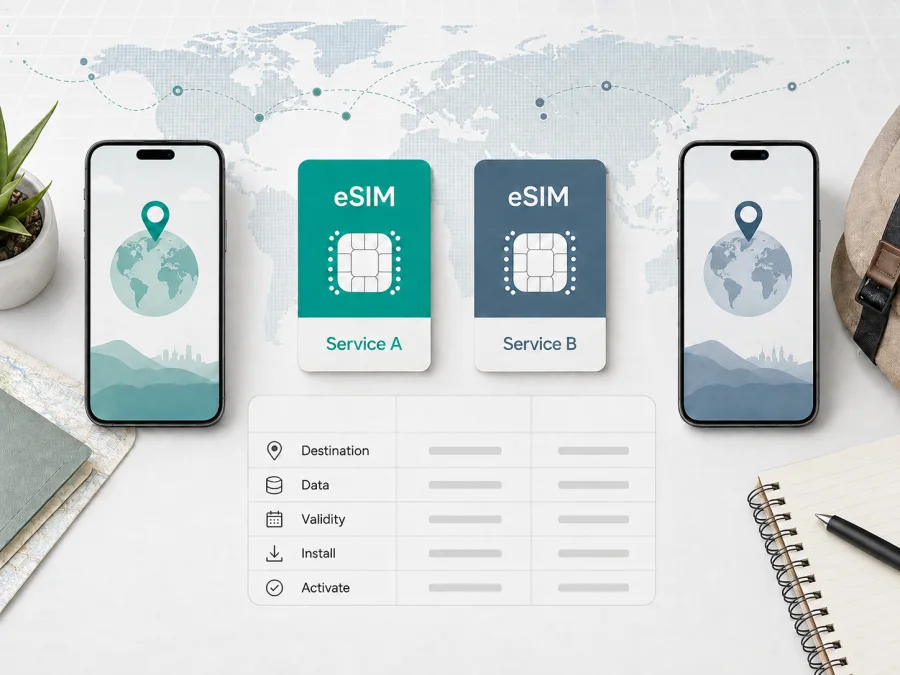
Kaspersky eSIM Store review for travel: plans, activation, and limits
Kaspersky eSIM Store is designed for travelers who want to prepare mobile data before a trip without replacing a physical SIM card. This review explains what the service does, how its plans and activation flow work, and what to check before purchase.
Publication date: September 6, 2026
Names and trademarks mentioned in this article belong to their respective rights holders. Kaspersky eSIM Store is not affiliated with, officially partnered with, or an authorized partner or distributor of any other brand or service that may be mentioned here.
Short verdict
Kaspersky eSIM Store is an app and website for choosing, paying for, installing, and activating an eSIM data plan for a trip. The basic flow is to select a destination, choose data and a validity model, install the eSIM on a compatible phone, and use it for mobile internet. The reviewed offer is data-only unless a particular plan says otherwise, so it is not a replacement for a normal mobile number.
The service may be convenient for people who want to keep a home SIM in the phone and manage travel data through one account. The exact experience still depends on the destination, selected plan, device, local provider, and terms shown at checkout. Start with the specific plan page, not a general promise about travel connectivity.
What Kaspersky eSIM Store is
The public service combines destination plan pages with a website and mobile app. Its pages offer local and regional choices, and the account area is used to view a purchased eSIM and manage data. The current plan page identifies BNESIM Limited as the technology partner providing eSIM products and related services, and says services are supplied by local telecommunications providers. Kaspersky eSIM Store should therefore be described as a selection, purchase, and management interface for travel eSIM use, not as a mobile network owner or operator.
Source check: official Kaspersky eSIM Store Europe plan page, page description and provider note, checked September 6, 2026.
The sitemap lists country and regional pages. Open the exact destination page and read its conditions; a plan list is not a guarantee of a signal in every town or building.
Travel workflow
1. Check the phone
An eSIM is a digital SIM profile stored in the phone. First check whether the exact model supports eSIM and whether the device is carrier-unlocked. Compatibility can vary by model, market, and operator configuration. The store’s public page provides a device-compatibility check; use it before selecting a package. A stable internet connection is also needed during installation.
Source check: official Kaspersky eSIM Store Europe plan page, “Check now to confirm your device is compatible with eSIM,” checked September 6, 2026.
2. Choose destination, data, and validity
Select the country or region where the data will be used. Match the allowance to the trip: navigation and messaging usually need less data than video calls, media uploads, cloud backup, or hotspot use. The exact allowance, included destinations, validity wording, and price belong to the chosen offer.
The store displays time-limited and non-expiring models. A time-limited package has a fixed duration and expires when that duration ends. A non-expiring or “Forever” label is a different validity condition; it does not mean unlimited data or automatic transfer to a new phone. The Europe page separates examples into “30 Days” and “Forever” groups; that illustrates the models, not a rule for every destination.
3. Install the eSIM
Installation means adding the digital SIM profile to the phone. It is not the same as consuming data. The store says a purchased eSIM appears in the profile in the app and on the website, and that a confirmation email includes a QR code. Its iOS instructions say to open Settings, choose Cellular, tap Add eSIM, choose Use QR Code, and scan the code shown on another device or printed out.
Install while a reliable connection is available, and keep the confirmation email and account access until the profile is installed.
Source check: official Kaspersky eSIM Store Europe plan page, FAQ “How do I set up the eSIM on my device?”, and official Kaspersky eSIM Store iOS instructions, steps 1–3, checked September 6, 2026.
4. Activate and select cellular data
Activation is the step that makes the installed profile available under the plan’s rules. The public plan page tells the user to activate the digital SIM after selecting a destination and confirming the purchase. The iOS instructions then say to turn on the eSIM, choose it for cellular data, and enable data roaming for the eSIM when the device instructions require it. They also note that the profile may take up to 5–10 minutes to connect after installation.
These settings have different jobs: installation adds the profile; activation or enabling makes it available; selecting cellular data tells the phone which line carries internet traffic. On iOS, turn off “Allow Cellular Data Switching” if the intention is to prevent an automatic switch to the home line. Android and iOS menus differ, so follow the instructions for the actual phone.
Source check: official Kaspersky eSIM Store iOS instructions, steps 4–7, including “Data Roaming” and the 5–10 minute connection note, checked September 6, 2026.
5. Separate activation from data start
The official Kaspersky travel article says that, after arrival, the eSIM can automatically connect to a local carrier, but the traveler must still enable the right settings and select the eSIM for data. Automatic connection after arrival is therefore not the same as installation or package expiry.
The public plan FAQ says that the data plan becomes active immediately after purchase, while data consumption starts only after the eSIM connects to local networks at the chosen destination. It also mentions scheduled activation for an expiring plan needed later, or a non-expiring plan. Read these timing rules with the selected offer and checkout wording; installing a profile alone should not be assumed to postpone validity.
In practical terms:
- Installation adds the eSIM profile.
- Activation makes the profile or plan available under its conditions.
- Automatic connection describes a local-carrier connection after arrival when settings and destination allow it.
- Data consumption begins when the phone uses the eSIM for data, subject to the offer.
- Validity and expiry follow the stated duration or non-expiring terms.
Source check: official Kaspersky eSIM Store Europe plan page, FAQs “When does the eSIM package start using data?” and “Do I have to activate data roaming on my device?”, plus official Kaspersky blog “Internet on the go with Kaspersky eSIM Store,” checked September 6, 2026.
See the current Kaspersky eSIM Store destination pages and plan details
Plans and price comparison
No price conclusion is given here. The topic does not specify a destination, currency, allowance, validity period, or price-check date, so quoting one country’s offer would create a misleading comparison. A fair snapshot requires the same destination, currency, equal or closely matched data, the same validity model and duration, and one check date. Record whether taxes are included and re-check the final checkout total.
Source check: official Kaspersky eSIM Store Europe plan page, checked September 6, 2026.
Coverage and network expectations
The store lists destinations and says services are supplied by local telecommunications providers. Use the exact country or regional page to review included destinations and conditions. That information does not establish one speed, a guaranteed signal level, or universal coverage.
Network experience can vary with local provider arrangements, radio conditions, device bands, congestion, and indoor location. The official pages reviewed here do not provide a comparable, location-specific performance measurement that would justify a general speed or quality claim. For a route through border areas, islands, or rural locations, keep a backup connection if the trip is work-critical.
Calls, messages, and tethering
The plan page describes the eSIM as data-only: it has no phone number and does not support ordinary calls or texts. Internet calls and messaging apps can work over the data connection. A primary SIM can remain in the phone for its own services, subject to home-operator roaming terms. The FAQ says tethering is possible on supported devices within the selected package’s limits; hotspot use can consume data faster.
Source check: official Kaspersky eSIM Store Europe plan page, FAQs “Does the eSIM plan include web traffic only?” and “Can I share my internet connection when using eSIM internet?”, checked September 6, 2026.
Management, top-ups, and support
The public page says usage can be viewed in the website or app, additional plans can be purchased for the same country or a new destination, and data can be topped up manually or by schedule. Options can depend on the account, country, and plan. The Help Center lists email support at kasperskyesimstore@bnesim.com and says live chat is available 24/7 after login. Keep the purchase confirmation and device details ready if support is needed.
The plan FAQ says an activated eSIM cannot be transferred to another device because its activation code is unique and can be used once on its assigned device. Install it on the phone that will be used for the trip and decide that allocation before activation.
Source check: official Kaspersky eSIM Store Europe plan page, FAQs on usage, top-ups, refunds, and transfer, and official Kaspersky eSIM Store Help Center, checked September 6, 2026.
Refunds and conditions to review
The public plan FAQ says a refund can be requested within 14 days of purchase under conditions including that the eSIM has not been activated, or that a technical problem cannot be resolved after troubleshooting with support. It links to a Refund Policy. Because activation status matters, read the policy before installing or activating if plans may change; a refund window is not a guarantee that every used plan can be reversed.
Before payment, check the destination list, allowance, validity, activation timing, device compatibility, data-roaming requirement, hotspot rule, transfer condition, refund terms, and support route. Confirm the final amount at checkout and keep the receipt.
Source check: official Kaspersky eSIM Store Europe plan page, FAQs “Can I get a refund for an eSIM after purchase?” and “Is it possible to transfer an eSIM to another device after activation?”, checked September 6, 2026.
Who it may suit
Kaspersky eSIM Store may suit a traveler with a compatible unlocked phone who needs data for navigation and messaging, wants to install before departure, prefers to keep a home SIM, or visits the same country or region repeatedly. A locked phone, voice-number requirement, or unclear destination list needs extra planning.
For a short trip, estimate data use, download maps over Wi-Fi, and verify when validity starts. For a multi-country trip, check every stop against the regional plan; do not assume unused data applies elsewhere unless the offer says so.
For a family or work trip, decide which phone owns each profile before activation; the no-transfer rule makes that important.
Pre-purchase checklist
- Confirm eSIM support and that the phone is not carrier-locked.
- Open the exact country or regional page for every destination.
- Match data allowance to expected use, including hotspot use.
- Read validity, expiry, and activation-start wording.
- Confirm whether the plan is data-only.
- Follow the installation instructions for the actual phone system.
- Install over a stable connection when possible.
- Decide which line handles calls, messages, and cellular data.
- Check whether data roaming is required and disable automatic data switching when appropriate.
- Read refund, transfer, top-up, and support conditions before activation.
- Save the confirmation email, QR code, account access, and support details.
- Recheck the final price and package conditions before payment.
FAQ
Is Kaspersky eSIM Store a mobile operator?
No. It is an app and website that help the user choose, purchase, install, activate, and manage travel eSIM data plans. The public store identifies a technology partner and local telecommunications providers for related services.
Does installation start validity?
Not necessarily. Installation, activation, data consumption, and expiry are separate concepts. The current FAQ describes immediate plan activation after purchase, consumption after connection to a local network, and scheduled activation for a later trip. Read the selected offer and checkout wording.
Can an activated eSIM move to a new phone?
The current FAQ says no: its activation code is unique and can be used once on the assigned device.
Is non-expiring the same as unlimited?
No. Non-expiring describes validity; it does not mean unlimited traffic. The allowance remains the amount shown in the offer.
Balanced conclusion
Kaspersky eSIM Store offers a travel-data workflow: check compatibility, choose a destination and plan, install the profile, configure eSIM data, and manage usage in the website or app. Evaluate each offer for destination, allowance, validity, activation timing, device compatibility, transfer and refund rules, support, and data-only limitations. It is a tool for arranging mobile internet, not a guarantee of network performance or a substitute for every mobile feature.
Information, prices, packages, tariffs, features, connection conditions, and coverage data were checked on September 6, 2026 and may change. Before purchase, verify the current details in the official materials of the relevant service.


