Travel connectivity guide
Kassala eSIM: Mobile Internet Guide
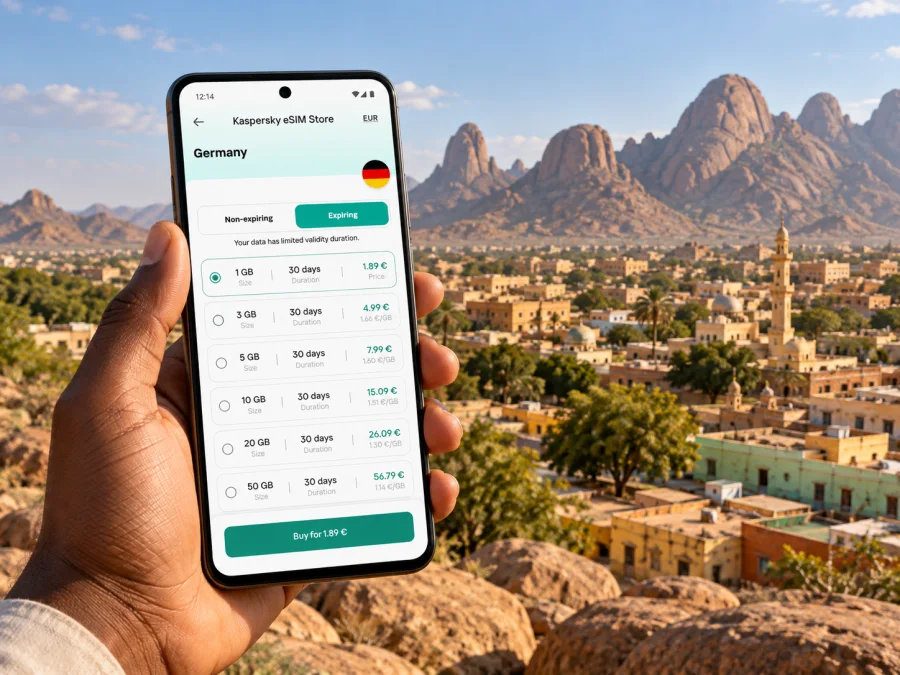
Kassala eSIM: Mobile Connection and Internet Planning for a Trip
Kassala sits in eastern Sudan, where the rounded granite forms of the Taka Mountains rise behind the city and the seasonal Gash River crosses the surrounding plain. For a visitor, mobile data can help with maps, meeting arrangements and messages, but it should never be the only way to navigate or stay in contact. Sudan’s communications and transport conditions can change quickly, and a usable connection in one part of the country does not establish service in Kassala.
A safety note before planning a visit
As of November 2026, several government travel advisories warn against travel to Sudan. The United States advises against all travel and identifies eastern Sudan, including Kassala State, as a region where security risks remain; the United Kingdom also advises against all travel to parts of Sudan. The situation can change, and guidance differs by nationality. Read the current advice issued by your own government before making plans. If your visit is not essential, postpone it. This article is connectivity preparation, not a recommendation to travel.
For essential work or a journey already under way, follow the instructions of your organization and local authorities. Confirm permissions, route security, accommodation, transport and emergency arrangements through people on the ground before moving. Do not treat a phone signal, map pin or an eSIM purchase as evidence that a route is safe or that assistance will be available.
Why mobile data needs a backup plan in Kassala
Kassala is the capital of Kassala State in eastern Sudan. The Gash is a seasonal river that runs through the town, and the Taka granite domes form a distinctive backdrop. These features make the city’s geography easy to recognize, but they do not make navigation straightforward: street names, road conditions, access arrangements and local operating conditions can differ from what an online map shows.
Telecommunications networks in Sudan may be disrupted without warning. Power interruptions, network congestion, maintenance, changing security conditions or damage to infrastructure can also affect mobile service. A travel eSIM can be one part of a connectivity plan, but no digital SIM can remove those dependencies. A phone may show an installed profile and still have no usable data service at a given place or time.
| Need in the city | How data may help | Keep ready if data fails |
|---|---|---|
| Finding an agreed meeting point | Open a saved map or share a location when service is available | Write down the address, landmark and contact details |
| Coordinating a pickup | Send a message or confirm a change | Agree on a fallback meeting time and place in advance |
| Checking work instructions | Retrieve current documents from a secure account | Save approved documents offline before departure |
| Reaching a colleague | Use an internet-based messaging or calling app | Keep a second contact method and a printed contact list |
| Checking a departure | Review a carrier or organization update | Confirm directly with the responsible operator; schedules can change |
Treat online maps as a reference, not a live safety system. Download only maps you are permitted to keep on the device, mark essential locations before travel, and record the spelling of destinations in a form your local contact recognizes. A route line does not confirm that a road is open, passable or safe.
Before you travel: confirm the basics
Start with the journey itself rather than the data package. Confirm that the trip is permitted and that your employer, host or local counterpart has approved the itinerary. Check entry requirements and transit arrangements using official channels. For any domestic flight or road transfer, verify the exact service directly with the airline, transport provider or responsible organization shortly before departure. Do not assume that a route or airport operating earlier is operating now.
Kassala has an airport, but the existence of an airport does not establish current commercial service, a particular flight schedule or safe access from the city. Ask the organizer who is responsible for ground transfer, where the pickup will take place and what the fallback is if the flight or phone network changes. For overland movement, use only routes cleared and approved by knowledgeable local authorities and your organization; do not improvise from map directions.
Build a short offline contact sheet before you leave. Include your host, driver or authorized transport contact, accommodation or worksite, organization security focal point, and an out-of-country contact. Add full names, phone numbers with country codes, addresses written in English and locally recognizable form where possible, and meeting instructions. Keep a copy securely offline and another with a trusted person.
A practical pre-departure checklist
- [ ] Read your government’s latest Sudan travel advice and follow your organization’s security plan.
- [ ] Confirm permissions, entry documents, flights and transfers directly with responsible contacts.
- [ ] Share the itinerary and check-in times with a trusted person.
- [ ] Save maps, addresses, meeting points and essential documents for offline access.
- [ ] Check that your phone is unlocked and supports eSIM before buying a plan; check your device compatibility.
- [ ] Keep your usual SIM active if you need its number for calls or one-time passcodes.
- [ ] Carry a charged power bank, charging cable and a local power adapter suited to your equipment.
- [ ] Agree on what to do if you cannot send a check-in or reach the pickup contact.
Choose an eSIM for the whole itinerary, not just a city name
Kassala is a city, but travel eSIM plans are generally listed by country or region. A plan shown for Sudan is not automatically a promise of coverage at every address in Kassala, along the road to the city, inside a building or during a network outage. Before paying, read the current plan details and check the destination list, validity period, data allowance, activation rules, supported network arrangements and any restrictions. If the itinerary crosses a border or includes another country, make sure the selected plan explicitly includes each destination.
Kaspersky eSIM Store is an app and website where you can choose, order and activate an eSIM with a suitable data plan for an international trip. The available Sudan destination page lets you review the current listed options and their terms; it is not a city-specific coverage map. You can review the current eSIM options for Sudan and decide whether a listed plan fits your route and requirements.
Use this simple comparison before choosing:
| Check | What to look for | Why it matters |
|---|---|---|
| Destination | Sudan is named in the plan’s included destinations | A regional plan may include some countries but not others |
| Coverage language | Terms explain the supported network or service area | A country-level listing cannot promise service at every location |
| Data amount | Allowance matches maps, messages, work tools and updates | Video calls and large uploads can use data quickly |
| Validity | The active period covers your expected days of use | Activation timing may affect when validity starts |
| Activation | The instructions explain when to install and when to connect | Installing before departure and using the profile are different actions |
| Device rules | Your phone is compatible and not carrier-locked | An unsupported or locked device may not install or use the profile |
| Support and refund terms | You understand help channels and conditions for unused plans | Refund eligibility depends on the actual purchase terms |
Do not choose based on a headline alone. Check the full details shown at checkout, including whether the package is data-only, how its validity begins and what happens when the allowance is used. Prices, plan details and destination availability can change. If the destination page does not show a plan that suits the journey, do not assume a different option will work in Kassala.
How much data might you need?
Estimate from your own usage: short messages and occasional map checks need less data than video calls, large uploads or automatic photo backups. Save maps and essential documents offline, turn off nonessential sync and app updates, and use mobile data for the tasks that cannot wait. For work, follow your organization’s rules for storing files and using communication apps.
Check your phone before you order
An eSIM is a digital SIM profile installed on a compatible device. Support varies by model, country or regional hardware variant, and mobile operator restrictions. A product name alone is not enough to confirm support. Check the exact model in the manufacturer’s settings or support materials, confirm that the device is unlocked, and make sure you can access Wi-Fi or another reliable connection during installation.
Keep your primary SIM available if you rely on its number for ordinary calls, SMS or account verification. A travel data eSIM does not necessarily provide a local phone number, voice service or SMS; check the individual plan terms. Messaging and internet calls may work through apps when data is available, but they depend on both the connection and app access.
If you use two SIMs, label each line clearly in your settings. Set the intended line for mobile data only after installation and verify the choice before enabling data roaming. Menu names vary by device and software version. Do not delete an eSIM profile simply because it does not connect immediately; first check the plan instructions and seek help through the product’s support channel.
Install at a time when you can troubleshoot
If the plan allows installation before departure, install while you have stable Wi-Fi and enough time to read the on-screen steps. Installation and first use are not always the same event: a profile can be added in advance while data use starts only after a later connection, depending on the plan’s terms. Follow the exact instructions supplied with your purchase.
- Confirm that the phone supports eSIM, is unlocked and has enough battery.
- Open the order or app instructions and identify any QR code or manual activation details.
- Add the eSIM in your phone’s mobile-network settings, following the device prompts.
- Give the line a clear label, such as “Travel data,” so it is easy to identify.
- Keep your regular number selected for calls and messages if you need it.
- Select the travel profile for mobile data only when the plan instructions say it is time to connect.
- If the profile does not register, check the destination, activation status and device settings before trying again.
For device-specific steps, follow the Android eSIM installation instructions or the iPhone eSIM installation instructions. Screens and menu labels can vary by software release. If you are unsure about the activation timing, confirm it before installing rather than relying on a general guide.
Landing in Kassala: make the first connection a small task
Do not make your first mobile-data test while rushing through an unfamiliar arrival or transfer. Once you are in a safe, authorized place and have Wi-Fi or another trusted connection, check that the profile is installed and named correctly. When your plan’s instructions permit use, select it for mobile data, enable data roaming only if the instructions require it, and wait for the phone to register. Restarting may help in some cases, but repeated profile deletion or resetting network settings can create new problems.
If it connects, test a lightweight page or message and confirm which SIM is using data. Then download or refresh the map and the information you need for the next approved movement. If it does not connect, avoid assuming the problem is the handset or that another network is safe to select. Check the plan’s setup steps and contact support when possible. Keep using the offline plan until the issue is resolved.
A basic troubleshooting sequence:
- Confirm the eSIM line is enabled and selected for data.
- Check that the plan is active, valid and intended for Sudan.
- Review any APN or roaming instruction provided with the plan; do not invent settings.
- Toggle airplane mode once, then wait for registration.
- Restart only if the plan instructions or support recommends it.
- Record the error message and the time; send it to support when a connection is available.
- Preserve the physical SIM and the offline contact sheet as separate fallback options.
Moving around the city and its surroundings
For a traveler with an approved itinerary, use local knowledge to interpret the map. Agree on the exact pickup point in advance, including a recognizable landmark and what to do if the vehicle is delayed. In Kassala, the Gash River and Taka domes can help describe the broader setting, but they are not precise meeting instructions. Confirm the street, entrance or organization compound directly with the local contact.
Do not assume ride-hailing apps, taxis, public transport, hotel services or card payments are available or operating normally. Have the transport arranged through a trusted, authorized contact. Confirm the fare or payment method before setting out where appropriate, and keep a backup amount in the form recommended by your host. Avoid sharing your live location publicly; send it only to trusted contacts and follow your organization’s security guidance.
If your approved movement takes you outside Kassala, treat connectivity as even less predictable. Save the route and destination details before leaving, keep the vehicle and check-in plan agreed, and do not use a mapped shortcut or unverified road. The Gash is seasonal and can cause flash flooding during rainy periods, so current local conditions matter more than a generic map or past travel account. Do not approach river channels or cross floodwater based on a phone route.
Workday and short-stay scenarios
A short meeting in town. Save the meeting address and the contact’s number before leaving. Ask the host to confirm the entrance and pickup procedure. Use mobile data for a message if available, but set a fixed fallback time and place in case messages fail.
A field visit arranged by an organization. Obtain the approved route, authorization and check-in schedule from the security focal point. Keep only the map and documents you need on the phone. If the route or conditions change, stop and follow the local security instructions rather than asking a navigation app to find another road.
A longer stay near the city. Ask your host which accommodation, transport and communication arrangements are currently operational. Check how you will recharge your phone and power bank, where you can safely connect to Wi-Fi, and how to reach your organization without mobile data. Do not post your lodging or movement plans publicly.
Frequently asked questions
Is Kassala in Sudan or South Sudan?
Kassala is a city in eastern Sudan and the capital of Kassala State. Sudan and South Sudan are separate destinations; check the selected plan’s exact country list if your route includes both.
Does a Sudan eSIM guarantee internet in Kassala?
No. A country listing does not guarantee service in a specific city, building or moment. Check the current plan terms and treat network access as conditional because infrastructure and service can be disrupted.
What if mobile data stops working?
Use the offline maps and contact list, follow the agreed check-in procedure, and ask your authorized local contact for current instructions. Check the eSIM status and its plan terms when it is safe to do so. Do not let a connectivity problem cause you to take an unapproved route.
Is Kassala suitable for a normal leisure stopover right now?
Current government travel advisories warn against travel to Sudan. Recheck the latest advice for your nationality and postpone nonessential travel. A connectivity guide cannot assess whether a particular journey is safe.
Prepare connectivity without depending on it
For a trip involving Kassala, the sound approach is to verify whether travel is appropriate, confirm every movement through responsible local contacts, and prepare for mobile data to be unavailable. Save the information you need offline, maintain a check-in plan, and verify the full terms of any eSIM before ordering. A digital profile can support your communications when service is operating; it cannot replace local guidance, security arrangements or a backup contact method.
When your itinerary and device are confirmed, use Kaspersky eSIM Store to review, choose and activate a suitable plan for the international trip. Review the current Sudan eSIM options, check the destination and activation details, and keep the instructions available offline before you travel.


