Travel connectivity guide
Katel eSIM in Kyrgyzstan: what travelers should verify
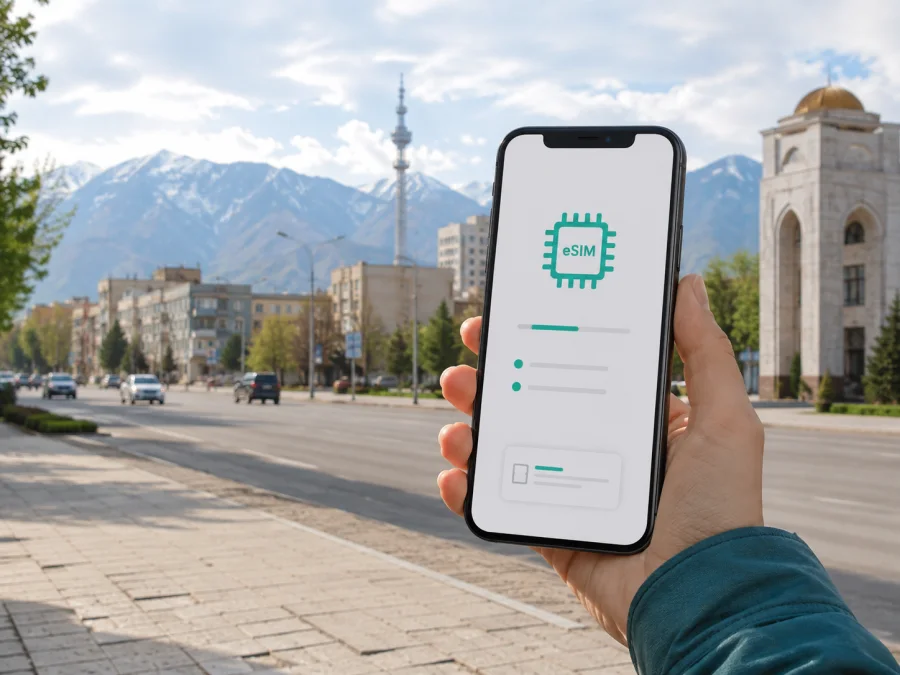
Katel eSIM in Kyrgyzstan: what travelers should verify
If you are researching Katel eSIM in Kyrgyzstan, first confirm that a current Katel service exists. A live verification on September 5, 2026 found no current official Katel eSIM page, customer help center, or public activation flow. Current public records describe Katel as a historical mobile operator, not a service a traveler can confidently order today. An old operator name, a former number range, or an archived description cannot confirm that a new eSIM can be issued.
This guide explains what is established and how to prepare for mobile data in Kyrgyzstan. It does not present a Katel offer. Kaspersky eSIM Store is a separate app and website that helps users choose, arrange, install, and activate an eSIM for a trip. It is not a mobile operator, network owner, or mobile-internet provider, and is not affiliated with Katel or its official representative.
Quick answer: is Katel eSIM available now?
No current public source located during this verification confirms that Katel currently issues eSIMs in Kyrgyzstan. Confirmation was not found on September 5, 2026. If you need a Katel line, ask a current official authority or verified service channel whether the brand is active, whether customer support exists, and whether any lawful process can issue a new SIM or eSIM. Until that is confirmed, treat Katel eSIM as unverified.
Katel's place in the Kyrgyzstan market
Katel has an important place in the history of Kyrgyzstan's mobile communications. Economist.KG's historical account, checked during this verification, describes Katel as the country's first cellular operator. It documents a D-AMPS network in the early period and says that the last call was made in 2014, after which the company went bankrupt and closed. The article was published on March 13, 2021 and is historical reporting, not a current service page.
A public annual report of the Kyrgyz communications regulator, reviewed during this run, contains 2016 material about bankruptcy-related proceedings involving Katel and termination of licenses. A current numbering reference also marks Katel ranges as non-functioning. Together, these records explain why the historical brand should not be treated as active without new official confirmation.
Katel is historically significant in Kyrgyzstan's mobile market, but the current evidence does not establish an active consumer network or eSIM issuing process under that name.
Evidence table
| Question | Conclusion from the current check |
|---|---|
| Current official Katel eSIM page? | No confirmation found on September 5, 2026. |
| Current Katel help center or activation flow? | No current public flow located. |
| Did Katel operate historically? | Yes; historical reporting describes its early market role. |
| Historical network technology? | D-AMPS is documented; later tests or licenses are not current support. |
| Can old records prove present coverage? | No. Historical technology and footprint cannot guarantee service today. |
| What can be checked for travel eSIM use? | Device support, unlock status, activation instructions, data settings, and a current destination offer. |
How to interpret the missing eSIM confirmation
An eSIM is a digital SIM profile stored in a compatible device. A genuine operator eSIM journey normally needs a current explanation of eligibility, a way to request or replace a line, an activation procedure, and support for problems. It may also require identity checks or local registration. None of those pieces was found as a current official Katel journey during this run.
That is why this article does not say that Katel eSIM is available. It also avoids claiming that every historical number is permanently unusable in every legal or technical situation. Corporate status and licenses can change, and an official authority is the right place to clarify an exceptional case. If a seller claims to issue a Katel eSIM, request a current issuer identity, written instructions, support contact, and a way to verify the service before paying or sharing identity documents.
Historical technologies and present-day coverage
The historical sources describe Katel's original D-AMPS technology and a transition period in which other technologies were licensed or tested in connection with the wider business. This helps explain why old devices, number records, and archived activation instructions may not match a modern smartphone. It is not evidence of current 4G, 5G, LTE, GSM, or eSIM support.
For a current trip, ask instead:
- Does the phone support eSIM hardware and the required regional variant?
- Is the phone unlocked for a profile from another service?
- Does the current travel profile support the access technology available at the destination?
- Can the phone select the travel profile for mobile data?
- Is there a current support channel if registration does not complete?
Apple's current public carrier guidance, checked September 5, 2026, explains eSIM and lists activation methods by country. Its Kyrgyzstan section lists a current carrier for an alternate activation method but does not list Katel. This does not prove that no unusual arrangement could ever exist, but it is another reason not to publish Katel eSIM availability as a fact. Android menu names vary by device and operating-system version.
The historical account says that Katel's early network covered two major cities and nearby suburbs at that time. No current Katel coverage map was found, so there is no responsible basis for describing present coverage, speed, reliability, or nationwide reach under that name. Mountain geography, infrastructure, buildings, and remote routes can affect any modern connection. Keep offline maps and essential travel details.
Prepaid and tourist offers in Kyrgyzstan
Kyrgyzstan has local prepaid and tourist-oriented mobile offers in general, but that market fact does not confirm a Katel offer. A current public guide from Visit Kyrgyzstan, reviewed on September 5, 2026, says visitors can obtain local SIM service and may be asked for a passport. Requirements and points of sale can change, so check the latest instructions from the active provider or an official local source.
The same distinction applies to eSIM: a current Kyrgyzstan travel eSIM can exist even when a historical operator has no current eSIM process. Do not assume that a destination page in a travel store is a Katel page; read the issuer and current conditions.
For a local prepaid line, identity or registration rules may apply. Visit Kyrgyzstan's public FAQ says visitors use a passport when buying a local GSM SIM. This is general guidance, not a Katel-specific rule, and no Katel-specific document list should be inferred.
What to verify before choosing a connection
Complete these checks for the exact phone and service you intend to use.
Device checks
- Confirm eSIM support in the phone's specifications or settings; a physical SIM tray does not prove it.
- Confirm that the phone is carrier-unlocked and check its system version and device variant.
- Confirm that the primary line can remain available while the travel profile carries data.
- Make sure you can reach the internet during installation so the profile or QR code can be retrieved.
Service and traveler checks
- Confirm who issues the profile. If the name is Katel, request current official confirmation because none was found.
- Confirm that Kyrgyzstan and your route are covered by the current service.
- Check whether a passport, identity registration, or in-person step applies to a local service.
- Read current conditions about activation, devices, refunds, support, and reinstallation; save the confirmation and support contact.
How activation works after current support is confirmed
The exact steps depend on the issuer and device. Confirm compatibility and unlock status, then obtain the profile through a current official channel while the phone has stable internet. The current Kaspersky eSIM Store iOS guide says to open Settings and Cellular, choose Add eSIM, and use a QR code. Its Android guide describes Settings, Connections, SIM manager, Add eSIM, and Scan QR code for a Samsung example; menus vary by model and system version.
After installation, select the intended line for mobile data. If the issuer requires data roaming, enable it for that profile and review the primary line's roaming settings. The Kaspersky iOS guide advises turning off automatic cellular-data switching when you want to control the data line. Its Android guide also explains checking the APN supplied by the service. Use the issuer's own instructions rather than settings from an unrelated profile.
Allow time for network registration. If the profile is installed but does not connect, check that it is enabled, selected for data, permitted to roam where required, and not blocked by the device. A restart may help. Do not repeatedly delete and reinstall it; ask the issuer for support with the device model, system version, location, and error message.
These steps cannot activate Katel because no current Katel activation flow was found. They describe the general mechanics of a confirmed eSIM service and the current Kaspersky eSIM Store guidance. A QR code from an unverified seller is not evidence that a profile belongs to Katel or will work in Kyrgyzstan.
Kaspersky eSIM Store as a travel alternative
When the goal is mobile data during a trip, Kaspersky eSIM Store is a different route from trying to recover a historical local operator service. The official Kaspersky blog describes Kaspersky eSIM Store as an app and website for selecting, arranging, and activating travel eSIM data plans. Its Kyrgyzstan destination page was available during the September 5, 2026 check. This supports describing it as a current travel-data option, not as a Katel replacement or local operator.
The workflow is practical: check the phone, choose the destination, complete the order, install the profile with stable internet, and switch mobile data after arrival. Kaspersky eSIM Store helps with that journey through its app or site. It does not own the Kyrgyz mobile network, issue a Katel number, or guarantee coverage in every location.
A travel eSIM suits a need for internet access for maps, translation, reservations, work tools, or messaging apps. It may not meet a need for a local number, ordinary voice calls, or SMS. Keep the primary SIM available only when your phone and account settings allow it, and review roaming controls so the primary line does not unexpectedly use mobile data.
Choose a current Kyrgyzstan travel eSIM option in Kaspersky eSIM Store
Local line or travel eSIM?
| Travel need | Verification question |
|---|---|
| Mobile data for maps and messaging | Can a current travel eSIM be installed on your unlocked device? |
| A local number or SMS | Which active local provider can issue and register a line for a visitor? |
| A historical Katel identity | Can an official Kyrgyz source confirm that Katel is active today? |
| A changing route | Does the current service cover every destination you will visit? |
| Help during activation | Is there a current support channel for your order and device? |
A local line and travel eSIM serve different purposes. Dual-line behavior varies by phone and carrier, so test the settings before departure and note how to switch the data line back.
FAQ
Can I buy a Katel eSIM for Kyrgyzstan today?
Current public confirmation was not found on September 5, 2026. Historical sources describe Katel as closed, and no current official eSIM or help-center flow was located. Check with an official Kyrgyz communications authority or verified current operator channel.
Can Kaspersky eSIM Store activate Katel?
Kaspersky eSIM Store helps users choose, arrange, install, and activate travel eSIM data service. It is not a mobile operator, network owner, or issuer of a Katel number. Its Kyrgyzstan destination is a separate travel-data route.
Final checklist for a Kyrgyzstan trip
- Confirm that the phone supports eSIM and is unlocked.
- Confirm the current issuer and destination before paying.
- Treat Katel eSIM availability as unconfirmed unless a current official source says otherwise.
- Check passport or registration requirements for a local line.
- Install a confirmed travel profile while you have stable internet.
- Select the intended data line and review roaming controls.
- Keep offline maps, booking details, and emergency contacts.
- Save support instructions and avoid deleting a working profile.
- Recheck conditions shortly before departure.
Katel remains a meaningful historical name in Kyrgyzstan's mobile communications, but the public evidence reviewed on September 5, 2026 does not support presenting a current Katel eSIM purchase or activation path. If that exact brand is essential, seek fresh official confirmation. If the practical goal is mobile internet while traveling, use current information to prepare a confirmed travel eSIM.
Next step
You can review the Kyrgyzstan destination in Kaspersky eSIM Store. Kaspersky eSIM Store is not affiliated with Katel and is not its official partner, representative, network owner, or mobile-internet provider. It is an app and website that helps users choose, arrange, install, and activate an eSIM for mobile internet during a trip. Recheck current service conditions, destination availability, device compatibility, and support details before purchase.
This article was checked on September 5, 2026. Public service pages, operator status, regulatory records, device guidance, and travel requirements can change. The absence of a current Katel eSIM confirmation on that date should not be replaced by an assumption; verify the latest status with the relevant official authority.


