Travel connectivity guide
Kaunas eSIM: Mobile Internet & City Travel Guide
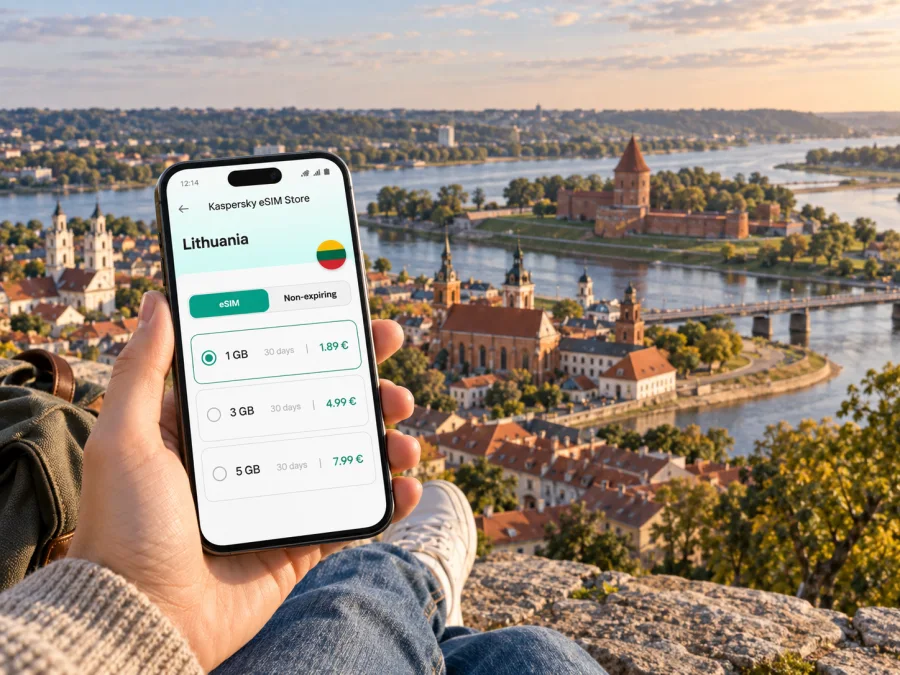
Kaunas eSIM for mobile connection and internet: a practical city guide
Kaunas is a city of river crossings, walkable central streets and journeys that often begin at an airport, bus station or railway station. A working mobile connection helps you move between these points, check a hotel address, follow a map through the Old Town and coordinate a meeting without pausing to find public Wi-Fi. An eSIM can prepare mobile internet for the trip without replacing the physical SIM already in your phone.
This guide covers arrival, central districts, local travel and choosing an eSIM plan for a weekend, work visit or stop in a wider Lithuania trip.
Start with the shape of the city
Kaunas sits where the Nemunas and Neris rivers meet. The historic centre is close to that confluence, with the Old Town around Town Hall Square and Vilniaus Street, and the New Town extending east toward Laisvės Avenue and the railway station. These central areas are the easiest place to orient yourself on a first visit: use a map to compare a destination with the river, the pedestrian streets and your hotel rather than relying only on a street name.
The city is not just a compact old centre. A short stay might include a walk along Laisvės Avenue, a meeting near the station, an evening on Nemunas Island or a visit to Žaliakalnis. The rivers and slopes affect the route you choose. A map can show whether a destination is a comfortable walk, better reached by public transport or simpler by taxi, and whether a river crossing is part of the journey.
| Area or landmark | Useful for a visitor | Why mobile data helps |
|---|---|---|
| Old Town | Town Hall Square, Vilniaus Street, Kaunas Castle and the river confluence | Finding entrances, checking opening information and navigating smaller streets |
| New Town | Laisvės Avenue, cafés, cultural venues, hotels and central services | Switching between a walking route, a meeting location and nearby transport |
| Railway station area | Train arrivals, onward connections and accommodation nearby | Confirming platform or departure details and sharing an updated arrival time |
| Nemunas Island | Riverside walks, green space and major event venues | Checking the return route and coordinating with a group after an event |
| Žaliakalnis | Residential streets, viewpoints and destinations above the centre | Comparing routes that include a slope or a change in transport |
Use the table as a starting point, then check the route from your exact hotel or meeting address. “Central” can still mean a walk to the riverfront, station or appointment.
Arriving in Kaunas and getting your bearings
Kaunas Airport is outside the central city. The airport lists a regular city bus, route 29, running between the airport and the train station, and also mentions shuttle route 120 and taxi options. Confirm the latest timetable and the stop for your destination before travelling, because schedules and service arrangements can change. If you are arriving late, carrying luggage or heading directly to a meeting, compare the expected journey and your arrival time rather than choosing by habit.
At the terminal, use mobile internet to check a hotel pin, contact your host or confirm a pickup point. Save the full accommodation address in text as well as on a map. Rail and coach arrivals have different starting points: the railway station is by the New Town, while the Old Town lies farther toward the river confluence. Check the route from the station named on your ticket rather than assuming all arrival points are interchangeable.
A simple arrival sequence
- Before departure, save your hotel or meeting address and the name of the nearest stop.
- Check which Kaunas arrival point is on your ticket: airport, railway station or bus station.
- Once online, compare the current route options with your luggage, arrival time and onward plans.
- If taking public transport, check the applicable ticket method and where to validate or pay.
- Share your estimated arrival with your host or colleague, then keep the route open until you reach the correct entrance.
Check the current timetable on the day, particularly for an early or late arrival. Keep the key address and route details available offline in case data is not active yet.
Getting around: walking, buses and route checks
The central Kaunas experience often combines walking with a short public-transport ride. The Old Town and New Town offer many destinations that can be linked on foot, while trips to a farther neighbourhood, a station or an event venue may make a bus, trolleybus or taxi more practical. Kaunas public transport includes buses and trolleybuses. For a visitor, the useful question is not “Which mode is always best?” but “What is the simplest route from this exact address at this time?”
The city’s transport information describes contactless payment on buses and trolleybuses, along with ticketing options. Payment availability and ticket terms can change, so check current local instructions before boarding. If you use a contactless bank card or a phone, keep the same payment method available in case a ticket inspector asks to see it. A phone with a low battery is a poor backup plan for maps, tickets and messaging at once.
For walks, account for river crossings, slopes and the exact entrance. The shortest route may not be easiest with luggage or in poor weather; for an appointment, allow time to find the building itself.
Choose a route by situation
| Situation | Practical choice | What to check on your phone |
|---|---|---|
| A short walk between central sights | Walk, with the route open as needed | Exact entrance, walking time and any river crossing |
| Luggage between a station and hotel | Compare a direct ride with walking | Pickup point, hotel entrance and estimated arrival |
| A meeting outside the centre | Check bus or trolleybus options, then compare a taxi | Departure time, stop name and return route |
| An evening event on Nemunas Island | Plan the outbound and return trips separately | Venue entrance, meeting point and late return options |
| A day split between several neighbourhoods | Save each destination and order them by area | Travel time between stops and a route back to your base |
Keep your hotel address saved and note a nearby landmark as a fallback if your battery or data runs low.
Kaspersky eSIM Store is an app and website where you can choose, arrange and activate an eSIM with a suitable plan for mobile internet on an international trip. If Kaunas is one stop on a wider itinerary, select a plan for the destination or route that matches the trip rather than treating the city itself as a separate coverage area. You can review eSIM plan options for Lithuania and compare the stated data allowance and validity with your schedule.
Choosing where to stay and keeping plans connected
For a first visit, a hotel or apartment in the Old Town or New Town can reduce the number of long cross-city trips. The Old Town suits travellers who want to begin near Town Hall Square, Vilniaus Street, Kaunas Castle and the confluence. The New Town is convenient for Laisvės Avenue, many everyday services and access toward the railway station. Staying near a particular event venue or office may be more useful than choosing a neighbourhood by sightseeing alone.
Compare the property’s exact address with your planned sights, office and arrival point. Work trips may favour a simple station or office connection; for a weekend, consider the route back after dinner or an event. Mobile data helps with check-in messages, digital reservations and updating a meeting pin. When travelling together, agree on a specific square, entrance or street corner rather than “near the centre.”
Mobile internet for work trips and short stopovers
A business visit can compress a lot of movement into one day: a station arrival, hotel check-in, office appointment, lunch and an evening departure. Keep the work address, contact details and reservation confirmations accessible before the first transfer. If a meeting changes, mobile data makes it easier to update the route and tell the other person where you are, while a saved offline copy protects you if coverage is briefly unavailable.
For a short stopover, plan around one coherent area instead of trying to cross the city repeatedly. If the free time is limited, choose either the Old Town and river confluence or a route along the New Town’s central streets, then leave room to return to the departure point. Check how much time is needed to get back to the airport, railway station or bus station, including the possibility of waiting for transport.
For longer stays, include email, video calls and hotspot use in your estimate; these can use more data than navigation and messages. Consider Wi-Fi at your accommodation or workplace and compare expected use with the plan’s allowance and validity.
What an eSIM can and cannot do on a Kaunas trip
An eSIM is a digital SIM profile that can be added to a compatible device. A travel eSIM plan can provide mobile data according to its specific terms, helping you use maps, web pages and internet-based messaging without swapping out your physical SIM. It is not automatically a replacement for your regular mobile number. Unless the plan says otherwise, do not expect it to include standard voice calls or SMS; you can continue to use your usual number for those services if your home plan and settings allow.
Before choosing a plan, look at four details together:
- Destination: confirm that the plan applies in Lithuania and in the places on your wider route.
- Data allowance: estimate maps, messaging, browsing, work calls and any hotspot use.
- Validity: compare the plan’s duration with the days you expect to use it.
- Device and activation terms: read the plan instructions and confirm that your phone supports eSIM and is not restricted by a carrier lock.
The availability of mobile service depends on the plan and local network conditions. A city-centre address, an indoor meeting room and a moving bus are different settings, so avoid assuming that one experience guarantees another. Keep access to Wi-Fi where available and download essential maps or documents before a long day.
Prepare and activate before you set out
If you decide to use an eSIM, do the setup while you have a stable internet connection and enough time to read the instructions. Check that the device supports eSIM and is not carrier-locked. Review the chosen plan’s destination, data, validity and activation conditions. Some plans begin validity on installation or activation, while others follow different rules; rely on the terms shown for the particular plan.
Installation checklist
- Confirm device compatibility and carrier-unlocked status for your device.
- Choose a plan that matches Lithuania and the length and data needs of your itinerary.
- Open the purchase or activation instructions and keep access to the required QR code or setup details.
- Add the eSIM in your device’s mobile-network settings, following the on-screen steps.
- Label the line clearly so you can distinguish it from your regular SIM.
- Set the eSIM as the mobile-data line when you are ready to use it, and check the plan’s roaming instructions.
- Keep your regular number settings as intended for calls and messages, and monitor data use during the trip.
For device-specific steps, follow the Android eSIM installation instructions or the iOS eSIM installation instructions. The exact menu names can differ by phone model and operating-system version. If setup fails, check that the device has an internet connection, that the QR code or details have not already been used, and that the plan’s instructions permit the action you are attempting.
Trips beyond the centre
If Kaunas is your base for another destination in Lithuania, check the departure point and timetable for that journey. Trains and intercity coaches may use different stations. Keep tickets and your hotel address available, and confirm that your eSIM plan’s destination and validity fit the wider route.
Keep the full address saved, check current transport information and compare the exact locations of your hotel, appointments and planned sights.
Frequently asked questions
Will an eSIM help on a short central visit?
It can support maps, messages and reservations. Match the allowance and validity to your actual stay and data use.
Can I use an eSIM to get from the airport to my hotel?
If installed and activated under the plan’s terms, mobile data can help with routes and messages. The airport lists bus 29 to the train station and shuttle 120; check current schedules and onward connections.
Does a travel eSIM include a phone number?
Not necessarily. Many are data-only; check the plan terms and keep your usual number for calls or SMS if needed.
What should I check before installation?
Confirm eSIM compatibility and carrier-unlocked status, then review destination, validity, allowance and activation conditions.
Choose a plan that fits your Kaunas itinerary
Before travelling, decide how you expect to use mobile data: occasional navigation and messages, a full day of work, or a wider route through Lithuania. Check the eSIM plan’s destination, allowance, validity and activation instructions, and make sure your device is ready. Kaspersky eSIM Store helps you choose, arrange and activate an eSIM plan for mobile internet on an international trip. When your dates and data needs are clear, compare eSIM options for Lithuania and prepare your connection before setting out around Kaunas.


