Travel connectivity guide
Kayseri eSIM: Mobile Internet for Your Trip
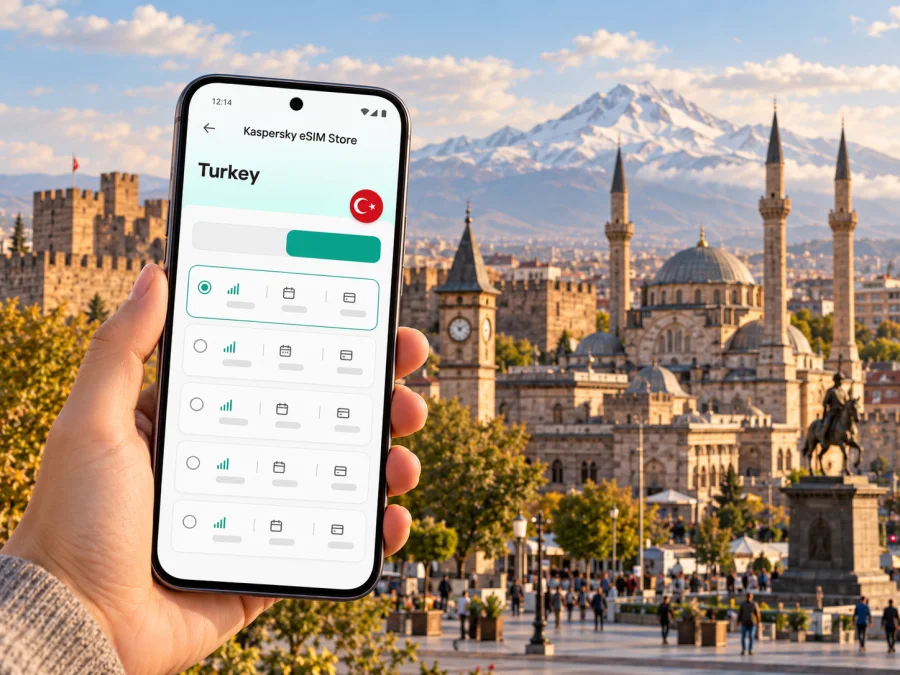
Kayseri eSIM for a reliable mobile connection and internet on your trip
Kayseri is a practical base for exploring central Anatolia: visitors come for the city’s Seljuk heritage, local food and access to Mount Erciyes, while business travelers use it as a regional hub. A working mobile connection helps with the first airport transfer, finding a hotel, checking a tram or bus route and keeping plans flexible when a day trip changes. An eSIM can provide mobile data without swapping out your physical SIM, provided your device and selected plan support the trip.
The key is to prepare for the actual route. Kayseri’s centre, the airport, Erciyes and farther destinations are different places, and a plan’s country coverage does not guarantee identical signal indoors, on a mountain or along every road. Check the plan conditions and keep an offline fallback for essential directions.
Before you arrive at Kayseri Erkilet Airport
Kayseri Erkilet Airport (ASR) serves domestic and international traffic. It is close enough to the city that many visitors continue directly to a central hotel, but the best transfer depends on arrival time, luggage and where you are staying. Confirm your transport option for your flight rather than relying on a route or timetable saved long ago. Airport transport, taxi availability and city connections can change with schedules and season.
Before boarding, save the hotel address in Turkish as well as English, along with a map pin and a short note showing the district. This helps if you need to show the destination to a driver or ask for directions. Download an offline map covering the airport, your accommodation and the places you expect to visit. Keep your booking details available offline too.
A quick arrival checklist:
- Save the hotel’s full address and phone number.
- Download the Kayseri area in your preferred map app for offline use.
- Check the arrival terminal and onward transport for your flight date.
- Keep your passport, payment method and the phone used for travel accessible.
- Decide whether your existing SIM should remain available for calls and verification messages.
Mobile data is especially useful after landing when you need to message your accommodation, confirm a pickup, look up a changing route or translate a short phrase. If you install an eSIM before departure, do so while connected to stable Wi-Fi and follow the provider’s activation instructions. Some plans start their validity period at installation or first network connection; others have different rules. Read the selected plan’s terms so you know when usage begins.
Getting around the city with mobile data
Kayseri’s central sights are spread across a walkable historic core and wider districts connected by public transport and roads. The tram and bus network can help with longer crossings, while walking is often the simplest way to explore nearby monuments, markets and squares. Kayseri Metropolitan Municipality publishes route and timetable information, but routes and departure times should be checked close to travel, especially if you are connecting to an appointment or a flight.
Use a live map to compare walking and public transport routes, then confirm the stop name and direction before boarding. Turkish place names can look similar on a small screen; checking the full destination helps avoid getting off too early. Save the name of your stop in a note or take a screenshot of the route before entering an underground area or a crowded vehicle.
| Situation | How mobile internet can help | A useful backup |
|---|---|---|
| Airport to hotel | Check the destination, message your host and compare the route | Saved address in Turkish and offline map |
| Historic centre | Locate museums, mosques, markets and walking routes | Screenshot of the day’s walking plan |
| Tram or bus transfer | Review the latest route and stop sequence | Note the stop name and direction before boarding |
| Meeting across town | Share your arrival estimate and find the entrance | Hotel or meeting address saved offline |
| Day trip beyond the centre | Check the road, pickup point and return arrangements | Confirm transport directly with the provider |
In central Kayseri, you may move between Cumhuriyet Square, Kayseri Castle, the Grand Bazaar area and nearby historic buildings in one outing. A map is useful for linking the stops, but leave room for detours: courtyards, covered passages and local streets can make a short route take longer than expected. Keep your phone charged and avoid relying on a live connection as your only copy of directions.
Talas is another common destination for visitors, with residential streets, cafés and access toward Ali Mountain. Erciyes lies south of the city and is a separate excursion; do not assume a city-centre transit route continues all the way to a trail, ski facility or hotel on the mountain. Confirm the last leg with your accommodation or transport provider, and check return options before setting out.
Choosing an eSIM for a Kayseri itinerary
For a city break, a useful plan is one that fits the number of travel days, the way you use your phone and the full Turkey itinerary. A few navigation searches and messages use data differently from video calls, uploading large files or streaming. Estimate your needs from your own routine, then compare the plan’s data allowance, validity, supported destination and any top-up or expiry terms shown at checkout.
Kaspersky eSIM Store is an app and website where you can select, purchase and activate an eSIM with a suitable plan for mobile internet during an international trip. The available options and terms can vary. Check that Turkey is included, review the data amount and validity, and confirm whether the plan is intended for data only. An eSIM plan may not include a regular phone number, voice calls or SMS unless its terms explicitly say so. You can keep a primary SIM enabled for calls or messages if your device allows it, while choosing which line handles mobile data.
Match the plan to how you travel
- Short city visit: Maps, messaging and occasional searches may be your main needs. Choose an allowance and validity that cover the whole stay, including arrival and departure days.
- Business travel: Consider the data used by email attachments, navigation, calls in work apps and hotspot use if tethering is permitted by the plan. Keep meeting details and critical documents available offline.
- Erciyes day trip: Review coverage terms for Turkey, but remember that actual reception can vary with terrain, buildings and network conditions. Download maps and confirm transport before leaving the city.
- A longer Turkey itinerary: If you will continue from Kayseri to other towns, check that the same plan applies to every stop and that its validity lasts through the final travel day.
A city name in a travel plan is useful for itinerary planning, but eSIM coverage is normally specified by country or region, not by individual neighbourhood. Kayseri is a city in Turkey; it is not a separate country or coverage zone. The selected plan’s destination list and conditions determine where it is designed to work. Neither a city-centre result nor a signal indication on one day can promise service at every indoor venue or on every road.
When you are ready to review options for this destination, see the eSIM plans for Turkey. Use the plan details shown there to make a decision for your trip rather than assuming that every plan has the same coverage, duration or data allowance.
Check your phone before buying
An eSIM works only if the specific device variant supports eSIM and is not restricted by a carrier lock. Support differs across manufacturers, product families and regional versions; a model name alone is not enough to confirm compatibility. Check the phone’s specifications for the exact model number and region, and look in its mobile network settings for an option to add an eSIM. If you are unsure, check whether your device is compatible before choosing a plan.
Also confirm that the phone can use more than one SIM profile in the way you need. Some devices let you keep a physical SIM and an eSIM installed while selecting one line for mobile data. The exact settings and simultaneous-use limits vary. If you need calls or SMS on your usual number, check which line will handle those services and whether your home operator charges for roaming when that line remains active.
A concise compatibility check:
- Find the exact model and regional variant in the device settings or original packaging.
- Confirm eSIM support for that exact variant using the manufacturer’s information.
- Check that the phone is not carrier-locked.
- Confirm that your operating system and settings allow you to add a mobile plan.
- Make sure you can access Wi-Fi during installation and keep the QR code or setup details available.
Do this before payment where possible. If the device cannot add an eSIM, you can ask your home operator about roaming, use Wi-Fi where available, or consider a physical local SIM from an authorized seller after checking current registration rules and requirements. Do not assume that an eSIM-supported phone sold in one country has identical capabilities in another market.
Install and activate before the first journey
The safest time to install an eSIM is when you have reliable Wi-Fi, enough battery and access to the order’s setup details. Installation steps differ by phone, so follow the device prompts and the plan instructions. These guides can help: eSIM setup for Android and eSIM setup for iOS.
A practical sequence is:
- Review the plan. Confirm the destination, allowance, validity period and activation conditions.
- Prepare the phone. Connect to Wi-Fi, charge the battery and make sure you can unlock the device settings.
- Add the eSIM. Scan the supplied QR code or use the available manual installation method. Do not share the QR code publicly.
- Label the line. Give it a clear name such as “Turkey data” so you can distinguish it from your usual SIM.
- Choose the data line. In mobile settings, select the travel eSIM for mobile data when you want to use it.
- Activate at the right time. Follow the plan’s activation rules. If you want validity to begin after arrival, check whether installing the profile earlier is allowed without starting the plan.
- Check connection settings. If the plan instructions require data roaming for the eSIM, enable it for that line. Do not change roaming settings blindly for your primary SIM.
After landing, allow the phone a little time to register with a local network. If data does not work, check that the travel eSIM is switched on, selected for mobile data and configured according to the plan instructions. Toggle airplane mode once or restart the phone if needed. Recheck the plan’s destination and APN details, if provided. Network availability and setup can vary; avoid deleting the eSIM profile unless support instructions tell you to, because it may not be possible to install it again with the same code.
Data habits for a smoother stay
Kayseri’s changing weather and day-trip distances make preparation useful even when you expect to stay connected. Maps, translation and messaging are common data uses; automatic photo backups, app updates and video streaming can consume a much larger share. Before travelling, set large updates to Wi-Fi, choose a lower video quality when appropriate and download music or documents for offline use.
Keep a simple data routine:
- Use offline maps for the centre, airport and planned excursions.
- Check the plan’s remaining data through the available account or device settings.
- Turn off background refresh for apps that do not need it during the trip.
- Use hotel Wi-Fi for large downloads, while following your usual privacy practices.
- Keep a power bank or charging plan for long days outdoors.
Mobile data can make navigation and coordination easier, but it is not a substitute for local travel information. For mountain visits, check weather and operating information from the relevant venue before leaving. For intercity travel, confirm departure locations and times with the carrier. If a route crosses remote or rugged terrain, share your itinerary with someone and carry the key details offline.
Practical scenarios
You have a short connection in Kayseri
If the stop is only a few hours, focus on the airport and the exact reason for leaving it, if you plan to do so. Check your onward flight time, baggage arrangements and return transport before travelling into town. A data connection can help check a map and message your contact, but keep the airport address and flight details available offline. Do not choose a plan solely for the connection if its validity or activation rules do not fit the rest of your journey.
You are staying near the historic centre
Save the hotel pin before departure, then use a walking route to connect nearby sights. Download a map around Cumhuriyet Square and note your return address in Turkish. If you take a bus or tram farther out, verify the direction and latest service information. A short city itinerary often needs less data than a trip built around video calls or frequent uploads, so make the allowance decision based on your own habits.
You are visiting Erciyes
Treat the mountain as a distinct leg, not simply another city-centre stop. Confirm how you will reach the planned entrance or accommodation and how you will return. Save maps, booking details and a meeting point in advance. Mobile coverage can vary with location and conditions, so do not rely on a live map alone for a mountain day.
You are travelling for work
Before leaving your hotel, download the meeting address, attendee details and files you may need. Use mobile data for directions and coordination, and check whether your chosen plan permits hotspot use if you intend to connect a laptop. Keep your home SIM’s call and SMS settings in mind, since data and ordinary cellular service may use separate lines.
Connectivity questions travelers ask
Does an eSIM for Turkey work specifically in Kayseri?
A plan listing Turkey as a supported destination is intended for use in that country under its stated terms. It is not a city-only product. The actual connection depends on the plan, its partner network, the device and local conditions, so check the destination and coverage information before purchase and keep offline maps for areas where reception may be limited.
Will the eSIM give me a Turkish phone number?
Not necessarily. Many travel eSIM plans are for mobile data only. Calls, SMS and a regular number are included only if the specific plan says they are. Internet-based messaging and calling apps can work over data, subject to the app and service conditions.
Can I keep my regular SIM active?
Often, a compatible unlocked phone can keep a physical SIM and an eSIM profile available, but options vary by device. You may select the eSIM for data and keep the primary line for calls or verification messages. Check your handset’s dual-SIM behavior and your home operator’s roaming charges before travel.
Should I install the eSIM before arriving?
Installing over stable Wi-Fi before departure can reduce setup work after landing. First check the plan’s activation policy: some plans begin validity on installation, while others start when the eSIM first connects in the destination. Follow the terms shown for the plan you select.
What if I have no connection after landing?
Check that the eSIM line is enabled and selected for mobile data, then follow the plan’s network and roaming instructions. Wait briefly for network registration, toggle airplane mode or restart, and verify that the plan is active and valid in Turkey. Keep your hotel address and essential route offline while troubleshooting.
Is one plan enough for Kayseri and a visit elsewhere?
It may be, if the plan includes all destinations on your route and remains valid for the whole trip. Kayseri, Erciyes and other stops are different environments, and coverage can vary. Check the country or regional list and terms rather than inferring service from distance or a city label.
A simple preparation checklist
Before leaving for Kayseri, make sure you can answer these questions:
- Does my exact phone variant support eSIM, and is it unlocked?
- Does the selected plan include Turkey and cover my full travel period?
- Do I understand when validity starts and how much data is included?
- Have I saved my accommodation, airport route and key addresses offline?
- Do I know which SIM handles data, calls and SMS?
- Have I checked current transport details for the airport, city and any day trip?
- Do I have a backup way to reach essential information if mobile data is unavailable?
These small checks help you arrive with fewer tasks left to solve on the pavement or in a taxi. In Kayseri, a reliable travel routine combines a suitable plan with offline maps, confirmed transport and a clear record of where you are staying.
Prepare your eSIM for Kayseri
Choose a plan by destination, data allowance and validity, then check its conditions against your actual itinerary. Kaspersky eSIM Store helps you select, purchase and activate an eSIM for mobile internet on an international trip. Install it over Wi-Fi on a compatible unlocked device and follow the activation instructions shown for that plan. Review eSIM options for Turkey before your journey, and keep your key Kayseri addresses and routes available offline as a practical backup.


