Travel connectivity guide
Keflavik eSIM: Mobile Internet for Iceland
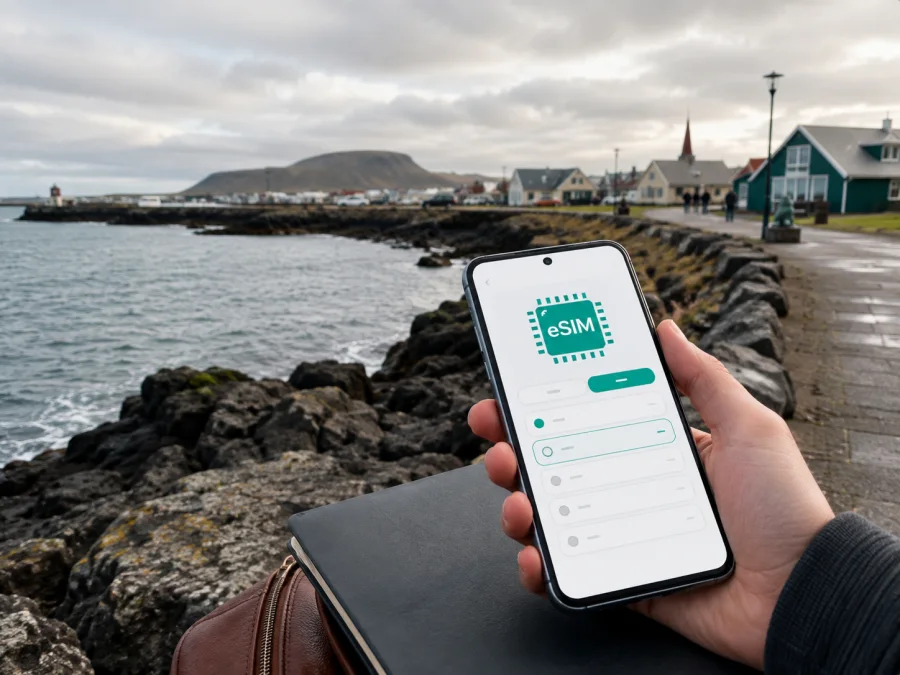
Keflavik eSIM: Reliable Mobile Connection and Internet for Your Iceland Trip
Keflavik is often the first Icelandic place travellers see. International flights arrive at Keflavik International Airport, while the town sits on the Reykjanes Peninsula beside the Atlantic. It can be an overnight stop, a first base, or the start of a drive towards Reykjavik.
For each of these plans, mobile internet is useful from the moment you land. You may need a map, a transfer confirmation, a message for a hotel, a translation, or a weather update before heading outside. An eSIM lets you prepare a digital SIM card for the trip and keep your regular SIM available for its usual services, subject to your home operator’s settings.
This guide covers data use around Keflavik: arrival, transport, hotels, business trips, stopovers, and onward journeys.
Why Keflavik needs its own connectivity plan
Keflavik is close to its international airport but is not a district of Reykjavik. The airport is about 3 km from Keflavik and roughly 50 km from Reykjavik. After landing, you might go to a hotel in town, take a coach towards the capital, collect a rental car, or begin a Reykjanes itinerary without visiting central Reykjavik first.
That geography makes the first online tasks particularly practical. You may need to identify the right transport stop, find a property entrance, contact a driver, or confirm a rental-car meeting point while carrying luggage. Later, the same connection can help you navigate a coastal walk, check local opening information, or share your arrival time with a host.
For a stopover or first night before a drive around the peninsula, select a package for the number of days and the way you use your phone rather than deciding at the terminal.
Useful online tasks in Keflavik
- opening navigation for a hotel, rental office, harbour, or restaurant;
- checking current transport information after a flight delay;
- receiving booking messages and sign-in codes;
- checking weather and road conditions before driving;
- using translation, email, or a currency-conversion tool;
- uploading selected photographs or joining a work call.
Maps and messages are lighter than video calls, streaming, cloud backups, or hotspot use; consider those heavier activities when comparing a tariff.
Arriving at Keflavik International Airport
Before departure, decide how you will travel from the terminal to your first stop. Airport coaches, public transport, taxis, rental cars, and reserved transfers can all be relevant, depending on your arrival time and destination. Timetables and operating conditions can change, particularly around holidays or difficult weather, so check the current journey information shortly before you travel.
With an active data connection, the arrival sequence is simple:
- Install the travel eSIM before flying or set it up on a reliable connection.
- Open the exact address of your accommodation or rental-car meeting point.
- Confirm whether your transfer leaves at the terminal or at another nearby stop.
- Save the address and booking details, then send an arrival message once transport is confirmed.
Download an offline map of Keflavik and the first part of your route before leaving a strong connection. It is a useful backup, but it does not replace live information about departures, delays, road conditions, or weather.
Keep the airport, town, and capital distinct
It is easy to enter “Keflavik” in a navigation app and assume the result is the airport. Use the complete destination name and address instead. The airport, the town of Keflavik, and Reykjavik have different transport links and accommodation patterns.
| First destination | Confirm before leaving the terminal | How data helps |
|---|---|---|
| Keflavik town | Hotel address, pickup instructions, and the local stop | Follow the route and contact the property if plans change |
| Reykjavik | Departure point and final city address | Check the journey and map the last walk |
| Reykjanes Peninsula | Rental-car location and first route | Combine navigation with current conditions |
The airport is near Keflavik, but a transfer to the town is a separate leg. Confirm the drop-off point, and use mobile messaging to update a driver or host after landing.
Choosing an eSIM tariff for Keflavik
Kaspersky eSIM Store is an app and website that helps you select, order, and activate an eSIM tariff for mobile internet during an international trip. It is not a mobile network operator. The underlying service and conditions depend on the chosen destination and tariff, so read the details shown before completing your order.
Compare an Iceland option using four questions:
- How many days will you use data? Count the arrival day, the final transfer, and a small buffer for delays.
- What will you do online? Navigation and messaging need less data than video meetings or regular hotspot use.
- Will your phone be your main camera and map? If so, leave room for uploads and repeated route searches.
- Does your itinerary stay in Iceland? A country tariff and a regional option can suit different routes.
The largest package is not automatically the right one. A short Keflavik stopover may need data mainly for maps, messages, and transport. A week with remote work, photo sharing, and several drives may require more. Review duration, data volume, and price together; conditions vary by tariff.
When you know your dates and approximate usage, choose an eSIM tariff for your Iceland trip. Preparing before departure gives you time to read the conditions, complete installation over a stable connection, and keep the QR code or activation details accessible.
Match the package to your travel style
| Travel style | Main activities | Main risk to the data allowance |
|---|---|---|
| Short stopover | Maps, check-in, messages, transport searches | Automatic photo backup |
| Leisure visit | Navigation, weather, searches, social posts | Video and high-resolution uploads |
| Road-trip base | Route searches, booking messages, live updates | Detours and repeated map use |
| Business arrival | Email, authentication, documents, short calls | Hotspot and file transfers |
Turn off automatic updates and photo synchronisation over mobile data if you do not need them. Monitor the balance in the app or profile and top up only when the selected conditions allow it and you need more data.
Move around Keflavik
The centre of Keflavik is compact enough for many errands on foot, but luggage, wind, darkness, and the location of your accommodation can change the best choice. Airport transfers and longer journeys deserve more preparation.
Buses, coaches, and transfers
A public-bus connection serves the airport and capital area, while airport coaches also run on the Keflavik–Reykjavik corridor. Check current stops and departures. Mobile data helps when a flight is late, a transfer moves, or the final stop is far from your hotel.
A taxi or reserved transfer may suit a late arrival, heavy luggage, or accommodation outside the centre. Confirm the pickup point and the name on the reservation. If your flight changes, use data to send an update.
Rental car and driving from Keflavik
Before collecting a car, save the route to your accommodation, review the rental instructions, and identify the first practical stop. Check current conditions before driving around Reykjanes, keep the phone charged, and let a passenger handle navigation whenever possible.
- Enter one destination at a time and check the complete address.
- Keep a margin for slower conditions and unplanned stops.
- Do not use the handset while driving; pause safely before changing the route.
An eSIM supplies data for maps and messages, but it does not replace safe driving decisions or attention to the road.
Keflavik areas and accommodation scenarios
Your data priorities change with your accommodation. Near the airport, confirm whether a property offers a shuttle or expects you to arrange transport. In the town centre, save a walking route and check the entrance before setting out with luggage. Along the waterfront, keep a return route available because wind and visibility can change. At a wider Reykjanes base, confirm the exact address and arrival instructions before leaving the airport.
Choose the connection plan for the most demanding day, not the easiest evening. An arrival, a drive, and a change of accommodation can make your phone work harder than a quiet night in town.
Four realistic use cases
- One-night airport stop: save the hotel address and confirm the morning transport after check-in.
- First night in town: keep a saved return route and check that hotel Wi-Fi has not changed the preferred data line.
- Road-trip start: download the first route, review the rental instructions, and stop safely before changing it.
- Business arrival: test the eSIM on stable Wi-Fi and check the tariff conditions before using a laptop hotspot.
Install and activate the eSIM
Install the eSIM before departure when possible. You need a compatible, unlocked device and a reliable internet connection. If it is installed at home, leave the travel line turned off until you are ready to use it, following the tariff instructions.
Before ordering, check whether your device supports eSIM. Support varies by model, market version, and carrier-lock status; the number of active SIM lines also depends on the phone.
Installation checklist
- Confirm the exact model is unlocked and supports eSIM.
- Keep the purchase email, QR code, or activation details accessible.
- Use stable Wi-Fi and label the line “Iceland travel.”
- Select the travel eSIM for mobile data after landing.
- Decide whether the home SIM should handle calls and SMS.
- Review automatic data switching and whether roaming must be enabled for the travel line.
For device-specific steps, use the Android eSIM installation instructions or the iOS eSIM installation instructions. Menu names vary by model and operating-system version.
After activation in Keflavik, open a simple webpage or map and confirm that the travel line—not the home line—is selected for mobile data. If data does not appear, review line status, roaming, network selection, and any access-point instructions supplied with the tariff.
An eSIM tariff normally supplies mobile data rather than a conventional local phone number. Calls and SMS are not automatically included unless the selected conditions say so. Your home operator may charge for roaming if the regular SIM uses data or handles calls.
Keflavik pre-departure checklist
- [ ] My first stop and full accommodation or pickup address are clear.
- [ ] I have checked eSIM support and carrier-lock status.
- [ ] The eSIM is installed, or the QR code is accessible.
- [ ] Home-line data roaming is disabled if I do not want extra charges.
- [ ] The travel line is selected for data after landing.
- [ ] I have an offline map, current transport information, and a charger.
Common mistakes to avoid
- Skipping the exact device check: a recent-looking phone is not automatically compatible, and carrier-lock status matters.
- Activating too early: some tariffs begin their validity period on connection or activation, so read the selected conditions.
- Leaving data switching on: a dual-SIM phone may move to the home line; review data preferences and roaming.
- Using data in the background: streaming, large uploads, and cloud backups can consume a package quickly.
- Confusing airport and town: they are close but distinct destinations, so save the complete address.
- Ignoring conditions: a route may be open while weather makes it unsuitable; check current information before driving.
FAQ about eSIM in Keflavik
Should I install an eSIM before flying?
Usually, yes: a stable connection gives you time to read the instructions. Activate or select the travel line according to the tariff conditions.
Can I keep my usual number active?
Many compatible phones support a physical SIM and eSIM together, so you can often keep the home line for calls or SMS and select the travel eSIM for data.
Will I get a local Icelandic number?
Not necessarily. A travel tariff is commonly intended for mobile data; the selected conditions determine whether calls or SMS are included.
Is the airport in Keflavik town?
It is near the town but is a separate arrival point with its own transport links. Enter the precise airport, hotel, or pickup address.
What if I am in Keflavik only for a few hours?
You may still need maps, messages, boarding information, and a return transfer, so cover the complete stopover and leave a margin before the next flight.
Can I use the eSIM beyond Keflavik?
That depends on the selected country or regional tariff. Review its destinations and validity conditions before leaving the town.
Stay ready for the next leg
Keflavik combines international arrival, local accommodation, coastal surroundings, and routes towards Reykjavik. Prepare before landing, save the exact destination, allow for transport changes, and reserve enough data for the busiest day.
Kaspersky eSIM Store helps you compare destination options, select an eSIM tariff, and manage installation and activation through the app or website. Conditions vary by tariff, and connection time depends on the device and local network.
When your route, dates, and device are ready, prepare an eSIM tariff for your trip to Iceland. Preparation before the flight can make the first transfer from Keflavik airport and the onward journey easier to manage.


