Travel connectivity guide
Kelowna eSIM Guide: Mobile Data in Canada
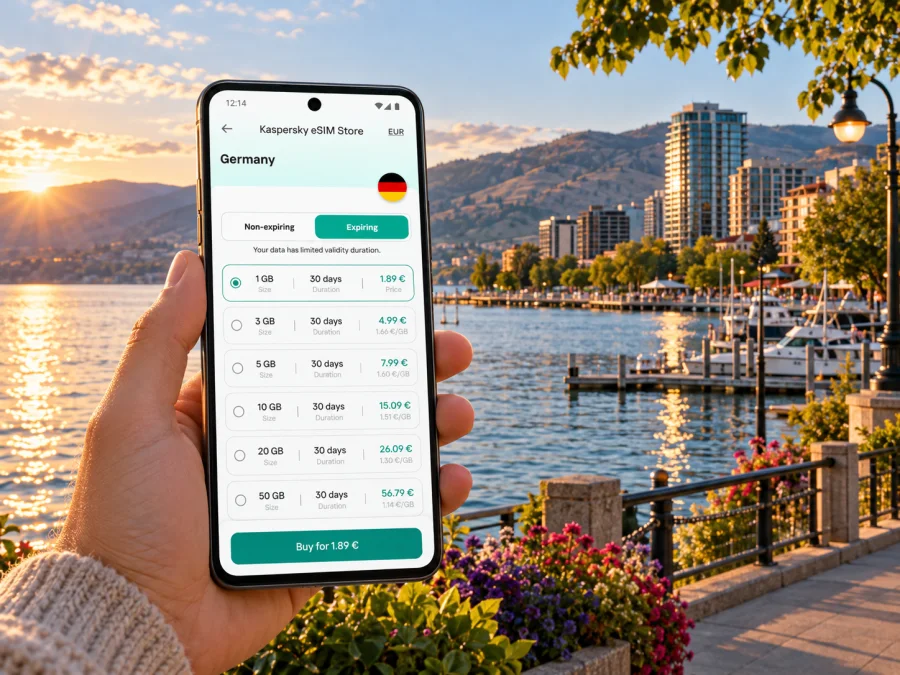
Kelowna eSIM: mobile connection and internet for your trip
Kelowna is a lakeside city in British Columbia’s Okanagan Valley, where a day can move from the airport to a hotel, a waterfront walk, a meeting, and an outing beyond downtown. Mobile internet helps connect those pieces: check an address before leaving, follow a route, message your host, or look up a change of plan while you are away from your usual network.
An eSIM can be a practical way to prepare mobile data for a visit to Kelowna without swapping a physical SIM card. The details depend on the selected plan, the device, and the local network available where you are. Treat it as one part of your travel setup, alongside offline maps, your regular number for calls or messages, and a backup way to get help.
Airport, transit, and park details below reflect current published local information, but schedules can change. Availability for a specific eSIM plan and support on a particular regional device variant depend on the plan and phone, so confirm both before purchase.
What mobile data is useful for in Kelowna
Kelowna’s visitor routes are shaped by the lake, the city centre, and destinations spread across a broad regional area. A connection is useful before you leave one place and while you are working out the next step. It can help you:
- check the address and entrance for a hotel, restaurant, event venue, or meeting;
- navigate between Kelowna International Airport (YLW), your accommodation, and downtown;
- review current transit information or arrange a ride when a bus does not fit your timing;
- keep reservation details, boarding information, and messages available while you travel;
- find opening hours and contact details before making a detour;
- use maps and translation tools without relying on an unfamiliar public Wi-Fi network.
A data eSIM does not automatically replace your regular mobile service. If your selected plan is data-only, it does not provide a conventional local phone number, voice calls, or SMS. Keep your primary SIM available if you need calls or verification messages, and check its roaming settings and charges with your home carrier. Internet-based messaging and calls may work through compatible apps when you have data, but availability depends on the app and the person you are contacting.
Start with your arrival at YLW
Kelowna International Airport is the main air gateway for visitors arriving directly in the city. Before travelling, save your accommodation address and arrival instructions somewhere accessible offline. If your flight is delayed or you need to contact someone, a data connection can make it easier to check updates and send a message, but do not assume that mobile service will be available at every point in the terminal or on every route.
YLW lists several ground-transport options. Its current passenger information includes public transit, licensed airport shuttle services, car rentals located in the terminal, and scheduled bus services. The airport’s transit guidance places a bus stop along Airport Way near long-term Lot B and also notes stops on Airport Way west of Highway 97 by the Four Points Sheraton. Stop locations and schedules can change, so use the airport and transit information current on your travel date rather than relying on an old screenshot.
A simple arrival sequence can reduce last-minute searching:
- Before departure, save your hotel name, full address, and a map pin.
- Check the airport’s current options for the time you land; compare public transit, shuttle, rental car, and ride service according to your luggage and onward plans.
- If using transit, confirm the stop location and departure time before walking away from the terminal.
- If taking a shuttle or arranging a pickup, keep the booking details and provider contact information available offline.
- Once you are connected, confirm the route and destination before setting off.
The airport is north of central Kelowna, so the best option depends on where you are staying and when you arrive. A direct pickup may be convenient with heavy bags or a late arrival; public transit can be useful when the schedule and stop suit your itinerary. Compare the actual journey and current availability rather than assuming one option is always quickest.
Choose a plan for the way you will use the city
The right amount of data depends more on your habits and trip length than on the city name. A visitor who downloads maps in advance, uses messaging, and checks transit occasionally may need less data than someone who navigates continuously, uploads large videos, or works through a hotspot. Estimate your routine first, then compare the destination, data allowance, validity period, and any other terms displayed for the selected plan.
| Your Kelowna routine | What to consider when choosing |
|---|---|
| A short stop with a few map checks and messages | A smaller data allowance may be enough if you download maps and travel details in advance. |
| Several days of sightseeing and frequent navigation | Consider how often you use maps, search, photo sharing, and ride apps while away from Wi-Fi. |
| Remote work or video calls | Check the plan’s data allowance and validity carefully; video meetings can use data quickly. Confirm that your work tools function as expected. |
| A road trip with Kelowna as one stop | Check whether the plan applies to your full itinerary, not just the city or one province. Do not assume regional or multi-country coverage without reading the plan conditions. |
| Sharing data with another device | Confirm that the plan and your phone allow tethering or hotspot use, and account for the extra data this can consume. |
Kaspersky eSIM Store is an app and website where you can choose, purchase, and activate an eSIM with a suitable plan for mobile internet on an international trip. To prepare for Kelowna, check the Canada destination and review the plan terms shown at the time of selection. Availability, price, data allowance, validity, and network arrangements are plan-specific and may change. For a Kelowna stay, consider where you expect to use data: airport transfers, walking around the centre, and trips beyond downtown can create different needs. Check the destination and any regional conditions before setting off from the city. Explore eSIM options for a trip to Canada and choose based on your itinerary and expected data use.
Getting around: downtown, the lake, and farther afield
Downtown Kelowna is a useful base for visitors who want restaurants, services, and waterfront access within the same area. Waterfront Park is in the city centre on Water Street beside the Grand Hotel. City Park and the downtown waterfront offer places to pause by Okanagan Lake; the wider lakefront also connects with paths and destinations that may require more planning. Use a live map for exact entrances and walking routes, especially if you are meeting someone at a specific point along the shore.
For buses, BC Transit publishes the Kelowna Regional Transit schedules and route maps. Its route list includes services connecting downtown with areas such as the lakeshore, Pandosy, Orchard Park, Glenmore, Rutland, and the University of British Columbia Okanagan (UBCO). Route 97 Okanagan links UBCO and Westbank through points in the regional system. These are useful reference names when planning, but routes, stop patterns, and times can change. Confirm your specific origin and destination in the current trip planner or schedule on the day.
A map connection is particularly helpful when your plan crosses areas rather than staying in the central grid. A route may involve a walk to a stop, a transfer, or a longer wait than expected. Before leaving:
- check the route direction as well as the route number;
- confirm the stop name and the side of the street;
- allow time for walking and transfers;
- check service notices and the return trip before travelling farther out;
- keep a payment method and destination details ready according to the transit operator’s current rules.
If your plans take you across Okanagan Lake or to another community, confirm the transport connection separately. Kelowna and West Kelowna are distinct communities on opposite sides of the lake, and the best route depends on your starting point, destination, and mode of travel. Do not rely on a straight-line map distance as a travel-time estimate. A live route can help you compare the available options, while offline notes provide a fallback if reception is weak or your battery is low.
Match connectivity to your neighbourhood and schedule
Your location changes what you need from a phone more than it changes the plan itself. A downtown stay may involve short walks, busy waterfront areas, restaurants, and events. Staying near the airport or farther from the centre can mean more trips by bus, shuttle, car, or ride service. A visit built around a specific venue can require careful final-mile directions even when the larger route is straightforward.
| Situation | Prepare before you go | Use data for |
|---|---|---|
| Downtown hotel or waterfront stay | Save the entrance, check-in instructions, and a nearby landmark. | Walking directions, reservations, opening hours, and messages. |
| Accommodation outside the centre | Confirm the nearest stop or pickup point and check the return journey. | Transit updates, route changes, and ride coordination. |
| Conference, wedding, or event | Save the venue address, schedule, and organizer’s contact details. | Finding the correct entrance and responding to schedule changes. |
| Lakefront walk or beach visit | Pin the starting point and a return destination. | Checking walking routes, weather updates, and meeting arrangements. |
| Day trip beyond Kelowna | Confirm whether the plan is valid for each destination and save return options. | Navigation, checking connections, and contacting your group. |
The city’s lakeside setting is part of its appeal, but an outdoor plan should not depend on a continuous connection. Download a local map area where your navigation app supports it. Save important booking details and the address of your accommodation. Bring a charging cable or power bank if you will use navigation for much of the day. These small steps help when the battery runs low, mobile data is limited, or a route takes you away from a busy area.
Set up an eSIM without losing access to your main number
Before you buy, make sure your phone supports eSIM and is not locked to a carrier that prevents use of another profile. Device support can vary by exact model and by regional variant, even when product names look similar. Check the manufacturer’s specifications for your exact device and confirm that your carrier lock status allows another eSIM. Check whether your device is compatible before choosing a plan.
Install the eSIM while you have a stable internet connection and enough time to follow the on-screen prompts. Depending on the phone and plan, installation may use a QR code or an in-app flow. Keep the installation details available until the profile appears in your mobile settings. Do not delete an eSIM profile to troubleshoot unless the instructions or support team tell you to do so; some profiles cannot simply be installed again after removal.
A general setup sequence is:
- Review the plan details. Confirm that the destination, data amount, validity, and activation conditions fit your trip.
- Check your device. Verify eSIM support for your exact model and confirm that the phone is not carrier-locked.
- Install the profile. Follow the instructions for your operating system: eSIM setup instructions for Android or eSIM setup instructions for iOS.
- Label the lines. Give the travel eSIM a clear name, such as “Canada data,” while keeping your regular line identifiable.
- Choose the data line. Set the travel eSIM as the mobile-data line when you want to use it. Keep calls and texts on your regular number if that is your preference and the device permits it.
- Review roaming settings. Follow the selected plan’s activation instructions. Some eSIMs require data roaming to be enabled for that profile; this is separate from enabling roaming on your home SIM.
- Test when appropriate. If the plan activates on installation, wait until the right time before installing. If it activates on first connection in the destination, follow its stated conditions. After arrival, allow the phone time to register and check the selected data line.
The order and labels differ between devices, so use the linked operating-system guide and on-screen instructions rather than assuming every menu is identical. If you rely on your home number for two-factor codes, avoid turning off or removing that line unless you understand what access you may lose. Check your carrier’s roaming policy before travel; the data eSIM does not change the terms of your primary mobile plan.
Before departure: a compact checklist
Use this list a day or two before travelling, then review the items that depend on current schedules closer to departure:
- [ ] Confirm the exact phone model supports eSIM and is not carrier-locked.
- [ ] Check the destination, data allowance, validity, activation trigger, and hotspot terms for the plan you select.
- [ ] Install only when you have a reliable connection and understand when the plan begins.
- [ ] Save your accommodation address, flight details, airport pickup information, and key reservations offline.
- [ ] Download a map of Kelowna and any nearby area you expect to visit.
- [ ] Check current YLW ground-transport information and the relevant BC Transit journey.
- [ ] Keep your usual number available if you need calls, SMS, or account verification.
- [ ] Review which SIM is set for mobile data and which line may incur home-carrier roaming charges.
- [ ] Pack a charger or power bank for days that involve continuous navigation.
This preparation is useful even if you expect to have service as soon as you land. It gives you a path forward if the plan takes time to connect or if you need to contact a driver before mobile data is ready.
If the eSIM does not connect
Confirm that the travel eSIM is switched on and selected for mobile data. Recheck the plan destination, validity, and any instruction about data roaming for that profile. Allow time for the phone to register after arrival; if needed, toggle airplane mode once or restart the device. Do not delete the eSIM profile unless the instructions or support team recommend it, since some profiles cannot be installed again after removal.
If service still does not work, check carrier-lock status and use trusted Wi-Fi, if available, to review your account or contact support. Keep your plan name, device model, and the settings you checked ready. For directions while troubleshooting, use downloaded maps and saved addresses; retain your usual line for urgent calls according to your home carrier’s terms.
Frequently asked questions
Will a travel eSIM give me a Canadian phone number?
Not necessarily. A data-only eSIM provides mobile internet and does not include an ordinary voice number or SMS unless the selected plan explicitly says otherwise. Keep your usual number active if you need it, and check your home carrier’s roaming charges.
Can I rely on public transit from YLW?
YLW provides current public-transit information, including stop guidance. Whether transit fits depends on your arrival time, stop, destination, and luggage. Check the latest airport and BC Transit details for your travel date and compare other airport transport options if the schedule does not suit.
Does one eSIM plan cover Kelowna and the rest of British Columbia?
Check the exact destination and coverage terms shown for the plan. Do not infer regional coverage from a city name or assume that a Canada plan includes every location or network. If you will travel beyond Kelowna, verify the complete itinerary against the plan conditions.
Do I need Wi-Fi to install an eSIM?
A reliable internet connection is generally needed to complete an installation or download a profile. Install before departure when practical, following the plan’s activation instructions. If activation begins at installation, wait until the time specified in those conditions.
What should I do if my phone supports eSIM only in some regional versions?
Check the exact model number and region-specific manufacturer information. Similar device names can have different capabilities depending on where the phone was sold. If anything remains unclear, confirm with the manufacturer or your carrier before purchasing a plan.
Prepare for Kelowna with a clear connection plan
A smoother visit starts with a few practical checks: save the places you need, review current airport and transit options, estimate your data use, and make sure your phone can install an eSIM. Keep your home number available if calls or verification texts matter, and use offline maps as a backup for lakefront walks and trips beyond the centre.
Kaspersky eSIM Store gives you an app and website to choose, purchase, and activate an eSIM with a suitable plan for mobile internet on an international trip. Review the current Canada options and their individual conditions, then choose an eSIM plan for your Kelowna trip that matches your dates, route, and expected use.


