Travel connectivity guide
Kenema eSIM: Mobile Data for City Travel
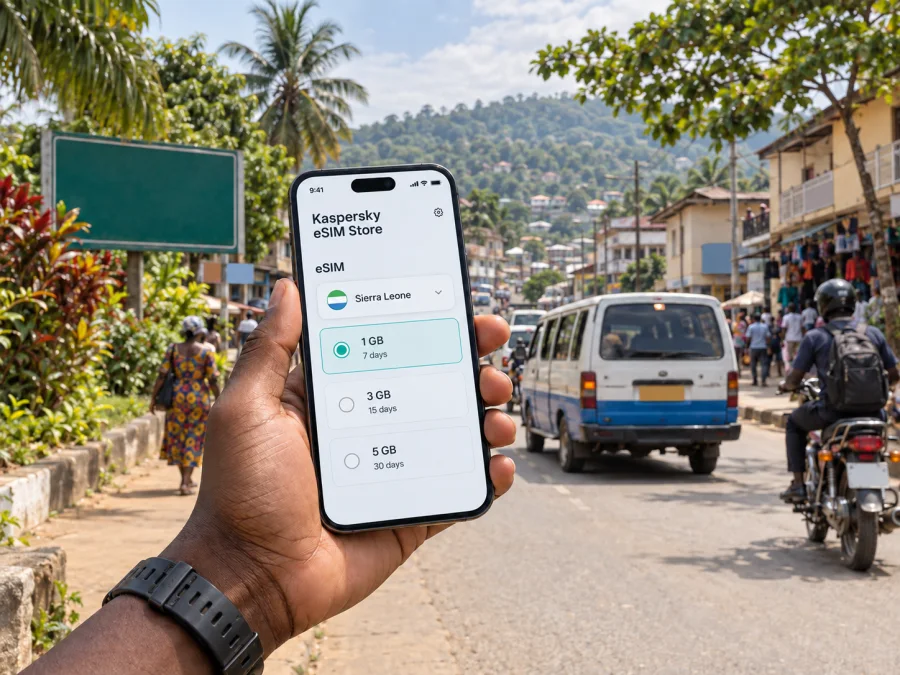
Kenema eSIM: Mobile Connection and Internet for a City Visit
Kenema is a working city in Sierra Leone’s Eastern Province, known as a regional center for trade and public services. Visitors may come for meetings, research, family visits, or as a starting point for journeys toward the surrounding forest areas. In each case, a dependable way to look up an address, message a host, check a route, or coordinate a pickup can make the day easier.
An eSIM can provide mobile data on a compatible, unlocked device without replacing your physical SIM. It is useful for maps, messaging, email, online bookings, and other data-based tasks while you are in Kenema. Before travelling, check the plan’s destination, data allowance, validity period, activation conditions, and device requirements. Those details matter more than choosing a package by size alone.
What mobile data helps with in Kenema
Kenema is not organized around a visitor-only district. It is a busy regional city, and a trip may involve the central commercial area, government or health-service appointments, a hotel or guesthouse, and onward road travel. You may need to move between these places without relying on a single familiar landmark.
Mobile internet is most useful for practical coordination:
- opening a saved map while travelling between an accommodation address and a meeting point;
- contacting a driver or host if a pickup location changes;
- checking a booking confirmation, itinerary, or work email;
- translating a short message or reading information shared by a local contact;
- sending a location pin to someone who is meeting you;
- keeping notes and route details available during a day trip outside the city.
Arriving in Kenema and getting oriented
Plan the arrival as a sequence rather than assuming that a map alone will solve every step. First confirm the exact name and location of your accommodation or meeting place with the person expecting you. Save the address in writing and, if possible, keep a map pin or nearby landmark. Place names can be written or pronounced in different ways, so a saved point is useful when explaining a destination to a driver.
Most visitors reach Kenema overland. If you are travelling from Freetown or another city, ask your accommodation or local contact about the current departure point, expected journey arrangements, and arrival time before setting out. Road travel can take longer than a map estimate suggests, especially when there are stops, traffic, weather-related delays, or changes to shared transport. Avoid planning a tight connection immediately after an intercity journey.
A simple arrival checklist
- Save your accommodation’s name, written address, and contact details before departure.
- Keep a screenshot of the booking and directions in case you temporarily have no data.
- Ask your host which nearby landmark is easiest to recognize.
- Carry local cash for small expenses and confirm the fare before a short ride.
- Share your expected arrival time with the person meeting you.
- Keep your phone charged; a power bank is useful on a long road journey.
Moving around the city
Kenema’s daily movement is shaped by commerce and local services. The central market and surrounding business streets can be lively, with shops, stalls, and transport activity close together. Traffic, roadside activity, and the position of a pickup can make a short distance feel less straightforward than it looks on a small map. Allow time to identify the correct side of a road or entrance before walking to meet someone.
Motorcycle taxis and three-wheeled vehicles are familiar forms of local transport in Sierra Leonean towns, but availability, routes, and fares vary. Ask your host or hotel which option is appropriate for the journey you have in mind. Agree on the destination and fare before you set off. If you are unfamiliar with the area, have the destination written down or displayed rather than relying on a place name alone.
Walking can work for short daytime errands when the route is clear and conditions are suitable. It is less useful when carrying luggage, travelling in heavy rain, or trying to reach a destination on the edge of town. In those cases, arrange transport through your accommodation or a trusted local contact. After dark, ask locally about the best way to travel and avoid setting out on an unfamiliar route on foot.
| Trip around Kenema | Useful preparation |
|---|---|
| Accommodation to a meeting | Confirm the entrance and a recognizable pickup point |
| Visit to the central market | Save the return point and carry small cash |
| Several stops in one day | Group nearby errands and allow time between appointments |
| Evening return | Arrange the ride before leaving the venue |
| Day trip beyond the city | Confirm the vehicle, meeting time, road plan, and return arrangement locally |
Use online maps as a supporting tool, not the only source of directions. Local landmarks and the best vehicle approach may be more familiar to a host or driver than to a digital map. Ask for specific steps and stop somewhere safe before checking your phone.
Market visits, appointments, and short stays
The market is part of Kenema’s role as a regional trading center, not a staged visitor attraction. If you plan to browse, set a meeting point with anyone accompanying you and make a note of where you entered. Crowds and similar-looking lanes can make it easy to lose sight of a companion. A quick message or location pin may help, but agree on a simple offline fallback as well, such as a named shop or a fixed meeting time.
Short-stay visitors often benefit from choosing accommodation based on the day’s purpose. If meetings are concentrated in the commercial center, ask how far the property is from those locations and what transport is normally used. If the visit is connected with a hospital, public office, or organization, confirm the precise entrance and visitor procedure directly with the host. A map marker may identify a compound or general area rather than the door you need.
Choosing an eSIM for a Kenema itinerary
An eSIM is a digital SIM profile installed on a supported device. For travel, the key questions are whether the selected plan covers Sierra Leone, how much data it includes, how long it remains valid, and when its validity begins. Read the plan conditions before purchase; offers and technical requirements can differ.
Kaspersky eSIM Store is an app and website where you can choose, arrange, and activate an eSIM with a suitable plan for mobile internet on an international trip. It helps you review destination and plan details in one place. The mobile service itself depends on the selected plan and its local network arrangements, so check the terms shown for the specific offer rather than assuming a particular speed or coverage in every part of Kenema.
For a trip centered on Kenema, review the current options for mobile data in Sierra Leone and compare the included data and validity with your itinerary.
To compare plans, start with how you expect to use your phone:
- Estimate your data use. Messaging, directions, and email need less than frequent video calls, cloud backups, or media uploads.
- Match validity to the trip. Include travel days and any time spent outside Kenema if the same plan will be used on the road.
- Read activation terms. Check whether the validity period begins at installation, activation, or first network use, according to the offer.
- Check the device. Confirm eSIM support and that the phone is not restricted to another carrier before paying. Check your device.
- Keep a fallback. Save directions and essential contacts offline, and know how you will contact your host if mobile data is temporarily unavailable.
If your route includes more than one destination, confirm the plan’s geographic coverage for every stop. A country plan is not automatically a regional plan, and availability can change.
Keeping maps and messages useful with limited data
Before leaving accommodation, open the route, check the address, and save the information you may need. If your mapping app supports offline downloads, save the relevant area over Wi-Fi and test it before relying on it.
To make a data allowance last:
- turn off automatic photo and video backups while using mobile data;
- download work files, tickets, and longer reading over Wi-Fi in advance;
- send a location pin or concise text instead of repeatedly refreshing a map;
- use audio-only calls when video is unnecessary;
- check which apps are using background data in your phone settings;
- keep the plan’s remaining data and validity visible in the relevant account or app.
If a route changes, refresh the map when you have a usable connection, then note the next turn or landmark. For a first-time route, leave extra time and confirm directions locally when the mapped road does not match what you see.
From Kenema toward forests and nearby towns
Some travelers use Kenema as a base for visits toward Kambui Hills Forest Reserve or Gola Rainforest National Park. These are excursions beyond the city center, so arrange transport and local guidance before departure rather than treating them as ordinary urban rides. Ask a knowledgeable local contact about access, current road conditions, timing, and whether a guide or advance arrangement is appropriate. Do not rely on a map estimate as a promise of travel time.
The same preparation applies to onward journeys to other towns in the Eastern Province or back toward Bo and Freetown. Confirm departure arrangements with the transport provider or your host on the day, keep the destination written down, and allow for delays. If you are travelling with others, share the meeting point and planned return time before leaving the city.
For a day outside Kenema, take a charged phone, power bank, water, necessary medicines, and offline copies of important details. Service may differ between the city and a rural route, so do not depend on live navigation for the entire journey.
Install and activate before you need directions
If you have selected an eSIM, follow the installation steps shown for your device and plan. Use a stable internet connection during setup, keep QR or activation details available as instructed, and do not delete the eSIM profile unless support or the plan instructions tell you to.
Use the relevant guide: eSIM installation instructions for Android or eSIM installation instructions for iOS. Review the offer’s steps for switching on the eSIM line and data roaming, if required. Check when validity begins if you install before departure.
Before travel
- Confirm the device supports eSIM and is carrier-unlocked.
- Check destination, data amount, validity, and activation conditions.
- Install over a stable connection and keep the setup instructions available.
- Save the accommodation address, host contacts, and key route details offline.
- Learn which SIM line is selected for mobile data and which is used for calls.
After arrival
- Follow the offer’s activation instructions; do not guess at network settings.
- Open a simple webpage or messaging app to confirm data access.
- Keep your usual SIM settings in mind if you need calls or SMS on that number.
- Contact the plan’s support channel if the steps do not work, using the details provided with the purchase.
Common questions
Can I use an eSIM only for a short visit to Kenema?
Yes, if the selected offer covers Sierra Leone and its validity fits your dates. Compare the plan details with the length of your stay and the amount of data you expect to use. A short visit does not remove the need to check compatibility and activation terms.
Will an eSIM give me a local phone number?
Not necessarily. Many travel eSIMs provide data only. Check the specific offer for voice, SMS, or phone-number inclusions. Data-based messaging and calls may be possible through apps, subject to their requirements and your connection.
A practical connection plan for your visit
For a smoother day in Kenema, prepare the basics before you leave: a confirmed destination, a saved map pin, a way to contact your host, and a transport plan you have checked locally. Use mobile data for changes and coordination, but keep key details available offline. Choose an eSIM by its stated destination, data allowance, validity, and activation rules; then install it while you have a stable connection.
When you are ready, use Kaspersky eSIM Store to review the available options and choose a plan for your journey. Explore eSIM options for Sierra Leone and select the data amount and validity that fit your stay in Kenema and any onward travel.


