
Travel connectivity guide
Kep eSIM for mobile internet in Cambodia
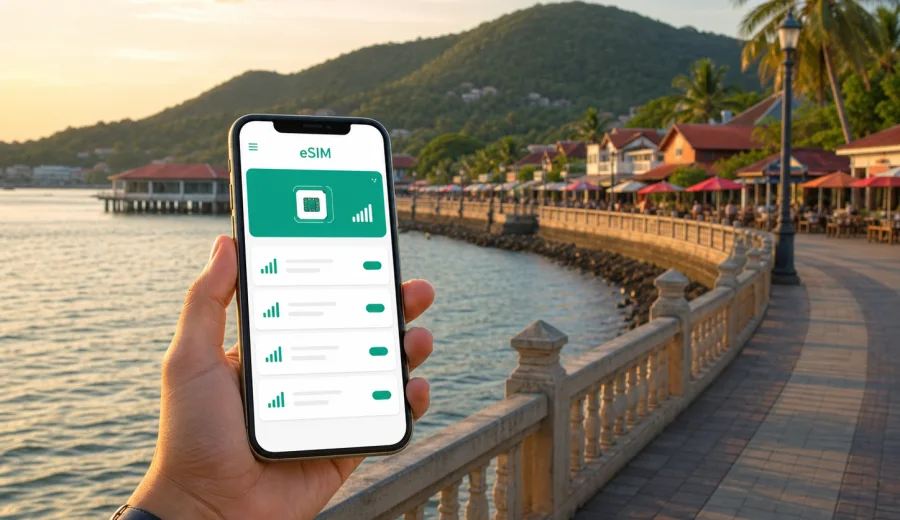
Kep eSIM: mobile connection and internet for your trip
Kep is a small coastal city, but it is not a place where you want to spend the first hour of your trip searching for a SIM counter or waiting for hotel Wi-Fi. Travelers usually reach Kep by road from Phnom Penh, Sihanoukville, Kampot, or the Vietnam border area, then move between seafront hotels, the Crab Market, Kep National Park, Rabbit Island piers, and quiet residential lanes where navigation matters. An eSIM can make that first day easier because your mobile internet is prepared before the taxi, minivan, or private transfer reaches town.
This guide focuses on Kep, Cambodia: arrival, local movement, hotel check-in, routes along the coast, short trips from the city, and practical ways to choose an eSIM tariff for mobile internet. Kaspersky eSIM Store is an app and website where you can choose, arrange, and activate an eSIM with a suitable tariff for mobile data during an international trip. It is useful when you want to reduce dependence on public Wi-Fi, manage data use, and keep maps, bookings, translation, and messaging available on a compatible device.
Why mobile internet matters in Kep
Kep feels compact, but the travel pattern is spread out. Your hotel may be on a hillside road, dinner may be at the Crab Market, a morning walk may start from Kep National Park, and a boat to Koh Tonsay, also known as Rabbit Island, may leave from a local pier. Many visitors also combine Kep with Kampot, Bokor Mountain, pepper farms, salt fields, or a road journey toward Phnom Penh. Each of these small moves is easier when your phone can load maps and messages without relying on the nearest cafe connection.
Mobile internet is especially useful in Kep for:
- checking your transfer route from Phnom Penh, Sihanoukville, Kampot, or the border;
- sharing your hotel location with a driver when street addressing is not obvious;
- using maps for the seafront road, hillside guesthouses, and Kep National Park trailheads;
- confirming boat times, restaurant bookings, and day trip pickup points;
- translating short messages with hotel staff, drivers, and tour organizers;
- keeping messaging apps available for family, colleagues, and travel companions;
- checking weather before island trips or long walks;
- managing mobile banking, ride arrangements, and travel documents.
Kep is not a heavy urban destination like Phnom Penh. That is exactly why planning your mobile connection matters: there are fewer fallback options, and you may not want to interrupt a short coastal stay to solve a connectivity problem.
Arrival scenarios: where an eSIM helps first
Most international travelers do not fly directly into Kep. They usually arrive in Cambodia through Phnom Penh International Airport, Sihanoukville, another regional airport, or overland from Vietnam, then continue by car, bus, minivan, or private transfer. The journey can be simple, but it often includes driver coordination, pickup updates, route changes, and hotel directions.
| Arrival route | Why mobile internet helps | Practical Kep scenario |
|---|---|---|
| Phnom Penh to Kep | Long road transfer, traffic updates, driver contact | Send your hotel pin and monitor estimated arrival time |
| Kampot to Kep | Short regional movement, flexible stops | Navigate between Kampot riverside, pepper farms, and Kep |
| Sihanoukville to Kep | Coastal road travel and schedule changes | Confirm transport details before leaving the coast |
| Vietnam border to Kep | Overland arrival, translation, route checking | Keep documents, messages, and maps accessible |
| Kep as a stopover | Limited time in town | Move directly from hotel to Crab Market or the pier |
If you install an eSIM before the trip, you can keep your primary SIM in the phone for regular calls or banking confirmations while using the eSIM profile for mobile data, depending on your device settings and tariff conditions. This is helpful if you need to receive a message on your main number and use online maps at the same time.
Kep is small, but navigation is still important
In a large city, you often follow a metro map or use formal taxi stands. In Kep, movement is more informal. You may arrange a tuk-tuk through your hotel, negotiate a short ride, walk sections of the seafront, or ask a driver to wait while you visit a viewpoint. Online maps are useful not only for distance, but also for orientation: the sea, the national park, the market area, and the road toward Kampot create a simple mental map once you can see them on your phone.
For a short Kep visit, mobile internet helps with these common routes:
1. Hotel to Crab Market: useful for choosing a walking route or showing a driver the exact restaurant area.
2. Hotel to Kep Beach: useful if your accommodation is away from the seafront.
3. Kep National Park loop access: useful for finding trail entrances and returning before dark.
4. Pier for Rabbit Island: useful for pickup timing and checking weather before leaving.
5. Kep to Kampot: useful for regional transfers, day trips, and onward travel.
Do not treat Kep as a place where you can depend only on memory after one screenshot. A coastal storm, a delayed transfer, or a changed pickup point can make live access to messages and maps much more useful than an offline plan alone.
How much data you may need in Kep
The right data amount depends on what you do with your phone. Kep trips are often relaxed, but travelers use mobile internet in bursts: sending photos from the market, loading route maps, checking hotel messages, joining a video call, or making a day trip to Kampot. A prepaid eSIM tariff helps you choose a data volume and validity period before the trip rather than guessing after arrival.
| Traveler type | Typical mobile use in Kep | What to consider |
|---|---|---|
| Weekend visitor | Maps, messaging, restaurant search, booking checks | A smaller data package may be enough if hotel Wi-Fi is reliable |
| Cambodia itinerary traveler | Kep plus Phnom Penh, Kampot, or Sihanoukville | Choose validity that covers the whole Cambodia route |
| Remote worker | Email, chat, documents, occasional calls | Allow extra data and keep video calls on Wi-Fi when possible |
| Family traveler | Shared logistics, photos, maps, translation | Consider each device separately instead of assuming one phone can cover all needs |
| Stopover traveler | Transfer updates and quick navigation | Prioritize activation before arrival and a validity period that matches the route |
As a practical rule, maps and messaging use relatively modest data, while video calls, cloud photo backup, social video, and hotspot sharing can use much more. Before leaving for Kep, turn off unnecessary automatic app updates and cloud backups on mobile data. This keeps your eSIM tariff focused on travel tasks rather than background traffic.
What to check before choosing an eSIM for Kep
Before you choose an eSIM tariff for Cambodia, check the details that affect your actual trip, not only the headline data amount. Kep may be one city on a wider route, so the validity period and destination coverage can matter as much as gigabytes.
Use this checklist:
- Destination: choose Cambodia if Kep is your main destination or part of a Cambodia-only route.
- Route: if you also travel to another country, compare whether a regional tariff is more suitable.
- Duration: match the validity period to the full trip, including arrival and departure days.
- Data volume: allow more data if you use hotspot mode, video calls, or frequent photo uploads.
- Device compatibility: confirm that your phone or tablet supports eSIM.
- Carrier lock: make sure the device is not locked to one mobile operator.
- Activation timing: read when the tariff validity starts and follow the specific instructions.
- Voice and SMS: remember that many travel eSIM tariffs focus on mobile data and may not include a regular phone number, calls, or SMS unless this is stated in the tariff conditions.
You should also check your device before purchase. Compatibility is one of the most important practical steps because an eSIM cannot help if the device does not support eSIM profiles or is restricted by an operator lock.
A practical way to prepare mobile internet for Kep
The simplest approach is to prepare the eSIM while you still have stable internet at home, at the office, or at your departure airport. You can then keep the instructions available and activate the right mobile data profile when the trip begins, depending on the tariff terms and your device.
For a Kep trip, a sensible preparation flow looks like this:
1. Confirm that your device supports eSIM and is not carrier locked.
2. Choose Cambodia as the destination if Kep is part of a Cambodia itinerary.
3. Compare data volume and validity period based on your travel length.
4. Arrange the eSIM tariff through Kaspersky eSIM Store.
5. Install the eSIM profile while you have stable Wi-Fi.
6. Keep your primary SIM active if you need your regular number.
7. When appropriate, set the eSIM as the mobile data line.
8. Check whether data roaming must be enabled for the eSIM profile.
9. Monitor remaining data during the trip.
If you are ready to plan the data side of the trip, you can choose a suitable eSIM tariff for Cambodia before heading to Kep. The main advantage is that you can compare conditions in advance instead of making a rushed decision after a long transfer.
Installing an eSIM before you travel to Kep
Installation is usually straightforward, but it is still worth doing carefully. After arranging an eSIM tariff, follow the steps shown in your profile, app, email, or QR-code instructions. Keep a stable internet connection during installation and avoid deleting an eSIM profile unless the instructions or support team tell you to do so.
If you need device-specific guidance, use the official setup pages: instructions for Android and instructions for iOS. The exact menus can differ between phone models and operating system versions, so it is better to follow the relevant guide than rely on memory.
Before departure, write down or screenshot the basic settings you may need: which SIM is used for mobile data, whether data roaming is enabled for the eSIM, and which line is used for calls and messages. These details matter when you reach Cambodia and want to avoid using the wrong data line.
Kep city scenarios where eSIM is useful
Kep is not about constant online activity. It is about having mobile internet when you need it. A few specific city scenarios show why an eSIM can be practical.
Checking in at a hillside hotel
Some accommodations in Kep are tucked along quiet roads or on slopes near the national park. If the driver needs the exact location, a map pin and messenger call can save time. Mobile internet also helps if reception is closed, your booking message has a gate code, or the hotel sends arrival instructions.
Moving between Kep Beach and the Crab Market
The seafront is easy to understand once you are there, but first-time visitors still use maps to compare walking time, tuk-tuk distance, and restaurant locations. A working data connection makes it easier to change plans if it rains, if a restaurant is closed, or if your group splits up.
Visiting Kep National Park
Kep National Park is close to town, yet trail entrances, viewpoints, and return routes can be confusing if you are unfamiliar with the area. Mobile data helps with orientation, but do not rely on it as your only safety tool. Carry water, check daylight, save key locations offline, and tell someone where you are going if you walk alone.
Taking the boat to Rabbit Island
For Rabbit Island, mobile internet is useful before and after the crossing: checking weather, confirming pickup times, messaging your hotel, and arranging transport back from the pier. Coverage and signal quality can vary by location and local network conditions, so download essential booking details before leaving the mainland.
Combining Kep and Kampot
Many travelers treat Kep and Kampot as one coastal itinerary. Mobile data helps with pepper farm visits, riverside restaurants, salt field stops, and route changes between the two towns. If your eSIM tariff is for Cambodia, it can support the broader domestic route rather than only one city stop, subject to the selected tariff conditions.
Business travel and remote work in Kep
Kep is not Cambodia's main business hub, but it is a realistic place for remote work, small retreats, regional meetings, and quiet recovery days after Phnom Penh. For work trips, the main mobile internet issue is reliability planning. You may have hotel Wi-Fi, but you should not assume it will be enough for every call, upload, or security check.
For business use, prepare a data plan around tasks:
- Email, calendar, and messenger: usually light data use.
- Cloud documents: moderate data use if files are not too large.
- Video meetings: heavy data use, better on stable Wi-Fi when available.
- Hotspot for a laptop: potentially heavy data use, especially with sync tools.
- Two-factor authentication: may require your primary SIM, authenticator app, or email access.
If you need mobile data as a backup for work, choose a tariff with enough volume and validity for your whole stay. Keep large updates and cloud backups off mobile data unless necessary. If your company has security policies for travel, check them before using public Wi-Fi or hotspot mode.
Kep travel data checklist
Before you leave for Kep, make your phone travel-ready:
- Save hotel address, booking confirmation, and contact number.
- Download an offline map of Kep, Kampot, and your transfer route.
- Install the eSIM profile while connected to stable Wi-Fi.
- Confirm which SIM line handles mobile data.
- Turn off mobile data for heavy background apps.
- Keep a power bank for long transfers and island trips.
- Save screenshots of eSIM instructions and transport details.
- Test messaging apps before leaving the airport or previous city.
This checklist takes a few minutes, but it can prevent common problems: being offline at the pickup point, losing the hotel address, or using expensive roaming by accident.
Common mistakes to avoid
The biggest mistake is treating eSIM setup as something to do only after arrival. It may still work, but it is less comfortable when you are tired, sitting in a transfer vehicle, or dealing with a weak Wi-Fi connection.
Avoid these mistakes:
- buying a tariff without checking device compatibility;
- assuming every eSIM includes calls and SMS;
- deleting an installed eSIM profile too early;
- choosing a validity period that ends before your final travel day;
- using mobile data for automatic video backup;
- relying only on public Wi-Fi for transfer coordination;
- forgetting to switch mobile data to the eSIM line;
- ignoring tariff conditions about activation and validity.
The goal is not to make your phone complicated. The goal is to make the first hour in Cambodia and the first evening in Kep simpler.
Quick answers about eSIM in Kep
Can I use an eSIM for mobile internet in Kep?
Yes, if your device supports eSIM, is not restricted by an operator lock, and you choose a suitable tariff for Cambodia or a relevant regional route. Actual connection quality depends on local network conditions and the selected tariff conditions.
Should I install the eSIM before arriving in Cambodia?
Installing before the trip is usually more convenient because you can use stable Wi-Fi and read the instructions calmly. Activation timing depends on the tariff, so check the terms before you start using mobile data.
Does a travel eSIM give me a Cambodian phone number?
Many travel eSIM tariffs are designed for mobile data and do not include a regular phone number, voice calls, or SMS unless the tariff conditions say otherwise. You can often use internet-based calling and messaging apps over mobile data.
Is hotel Wi-Fi enough in Kep?
Hotel Wi-Fi can be useful, but it does not help during transfers, walks, boat arrangements, or route changes away from the property. An eSIM gives you another way to stay online when you are moving around the city.
Can I use the same eSIM for Kep and Kampot?
If the selected tariff covers Cambodia and remains valid during your route, it can be suitable for both Kep and Kampot. Always check destination coverage, data volume, validity, and activation rules before purchase.
Final preparation before you go
Kep rewards slow travel, but your mobile connection should be prepared before the slow part begins. With an eSIM, you can arrive in Cambodia with maps, messages, hotel details, transport coordination, and booking tools ready on your phone. That is useful whether Kep is your main coastal break, a weekend from Phnom Penh, a Kampot side trip, or a quiet stop before crossing into Vietnam.
Before the trip, confirm compatibility, choose a data volume that matches your route, install the eSIM profile with stable Wi-Fi, and keep the setup instructions available offline. Kaspersky eSIM Store helps you choose, arrange, and activate an eSIM with a suitable mobile internet tariff for travel, while you stay in control of destination, validity, data volume, and device settings.
For a smoother arrival and less dependence on public Wi-Fi, prepare an eSIM tariff for your Cambodia trip before you travel to Kep.