Travel connectivity guide
Khan Yunis eSIM: Mobile Internet Guide
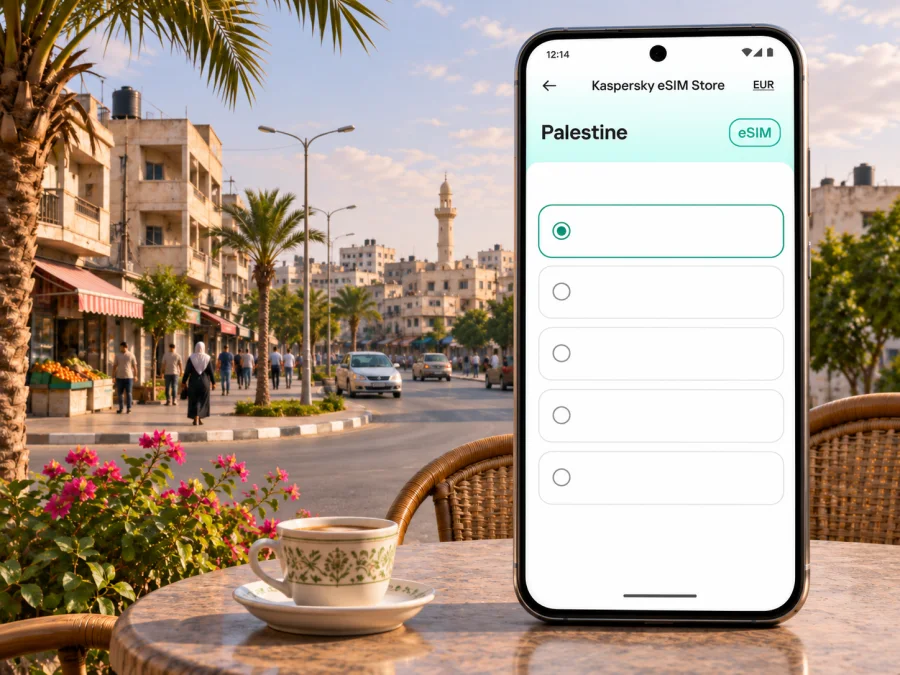
Khan Yunis eSIM: mobile connection and internet guide
Khan Yunis is a city in the southern Gaza Strip, Palestine. If you are researching mobile internet for this destination, the first practical question is whether travel and access are possible at all: as of 2 November 2026, the UK Foreign, Commonwealth & Development Office advises against all travel to Gaza. Follow the advice issued by your own government and the relevant authorities, and do not make a journey on the assumption that routes, crossings, accommodation, or communications will be available.
Connectivity requires the same caution. A Palestine eSIM listing does not establish that mobile data is functioning at a particular address in Khan Yunis, or that a specific profile can connect there. Gaza’s infrastructure has been severely damaged, and service can change with power, fuel, repairs, access restrictions, and local conditions. Treat an eSIM as one possible tool for an authorised trip, not as a safety channel or a substitute for an independent communications plan.
The location and the limits of a city connectivity guide
Khan Yunis is in Gaza, not the West Bank. Palestine-wide plan availability, carrier eSIM support, and actual network service in this city are separate questions. They should not be treated as interchangeable:
| Question | What can be confirmed | What still needs checking |
|---|---|---|
| Where is Khan Yunis? | It is in the southern Gaza Strip, Palestine. | Which areas are reachable or safe at the time of any authorised movement. |
| Does Palestine have local operators with eSIM support? | Apple’s current iPhone carrier list names Jawwal and Ooredoo under Palestine for other eSIM activation methods. | Whether a local line is available to a particular visitor, and whether it provides data where needed. |
| Does a Palestine travel eSIM listing guarantee service in Khan Yunis? | No. A country-level listing describes a destination, not real-time city coverage. | The selected plan’s included networks, roaming rules, activation conditions, and live service. |
| Is mobile data dependable across Gaza? | The September 2026 Logistics and Telecommunications Cluster report describes telecommunications services across Gaza as severely constrained. | The network state at a particular place and time; the report does not guarantee consumer connectivity. |
The distinction matters because a phone may accept an eSIM while the local network is unavailable, an eSIM profile may install without registering on a supported network, or data may stop after a disruption. Technical compatibility is only one part of a working connection.
Check the travel situation before thinking about routes
Khan Yunis is not a conventional fly-in city. Do not plan around a direct commercial arrival there, and do not assume that reaching an airport elsewhere means onward access to Gaza is approved or possible. Entry and exit arrangements, permits, crossing operations, security restrictions, and road access can change quickly. The FCDO’s Palestine advice, current on 2 November 2026, says it advises against all travel to Gaza. It also says crossings out of Gaza have been closed to civilians and general traffic since 6 May 2024 and that foreign nationals cannot depart Gaza independently.
If your work is humanitarian, medical, diplomatic, or otherwise officially authorised, rely on your organisation’s movement plan and current access coordination. Confirm the approved entry route, permissions, assembly points, check-in schedule, local contact procedure, and contingency arrangements with the responsible team before departure. Do not use a consumer map or a mobile plan page as evidence that a road or crossing is open.
For any journey that is authorised:
- Reconfirm access and movement instructions close to departure, using the authority or organisation responsible for your trip.
- Agree where and when to check in if internet or voice service fails.
- Save essential addresses and instructions offline, but remember that offline maps do not provide live safety information.
- Carry power banks and charging equipment only as permitted by current transport and security rules.
- Keep critical contacts and documents available offline; do not make a single phone or eSIM your only way to request help.
What recent reporting says about communications
The Logistics and Telecommunications Cluster’s September 2026 report describes telecommunications services across Gaza as severely constrained, with widespread infrastructure damage, shortages of equipment and fuel, and limits on repair and recovery. This is an area-wide assessment rather than a live coverage map for Khan Yunis. OCHA’s 29 October 2026 humanitarian report documents ongoing needs and displacement-site work in the Khan Yunis governorate, including in An Nasser and Mawasi; it does not promise continuous consumer mobile-data service in those neighbourhoods.
In practice, “Palestine coverage” should not be read as “reliable internet at every point in Khan Yunis.” A network can be affected by outages, power loss, damaged backhaul, congestion, restrictions on maintenance, or a lack of usable signal indoors. Conditions can differ even between nearby streets and can change during a day. A plan’s validity period may continue while a local network is unavailable, depending on its terms. Review the exact activation and validity rules before purchase and ask the seller how interruptions are handled; do not assume that unused days or data will automatically be restored.
Jawwal and Ooredoo are names travellers may see when researching Palestinian mobile services. Apple lists both for other eSIM activation methods on iPhone, and the operators publish their own eSIM information. That confirms local eSIM capability in the market; it does not establish that a visitor can obtain a local prepaid line, that a particular roaming eSIM uses either network, or that either network is currently usable in Khan Yunis. Check the network names and limitations shown for the exact plan you are considering.
A realistic connection plan for Khan Yunis
For an ordinary city break, travellers often expect maps, ride bookings, messages, accommodation details, and work calls to be online soon after arrival. That expectation is not appropriate here. Build a communications plan around the possibility that mobile data, mobile voice, power, and public internet may be limited or unavailable. If the journey is officially authorised, the person or organisation arranging it should define the primary and backup channels.
| Need | Prepare in advance | If mobile data is unavailable |
|---|---|---|
| Navigation | Save only the maps and location details relevant to the approved itinerary. | Use the agreed offline route and check with the responsible local contact before moving. |
| Check-ins | Set a clear check-in time and a fallback contact method with your team. | Follow the pre-agreed missed-check-in procedure; do not wait for an app notification. |
| Accommodation or work site | Keep the approved address, host contact, and arrival instructions offline. | Use the organisation’s agreed contact chain or rendezvous process. |
| Essential messages | Download tickets, authorisations, and reference documents in advance. | Use the approved alternate communications method, where available and authorised. |
| Device power | Charge devices and carry permitted power accessories. | Conserve power: reduce screen brightness, close background apps, and avoid repeated network searches. |
If you are preparing for an authorised visit and want to review the current destination options, you can check the eSIM plans listed for Palestine. The country page shows destination-level options and terms; it is not a Khan Yunis coverage map or a promise of service.
This is a planning framework, not field security advice. The correct alternative may depend on your employer, mission, nationality, access permission, and current operating conditions. Satellite devices and other communications equipment can be subject to approval or legal restrictions; do not bring or use them without checking the rules that apply to you.
Navigation, transport, and neighbourhood planning
Use maps only as references within a confirmed movement plan. A saved pin cannot confirm that a destination is reachable, a road is open, or conditions are safe. Keep the approved address, written directions, and local contact details offline where your organisation permits, and confirm changes before moving.
OCHA’s recent reporting mentions An Nasser and Mawasi in the Khan Yunis governorate in connection with displacement sites and humanitarian work. These references are not visitor-area descriptions or evidence that accommodation, transport, or public facilities are operating. Confirm precise locations and permissions with the organisation responsible for your visit. Do not assume that an old online listing is current.
There is no standard airport-to-city sequence to rely on. An arrival airport elsewhere does not establish permission to enter Gaza or reach Khan Yunis. Check the authorised route and access arrangements first. Keep movement details private if your organisation requires it.
Work and short transfers
Do not schedule essential calls around predicted signal. Send documents in advance, arrange an approved alternate channel, and agree the missed-check-in procedure. A travel eSIM may provide data only when its plan and the local network are available; check whether voice, SMS, or your usual number require a separate option.
On a short transfer, an installed profile may still fail to connect after movement. Save essential documents and addresses while online. If setup uses a QR code, use another screen or manual entry; do not delete an installed profile unless the provider confirms it can be restored.
Choosing an eSIM for an authorised trip
If an eSIM suits your itinerary, assess the exact plan terms rather than relying on a country label. Kaspersky eSIM Store is an app and website where you can choose, arrange, and activate an eSIM with a suitable plan for mobile internet during an international trip. It is not a mobile operator and does not control local network availability.
Before selecting a plan, check:
- Destination and network: confirm Palestine is included and identify the supported roaming network(s). Regional plans may differ.
- Data and use: review allowance, validity, tethering, fair-use, and any app restrictions stated for that plan.
- Activation: establish whether validity begins at purchase, installation, or first connection. These are different events.
- Local limits: ask whether current information exists for Gaza; a destination page is not proof of service in Khan Yunis.
- Interruptions and support: check refund, reissue, and assistance terms if the trip changes or service is unavailable.
- Device and voice: verify eSIM support, unlock status, any published band requirements, and whether voice or SMS is included.
A larger allowance cannot solve an outage, and successful installation does not prove network registration. If communications are essential, treat consumer mobile data as supplementary unless your responsible communications team confirms otherwise.
Device compatibility and regional variants
eSIM support depends on the exact model, hardware region, software version, and carrier lock. Similar product names may hide different SIM hardware in different markets. Check manufacturer support for the exact variant, confirm that the phone is unlocked, and compare any network bands published by the plan provider.
Look in mobile-network settings for an option to add an eSIM, then check whether your device supports eSIM. A compatibility result confirms device capability only; it cannot guarantee reception or mobile data in Khan Yunis.
If you keep your home SIM active, learn how to select the eSIM for data and enable data roaming on that profile only if the plan instructions require it. Roaming on the wrong line may incur separate home-carrier charges. Menu names vary by device and operating-system version.
Installation and activation checklist
Read the plan’s activation guidance first. If installation starts validity, wait until the timing suits your authorised itinerary; install in advance only if the provider confirms that doing so will not start the plan.
- Connect to a stable internet connection.
- Confirm device compatibility and unlock status.
- Recheck the destination, network, data, duration, and activation trigger.
- Add the profile using the QR code, app, or manual details supplied.
- Label the line clearly and select it for mobile data only when appropriate.
- Enable roaming on that eSIM only if instructed, then test registration where permitted.
- Save setup support and fallback contact details offline.
Use the Android eSIM installation instructions or the iOS eSIM installation instructions for platform steps. A successful profile installation does not mean that a local network is reachable. If there is no service, verify the line and plan settings, then check with the provider or mission contact rather than repeatedly changing settings.
Common situations and what to do
Installed, but no signal: installation and network registration are separate. Check the selected line, unlock status, destination, and supported network. If these are correct, the local network may be unavailable; settings cannot repair an outage.
Network name appears, but data does not work: check that the eSIM is selected for mobile data, the plan is active, and its allowance remains. A displayed network name does not prove usable internet.
QR code fails or the profile is lost: check for manual entry, keep the original code private, and contact the provider before removing or resetting a profile. Some activation codes are single-use, and transfer rules vary.
You need an ordinary call or SMS: confirm whether the plan includes a phone number and voice service. Data-only plans require a separate approved option for conventional calls; internet calling also needs working data or Wi-Fi.
What to prepare offline
Save the information you may need if mobile data is unavailable, and test that it opens with data turned off. Follow your organisation’s rules about sensitive documents. A practical offline set may include:
- approved documents, essential contacts, and the host address;
- check-in times and the missed-contact procedure;
- only the map areas needed for authorised movements;
- eSIM activation and support details;
- instructions for selecting the data line and managing roaming.
Offline maps and saved addresses can become outdated. Confirm important changes with the responsible organisation before acting.
Frequently asked questions
Will a Palestine eSIM definitely work in Khan Yunis?
No. A destination listing does not guarantee service at a particular place. Confirm the plan’s network partners and current limitations, and have a fallback; Gaza-wide telecoms reporting describes services as severely constrained.
Can I use a local Palestinian carrier eSIM?
Possibly, subject to eligibility and registration rules. Apple lists Jawwal and Ooredoo under Palestine for eSIM activation methods. This does not confirm visitor access, mobile data availability, or service in Khan Yunis; check directly with the carrier if you need a local line.
Does an eSIM include a phone number?
Not necessarily. Many travel eSIM plans are data-only. Check the exact plan if voice or SMS is essential; internet calls and messages still need a working data or Wi-Fi connection.
Should I install the eSIM before travelling?
Follow the provider’s activation rules. Validity may begin at purchase, installation, or first connection. Save the setup information and do not delete the profile unless support confirms that it can be restored.
Is this a recommendation to travel to Gaza?
No. The FCDO’s advice, current on 2 November 2026, is against all travel to Gaza. Follow your government’s advice; authorised personnel should use their organisation’s procedures.
What if I cannot get online?
Use the check-in and fallback contact process agreed before departure. Do not depend on an app, public Wi-Fi, or one phone line for urgent communication. Follow your organisation’s communications plan.
Prepare carefully before an authorised visit
For Khan Yunis, the central eSIM question is not simply whether a phone supports digital SIM technology. You need to confirm that travel is authorised, the selected plan is valid for Palestine, its network partners and activation rules are clear, your exact device variant is compatible, and communications remain possible if mobile data fails. Current network conditions in Gaza are constrained and can change; no plan page can guarantee service in a particular neighbourhood or at a particular moment.
If your journey is authorised and you have checked those conditions, use Kaspersky eSIM Store to review the current Palestine destination options and choose a plan only after reading its terms. Review the eSIM options for Palestine, prepare the profile according to its instructions, and keep an independent communications plan ready. The eSIM is one part of trip preparation, not a substitute for current access guidance or local emergency procedures.


