Travel connectivity guide
Kharkhorin eSIM: Mobile Internet for Your Trip
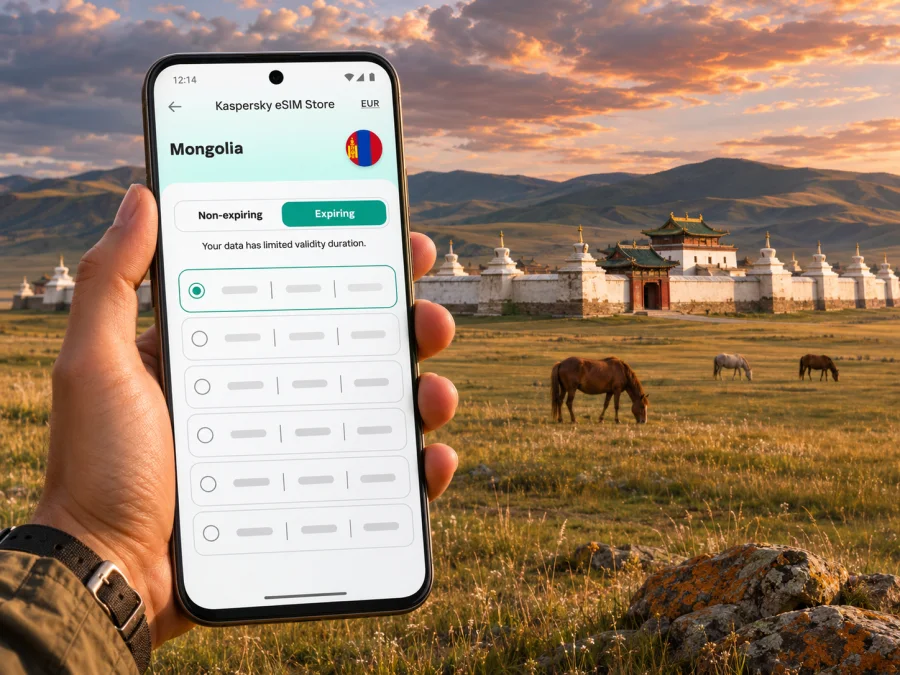
Kharkhorin eSIM for a reliable mobile connection and internet on your trip
Kharkhorin is a small town in central Mongolia and a practical base for visiting the historic Orkhon Valley. A phone can help you coordinate the drive, find accommodation, message a guide and keep plans together, but the region is very different from a dense city grid: many journeys continue across open countryside, and mobile service should never be assumed on every road. Preparing an eSIM before leaving Ulaanbaatar can make the parts of the trip with mobile coverage easier to manage, while offline maps and a clear plan remain essential.
The name also carries a long history. The present-day town is near the site of Kharkhorum, the Mongol imperial capital associated with the 13th and 14th centuries. UNESCO’s Orkhon Valley Cultural Landscape includes the historic capital, Erdene Zuu Monastery and a much wider pastoral and archaeological landscape. UNESCO places the cultural landscape about 360 km southwest of Ulaanbaatar. That figure describes the heritage area, not an exact road distance or travel time to a particular hotel or attraction; your actual route depends on the starting point and road conditions.
This guide focuses on using mobile data around Kharkhorin: what to prepare before departure, how to choose a plan for a multi-stop itinerary, and what to do when you leave town for sites in the valley. It does not promise a particular signal, speed or operator for an individual travel eSIM. Check the current terms for the plan you select and treat mobile data as one useful tool within a broader travel plan.
Why mobile data helps in Kharkhorin
A connection is useful in short, practical moments throughout the day. You may need to confirm a pickup time, show a booking, translate a message, check a map, contact your accommodation or tell someone that your arrival has changed. At a guesthouse or café, data can also help you download route information for the next leg while you have a dependable Wi-Fi connection.
Kharkhorin is not a place where every activity follows a dense urban street grid. Visitors often combine the town with heritage sites and countryside drives. A map pin can make it easier to explain a meeting point, but it does not replace the local driver’s knowledge or a route agreed in advance. Keep the name of your lodging and any guide’s phone details available offline as well.
| Trip moment | What a connection can help with | Useful backup |
|---|---|---|
| Arrival in town | Confirming a pickup or telling your host you have arrived | Save the address and host’s contact details before departure |
| Walking near the centre | Checking a saved pin or translating a short message | Download the map area and keep a screenshot of directions |
| Visiting Erdene Zuu | Coordinating a meeting time or reading your itinerary | Agree on the return meeting point with your driver |
| Driving beyond town | Sharing an update where a network is available | Carry offline maps, water and a prearranged route |
| Working remotely | Sending messages or joining a call when conditions permit | Download files in advance and arrange a reliable workspace |
A useful rule is simple: use connectivity for coordination, but do not make a remote route depend on it. Signal availability can vary by location, terrain, operator and plan. If a connection drops, a saved map and an agreed meeting point should still let you continue safely.
Arriving from Ulaanbaatar and planning the route
Most visitors reach Kharkhorin as part of a longer overland itinerary from Ulaanbaatar. The UNESCO distance of about 360 km southwest refers to the Orkhon Valley Cultural Landscape; it is not a promise about driving time. Road surfaces, weather, stops and the exact destination all affect how long the journey takes. Confirm your transport and expected arrival directly with your driver or accommodation instead of relying on a live map estimate alone.
Before setting out, download directions for the full route and save a pin for your accommodation. Ask your driver which stops are planned and whether your route includes places where mobile service may be limited. Share the itinerary with someone travelling with you or at home. If you use a map app, make sure its offline download covers both the route and the places where you expect to walk; a small town map alone may not include the surrounding countryside.
The same preparation applies if your trip includes more of the Orkhon Valley. Distances between stops can feel greater than they look on a screen, and a route may take you away from shops or services. Carry a power bank, keep your phone protected from dust and cold, and avoid draining the battery on continuous navigation when you can check directions at planned stops. A paper note with your driver’s number and the name of your next destination is a low-tech backup worth keeping.
A practical arrival checklist
- Save your accommodation’s name, location pin and contact information offline.
- Confirm the pickup point and a fallback meeting place before you depart.
- Download maps for the road from Ulaanbaatar and the area around Kharkhorin.
- Keep your phone charged and bring a power bank for a long day on the road.
- Tell your host or driver if your arrival time changes, while you still have a connection.
- Store essential confirmations as screenshots or files that open without data.
Once you reach town, use connectivity to make the next day simpler: confirm opening or visiting arrangements with your host or guide, check whether a planned stop is still on the itinerary, and download any information you will need away from Wi-Fi. Local arrangements and site access can change, so verify them with the people organising your visit rather than assuming that an old schedule still applies.
Choosing an eSIM plan for Kharkhorin
Start with the full route, not just the name of the town. A trip that stays in Kharkhorin for a night has different data needs from a journey that continues through several parts of Mongolia. Check that a plan’s destination coverage includes Mongolia and that its validity period matches the dates you will use it. If you travel onward across a border, confirm whether the plan covers that next country or whether you need a separate option.
You can browse the available eSIM options for Mongolia and compare the current terms shown for each option. The landing page is a place to check availability and plan details; it should not be read as a guarantee that a particular option uses a specific local network or works at every stop. Read the stated data allowance, validity, activation rules and supported destination before choosing.
Think about how you actually use your phone. A traveller who mainly sends messages and checks a map may use less data than someone who uploads photos, streams video or works online. Hotel Wi-Fi can help with large downloads, but do not count on it for every stop. If you are unsure about your usage, estimate by activity and leave a margin for route changes, rather than choosing solely by the lowest displayed amount.
| What to compare | Why it matters for this trip | Check before purchase |
|---|---|---|
| Destination | Town and countryside stops are within Mongolia, but onward travel may cross a border | Mongolia is listed for the plan and any other countries are explicitly included |
| Validity | A road trip may start before arrival in Kharkhorin and continue after leaving | The start or activation rule covers your actual dates |
| Data allowance | Maps, messaging, browsing and media use consume data at different rates | Whether the allowance fits your habits and the plan’s stated limits |
| Activation method | You may install before departure and connect later | Whether installation and validity start are separate steps |
| Device requirements | eSIM availability differs by device and regional version | Your exact phone variant is supported and not carrier-locked |
| Network details | A plan’s service depends on its stated partner arrangements | Any named network, speed or fair-use condition in the plan details |
What is verified about local eSIM options
Local operator eSIM availability is not the same thing as the details of an international travel plan. Current official information from Mongolian operators shows that eSIM is offered through local services: Unitel advertises an eSIM option for its tourist SIM, while Mobicom’s tourist information describes eSIM and physical SIM formats. These are operator-specific products with their own purchase, identity, activation and service conditions. Their existence does not prove that an unrelated travel eSIM uses either operator, nor does it establish local coverage around each rural stop.
If you are considering a local line, check the operator’s current requirements and whether its purchase process is practical for your trip. Some services may require details or verification that are different from an international data-only plan. For a travel plan shown in Kaspersky eSIM Store, use the plan’s own listing as the source for destination, validity, data and activation terms. Do not infer calls or SMS from the presence of mobile data: unless the plan explicitly includes them, use your normal line for cellular calls and messaging apps over data for internet calls.
Install and prepare your eSIM
Set up the eSIM while you have stable internet access and enough time to follow the instructions. Depending on the plan, you may be able to install it before travel and activate or begin using it later. Read the instructions on the plan carefully: installing a profile and starting its validity can be separate events, but the exact rule depends on the plan. Avoid deleting an installed eSIM simply because it does not connect before the trip; first check the plan’s troubleshooting information.
Before buying, check whether your device supports eSIM. Support can depend on the exact model, the market variant and the country where the phone was sold. Also confirm that the phone is not locked to another carrier. The model name alone is not always enough to determine compatibility, so check the device’s settings or manufacturer information for your specific variant.
A basic setup sequence is:
- Connect to reliable Wi-Fi and open the eSIM installation instructions for your device.
- Review the plan’s activation timing and destination conditions.
- Add the eSIM by the method provided, such as scanning a QR code or using an app.
- Label the line clearly, for example “Mongolia data,” so you can identify it later.
- Keep your regular SIM available for calls and messages if you need it, and choose which line uses mobile data.
- When you are ready to use the travel plan, follow its activation steps and enable data roaming for that eSIM only if the plan instructions require it.
- Confirm that the data connection works before leaving reliable Wi-Fi, then save offline maps and key travel details.
For device-specific steps, use the Android eSIM installation instructions or the iOS eSIM installation instructions. Menu names can differ by operating system version and manufacturer. If the eSIM installs but does not connect, check that the line is enabled, that mobile data is assigned to the correct line, and that the plan’s activation date or conditions have been met. Follow the provider’s instructions before changing network settings.
Using maps, messaging and bookings around town
Kharkhorin is easier to navigate when you prepare a small set of dependable information rather than expecting a live connection to solve every question. Save the location of your lodging, the entrance or meeting point for the sites on your itinerary, and the contact details for the person arranging transport. Keep those details in a note that is available offline. If you use a translation tool, download its language files in advance where that option is available.
For a day at Erdene Zuu, set a return time and place with your driver before separating from the vehicle. A phone can help you coordinate, but a clear verbal agreement and saved location are still useful if data is unavailable. Respect posted signs and site guidance, and do not walk into restricted archaeological areas to reach a map pin. The wider cultural landscape includes historic sites and active pastoral land, so stay on agreed routes and follow local instructions.
Save hotel or tour confirmations, payment records and arrival instructions offline. If a reservation changes, send a message while you have service and wait for acknowledgment.
Work, short stays and onward travel
For work, prepare files and meeting details before leaving Ulaanbaatar. Ask your lodging about internet access before relying on it for a deadline, and avoid scheduling a critical video call while on the road.
For a short stopover, save the route to your accommodation, pickup details and next departure time before leaving an area with stable access. The overland journey from Ulaanbaatar needs time for road conditions and breaks, so avoid a tight schedule based only on a map estimate.
If Kharkhorin is one stop in a longer loop, review connectivity countrywide and by route. An option that suits the town may not have the same performance outside it. Ask your driver or guide where they expect service to be limited, and download directions for every leg in advance. If you cross into another country, verify the destination list and validity for that additional territory rather than assuming a Mongolia plan extends across the border.
When the connection does not work
First check the simplest causes: airplane mode, the selected data line, whether the eSIM is enabled, and whether the plan is active for the current destination and date. If the plan requires data roaming, enable it for the travel eSIM according to its instructions. A phone may show no service in a location where that plan has no partner coverage; restarting repeatedly will not create coverage where none is available.
Try troubleshooting in this order:
- Move to a safe location where you can pause and check the phone.
- Confirm that the eSIM line is turned on and selected for mobile data.
- Check the plan’s activation and roaming instructions, plus any listed network selection guidance.
- Restart the phone once if the plan’s support guidance recommends it.
- Use saved maps and contact your driver or host over Wi-Fi or by your agreed backup method.
- Contact the eSIM provider’s support with the plan name, device model and a description of the issue; do not share passwords or verification codes.
If the problem occurs outside town, consider that you may simply be beyond usable service for the selected plan. Continue using the offline route and the arrangements you made beforehand. Do not take an unfamiliar road or separate from your group to search for signal.
Frequently asked questions
Is there eSIM service in Kharkhorin?
Mongolian operators publish eSIM options, including tourist products, but that does not confirm coverage at every point around Kharkhorin or identify the network used by a specific international travel plan. Check your chosen plan’s current destination and network terms, and prepare offline navigation for countryside travel.
Will an eSIM work throughout the Orkhon Valley?
No plan should be assumed to work everywhere. Coverage can vary with location, terrain, the local network and the plan’s arrangements. Ask your guide about expected gaps and keep essential directions and contacts available offline.
Do I need a Mongolian phone number?
A data-only travel eSIM may not include a local number, voice calls or SMS. Check the plan details. If you need a local number, review the current requirements for an operator’s local service; those conditions are separate from an international data plan.
Can I install the eSIM before I arrive?
Often an eSIM can be installed ahead of travel, but the timing for activation and validity depends on the specific plan. Read its instructions before installation, and complete setup while you have stable internet access.
What should I do before leaving Ulaanbaatar?
Confirm transport, save accommodation and driver details, download offline maps for the route, charge your phone and power bank, and check that the eSIM is installed and ready under its stated activation rules. Tell someone your planned route if you will travel beyond town.
Is mobile data enough for navigation?
It can help with live directions when service is available, but a remote journey should not depend on a live map. Download the route in advance, save destination pins and follow your driver or guide’s local instructions.
Prepare your connection for the journey
Kharkhorin rewards a slower, well-prepared itinerary. Use mobile data for messages, maps and updates where your plan can connect, and use offline tools for the stretches where it cannot. Check the exact device variant, plan destination and activation terms before departure; keep your regular line’s roaming rules in mind and save your travel essentials offline.
When you are ready to plan, review current eSIM options for Mongolia in the Kaspersky eSIM Store app or website. Compare each plan’s stated coverage, data allowance, validity and activation conditions, then choose one that fits your route. Install it on a compatible, unlocked device and follow its instructions so you can focus on the road, the town and the Orkhon Valley.


