Travel connectivity guide
Kharkiv eSIM: Mobile Internet for Your Trip
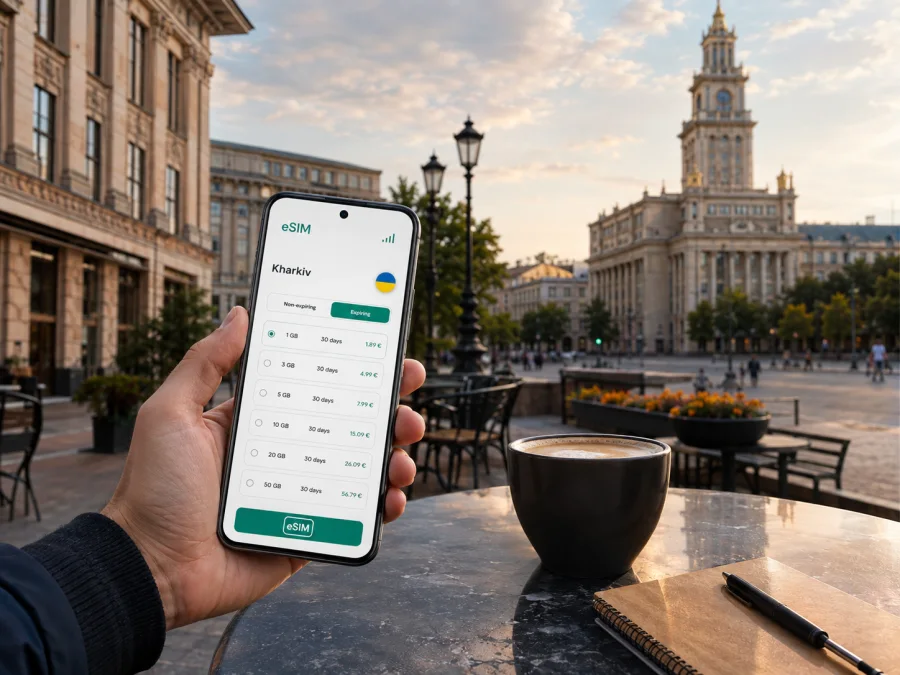
Kharkiv eSIM: mobile connection and internet for a trip
Kharkiv rewards travellers who plan their first few hours carefully. The city combines central streets, residential neighbourhoods, university areas, business destinations and routes leading farther into eastern Ukraine. A reliable mobile connection helps you check a map, confirm a hotel address, message a host, order a ride, translate a notice and keep a booking under control.
An eSIM is a digital SIM profile that can be added to a compatible phone without removing the physical SIM already in the device. For a trip to Kharkiv, it can be useful when you want to prepare mobile internet before departure, keep your everyday number available for important calls or avoid looking for a physical SIM immediately after arrival. Kaspersky eSIM Store is an app and website where you can choose, arrange and activate an eSIM with a suitable data plan for an international trip. The plan itself follows the conditions shown for the selected destination, traffic allowance and validity period.
Why mobile internet matters in Kharkiv
Kharkiv is easier to navigate when you can make small decisions as you go. Your accommodation, meeting and evening route may all be in different parts of the city. Addresses can use Ukrainian, English or transliteration, and the shortest-looking route may involve a transfer.
Mobile data is especially useful for:
- checking a walking route when you leave a station or a hotel;
- comparing a planned route with current transport information available in your travel apps;
- sharing your location with a travelling companion;
- confirming check-in instructions and contacting a host;
- translating a short message, sign or menu when needed;
- using a banking, ticketing or work application away from a hotel network;
- keeping a map available during a day that crosses several districts;
- arranging a meeting point that is clear to both people.
The point is not to stay online every second. It is to have an option when a route changes or you need information outside your accommodation.
The first hours after arriving
You might reach Kharkiv by rail, road or from another Ukrainian city. The useful preparation is the same: the exact accommodation address, a route from your arrival point, a way to contact the person meeting you and a working map.
Prepare these items before leaving home:
- Save the full accommodation address, district, building and entrance detail.
- Keep the booking confirmation available offline and mark the address on your map.
- Agree on a meeting point that can be described without a long call.
- Charge your phone, carry a power bank and decide which line will handle data.
Installing before the journey lets you complete setup with a stable internet connection. If you install it after arrival, keep the activation information accessible and use a trusted connection. On a dual-SIM phone, the profiles can often serve different purposes, subject to device and plan settings.
When you arrive, open the saved address, check the route and message the person expecting you. If data does not appear, check the selected line, eSIM profile and data-roaming setting required by the plan. Registration can take several minutes.
Choosing a plan for a Kharkiv itinerary
The right amount of data depends on your routine. A short visit with saved maps differs from a work trip with calls, cloud files and hotspot use. Choose the destination, then compare traffic and validity.
| Travel pattern | Typical online tasks | What to consider |
|---|---|---|
| Short stopover | Route checks, messages, a booking and a few map searches | A smaller allowance may be enough if large files and video are avoided |
| Weekend in the city | Navigation, restaurant research, photos, transport apps and messaging | Leave room for repeated map use and image uploads |
| Business visit | Mail, documents, two-factor codes, calls in work apps and calendars | Allow for updates, attachments and an alternative to hotel Wi-Fi |
| Longer stay | Daily navigation, media, remote work and trips outside the city | Compare validity with the whole itinerary and expected data habits |
This is a planning framework, not a promise of a particular consumption rate. Video, automatic backup, system updates and hotspot use consume more data than messages or map searches. Check scope, traffic volume, validity and roaming conditions before confirming.
For a route beyond Kharkiv, make sure the selected scope matches every stop. If the journey crosses a border, review the destination conditions again.
One practical rule is to estimate your busiest day, not your quietest one. If you expect several route searches, a booking change and work messages on the same day, leave enough allowance for those tasks and keep large downloads for trusted Wi-Fi.
When your route and data needs are clear, you can choose an eSIM plan for a trip to Ukraine and compare the conditions before travelling.
Moving around the city
Kharkiv’s scale makes navigation a daily task. You may start centrally, travel toward Shevchenkivskyi district, cross toward Saltivka and return for dinner. The practical challenge is having enough information for the next move.
Metro and surface transport
For routes served by the metro, check the station name and direction before going below ground. Save the destination station and final entrance. When the metro is not the best match, combine surface transport with a short walk and allow time to find the stop.
Transport information can change because of maintenance or local conditions. Check the current status and keep a second route in mind.
Walking between landmarks and appointments
Central Kharkiv invites long walks. Preview the route, then switch to walking view when you leave a station or major street. Save the key section if your battery is low.
When meeting someone, send a precise place rather than only a district name. Include the street, building and entrance in one message.
Rides and taxis
If you use a ride-booking app, check the pickup pin before confirming and share the chosen place with the driver.
District-by-district planning
Kharkiv is not one uniform travel zone. Choosing accommodation or a meeting location by district can make the day more efficient.
| Area or setting | Useful planning question | Why a connection helps |
|---|---|---|
| Central streets and squares | Can the day’s main stops be walked or linked by one transport route? | Maps, opening-hour checks and messages are close at hand |
| Shevchenkivskyi district | Is the appointment near a particular entrance, campus or landmark? | The district is broad enough that a precise pin matters |
| Saltivka | Do you have enough time for the full cross-city journey? | Route changes and arrival messages reduce uncertainty |
| Residential neighbourhoods | Is the address complete, including building and entrance? | Navigation can continue after leaving the main avenue |
| Railway or interchange area | What is the next leg and where will you meet? | Tickets, directions and real-time coordination may be needed together |
Treat these labels as orientation, not as substitutes for an exact address. Before booking, estimate the daily route from the accommodation to the places that matter most. A hotel close to the centre may still be inconvenient if meetings are elsewhere.
Hotels, apartments and check-in
Accommodation tasks often arrive in a sequence: receive the address, estimate the route, coordinate arrival, complete check-in and solve a small practical question. Keep the following information in one place:
- the property name and full address;
- a host or reception contact;
- check-in and check-out times;
- the entrance, floor or apartment detail if provided;
- the payment or deposit instruction;
- the nearest useful landmark for the final walk.
Save key host details before leaving a stable connection. In the neighbourhood, verify the building number rather than following only the property name. Keep enough battery and data for a message at the entrance.
After check-in, use trusted accommodation Wi-Fi for large updates or backups. Keep the eSIM for navigation and essential communication outside.
A practical setup before departure
Kaspersky eSIM Store helps you choose a destination, review plan details, arrange an eSIM and activate it on a compatible device. Network availability, speed and plan conditions depend on the relevant local network and selected offer.
Before purchase, complete this short check:
- Confirm that your phone supports eSIM.
- Confirm that the phone is not locked to an operator.
- Check that the operating system and device settings allow an additional mobile plan.
- Review the destination, data amount and validity period.
- Decide whether the eSIM will be used only for data or alongside your everyday SIM.
- Make sure you have internet access during installation if required.
- Keep the activation details available until installation is complete.
To check your device compatibility, use the compatibility window before finalising the plan. Some models vary by region of sale, so the exact device version matters. Do not assume that a phone with a similar model name has identical eSIM support.
How to install an eSIM
Begin when the phone is charged, you have a stable internet connection and the activation information or QR code is ready. If your phone offers separate lines for calls and data, decide in advance which one should handle mobile internet.
1. Check the device
Confirm eSIM support and remove any operator lock that could prevent adding another profile.
2. Open mobile-network settings
Go to the phone’s mobile-network or cellular settings and choose the option for adding an eSIM or mobile plan.
3. Add the profile
Scan the QR code or follow the activation flow provided with the selected plan. Keep the original details available in case the phone asks for confirmation.
4. Label the line
Give the new profile a clear name such as “Ukraine trip” so you do not confuse it with your everyday SIM.
5. Select mobile data
Choose the eSIM as the line for mobile data when you are ready to use it. Keep your regular line for calls or messages if that matches your travel plan.
6. Review roaming settings
If the plan instructions require data roaming for the eSIM, enable it for that profile and check that roaming remains disabled on the line you do not want to use for data.
7. Allow time for registration
Wait several minutes if the device needs time to register. Then test a simple webpage or map search before leaving the stable connection.
For platform-specific steps, use the Android installation instructions or the iOS installation instructions. Menu names vary by model and operating-system version. Keep the activation details safe after setup.
Business trips and remote work
For a short stop between meetings or several days of work, mobile data can support calendars, authentication, documents, messaging and a scheduled call. Keep heavy traffic separate:
- Download essential documents before the meeting.
- Keep the address and contact in an offline note.
- Test the work application while there is time to change the route.
- Carry a charging cable and use trusted Wi-Fi for large uploads when possible.
An eSIM does not replace a work policy or secure account; it simplifies the mobile-data part of the travel setup.
Short stopovers and onward trips
A stopover in Kharkiv can be more demanding than a full weekend. Prepare one compact route, save the next departure information offline and leave a buffer for finding the correct entrance or pickup point.
For a trip from Kharkiv to another city, review the plan’s geographical scope and validity before you leave. Keep the same eSIM profile if the selected conditions cover the next destination, but do not infer coverage from the fact that it worked in one location. The route, not the name of the first city, should determine the check.
Common questions
Is an eSIM useful for a short visit to Kharkiv?
Yes, if you expect to use maps, messages, bookings or transport apps and want mobile data without changing the physical SIM. Choose the traffic allowance and validity period for the actual length of the trip.
What if my phone does not connect after installation?
First check that the eSIM profile is enabled and selected for mobile data. Review the plan’s roaming requirement, wait several minutes for registration and check the plan conditions before seeking support.
Final checklist for Kharkiv
Before leaving, confirm:
- your phone supports eSIM and is not operator-locked;
- the selected plan is valid for Ukraine and covers the dates of your route;
- the eSIM profile is installed or its activation details are ready;
- mobile data is assigned to the correct line;
- the accommodation address and arrival route are saved offline;
- your key transport or booking information is available without a connection;
- roaming is configured according to the selected plan;
- your phone has enough battery for the first transfer;
- you know how to switch back to your regular line when the trip ends.
Prepare your connection for the city
Kharkiv travel is easier when mobile internet is a prepared part of the itinerary. Check the device and plan, install the profile, and test the data line before moving around the city.
Choose an eSIM plan for your Kharkiv trip in Ukraine and review the available options for your dates, route and expected data use.


