Travel connectivity guide
Khartoum eSIM: Mobile Internet & Travel Planning
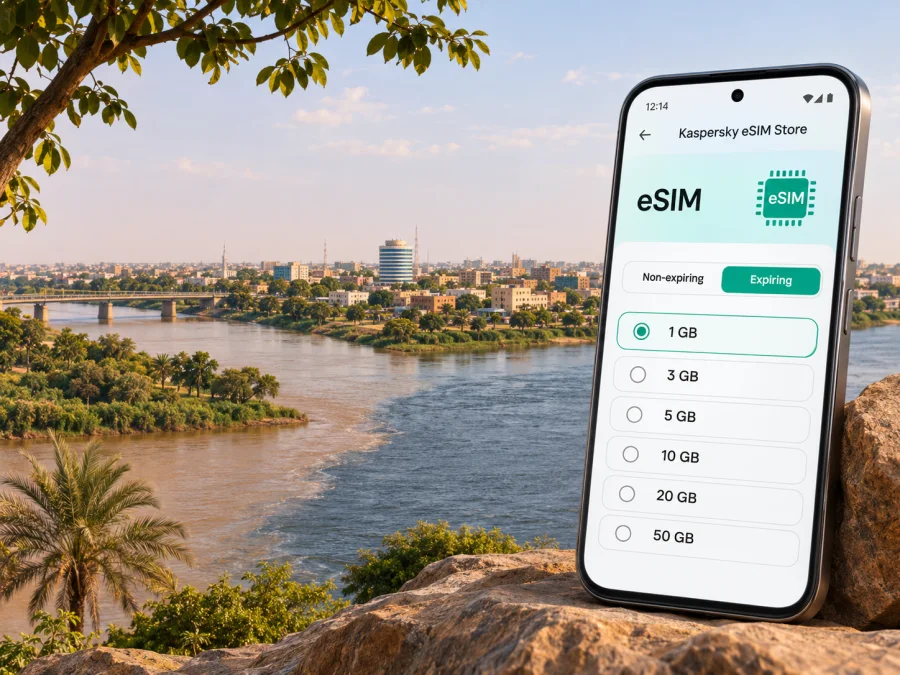
Khartoum eSIM: Mobile Connection and Internet Planning
Khartoum is not a routine city-break destination. Sudan remains affected by armed conflict, and the security situation can change quickly. As of 3 November 2026, the UK Foreign, Commonwealth & Development Office advises against travel to Sudan because of the conflict, while the U.S. Department of State’s advisory is Level 4: Do Not Travel. Read your own government’s current advice before making any decision. This guide is for people who have a necessary, authorized reason to be in Khartoum, including residents, aid or business personnel, and people coordinating with family. It is not a recommendation to travel.
Connectivity planning matters, but a phone signal cannot make movement safe or guarantee that help is reachable. Mobile and internet services in Sudan may be disrupted without warning. Khartoum International Airport has resumed only limited operations according to current travel advice, and airport activity can be interrupted again. Confirm any itinerary directly with your carrier and relevant authorities; do not assume a flight, road journey, hotel, or network service will be available when you need it.
The city is commonly considered alongside Omdurman and Khartoum North, also called Bahri, across the Blue Nile and White Nile. That wider urban area is useful context for understanding a map, but current routes and access between districts can change. Treat saved directions as a reference only, and follow trusted local security instructions rather than attempting to navigate into an unfamiliar area because an app suggests a route.
What mobile internet can and cannot do in Khartoum
An eSIM is a digital SIM profile installed on a compatible device. A travel data plan may help you use maps, messaging apps, email, work tools, or online check-ins where a supported local network is available. It is not a safety service, a voice line, or a substitute for a locally verified emergency plan. A data-only eSIM normally does not provide a Sudanese phone number or ordinary cellular voice calls and SMS; check the specific plan terms before relying on any feature.
Coverage depends on several links working at once: the plan must include the destination, its partner network must be available in the place where you are, the device must connect successfully, and power and backhaul must remain online. In a conflict-affected city, any of those conditions may fail. A plan shown for Sudan does not establish that service is currently reachable in a particular Khartoum neighbourhood, at the airport, inside a building, or along a route.
| Need | What to prepare | What not to assume |
|---|---|---|
| Opening a map | Save essential areas offline before connectivity is needed | A live map will load during a blackout |
| Contacting a host or colleague | Agree on a primary and backup contact method and check-in times | Messaging will send immediately |
| Reaching an airport or meeting point | Confirm the location and current access through trusted, up-to-date channels | A route shown on your phone is safe or open |
| Using a travel eSIM | Check destination, network, validity, device support, and activation rules | A Sudan listing guarantees service in Khartoum |
| Protecting your battery | Carry a charged power bank if permitted and keep the phone in a secure place | You can recharge or replace a device easily |
Before considering any journey
First decide whether the journey should happen at all. Check your government’s current Sudan advice, your organization’s security guidance, and any instructions from authorities or trusted local contacts. Advice can change; an article or saved plan is not a substitute for a current decision. If an organization is responsible for your movement, use its approved communications and check-in procedures.
If travel is necessary and authorized, make the plan work without live internet. Write down critical phone numbers, addresses, names, and meeting instructions. Keep an offline copy that is accessible if your phone is lost or its battery is depleted. Share your itinerary and check-in schedule with a trusted person, and agree in advance what they should do if you miss a check-in. Avoid posting precise locations or movement plans publicly.
Khartoum’s river crossings, airport, public infrastructure, and government or military-related sites are sensitive locations. Current official advice warns against photographing or using a camera phone near airports, bridges, public utilities, government buildings, and military installations. Follow local instructions, keep the phone discreet, and do not use navigation or photography in a way that draws attention to you or others. A phone can hold personal information, so use a strong screen lock and keep sensitive material to what you need.
Road travel carries serious risks, and familiar routes may not remain passable. Do not use a navigation app as permission to travel. Confirm arrangements with a trusted local contact before moving, keep your phone away while a vehicle is moving, and stop only where your responsible contact or security plan directs. If you are already in Khartoum and face an immediate threat, prioritize instructions from local authorities and your organization’s emergency plan over any attempt to troubleshoot mobile data.
Choosing a data option for Sudan
The right plan depends on whether the relevant network and service are actually available where you will be. The Kaspersky eSIM Store Sudan page currently displays data options associated with a local telecommunications provider. That is information about the country-level listing, not confirmation of a working signal in Khartoum today. Availability, partner arrangements, plan conditions, and prices can change. Check the destination and full terms on the page shortly before use, and ask the provider or responsible travel coordinator how to verify network access for your precise situation.
If you want to review the current country listing, see the available data options for Sudan. Use it to read the offer’s conditions and decide whether it fits your needs; do not treat it as a Khartoum coverage map or a promise of uninterrupted connectivity.
Before selecting anything, check these details on the individual plan:
- Destination: Sudan must be included. A regional plan should name the countries it covers; do not infer coverage from a regional label alone.
- Network and access: Read the named local network, if shown, and confirm whether your expected location and device can use it. Network access can be interrupted.
- Data allowance: Estimate only essential online activity. Text messages and occasional map checks use less data than video calls, cloud backups, or media streaming.
- Validity: Check when the plan starts and how long it remains valid. Installation and activation may be separate steps, but the plan’s own terms determine when its clock or data use begins.
- Calls and messages: Treat a travel data plan as data-only unless its details explicitly say otherwise. Keep another approved method for ordinary calls or urgent contact.
- Payment and support: Confirm accepted payment methods, refund conditions, and the available support channel before purchase, especially if you may have limited connectivity later.
If the store’s current page does not show a plan suitable for your itinerary, do not substitute a nearby country or guess that another plan will work. Ask your organization or travel coordinator to confirm an option through current channels. A local SIM or another connection method may be an alternative only if it is lawful, available, and safe to obtain; do not depend on an in-person purchase as your only plan.
Device checks and installation
Check that your exact phone model and regional variant support eSIM. Some devices that share a product name differ by market, and carrier locks or software restrictions may prevent activation. Check the manufacturer’s specifications for your exact variant, confirm the device is unlocked, and use the device compatibility check before you buy. Keep access to the account or email used for purchase, since installation instructions or a QR code may be delivered there.
Install only when you have reliable power and enough time to follow the instructions. If the plan allows pre-installation, completing that step before departure can reduce setup pressure; wait to enable the eSIM for mobile data until you understand its activation conditions. A QR code is generally intended to be used once, so do not delete an installed profile or scan it repeatedly unless support or the instructions tell you to. Keep the home SIM active only if you understand its roaming settings and costs.
Use the appropriate setup guide for your operating system: installation instructions for Android and installation instructions for iPhone. Menu names vary by device and software version. In general, add the eSIM while connected to a reliable Wi-Fi network, label the line clearly, and select the intended line for mobile data. Turn off automatic data switching if it could send traffic through a home SIM with roaming charges. Enable data roaming for the travel eSIM only if the plan’s instructions require it.
Do not wait until a stressful arrival moment to discover a compatibility or account problem. Before leaving a stable connection, verify that the eSIM profile appears in device settings, note the support route, and retain a copy of the instructions offline. If installation fails, avoid deleting the profile as a first troubleshooting step. Record the error message, check the device’s date and network settings, and contact support when a connection is available.
A low-connectivity setup for Khartoum
A useful plan has layers. Mobile data is one layer; it should not be the only one. Prepare your phone before entering a location where connectivity may be limited, and make the essentials available offline.
- Save the basics. Store your itinerary, accommodation or host details, approved contacts, and key instructions locally. Keep a written copy of the most important information.
- Download maps and documents. Save the relevant map area and documents over a trusted connection. Check that the files open with mobile data and Wi-Fi turned off.
- Set a simple communications routine. Agree on check-in times, a backup contact, and the action to take if messages do not arrive. Keep the routine short enough to follow under pressure.
- Prepare the eSIM. Install it according to its terms, confirm the correct data line, and understand whether activation is scheduled or begins on first connection.
- Reduce background use. Pause automatic photo uploads, app updates, and video playback. Keep offline copies of essential work files and avoid sending large attachments over an uncertain link.
- Protect power and privacy. Charge devices when safe, carry a power bank if allowed, use a screen lock, and avoid displaying sensitive messages or maps in public.
- Recheck before movement. Confirm that the journey is still authorized and that the people expecting you know the latest plan. If service is unavailable, follow the offline protocol rather than improvising a route.
Practical situations
You have a necessary arrival in Khartoum
Do not build the plan around a normal airport arrival flow. Current government advice reports limited airport operations and the possibility of temporary closure. Confirm the flight with the airline, confirm pickup with a trusted contact, and make sure both parties have an offline contingency if the flight changes or the phone network is down. Do not travel to an airport just because an old itinerary says to do so.
Before departure, have the approved arrival instructions and pickup contact saved in more than one place. If your organization has a designated arrival procedure, follow it exactly. Avoid sharing live flight or ground movement details beyond people who need them. If the eSIM has not connected by the time you reach a stable, safe place, troubleshoot there; do not handle settings while moving through an unfamiliar or sensitive area.
Troubleshooting without making the situation worse
If the eSIM does not connect in a safe place, check the basics in this order: confirm the eSIM line is switched on; ensure it is selected for mobile data; verify that the plan includes Sudan and is within its validity period; check the plan’s instructions for data roaming; then restart the phone once. Automatic network selection may be appropriate, but follow the plan’s current instructions rather than repeatedly forcing networks. Do not remove the eSIM profile unless support directs you to do so.
If the phone shows a network but apps do not load, the issue may be data settings, local network congestion, a service interruption, or a wider connectivity outage. Test a lightweight page or message only if it is safe to do so. Avoid burning through the remaining battery on repeated resets. If the service remains unavailable, switch to the offline communications procedure and report the problem to the designated support contact when possible.
Keep mobile data on the travel eSIM line if that is what you selected, and review the home SIM’s roaming setting to avoid unexpected charges. Data roaming on an eSIM is a device setting; it does not mean that a network is available everywhere or that access is guaranteed. The plan’s terms, device settings, and local service conditions all matter.
Khartoum mobile connection checklist
Before a necessary, authorized stay, confirm each item that applies:
- [ ] I have checked current official travel guidance and my organization’s instructions.
- [ ] My exact device variant supports eSIM, is unlocked, and can install a travel profile.
- [ ] I have read the current Sudan plan terms and have not assumed country listing equals Khartoum coverage.
- [ ] I know when validity begins, whether activation is scheduled, and what the plan includes.
- [ ] Android or iPhone setup instructions and support details are available offline.
- [ ] Critical contacts, addresses, maps, and documents are saved outside the live network.
- [ ] A trusted person knows the check-in schedule and the agreed response to a missed check-in.
- [ ] My movement plan does not depend on a live map or an unconfirmed airport operation.
- [ ] I have considered battery, device security, and an approved backup communication channel.
Frequently asked questions
Will a Sudan eSIM definitely work in Khartoum?
No. A country-level listing does not confirm that service is currently available at a specific location in Khartoum. Coverage and continuity depend on the plan, local partner network, device, power, and conditions on the ground. Check current terms and seek confirmation for your situation; keep an offline alternative.
Can I use a travel eSIM for ordinary phone calls?
Usually a travel data eSIM is for internet access and does not include a local number, standard cellular voice calls, or SMS. Read the exact plan terms. Internet calling and messaging apps may also fail during an outage, so agree on a backup contact method.
Should I install the eSIM before arriving?
If the plan permits it, installing before departure can make setup easier while you have stable Wi-Fi. Read when validity starts and whether you can schedule activation. Do not assume installation and data activation are the same event.
What if the network goes down?
Use saved contacts, offline maps, written instructions, and the check-in procedure agreed with your trusted contact or organization. A data plan cannot prevent a blackout. Avoid making an unplanned journey to find service.
Prepare connectivity with realistic expectations
Khartoum’s communications environment is shaped by rapidly changing conditions. An eSIM can be one part of a carefully prepared connectivity plan, but it cannot guarantee coverage, safe movement, airport access, or uninterrupted contact. Start with current travel guidance and your responsible local contact, prepare essential information offline, and verify the exact plan and device conditions before relying on mobile data.
When you are ready to review the current destination listing, check the available eSIM options for Sudan in Kaspersky eSIM Store. The app and website help you choose, arrange, and activate a suitable travel eSIM plan; availability and service depend on the specific offer and local network conditions. Read the terms, check your device, and keep a backup plan for Khartoum.


