Travel connectivity guide
Khasab eSIM: Mobile Internet for Oman Trips
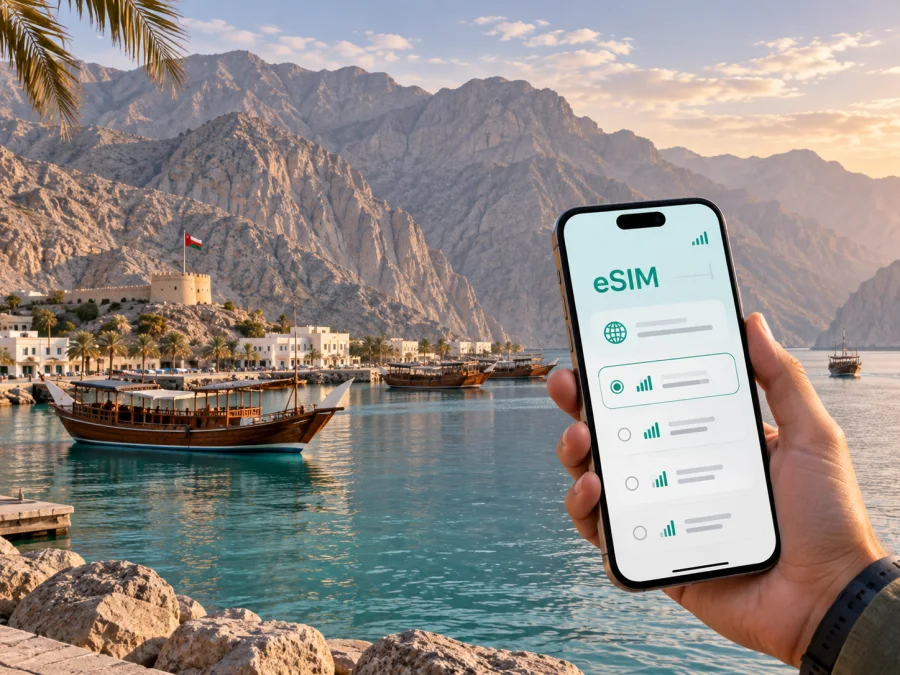
Khasab eSIM: mobile connection and internet for your Oman trip
Khasab is a compact coastal city at the northern end of Oman’s Musandam Peninsula. A visit may combine a flight, a road crossing, a hotel near the harbour, a dhow excursion, and a mountain drive in one itinerary. That makes a dependable mobile connection useful from the moment you arrive: you may need internet to confirm a transfer, find accommodation, share a location, read a booking message, or coordinate the next part of the day.
An eSIM, or digital SIM, can help you prepare mobile internet for Khasab without removing your regular physical SIM card. Kaspersky eSIM Store is an app and website where you can choose, arrange, and activate an eSIM with a suitable tariff for a trip abroad. The eSIM is intended for mobile data; ordinary calls and SMS are not included unless the selected tariff says otherwise. Messaging services can still be used over the internet, subject to the app and tariff conditions.
Why plan mobile internet for Khasab?
Khasab is not a large city with every part of a journey inside a dense public-transport network. It is a base for trips across water, mountain roads, villages, and viewpoints. Mobile data can be useful in several specific situations:
- after landing at Khasab Airport, when you need directions or a transfer message;
- while walking between your accommodation, the waterfront, restaurants, and historic sites;
- before a dhow cruise, when you need to confirm the port and meeting time;
- on a mountain-safari day, when you want the itinerary or a saved route close at hand;
- during a business visit, when email, messaging, authentication, and cloud documents matter;
- on a longer Musandam road trip, when the distance between services is greater than the town centre suggests.
The practical value is preparation. You can choose a tariff before departure, install the profile when you have a stable connection, and decide when the eSIM should be used for mobile data. Save the address of your accommodation, tour contacts, and reservation details offline as well. Mobile internet supports the journey, but it should not be your only copy of an important booking.
Arriving in Khasab: the first hour
Visitors may fly into Khasab Airport, arrive by road through the United Arab Emirates, or include Khasab in a wider Oman itinerary. Routes, border procedures, transport arrangements, and schedules can change, so check the current details for your own journey before departure.
Arrival by air
Khasab Airport is the local air gateway and is listed with the code KHS. After landing, the first tasks are usually to find a transfer, reach the hotel, confirm check-in, and orient yourself. Before the trip, open your mobile-network settings so you know which line will carry data. If the eSIM is already installed, select it according to the tariff’s instructions. If you will install it after arrival, keep the QR code or activation information accessible without relying on a message you may not be able to open.
Keep the transfer message, booking reference, hotel address, and contact number available in your notes. If a flight is delayed, send an update through a messaging app and share your location only after checking that the phone is using the intended data line.
Arrival by road
Khasab is separated from Oman’s main territory by the geography of the Musandam Peninsula and is commonly reached on routes that pass through the UAE. A road itinerary can be scenic, but it adds border procedures, driving time, and vehicle-document considerations. Verify entry requirements for every traveller and the vehicle before setting out; do not treat a map estimate as a promise about the time needed.
Download the route and accommodation details before leaving the last reliable connection. Keep enough battery for navigation and border-related communication. If you are travelling with a driver, send the hotel name and meeting point in writing. If you are driving, compare the destination name or road rather than following a turn without checking where it leads.
Arrival checklist
- Check that the eSIM profile is installed and the correct line is selected for mobile data.
- Keep your home line available only if you understand its roaming conditions.
- Save the hotel address, driver details, booking references, and important contacts offline.
- Confirm whether the day’s activity begins at the hotel, port, or another meeting point.
- Carry a power bank for a long transfer or a boat-and-mountain itinerary.
Moving around the city and peninsula
Walking can work for short trips around Khasab’s central streets and waterfront. For the airport, accommodation outside the centre, the port, and excursions beyond town, arrange a taxi, driver, rental vehicle, or tour transfer in advance. Availability may be more limited than in Muscat or a major international destination.
Use mobile data for coordination as well as navigation. A short message can confirm that a driver has arrived; a shared location can prevent confusion at a port; an updated route can show whether a detour is sensible. When you leave the built-up area, save map areas where possible and note the planned return time. Mountain roads and coastal viewpoints are not the place to discover that a booking exists only in a chat you cannot open.
| Situation | Practical option | Prepare on your phone |
|---|---|---|
| Airport to hotel | Pre-arranged transfer or taxi | Hotel name, driver contact, arrival time |
| Short movement in town | Walk where practical, or arrange a taxi | Saved pin and accommodation address |
| Port and dhow departure | Tour transfer or confirmed taxi | Meeting point and operator message |
| Jebel Harim route | Guided 4WD excursion or suitable vehicle | Offline route, itinerary, battery |
| Wider Musandam trip | Driver or rental car with documents checked | Route notes and accommodation details |
| Business day | Hotel workspace or agreed meeting point | Email, calendar, authentication |
Districts, hotels, and practical accommodation choices
Khasab does not need to be approached like a sprawling metropolitan city with many separate districts. The useful distinction is between staying near everyday services, staying near the waterfront or harbour, and staying farther out for a quieter resort-style experience.
Near the town centre
This can be convenient for basic errands, restaurants, and short walks. It may suit a first visit or a business traveller who needs access to local services. Ask whether the property has reliable Wi-Fi, a place to work, and a transfer option for the airport or port. A mobile-data eSIM remains useful as a backup for directions and messages.
Near the coast or harbour
The harbour is an important reference point for dhow excursions. Before booking, establish how you will reach the boat departure location and whether a transfer is available. A place that looks close on a map may be less convenient with luggage, heat, an early departure, or no comfortable walking route.
Outside the built-up area
Accommodation outside town can suit travellers who prioritise scenery or access to a particular excursion. Confirm transport when booking, along with check-in hours, charging options, the nearest shop, and what happens if your arrival changes. Save the property’s address and phone number offline before leaving the city.
Use this quick comparison:
- Location: Is it practical for your first activity and departure route?
- Transport: Is a taxi, driver, or hotel transfer available at the required hour?
- Work needs: Is there a quiet place, power, and a backup way to get online?
- Data needs: Will your tariff cover maps, messages, photos, and possible hotspot use?
- Departure: Can you reach the airport, port, or next road checkpoint without a last-minute rush?
Choosing an eSIM tariff for Khasab
Choose by how you will use your phone, not simply by the number of nights. A short stopover with maps and messages needs less data than a week with photo uploads, navigation, remote work, and hotspot use. Review the destination, validity period, data allowance, and activation conditions shown for the tariff.
Estimate your use in layers:
- Light: messages, occasional maps, email, confirmations, and authentication codes.
- Regular: navigation, tour coordination, web searches, social updates, and photo sharing.
- High: video meetings, frequent uploads, cloud work, streaming, or sharing data with another device.
If your route includes only Khasab, an Oman tariff may be the straightforward starting point. If the same journey includes the UAE or another country, review whether a regional option matches the complete route. Do not choose on the city name alone: the tariff’s actual country or region of validity is the important condition.
At this stage, you can choose an eSIM tariff for a trip to Oman and compare the available data and validity conditions for your dates. Kaspersky eSIM Store helps you complete the selection through its app or website; it does not replace the local mobile operator or guarantee a particular signal in every location. Read the tariff details and keep a record of what you selected.
Maps use less data when areas are saved, while repeated photo and video uploads can use much more. Before an excursion, turn off automatic updates for apps that do not need them. If you plan to use hotspot mode for a laptop, check the tariff conditions and watch the data counter.
Installing and activating your eSIM
Installation is easiest before departure, when you have a stable connection and enough time to check the settings. The menu names vary by device and operating-system version, but the sequence is usually predictable.
Before installation
First, check your device’s eSIM compatibility and make sure the phone is not locked to an operator. Confirm that you have internet access for installation, the QR code or activation information, and enough battery. If the eSIM is for Oman, label it clearly so you can identify it later.
A practical sequence
- Review the tariff: Confirm country or region, data allowance, validity, and activation conditions.
- Prepare the phone: Open mobile-network settings and keep the activation information ready.
- Add the eSIM: Select the option for adding a mobile plan and scan the QR code or follow the supplied flow.
- Name the line: Use a label such as “Oman travel” so it is easy to recognise.
- Choose mobile data: Select the travel eSIM when you want to use it and disable unwanted data switching.
- Check roaming settings: Some tariffs require data roaming for the eSIM. Follow the tariff instructions and avoid enabling it on the home line by mistake.
- Test carefully: Open a small page or send a short internet message. If connection takes a few minutes, wait before changing several settings at once.
For device-specific guidance, use the Android installation instructions or the iOS installation instructions. If you install before flying, leave the profile available but select it for mobile data according to the tariff’s activation guidance. Do not delete the profile simply because you are not using it at that moment.
Khasab’s places and the data they require
Khasab Castle stands on the coast and combines defensive architecture with views toward the surrounding maritime landscape. It is a useful first city stop for history, photography, and orientation. Save directions and current opening information before leaving the hotel because schedules can change.
From the harbour, dhow trips commonly head into Musandam’s khors, including Khor Ash Sham, and may include a stop near Telegraph Island. The exact itinerary depends on the operator, weather, and sea conditions. Mobile internet is most useful before departure: confirm the port, read the operator’s message, and share the plan with someone at home. Save the itinerary offline and protect the phone from heat and water on the boat.
Mountain excursions provide a different navigation problem. Jebel Harim is the highest point in Musandam, at 2,087 metres; routes can include high viewpoints and the village of Sayh. Khawr Najd is another commonly visited scenic stop. These are not ordinary urban errands, so use a suitable driver or excursion, follow local instructions, and do not plan a tight connection immediately afterward.
Short trips toward Bukha or other Musandam locations can add variety to a longer stay. Treat them as route planning rather than casual city hopping: check road, border, vehicle, and accommodation details for your itinerary. A mobile connection helps with coordination but does not replace required documents or permissions.
Business trips and short stopovers
Khasab’s geography makes a small preparation routine valuable for work travel:
- download meeting notes and presentations before travelling to a remote venue;
- keep calendar invitations, addresses, and contact details available offline;
- use hotel or office Wi-Fi for large files when appropriate;
- test the eSIM line for data before an important meeting;
- carry a charger and a backup copy of permitted authentication information;
- agree on a fallback meeting time if a boat, mountain transfer, or road journey is delayed.
For a one- or two-night stopover, a compact data allowance may be enough for maps, messages, bookings, and occasional browsing. A longer work visit needs a more careful estimate, especially if a laptop will use hotspot mode. Match the tariff’s destination, validity, and data conditions to the actual work pattern.
If the connection does not work
Work through the simplest checks first:
- Confirm that the travel eSIM is turned on.
- Confirm that it is selected as the line for mobile data.
- Check whether data roaming is required for that tariff.
- Turn off automatic switching to the home line.
- Move to an open location and wait a few minutes for registration.
- Restart the phone only after recording the current settings.
- Review the tariff conditions and validity before changing advanced options.
If the issue continues, keep the activation details, order information, device model, and current settings ready for support. Avoid deleting the profile during troubleshooting. In a remote area, also consider whether the issue is limited to one location rather than the eSIM itself.
Frequently asked questions
Is an eSIM useful if I stay only in Khasab?
It can help with arrival coordination, hotel messages, maps, tour confirmations, and communication during a short stay. Choose by expected data use and validity, not by the city’s size.
Can I use an eSIM for ordinary calls and SMS?
Not necessarily. In this travel scenario, the eSIM is intended for mobile internet and does not include a separate phone number, ordinary calls, or SMS unless the selected tariff explicitly says so. Internet messaging and calling apps can work over data subject to their own requirements.
Should I install it before flying?
Installing before departure can simplify arrival if your device supports eSIM, is unlocked, and the activation conditions are understood. If you install after arrival, keep the QR code and account access available offline or on another device.
What if my route includes the UAE?
Review the tariff’s country or regional validity against the complete itinerary. Oman coverage should not be assumed to include another country. Road crossings also have separate entry and vehicle requirements.
Do I need mobile data on a dhow cruise?
You may need it before departure to confirm the port and operator, but do not plan the entire cruise around a live connection. Save the itinerary, bring contact details, and follow the crew’s instructions.
Can I work remotely from Khasab?
That depends on your accommodation, tariff, device, and work tools. Check Wi-Fi and power, estimate the data required for meetings, and keep important files offline. An eSIM can support the mobile-data part of the plan, but it is not a guarantee of a particular speed or signal in every setting.
Final preparation checklist
- Have I checked my phone’s eSIM compatibility and confirmed it is free of operator restrictions?
- Does the tariff cover Oman for the full period of my itinerary?
- Do I know when it starts and which line will use mobile data?
- Are my hotel, transfer, port, and tour details saved offline?
- Have I installed the eSIM or kept its activation information ready?
- Have I disabled unwanted data switching and automatic updates?
- Do I have a charged phone, power bank, and offline route for remote excursions?
- If the itinerary includes the UAE, have I checked separate border and vehicle requirements?
Khasab is easier to enjoy when the practical details are settled before the landscape takes over your attention. Prepare the eSIM, save essential information, and leave room for weather, road, and excursion changes. Your phone can then focus on useful tasks: finding the hotel, meeting the driver, navigating the next turn, sharing a view, or sending a message home.
Prepare your mobile internet for Khasab
Choose a tariff that matches your Oman dates, data needs, and route. Kaspersky eSIM Store helps you review available options, arrange an eSIM through the app or website, and activate it on a suitable device for your trip. Choose an eSIM tariff for your Khasab journey before departure, then keep the installation details and travel information accessible offline.


