Travel connectivity guide
Khiva eSIM: Mobile Internet in Uzbekistan
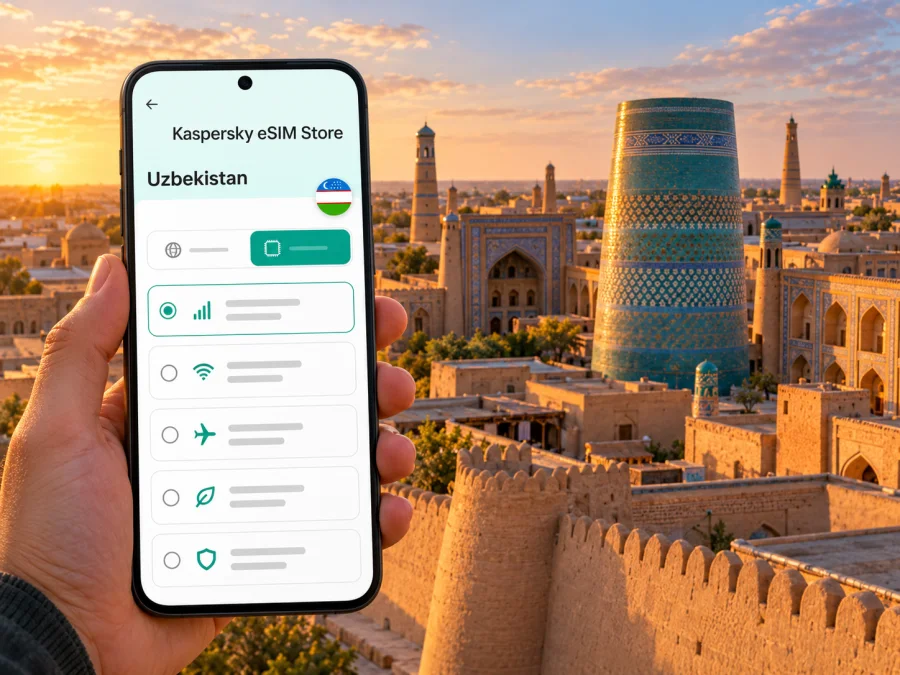
Khiva eSIM: mobile connection and internet for your trip
Khiva is a historic city in Uzbekistan’s Khorezm Region, known for the walled inner town of Itchan Kala. A reliable mobile connection can make the practical parts of a visit easier: finding your guesthouse, checking a transfer from Urgench, saving a route through the old town, or messaging your travel companions. An eSIM can provide mobile data without replacing the physical SIM already in your phone, provided your device supports eSIM and the selected plan covers Uzbekistan.
This guide focuses on using mobile internet in Khiva: how to prepare before arrival, what to expect on the journey from Urgench, how to choose a data plan for a city stay, and what to check if your route continues elsewhere in Uzbekistan.
Why mobile internet is useful in Khiva
Khiva’s main visitor landmark, Itchan Kala, is a historic walled inner town. UNESCO describes it as a coherent, well-preserved example of Central Asian Muslim architecture; the listed area covers 26 hectares and its brick fortification walls rise to around 10 metres. The UNESCO property includes mosques, madrasas, mausoleums, palaces, caravanserais, markets and traditional streets. That concentration makes the old town rewarding to explore on foot, but it also makes a saved map, a clear meeting point and offline notes useful when you are walking between gates and courtyards.
Mobile data is especially handy for:
- checking the address and entrance instructions for a guesthouse, many of which are located close to or within the historic area;
- navigating from your arrival point to a hotel or transfer pickup location;
- messaging a driver if a flight or train is delayed;
- translating a short menu, sign or message when needed;
- confirming opening information before walking to a museum or monument;
- keeping digital tickets, reservations and travel documents accessible;
- sharing your location with someone travelling with you.
Khiva is not simply a museum zone. The monumental inner town sits within a living city, so a route may move between the historic walls, accommodation, local shops, cafés and transport points. Save the address in both map and plain-text form. If your phone loses data temporarily, a screenshot or downloaded map can still help you find the next landmark.
Getting to Khiva and staying online on the way
Khiva is in western Uzbekistan. For many visitors, the journey involves Urgench, which is the regional airport and a transport hub for the area. Khiva itself is the destination; Urgench Airport is a separate arrival point, so check the place name on every booking and map before travelling.
Transport information has recently changed. In 2026, Uzbekistan’s government announced a high-speed electric train service on the Urgench Airport–Khiva–Urgench Airport route. Before you travel, check the current timetable, station or airport boarding point, ticket availability and operating days through the transport provider. Do not rely on an old blog post or assume that every arrival is matched by a train. A taxi or pre-arranged transfer may still suit late arrivals, luggage, groups or a schedule that does not line up with the rail service.
| Arrival or travel situation | What mobile data can help with | Useful preparation |
|---|---|---|
| Flight into Urgench | Checking the onward route, contacting a host or driver, and reviewing current transport information | Save the accommodation address and agree on a pickup point before leaving the terminal |
| Train journey to Khiva | Rechecking ticket details, coordinating arrival and finding the route to your stay | Keep the ticket available offline and confirm the Khiva stop and arrival time |
| Late arrival or delayed connection | Sending an update and arranging a revised transfer | Save a backup contact method and carry a power bank if you have one |
| A day trip from a nearby base | Checking return options and sharing your schedule | Confirm the final departure time before setting out; do not assume service runs late |
| Continuing across Uzbekistan | Checking intercity tickets, hotel details and navigation between stations | Choose a plan that covers the whole route, not only the Khiva stop |
The new airport rail connection may be useful, but a service announcement is not a substitute for a live timetable. If your flight arrives close to the last departure, check the operating schedule directly and have a backup plan. When a driver is meeting you, mobile data makes it easier to share a live update, but write down the driver’s name and agreed meeting point as well.
Choosing an eSIM plan for Khiva
An eSIM plan is selected for a country or region, not for the city alone. For a Khiva visit, check that the plan explicitly includes Uzbekistan. If your itinerary continues to Bukhara, Samarkand, Tashkent or another country, confirm that the same plan covers every destination where you expect to use data. Coverage and performance depend on the local network and location; no plan should be treated as a guarantee of service in every building or on every route.
Choose a plan by matching its terms to your itinerary:
- Length of stay: compare the plan’s validity period with the dates when you expect to use mobile data. Check when its validity begins; installation and activation may be separate steps.
- Expected use: maps, messages and email generally need less data than frequent video, cloud backups or hotspot use. If you expect to work remotely or upload many photos, allow for heavier use and check whether tethering is permitted.
- Route: a country-specific plan may fit a Khiva-only trip, while a regional plan may be worth checking if your journey crosses borders. Confirm the coverage list rather than relying on the plan name.
- Existing SIM: decide which line should handle mobile data and which should remain available for your usual number. Calls and SMS are not automatically included with a data eSIM; read the selected plan’s terms.
- Top-up and expiry: check whether the plan can be topped up, what happens when data runs out and whether unused data expires. Do not assume two plans with similar names have the same conditions.
Kaspersky eSIM Store is an app and website where you can choose, purchase and activate an eSIM with a suitable plan for mobile internet during an international trip. To review the current options for the country, browse eSIM plans for Uzbekistan. This is the Uzbekistan destination page; check the details shown for the individual plan before you decide.
Check your phone before you travel
Before choosing a plan, confirm that your exact phone variant supports eSIM and is not locked to a carrier. Support can vary by model number, region of sale and carrier configuration, even when two devices share the same retail name. Check the manufacturer’s information and the mobile settings on the device you will carry. Check whether your device is compatible with eSIM.
A quick checklist:
- [ ] The phone’s exact model and regional variant support eSIM.
- [ ] The device is not carrier-locked, or the carrier has confirmed it can use another eSIM.
- [ ] You can connect to Wi-Fi during installation if needed.
- [ ] You have access to the account or email where the activation details will arrive.
- [ ] Your operating system is up to date enough for the device’s eSIM feature.
- [ ] You understand whether the selected plan begins on installation, activation or first network connection.
- [ ] You have saved your home SIM settings so you can restore them after the trip.
Do not delete an eSIM profile to troubleshoot unless the plan instructions or support team tell you to do so. Some profiles cannot be installed a second time after removal. If you rely on your regular number for banking codes, keep that line enabled where possible and check roaming charges with your home operator.
Install and activate before leaving
Installing an eSIM before departure can reduce the number of steps you need to complete after arrival. Follow the plan’s own instructions, since screens and activation rules differ between providers and devices. A stable Wi-Fi connection is helpful during installation. If you prefer to install after landing, make sure you have another way to connect to the internet first.
- Check compatibility and carrier status. Confirm eSIM support for the exact device variant and make sure it is unlocked.
- Choose a plan for Uzbekistan. Review its coverage, data amount, validity, activation timing and any hotspot conditions.
- Keep the installation details ready. Open the QR code or in-app setup flow on a second screen if your phone needs to scan it. Some devices let you install through an app instead.
- Add the eSIM in your phone settings. Follow the on-screen steps and give the profile a clear label such as “Uzbekistan data.”
- Choose when to use it. If the plan allows, leave the profile installed but select it for mobile data only when appropriate. Follow the plan’s activation instructions carefully.
- Check the data line after arrival. Select the travel eSIM for mobile data if that is your intention. Some plans require data roaming to be enabled on that eSIM; enable it only as directed by the plan provider.
- Keep your primary line settings in view. Confirm which SIM handles calls, messages and mobile data so you do not accidentally use an unexpected roaming service.
For device-specific steps, use the Android eSIM installation guide or the iPhone and iOS eSIM installation guide. The menu labels can differ by operating system version, so follow the instructions displayed on your phone as well.
Using your connection around Khiva
A city visit often involves short bursts of data rather than constant heavy use: check a map, send a message, confirm a reservation, then put the phone away. You can make those bursts more reliable with a few habits:
- Download an offline map of Khiva and save the location of your accommodation before leaving a Wi-Fi network.
- Keep the exact address in a notes app, including a local spelling if your host provides one.
- Use live navigation when it helps, but verify that the route ends at the correct gate or entrance.
- Ask your hotel which transport pickup points are easiest to reach with luggage.
- Keep reservation confirmations and train tickets available offline; a screenshot is useful when a signal is weak.
- Turn off automatic updates and large media backups while travelling on mobile data.
- Carry a power bank on a long sightseeing day, especially if you use the phone for photos, translation and navigation.
Khiva’s historic character is part of the visit, so let the phone support the day rather than dictate it. Save a few key points, then explore at a comfortable pace. If you are photographing inside a monument or religious site, follow posted visitor rules and ask before photographing people.
If mobile data does not work
First check the simple things before reinstalling anything:
- Confirm that the eSIM profile is still enabled.
- Check that the correct line is selected for mobile data.
- Review whether the plan requires data roaming on that eSIM.
- Turn airplane mode on briefly and then off, or restart the phone.
- Check the plan’s coverage and validity details, including whether it has been activated.
- Move to an open area and try again; indoor signal can differ from outdoor reception.
- Contact the plan provider’s support through the channel shown in your purchase details.
A connection can vary by building, local network conditions and the exact location. If you need urgent help, use a hotel phone, ask staff for assistance or connect to a trusted Wi-Fi network while you troubleshoot. Do not delete the eSIM profile unless support specifically recommends it.
Khiva, Urgench and onward routes
A short city break and a longer Uzbekistan itinerary call for different preparation. If Khiva is your only stop, choose a plan whose coverage and validity match those dates. If you will continue through the country, check that the plan includes the rest of your route. Do not infer countrywide coverage quality from a successful connection in central Khiva.
For a journey through Urgench, confirm whether your rail ticket is for the airport connection, a city station or another departure point. The government’s recent announcement describes a direct electric train route between Urgench Airport and Khiva; schedules can change, so verify the service close to travel. If you plan a longer overland journey, keep mobile data available for ticket changes and hotel messages, but download essential documents in advance in case coverage is intermittent between destinations.
If you need a local number for ordinary calls or SMS, a travel data eSIM may not meet that need. Uzbekistan’s local operators have their own eSIM registration processes, which are separate from choosing a travel data plan. Ucell’s published information says foreign nationals can apply through its app’s self-registration flow with a valid passport; Uztelecom’s instructions direct new subscribers to a sales or service office with an eSIM-capable device and identity document. These are operator-specific requirements and may change, so check the relevant operator’s current terms if you need a local number or local service. Compare that option with an international data plan based on your trip, not on an assumption that one type is always better.
Frequently asked questions
Is Khiva in Uzbekistan?
Yes. Khiva is a city in Uzbekistan’s Khorezm Region in the west of the country. Itchan Kala is the historic walled inner town within Khiva and is the UNESCO World Heritage property most visitors come to see.
Does an eSIM for Uzbekistan work specifically in Khiva?
It can work if the selected plan covers Uzbekistan and the local network has service at your location. Check the plan’s coverage terms before purchase. Reception may vary indoors, outdoors and along the route from Urgench, so avoid treating a country listing as a guarantee of uninterrupted service.
Is there an airport in Khiva?
The regional airport used for Khiva trips is Urgench Airport, a separate location from the city. A government announcement in 2026 described a new electric train service connecting Urgench Airport and Khiva. Check current transport schedules and alternatives before your travel date.
Can I use an eSIM for calls and text messages?
A data eSIM does not necessarily include an ordinary phone number, voice calls or SMS. Check the individual plan’s terms. Internet-based messaging and calls may work through apps when data is available; for standard calls or SMS, keep your existing SIM active or review local operator options.
Should I install the eSIM before arriving?
If the plan permits it, installing before departure can make arrival simpler. Read when the validity period starts and whether installation itself activates the plan. Keep Wi-Fi available during setup and avoid deleting the profile if something goes wrong.
Will an eSIM work on every phone sold under the same model name?
No. Regional variants, carrier settings and device locks can affect eSIM support. Check the exact model number and carrier status on the phone you will take to Uzbekistan before selecting a plan.
How can I reduce data use while sightseeing?
Download maps and travel documents over Wi-Fi, disable large automatic backups on cellular data, and use live navigation only when needed. Messaging and text searches typically use less data than video streaming or frequent photo uploads, although actual use depends on your apps and settings.
Prepare your Khiva connection
Before departure, confirm your route through Urgench, save your accommodation details, check your exact phone variant and choose a plan whose coverage and validity match your itinerary. Keep the plan’s installation instructions and support details accessible, and leave time to test the eSIM before you depend on it for a transfer.
Kaspersky eSIM Store is an app and website that helps you choose, purchase and activate an eSIM with a suitable plan for mobile internet on an international trip. Review eSIM options for Uzbekistan and check each plan’s current coverage, data allowance, validity and activation terms before choosing one for Khiva.


