Travel connectivity guide
Khovd eSIM: Mobile Internet in Western Mongolia
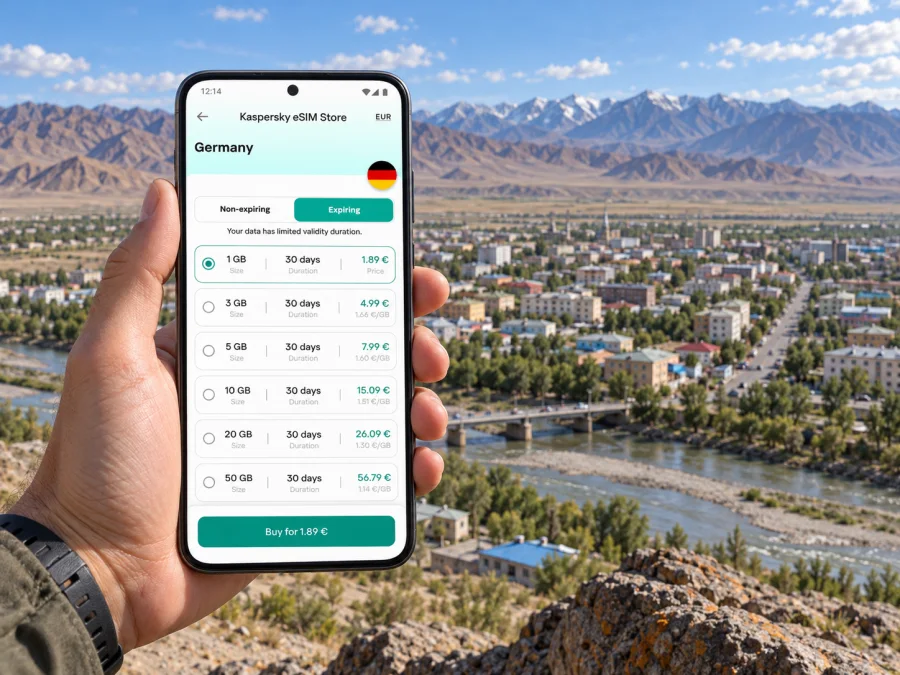
Khovd eSIM: Mobile Connection and Internet for Your Trip
Khovd is a practical base for exploring Mongolia’s far west, and having mobile data ready can make the first hours in town much easier. You may need to confirm a pickup, find your accommodation, translate a short message, check a map or let someone know that your flight has landed. An eSIM can provide mobile internet without replacing the physical SIM already in your phone. Before travelling, check whether your device supports eSIM and confirm that the selected plan covers Mongolia.
This guide focuses on the city of Khovd: arrival at its airport, local transfers, getting around the built-up area, work and sightseeing needs, and the checks to make before travelling farther into the province. Khovd is the provincial capital and is administered as Jargalant soum. That distinction matters when reading maps and local listings: “Khovd” can refer to the city, the surrounding province, or other places and features sharing the same name.
What mobile data helps with in Khovd
A connection is most useful when it removes small uncertainties from a trip. In the centre, that might mean checking a pin for a hotel or meeting place while walking; after arrival, it can mean contacting a driver instead of trying to coordinate by voice in an unfamiliar language. If your itinerary includes day trips, mobile data also helps you keep booking details, directions and messages together on one device.
| Moment in the trip | Useful phone tasks | What to prepare |
|---|---|---|
| Before departure | Save your accommodation address, arrival details and contact numbers | Keep an offline copy of essential information |
| At Khovd Airport | Message your pickup, check the meeting point and open your route | Agree on a landmark before boarding |
| First trip into town | Follow a map and share your location with a companion | Keep the destination written in a form your driver can recognise |
| In the city | Check opening details, send messages and manage bookings | Save important locations before leaving Wi-Fi |
| On a day trip | Review the route, weather updates and return arrangements | Download maps and do not rely on continuous signal outside town |
| Working remotely | Join messages, check email and authenticate accounts | Test the work tools you need before travelling |
Use mobile internet to coordinate, but confirm time-sensitive arrangements with your accommodation, guide or transport provider; a map cannot confirm a driver is available or a venue is open.
Arriving at Khovd Airport
Khovd Airport is close to the city: Mongolia’s aeronautical information publication places it about 4.7 kilometres from the town of Jargalant. The airport information lists bus and taxi as transport options and notes that hotels, restaurants, medical facilities, banks and a post office are in the downtown area. Check your transfer with the accommodation or organiser in advance, especially for a late arrival or tight connection.
Before boarding, save the property name, address and a map pin. If the booking has a Mongolian-language address, keep that alongside the English version. Send your expected arrival time to the person meeting you and ask them to confirm a clear pickup point. A screenshot is useful if the airport connection is slow or your phone is still selecting a network.
On arrival, keep your phone charged, open the saved route, contact the pickup before leaving the terminal area, and confirm the vehicle and meeting point. Once at your accommodation, download anything you will need offline the next day.
If your eSIM is installed before the trip, wait until you are ready to use it before changing mobile-data settings. Keep your home SIM available for the functions you still need from it, such as receiving account verification messages, and check its roaming terms separately. Data-only travel plans generally do not replace a regular phone number, voice service or SMS; use messaging and calling apps over data when appropriate.
Moving around the city
Khovd’s built-up area sits in the Buyant River valley, with the wider Altai landscape close to the city. For a visitor, the practical point is that an address may be easier to reach when paired with a saved pin and a recognisable local landmark. Use mobile maps for orientation, but confirm the final turn or entrance with your host if a guesthouse, office or meeting place is not obvious from the street.
For short trips, ask your accommodation which transport options are currently convenient and how drivers prefer to receive destinations. If you arrange a ride by message, send the place name and pin together. Before setting out, check the map route while connected and save a screenshot or offline map area if the app supports it. That is particularly helpful when you are walking between several stops, keeping a schedule or travelling with someone who may need the same information.
Before setting out, check the route and return plan, save the destination in your map app, and share the meeting point with a companion or driver. A saved pin is easier to use again than searching for the place from scratch.
A location dot does not prove that a road is passable or that a route is best. Map data may be incomplete and positioning can drift. For a longer drive, agree the route and timing with a local driver or guide, carry the address offline and plan for gaps in service.
Choosing an eSIM plan for Khovd
Choose a plan by considering how you will use data, not just the trip length. Map and message use differs from large uploads, video calls or hotspot use. Review the destination, allowance, validity, activation and hotspot conditions before purchase.
The country selection is Mongolia even though your destination is Khovd. A city name is not a separate mobile market: a Mongolia plan must be valid in the country, while the local network and signal still depend on the plan, the operator’s footprint and the exact place you are using the phone. The current Mongolia destination listing identifies UNITEL and MOBICOM as local telecommunications providers for its relevant plans. That is information about the operator market associated with those plans; it does not mean that every plan uses both networks, that both are available at every location, or that a signal is guaranteed on every road outside the city. Check the current plan details before checkout and treat coverage maps as estimates.
To estimate how much data you need, think through a normal day rather than choosing by trip length alone:
| Your usual use | Data demand tends to be higher when you… | A practical preparation |
|---|---|---|
| Maps and messages | Repeatedly load maps, send photos or use live location | Download offline map areas and share fewer large files |
| Browsing and bookings | Search frequently, upload documents or use web-based services | Keep confirmations in email or screenshots as well |
| Social media | Post photos and watch clips over mobile data | Turn off automatic video playback and background uploads |
| Calls over apps | Make long audio or video calls | Use audio when video is not needed and check the app’s data settings |
| Remote work | Join video meetings, sync cloud files or use a hotspot | Test the setup and estimate work traffic separately from sightseeing |
Treat these as planning cues, not fixed data estimates: apps, video quality, backups and settings change consumption. Use Wi-Fi for large updates or uploads when available, and keep mobile data for navigation and essential communication while moving around.
If you want to compare the current Mongolia options before travelling, choose an eSIM plan for your trip to Mongolia. Kaspersky eSIM Store is an app and website where you can choose, purchase and activate an eSIM with a suitable plan for mobile internet during an international trip. Read the plan conditions displayed at checkout; availability and terms can change.
Where a city plan ends and an onward route begins
Khovd can be a city break, a work destination or a stop before travelling elsewhere in western Mongolia. Those are different connectivity situations. A plan suitable for ordinary use in the city should not be treated as a promise of service in every soum, valley, mountain area or stretch of road. Signal depends on the local operator network, terrain, device and plan; a national coverage statement does not mean continuous reception in remote areas.
If your itinerary goes beyond Khovd, make a separate communications plan for the route:
- Save the full itinerary, accommodation names, guide details and emergency contacts offline.
- Download maps for the route and intended stops while you have a stable connection.
- Ask your driver, tour operator or host where service is expected to be limited and how check-ins will work.
- Keep a power bank and charging cable accessible; navigation and camera use can consume battery quickly.
- Tell someone your departure time, destination and expected return or next check-in.
- Confirm that the plan’s country or regional scope matches every border you will cross; a neighbouring country is not automatically included in a Mongolia plan.
This distinction is important in a border region. Khovd is in Mongolia, and the fact that Mongolia borders Russia, China and Kazakhstan does not extend a Mongolia-only plan across those borders. If the route leaves Mongolia, check the destination list and terms for the next country or region before departure. Do not assume that the same network, coverage level or eSIM profile applies beyond the plan’s stated scope.
Device checks before you travel
Check eSIM support on the actual device you will carry, not only on a product family or model name. The feature can vary by model number and sales region, and some devices may be locked to a home operator. Confirm that the phone is unlocked, can add an eSIM, and can use the mobile-network bands and services needed by the plan. For a quick device check, check whether your device supports eSIM.
If you have a dual-SIM phone, decide in advance which line will handle mobile data and which line you want to keep available for calls or messages. Menu names differ across brands and operating-system versions, so follow the on-screen wording on your phone. Do not delete a profile just because it is not connected yet; some eSIM profiles cannot be reinstalled after removal without issuing a new activation code.
Before you leave:
- Check the device’s eSIM compatibility and carrier-unlock status.
- Install system and travel-app updates while you have reliable Wi-Fi.
- Set a device passcode and keep the activation details somewhere you can retrieve them.
- Make sure you know how to select the eSIM for mobile data.
- Check whether the plan requires data roaming to be switched on for that eSIM.
- Keep your home SIM’s roaming setting separate from the travel eSIM setting.
- Save the support and accommodation contact details offline.
A regional hardware variant can behave differently even when its retail name looks familiar. For example, do not assume that every version of a phone sold under one model family has the same eSIM feature. Look up the precise model identifier in the manufacturer’s specifications or settings and use the compatibility checker before purchase. If you are travelling with a company-managed phone, ask the administrator whether adding a travel profile is allowed.
Install and activate your eSIM
The least stressful time to install an eSIM is usually before departure, when you have Wi-Fi, battery power and time to follow the prompts. Keep the QR code or installation instructions on another screen or in a secure place if you need to scan them with the phone being configured. Follow the plan’s activation instructions, because installation and the start of data use are not always the same event.
A general setup sequence is:
- Connect to reliable Wi-Fi and open the Kaspersky eSIM Store app or website.
- Choose the Mongolia destination and read the plan details, including validity, data and activation terms.
- Complete the purchase, then follow the installation flow shown for your device.
- Label the new profile clearly, such as “Mongolia data,” so it is easy to identify later.
- Leave the profile settings as instructed until you reach the destination; avoid deleting or resetting it.
- After arrival, select the eSIM as the mobile-data line and follow any plan-specific network or roaming steps.
- Open a simple webpage or messaging app to confirm that data works before relying on it for directions.
For device-specific steps, use the Android eSIM installation instructions or the iOS eSIM installation instructions. The labels and order of settings may differ slightly by operating-system version. If the phone shows no data after arrival, check that the profile is enabled, the correct line is selected for mobile data, airplane mode is off and the plan’s activation conditions have been met. Then follow the plan guidance or contact support rather than repeatedly deleting and reinstalling the profile.
Keep the home SIM’s data roaming off if you do not intend to use it abroad, and verify the roaming terms with your home operator. Some travel eSIMs require data roaming to be enabled for the travel profile itself. Read the individual instructions: the setting applies to the selected line, and changing it without checking can result in unexpected use of the wrong SIM.
Staying productive during a work visit
Mobile data can help with calendar changes, two-factor authentication, maps and messages between the airport, accommodation and a meeting. It should not be your only plan for a critical video call or a large upload. Confirm Wi-Fi at the venue, test work tools before departure and download important files in advance. If you use a hotspot, check that your device and plan allow tethering; laptops may use data quickly through cloud sync and automatic updates.
If your connection does not work
The eSIM is installed, but there is no internet. Confirm that its line is enabled and selected for mobile data, that the plan covers Mongolia, and that any activation step is complete. Follow the plan instructions if data roaming is required for the travel profile.
The phone shows signal but pages do not load. Wait briefly, check the plan’s data balance and follow its network-selection guidance. If you are indoors or outside the built-up area, try again from a clearer location.
The QR code cannot be scanned. Display it on another device or use manual installation details if provided. Keep the activation code private.
A map pin is difficult to find. Share the pin and written address with your host or driver and agree on a nearby meeting point.
Data disappears on a day trip. Coverage may end along the route. Use your offline map and check-in plan; do not rely on a live map alone for safety-critical decisions.
Frequently asked questions
Is Khovd a city or a province?
Both names are used geographically. Khovd is the city and provincial capital; Khovd Province is the larger administrative region. The city is administered as Jargalant soum, so maps and official listings may show either Khovd or Jargalant for a city address.
Is Khovd Airport far from town?
The Mongolian aeronautical information publication lists the airport as about 4.7 km from the town of Jargalant. Allow time for meeting your driver and confirm transport before arrival; the distance alone does not tell you how long a transfer will take.
Will a Mongolia eSIM work everywhere in Khovd Province?
No plan should be assumed to work everywhere. Network reach depends on the local operator, terrain, device and exact location. Review the plan’s current conditions and arrange offline maps and check-ins for travel outside the city.
Does a travel eSIM include a Mongolian phone number?
The travel plans offered through Kaspersky eSIM Store are for mobile data unless the selected plan’s conditions say otherwise. Do not rely on them for a regular phone number, ordinary calls or SMS. Messaging and app calls can use data, while your existing number remains on your home SIM if your device and settings allow it.
Can I install the eSIM after landing?
You can follow the instructions after arrival if you have a working internet connection, but installing it beforehand over reliable Wi-Fi gives you more time to resolve setup issues. Check the plan’s activation conditions before installing so you understand when use begins.
Will my phone support the eSIM because a similar model does?
Not necessarily. Regional variants and carrier locks can affect support. Check the precise device variant and use the compatibility checker before choosing a plan.
A simple Khovd connection plan
Save the airport pickup, accommodation address and map areas before travelling. Choose a plan that fits the itinerary and install it over Wi-Fi. On arrival, verify the data line and message your pickup. Use pins and written addresses in town; outside it, rely on offline maps and agreed check-ins.
When you are ready to prepare mobile data for your visit, select an eSIM plan for Mongolia in Kaspersky eSIM Store. Check whether your device supports eSIM, read the latest plan terms and install the profile before departure if that suits your itinerary.


