
Travel connectivity guide
Khulna eSIM: Mobile Internet Travel Guide
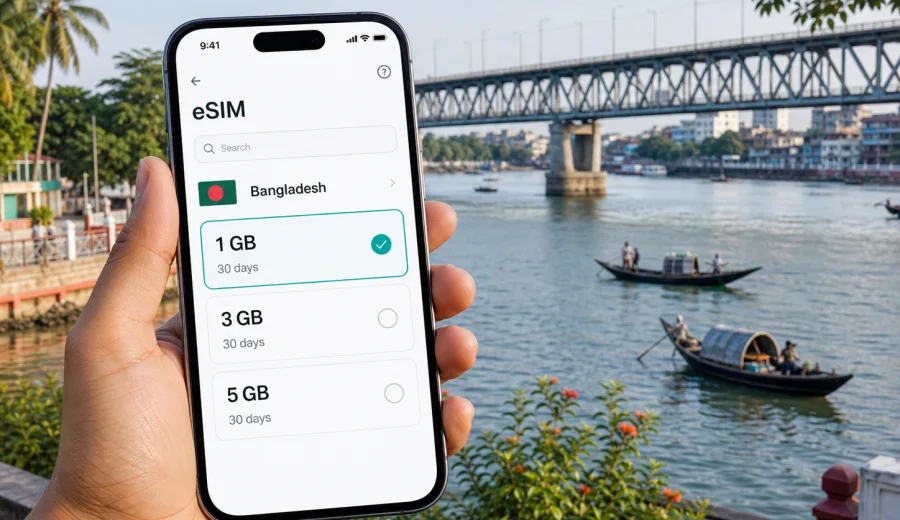
Khulna eSIM: mobile connection and internet for a smoother city trip
Khulna is a river city, a business hub in southwestern Bangladesh, and a gateway for routes toward Bagerhat, Mongla, and the Sundarbans region. For visitors, mobile internet is useful from the first hour: it helps with hotel addresses, river-area routes, station transfers, driver coordination, weather checks, and messages when plans change.
An eSIM can make that preparation simpler if your device supports it. You can choose a data plan before the trip or shortly after you land in Bangladesh, install the eSIM profile on your phone, and use mobile data for maps, messages, translation, ride coordination, and work apps. This guide stays focused on Khulna: arrival, hotels, districts, transport, business visits, stopovers, and trips from the city.
Why mobile internet matters in Khulna
Khulna is not a city where every route feels obvious on a first visit. The main roads, river edges, station areas, markets, and hotel districts become clearer after a day, but the first few hours are easier if your phone is already ready for data.
Mobile internet is especially useful for:
- opening your hotel booking and address;
- sharing your live location with a driver or host;
- checking routes between station areas, bus terminals, hotels, and the riverfront;
- coordinating meetings in Sonadanga, Shibbari, Khalishpur, or Daulatpur;
- checking weather before river trips or a Sundarbans transfer.
Khulna travel often includes small timing decisions. A short ride can become longer near markets, junctions, or bridge approaches. With mobile data prepared, you can adjust without depending on hotel Wi-Fi or a cafe connection.
eSIM basics for a trip to Khulna
An eSIM is a digital SIM profile installed on a compatible phone or tablet. For travel, it is mainly useful as a mobile data option: you choose a plan for the destination, install the eSIM, and use it for internet access while abroad. It usually does not include a separate local phone number, voice calls, or SMS unless the selected plan says otherwise.
Kaspersky eSIM Store is an app and website where you can choose, arrange, and activate an eSIM with a suitable data plan for mobile internet in an international trip. Network conditions, data allowance, validity period, and supported destination depend on the selected plan.
Before you rely on eSIM in Khulna, check three things:
1. Your phone or tablet supports eSIM.
2. The device is not locked by a carrier.
3. The selected plan covers Bangladesh and matches your expected data use.
If your trip includes Dhaka, Khulna, and the Sundarbans area, choose based on Bangladesh as the destination because the plan applies to the country or region shown in its conditions.
Arrival scenarios: where eSIM helps first
Many visitors reach Khulna through Dhaka, Jashore, or another regional route. Whether you arrive by train, intercity bus, or car, the first need is the same: get from the arrival point to the correct address without confusion.
| Arrival situation | Data task | Khulna note |
|---|---|---|
| Train arrival | hotel route and pickup messages | Share your exact location before moving away |
| Intercity bus arrival | map check and route comparison | Drop-off points may differ by operator |
| Car transfer from Jashore | navigation and delay updates | Keep your hotel informed if the road takes longer |
| Business pickup | live location and contact details | Send a location pin before the driver arrives |
| Sundarbans transfer | weather and operator messages | Confirm the meeting point before leaving the hotel |
For the first day, keep data use simple: save the hotel address, screenshot the booking, keep contact numbers offline, and use live navigation only when needed.
Districts and movement inside the city
Khulna is spread across practical zones rather than a single tourist center. Sonadanga is useful for hotels, bus connections, offices, and general movement. Shibbari is a common reference point for central navigation. Khalishpur and Daulatpur are relevant for industrial, educational, and business visits. The riverfront and Rupsha Bridge area matter for onward road travel, short walks, and routes toward the southeast.
Local directions may use landmarks instead of formal addresses: a market, bridge, hospital, university, ferry point, or road junction. With mobile data, you can compare the landmark with your map, confirm the route, and send a pin back to the person you are meeting.
How much data to plan for Khulna
Data needs vary by travel style. A short business trip with hotel Wi-Fi may need less data than a city stay with navigation, video calls, and river excursions. Look at data volume, validity period, and the number of days away from reliable Wi-Fi.
| Traveler profile | Typical mobile data tasks | Planning approach |
|---|---|---|
| One-night stopover | maps, messages, ride coordination, hotel booking | A smaller data plan may be enough if you use Wi-Fi at the hotel |
| Business visitor | email, calendars, document previews, messaging calls | Choose enough data for work tasks between meetings |
| Sundarbans traveler | operator messages, maps, weather, photos backup when available | Keep data for coordination before and after remote sections |
| Family visitor | messaging, navigation, local recommendations | Choose a plan that covers the whole stay, not just arrival |
| Digital-heavy traveler | video calls, hotspot use, cloud sync | Pick a larger allowance and manage background app use |
Maps and messaging are usually light. Video calls, cloud backups, social media video, and hotspot use can consume data quickly. If you plan to use a phone hotspot during a Khulna work trip, check whether tethering is allowed under the selected plan conditions.
When to set up your eSIM
You can prepare most of the eSIM process before you reach Khulna, especially if your journey includes a long transfer, late arrival, or tight business schedule.
Set up before travel if:
- you want mobile data ready soon after arrival;
- your first day includes a meeting, pickup, or onward transfer;
- you want time to check device compatibility without pressure.
Set up after arrival if:
- you need to confirm final travel dates;
- you want to use airport or hotel Wi-Fi for installation.
Plan validity and activation rules can differ, so read the selected plan details before installing or activating.
Around the middle of your planning, after you know the length of your stay and the routes you will use, it is a good moment to choose a mobile internet option for Bangladesh and compare data volume, validity period, and destination coverage for your Khulna trip.
Device compatibility before you pay
Not every phone supports eSIM, and some devices may be locked by a carrier. This check matters more than the city you visit. A good data plan will not help if the device cannot install or use an eSIM profile.
Before choosing a plan, check your device. Also check your phone settings and, if needed, the seller or carrier information for the device model. Some models vary by region, and a phone that looks identical to another model may have different eSIM support.
Minimum preparation:
1. Confirm that your device supports eSIM.
2. Confirm that the device is not carrier-locked.
3. Update the operating system if an update is required for eSIM setup.
4. Keep access to Wi-Fi during installation.
5. Make sure you can receive email or open your Kaspersky eSIM Store profile to access setup details.
If you carry two phones, install the eSIM on the device you will actually use for navigation and messaging in Khulna. An eSIM profile generally should be treated as device-specific once installed, unless the conditions of the plan say otherwise.
Installing eSIM for a Khulna trip
The exact screens differ by device, but the practical flow is usually simple: choose the plan, open the setup details, add the eSIM profile, select it for mobile data, and wait for the connection process to complete. Keep a stable Wi-Fi connection available during installation.
For step-by-step setup, use the Android installation guide or the iOS installation guide. Follow the instructions for your device rather than guessing from another model.
Basic installation sequence:
1. Open your eSIM details in Kaspersky eSIM Store.
2. Add the eSIM profile on your phone using the shown method.
3. Name the eSIM line clearly, for example Travel Data.
4. Select the eSIM line for mobile data when you are ready to use it.
5. Keep your main SIM available for calls if you still need your regular number.
6. Wait a few minutes if the connection does not appear immediately.
7. If required by your device, enable data roaming for the eSIM line.
Do not remove the eSIM profile unless you are sure you no longer need it. Reinstallation may not be available for every plan or profile, and the conditions can differ.
Khulna use cases: practical examples
For a short business visit, mobile data helps with calendar updates, messaging calls, route checks, and delay notices between Sonadanga, Shibbari, Khalishpur, or Daulatpur. For a Sundarbans gateway trip, it is most useful before and after remote sections: confirming the operator, departure point, weather, and hotel return. For a city stopover between Dhaka, Jashore, Mongla, or Bagerhat, the main value is reducing friction around hotel routes, food options, onward transport, and quick messages.
Transport, hotels, and Wi-Fi
Khulna transport is a mix of rickshaws, buses, trains, arranged cars, and local rides. River geography also shapes travel time, especially near bridge approaches or routes toward the waterfront. Use mobile data to confirm the route, share a location pin, check whether a destination is on the same side of a river or bridge, and save the return route before leaving a meeting.
Hotel Wi-Fi is useful for heavy tasks such as laptop updates, cloud backups, long video calls, and large photo uploads. eSIM mobile data is better reserved for moments between Wi-Fi points: maps, urgent email, translation, pickup coordination, booking confirmations, and quick searches while you are away from the hotel.
Preparing your phone before you leave for Khulna
A little setup before departure prevents most avoidable problems.
Pre-trip checklist:
- Check eSIM compatibility and carrier lock status.
- Choose a plan that covers Bangladesh and fits your stay length.
- Save the hotel address, booking, and contact details offline.
- Keep screenshots of your eSIM setup details in a secure place.
- Download an offline map area for Khulna as backup.
- Turn off automatic cloud backups on mobile data if your allowance is limited.
- Set messaging apps to reduce media auto-downloads.
- Pack a power bank for long transfer days.
- Keep your primary SIM active if you need bank SMS or regular calls.
For business trips, add one more step: test your critical work apps on mobile data before you leave the hotel. Email, calendar, messenger, document access, and authentication apps should all be ready before you are in a car on the way to a meeting.
Common mistakes to avoid
Avoid buying a plan before checking eSIM support, choosing too little data for hotspot or video-call use, installing the profile on the wrong device, deleting the eSIM profile after installation, assuming calls or SMS are included, or leaving mobile data assigned to the wrong SIM line. If something does not work, confirm that the eSIM line is installed, selected for mobile data, and allowed to use data roaming if the setup instructions require it.
FAQ
Is eSIM useful for Khulna specifically?
Yes. It is useful because Khulna travel often involves station transfers, local rides, river-area navigation, business districts, and onward routes to Bagerhat, Mongla, or Sundarbans departure points. Mobile data helps you coordinate those steps in real time.
Does an eSIM plan include a phone number?
Usually no. Travel eSIM plans are commonly focused on mobile data. Regular voice calls and SMS are not included unless the selected plan conditions say otherwise. For calls and messages, you can use internet-based apps.
Should I install the eSIM before reaching Bangladesh?
Often yes, especially if you have a late arrival, a tight transfer, or a meeting soon after arrival. Read the activation and validity rules of the selected plan so you understand when usage begins.
What if I travel from Khulna to another part of Bangladesh?
Choose based on Bangladesh as the destination and check that the plan conditions fit your route. The same planning logic applies if your itinerary includes Dhaka, Jashore, Bagerhat, Mongla, or other places in the country.
Choose an eSIM plan for your Khulna trip
Khulna is easier to manage when your phone is ready for the small decisions that shape the day: the first route from the station, a pickup near the hotel, a message from a guide, a meeting time change, or a weather check before a river-related trip. An eSIM can help you prepare mobile internet for those moments without looking for a physical SIM card after arrival.
Before you travel, check your device, review the plan conditions, and choose data volume and validity based on your real itinerary. If Khulna is part of your Bangladesh route, you can prepare an eSIM plan for Bangladesh through Kaspersky eSIM Store and keep your mobile internet setup ready for the city, the transfer, and the next leg of the journey.