Travel connectivity guide
Kilkenny eSIM: Mobile Internet for Your Trip
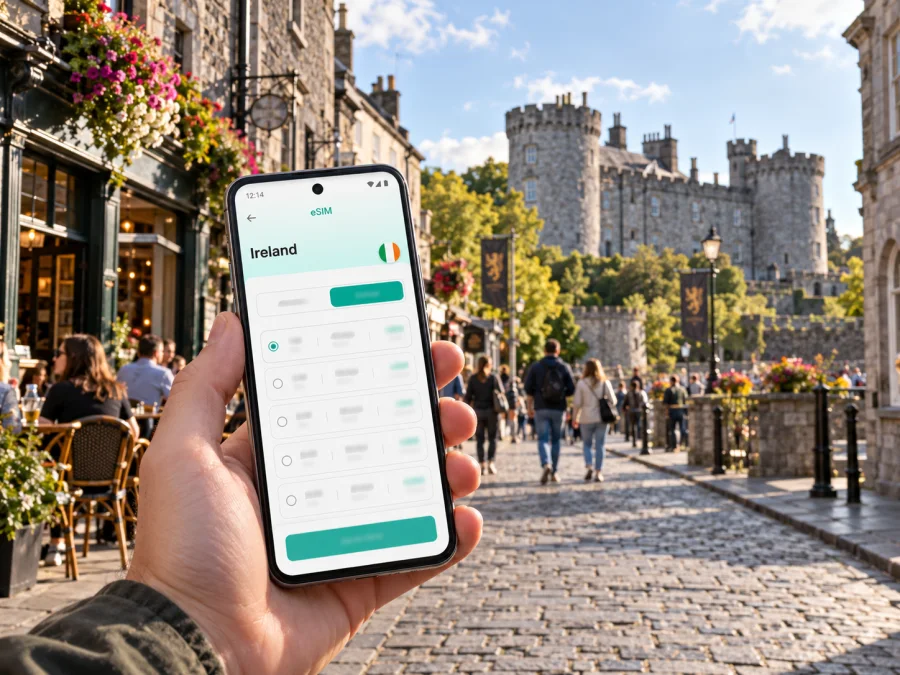
Kilkenny eSIM: plan your mobile connection and internet
Kilkenny rewards an unhurried visit. Its compact historic centre makes it easy to combine a castle, medieval lanes, cafés and independent shops on foot, while a train station and local buses help with the arrival and the longer hops. A working mobile data connection can make those transitions smoother: check a live departure, find a hotel entrance, share a meeting point or look up the next stop without having to plan every detail around Wi-Fi.
This guide focuses on using mobile internet in Kilkenny and preparing for a visit. It covers arrival, city movement, common sightseeing days, device checks and the practical limits to keep in mind when choosing an eSIM for Ireland.
First, place Kilkenny on the map
Kilkenny is a city in County Kilkenny, in the Republic of Ireland. It is inland, in the south-east of the country, and is distinct from Northern Ireland, which is part of the United Kingdom. That distinction matters when you choose a country plan: a plan labelled for Ireland should be checked against its own destination list and terms before you travel onward across the island. Do not assume that a plan for the Republic includes Northern Ireland, or that a regional plan covers every stop on a multi-country itinerary.
Kilkenny’s best-known central sights sit close enough to form a natural walking route. Kilkenny Castle stands beside The Parade and the River Nore; the Medieval Mile leads through the old centre toward St Canice’s Cathedral and its round tower. The streets between them are part of the experience, not merely a transfer between attractions. Navigation is useful for locating a small hotel, finding a side entrance or checking how far a restaurant is from your next stop, but a saved map is still valuable if data becomes patchy indoors or your battery runs low.
Think of the city in practical layers:
- The Parade and the Castle area: a useful landmark for orientation, meeting people and beginning a walk.
- The central lanes and Medieval Mile: historic streets, visitor stops, cafés and shops where you may make several short turns rather than follow one broad road.
- The station side of the centre: relevant when arriving by rail or heading back with luggage.
- The Nore and bridges: useful reference points for a riverside stroll and for confirming which side of the centre you are on.
- Outlying accommodation or appointments: a reason to check bus or taxi options instead of assuming every trip is a short walk.
Arriving in Kilkenny and getting oriented
Kilkenny does not have a major international airport in the city. Many overseas visitors first land elsewhere in Ireland and continue by rail, coach, rental car or a combination of services. If your itinerary starts at Dublin Airport, leave room for the airport-to-city transfer before the onward journey; the train for Kilkenny departs from Dublin Heuston, not from the airport terminal. Check the full connection and current timetable on the day you travel, because a flight arrival time is not the same as a realistic train departure time.
Iarnród Éireann lists Kilkenny’s rail station as Kilkenny (MacDonagh). It is on the Dublin Heuston–Waterford route. From the station, use a map to check the walk to your accommodation and decide whether your bags make a taxi more practical. The station’s own information is a useful starting point for onward-journey planning, but train platforms, departure times and connections can change; verify them before setting out.
If you arrive by coach or car, save the accommodation address and Eircode, if provided, before leaving a reliable connection. A street name alone may not make a hotel entrance obvious in the older centre, particularly when several lanes meet. A downloaded map, booking confirmation and the property’s check-in instructions give you alternatives if you need to switch between mobile data and Wi-Fi.
A simple arrival checklist
- Save the accommodation name, address and check-in details offline.
- Check whether you are arriving at MacDonagh station, a coach stop or another drop-off point.
- Keep the next leg visible in your journey planner, including the station or stop name.
- Confirm that mobile data is enabled for the travel eSIM only when you intend to use it.
- Keep your regular SIM settings available if you still need calls or texts on your usual number.
Moving around: walking, buses and rail
The centre is often easiest to explore on foot. Distances may look short, but a visit to the Castle, a museum, a cathedral and lunch can involve a lot of small route choices. Mobile maps are especially useful for locating the entrance you want, checking a pedestrian crossing or re-routing around a temporary closure. Download the city area in advance if your map app supports offline use; GPS positioning can still help you orient yourself, though live search and traffic details need a data connection.
Kilkenny has local city bus services KK1 and KK2, operated by City Direct. Transport for Ireland lists KK1 between Danville Business Park and Glenbawn, and KK2 between Cillín Hill and St Luke’s Hospital. These routes may be useful if your accommodation or destination is outside the compact historic core. Stops, frequency, fares and operating arrangements are service information that can change, so check the latest timetable and journey planner rather than relying on a static screenshot from an earlier trip.
| Journey situation | A practical way to plan |
|---|---|
| Castle to central cafés or shops | Walk, using the map for lanes and entrances rather than expecting a direct main-road route. |
| Station to accommodation | Compare the walking route with a taxi option if you have luggage, limited mobility or a late arrival. |
| Centre to an outer neighbourhood | Check whether KK1 or KK2 serves the destination and confirm the return service before leaving. |
| Kilkenny to another Irish city | Compare rail and coach schedules for the actual date; allow time to reach the correct departure point. |
| A day trip beyond the city | Save the return plan and check where mobile coverage may be less predictable along the route. |
A route planner needs a connection for live departures, service alerts and updated routing. A ticket already saved on your phone, a written stop name and a screenshot of the return journey are helpful backups. When walking, look up directions before crossing a busy street and avoid trying to read the screen while moving through narrow or crowded lanes.
Choosing mobile data for a Kilkenny trip
The useful amount of data depends on what you do, not on the city itself. Messaging, maps and occasional searches usually use less than frequent video calls, cloud photo uploads or streaming. Hotel Wi-Fi can reduce mobile use, but it will not help when you are outside, travelling between towns or checking a departure on the way to the station.
Before choosing a plan, estimate how you will use your phone:
- Light use: maps, messaging, email and occasional web searches. Turn off automatic photo backups over mobile data.
- Regular travel use: frequent navigation, restaurant research, ride booking, social posts and some voice or video calls through apps.
- High use: hotspot sharing, remote work, video meetings, large uploads or streaming. Check the plan’s data allowance and any fair-use or speed conditions carefully.
A plan’s validity period should cover the whole time you expect to use it, including arrival and the last transfer day. Compare the destination, data allowance, validity and activation terms shown for the specific offer. If your trip goes beyond Kilkenny into other parts of Ireland—or crosses into Northern Ireland—check that each location is included. A country name in a page heading does not replace the plan’s own coverage and usage terms.
Once you know your dates and likely data use, you can compare eSIM options for a trip to Ireland in Kaspersky eSIM Store. The app and website help you select, arrange and activate an eSIM with a suitable plan for mobile internet abroad. Review the offer details before completing your choice; included destinations, validity and data conditions belong to the individual plan.
Coverage is local, and no map is a guarantee
Mobile service is provided through the operator network that supports the selected plan. Coverage and performance can vary with the operator, device, building materials, location, local demand and network conditions. ComReg, Ireland’s communications regulator, publishes an outdoor mobile coverage map based on provider predictions; its results are indicative, and the regulator notes that real experience can differ. In a historic centre, stone walls and indoor locations can affect reception even when an outdoor map indicates service nearby.
This is why it is sensible to prepare for short periods without a strong signal: keep essential addresses, tickets and directions available offline, and use venue Wi-Fi where appropriate. If you will work online, plan a backup such as a known Wi-Fi location and avoid assuming that a particular indoor room will provide a dependable mobile connection.
Device compatibility and regional versions
An eSIM-capable product name does not guarantee that every version of a phone supports eSIM. Availability can differ by the exact model number, hardware variant, country or region of sale, software configuration and carrier lock status. Two devices with the same marketing name may therefore have different eSIM support. Before purchase, check the exact model in the manufacturer’s documentation and confirm that the phone is unlocked for another mobile plan. Check whether your device supports eSIM.
Do not confuse those device variants with Ireland’s geography or operator market. Kilkenny is in the Republic of Ireland; Northern Ireland is a separate territory and network market. Also, an eSIM plan’s use of a local partner network does not mean Kaspersky eSIM Store is that network operator. The plan details specify where the eSIM can be used and under what conditions.
If your phone has two SIM profiles, decide which line should handle mobile data and which should remain available for your usual number. Labels such as “Travel” and “Primary” can help prevent accidental selection. Keep data roaming settings aligned with the instructions for the specific eSIM plan, and do not disable your main SIM until you have considered whether you need it for account verification, calls or texts. The exact menus vary by phone model and operating system.
Install and activate before the trip
When possible, set up the eSIM while you have stable Wi-Fi and enough time to follow the instructions. Installation and activation are separate steps on some plans: an eSIM may be installed before departure but start its validity only when it first connects to a supported network, while other plans may define a different trigger. Read the specific plan instructions so you know when the validity period begins. Do not delete an eSIM profile during troubleshooting unless its instructions tell you to; some profiles may not be reusable after removal.
A general preparation sequence:
- Check eSIM compatibility and confirm that the phone is not locked to another carrier.
- Review the selected plan’s destinations, data amount, validity and activation instructions.
- Install the profile using the instructions for your device: Android eSIM installation guide or iPhone eSIM installation guide.
- Keep the installation confirmation and any support details accessible without relying on the new connection.
- On arrival, select the travel eSIM for mobile data and follow the plan’s stated activation steps.
- Open a lightweight webpage or map to confirm data works before you depend on it for a connection.
If you prefer to install after landing, first make sure you can access the purchase or installation instructions over airport Wi-Fi and that the phone can scan a QR code shown on another screen. Do not expect a QR code displayed on the phone itself to scan into that same phone; use the manual installation method if the plan and device support it.
Keep data use predictable
Kilkenny is a good place for phone-light sightseeing: save a walking route, then put the screen away and enjoy the streets. Small settings changes can help preserve data and battery without disrupting essential navigation.
- Set photo and video backup to Wi-Fi only.
- Download maps, podcasts or travel documents before leaving your accommodation.
- Use standard rather than high-definition video when a call must use mobile data.
- Close apps that refresh content in the background if you are close to your allowance.
- Carry a power bank on a full walking day; navigation and photography can drain a battery faster than expected.
- Use trusted Wi-Fi for large uploads, but avoid entering sensitive account details on networks you do not trust.
For remote work, test the practical setup early. Check whether the hotel’s Wi-Fi is suitable for calls, whether your plan permits hotspot use, and whether your eSIM’s data allowance can support the workday. Do not wait until an important meeting to discover that a device setting is preventing tethering or that a video call consumes more data than anticipated.
Sample plans for different visits
One night in the city. Save a map and your accommodation details, use mobile data for arrival and a few route checks, then rely on hotel Wi-Fi for heavier browsing if appropriate. A smaller data allowance may be enough, depending on your habits.
A long weekend with day trips. Navigation and timetable checks may continue outside the centre. Compare the plan’s validity with the whole itinerary and confirm the destinations for every leg. Keep the return schedule saved before leaving Kilkenny.
A work visit. Treat mobile data as a backup or travel connection, and verify hotspot conditions and data limits before depending on it. Save meeting addresses and joining details offline; use a stable connection for large files and video calls when available.
A stopover between Dublin and the south-east. Make the transfer sequence the priority: airport or city transfer, Heuston departure, arrival at MacDonagh and onward travel to your accommodation. A current timetable and offline copy of the last-mile address are often more useful than keeping a map open continuously.
When something does not connect
If data is unavailable after arrival, work through a few checks in order:
- Confirm that the eSIM profile is installed and enabled.
- Check that the travel eSIM is selected for mobile data.
- Follow the plan’s instructions on data roaming and network selection.
- Toggle airplane mode briefly, then allow the phone to reconnect.
- Move outdoors or closer to a window and try a simple webpage again.
- Restart the phone if the plan instructions recommend it, and check that the selected network is supported by the plan.
- Use Wi-Fi to consult the plan’s troubleshooting steps or support channel if service still does not work.
A weak signal in one room does not by itself mean the eSIM is faulty. Test in another location, especially if walls are thick or the street is crowded. If the problem is tied to a specific account service that requires an SMS, remember that a data-focused travel eSIM may not provide a separate local phone number or SMS service; keep your regular SIM available if you need incoming verification messages.
Kilkenny mobile internet: quick answers
Is Kilkenny in Ireland or Northern Ireland?
Kilkenny is in the Republic of Ireland. Northern Ireland is part of the United Kingdom. Check a plan’s destination list before crossing between them.
Can I explore central Kilkenny without a car?
Many central sights can be visited on foot, and the city has local KK1 and KK2 bus services for some journeys beyond the core. Check current routes and times for your specific destination.
Which train station should I use?
The city station is listed as Kilkenny (MacDonagh). It is served on the Dublin Heuston–Waterford route. Verify the day’s timetable and onward connections before travelling.
Will one Irish eSIM work in every building?
No plan can promise reception in every place. Signal quality varies by network, building, device and local conditions. Keep key information available offline.
Does an eSIM work on every phone sold under the same model name?
Not necessarily. Regional and hardware variants can differ, and a carrier lock can prevent use. Check the exact model and device status before choosing a plan.
Does a travel eSIM replace my regular number?
A data-focused eSIM may not include ordinary calls, SMS or a separate phone number unless the individual plan explicitly says so. You can keep your usual line enabled for calls or verification, while setting the travel eSIM as the data line.
Make your connection part of the plan
A little preparation makes Kilkenny easier to navigate: save the address, check the MacDonagh arrival and any onward bus, download what you need, and choose data for the way you actually use your phone. Compare the destination, allowance, validity and activation terms before you travel, then install the eSIM on a compatible, unlocked device while you have time to check the settings.
Use Kaspersky eSIM Store on the app or website to choose and arrange an eSIM plan for mobile internet abroad. Choose an eSIM plan for your Ireland trip, review its terms, and follow the device-specific installation steps before relying on it in Kilkenny.


