Travel connectivity guide
Killarney eSIM: Mobile Internet in Ireland
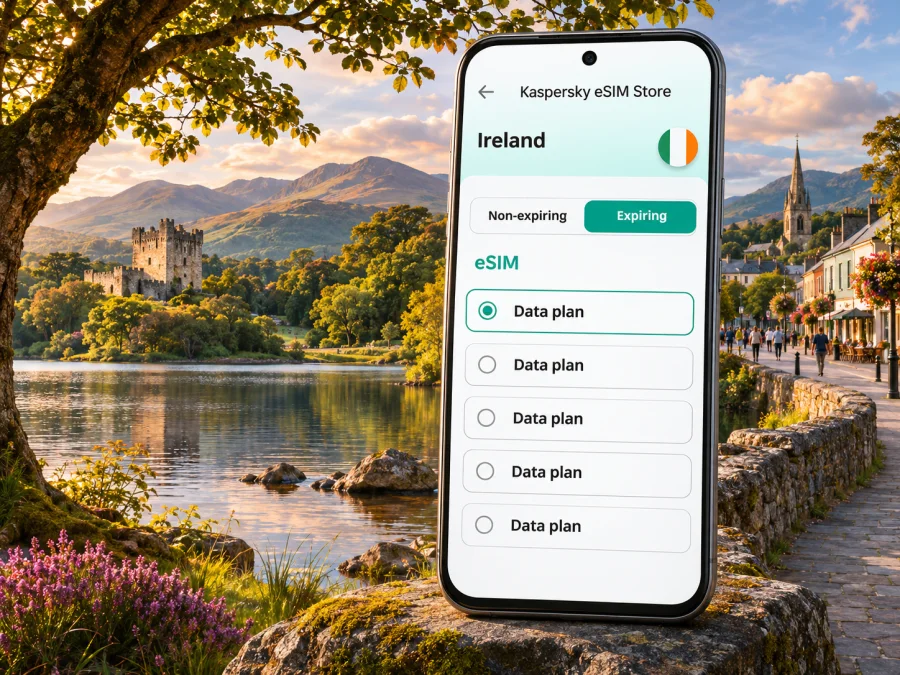
Killarney eSIM: mobile connection and internet for your Ireland trip
Killarney is a town in County Kerry in southwest Ireland, where a compact centre sits beside the lakes, woods and historic sites of Killarney National Park. A phone can be useful here for more than checking messages: you may use it to find your accommodation, follow a walking route, look up transport changes, coordinate a pickup or keep a map available while you explore beyond the town.
A travel eSIM can provide mobile data without swapping a physical SIM card, provided your device supports eSIM and is unlocked for another provider. It is a data connection, not a promise of service at every trail, shore or rural road. Plan for areas where signal may be limited, download essential maps before setting out and check the terms of the selected plan before you buy.
Why mobile data helps in Killarney
The town centre is walkable for many visitors, and Killarney National Park begins close to it. A short visit may combine cafés and shops in town with a longer walk, a trip to a heritage site or onward travel around County Kerry. Those activities create different connection needs:
- Arrival: locate your hotel, check a bus or train departure and message a host if your arrival time changes.
- Getting around town: use a map to navigate between the station, accommodation, restaurants and park entrances.
- A park day: check trail information, keep a route handy and coordinate with companions. Mobile coverage can vary with terrain and distance from built-up areas.
- A wider Kerry itinerary: check connections and meeting points before leaving Killarney, where transport choices can be less frequent than in a large city.
- A work trip: use data for messages, maps and cloud access, while keeping an offline copy of meeting details in case a connection drops.
Where Killarney is, and what to expect from the landscape
Killarney is a town, not a city, in County Kerry. Killarney National Park lies beside the town and includes lakes, woodland and heritage locations such as Muckross House and Gardens, Ross Castle, Muckross Abbey and Torc Waterfall. The park is unusually close to town life: you can go from central streets to a lakeside or woodland setting without treating the visit as a long-distance expedition.
That proximity can make the map look deceptively simple. Individual sites are spread out, routes may combine town streets with park paths, and a straight-line distance does not tell you how long a walk will take. The National Park’s visitor information describes the walk from Killarney town to Muckross House as around 6 km. Check your chosen route and current conditions before setting out, and do not assume that every attraction is a quick stroll from the centre.
The landscape also affects how you should plan connectivity. A mobile map is handy for finding a trail entrance or returning to town, but trees, slopes, weather and distance from roads can affect reception. Keep your route downloaded, carry enough battery for navigation, and agree on a meeting point if your group separates.
Arrival: airport, train and first connection
Kerry Airport is the nearest airport for many Killarney itineraries. The airport’s current transport information lists direct bus services from the terminal to Killarney, Tralee and Limerick; it also identifies Farranfore as the nearest railway station, about 1.4 km away. Services and timetables can change, so check the latest journey details for your travel date rather than relying on an old screenshot or a remembered departure time.
Killarney railway station is on the Dublin Heuston–Tralee route. The station information lists a ticket machine, toilets, a shop and lifts to platforms 1 and 2. If you are continuing by bus, taxi or local transport, confirm the onward connection before you arrive, especially when a train is delayed or you are travelling late in the day.
For an airport arrival, this short checklist helps:
- Save your accommodation name, full address and check-in instructions offline.
- Check whether your bus runs at the time you land and where it stops in Killarney.
- If you will rely on a taxi, keep the destination written down as well as saved on a map.
- Set up your travel eSIM before departure if possible, while you have reliable Wi-Fi. If activation is intended for arrival, follow the plan instructions.
- Keep your home line settings clear so that calls or texts to your regular number behave as you expect.
A travel eSIM is most useful when it is ready before you need a map or a message. However, an installation may require internet access and the exact activation timing depends on the plan. Read the plan’s activation and validity details before installing or turning on data.
Plan your data for town, park and day trips
The right amount of mobile data depends on what you do, not simply how long you stay. A visitor who mostly checks messages and directions uses a different pattern from someone who uploads video, joins work calls or streams on the move. Wi-Fi at accommodation and cafés may reduce mobile use, but it is sensible to have mobile data available for the gaps between them.
| Travel pattern | Likely data use | A practical preparation |
|---|---|---|
| One overnight in town | Maps, messages, transport checks | Download a town map and keep bookings offline |
| Several days with park walks | Navigation, forecasts, photos and coordination | Download trail information; carry a power bank |
| Remote work between outings | Email, documents, occasional calls | Check hotspot rules and data allowance in the chosen plan |
| Road trip based in Killarney | Maps, parking, itinerary updates | Save key stops and routes before driving |
| Group trip | Messaging and meeting-point coordination | Agree on a meeting point in case anyone loses signal |
Treat this as a planning guide, not a data allowance estimate. If you plan to tether a laptop, upload large files or stream, read the plan’s specific fair-use and hotspot terms. Turn off automatic app updates and cloud photo uploads over mobile data if you want to limit background usage. Downloading offline maps and playlists on Wi-Fi can make a meaningful difference.
Before selecting an Ireland plan, compare the data amount, validity period, included destinations and any restrictions shown for that exact plan. The Kaspersky eSIM Store website and app let you choose, order and activate a travel eSIM plan for mobile data abroad. Browse the current eSIM options for Ireland and review the displayed terms; availability, pricing and plan details can change.
Killarney National Park: use maps with a backup plan
The park has multiple entry points and visitor locations, so choose a clear destination rather than searching only for “the park” once you are already moving. Killarney House and Gardens, Muckross House, Ross Castle and Torc Waterfall are distinct places. The visitor centre at Killarney House and Gardens is a useful starting point for park information, and official park guidance recommends checking weather and bringing what you need for the outing.
For a half-day visit, select one area and leave room for pauses. For example, you might start in town and head to Killarney House, or plan transport to Muckross and spend time around its house, gardens and nearby paths. If you want to visit several locations, check the distances and transport between them first. Private bus services and other visitor transport may operate to some sites, but availability can vary by season and provider.
Getting around Killarney town
Within the centre, walking is often a straightforward way to get between shops, restaurants, accommodation and transport points. For destinations farther apart, review the options for your exact journey. Transport for Ireland currently lists TFI Anseo, an app-based demand-responsive bus service operating in the Killarney town area. It is booked on demand within the service area, so check the app’s current coverage, availability, operating hours and payment requirements before you count on it.
This service is not a substitute for checking the route and timing of a particular trip. If you have a fixed tour departure, a train to catch or a mobility requirement, plan a buffer and confirm the transport option directly. Taxi and private visitor services may also be useful, but confirm the pickup point and fare arrangement with the provider.
Staying connected beyond the centre
Killarney is a convenient base for exploring more of County Kerry, but coverage and transport should be considered separately. The Ring of Kerry and other scenic routes pass through places where reception may be inconsistent. Mobile data may work well in one village and become patchy on a nearby stretch of road; no plan can guarantee signal in every location because coverage depends on local networks, terrain and the specific service arrangement.
For a route involving several Irish destinations, make sure the selected plan covers Ireland for the full journey and remains valid for the dates you need. If you cross a border into Northern Ireland, check the selected plan’s listed coverage and roaming conditions separately; do not assume that a Republic of Ireland plan automatically includes every destination on a cross-border itinerary.
Check device compatibility before choosing a plan
Not every phone or regional model supports eSIM. Support can vary by exact model, country of purchase, carrier lock and software version. Verify the manufacturer’s specifications for your precise device variant, and ask your original carrier whether the phone is unlocked. The setting names below are common examples and can differ between brands.
On many iPhones, you can look in Settings for an option to add an eSIM or mobile plan. On Android, search Settings for “SIM manager,” “Add eSIM” or a similar mobile network option. Seeing an eSIM menu is useful, but the menu alone may not confirm that the device is unlocked or compatible with a particular plan. Check whether your device supports eSIM before completing your purchase.
Keep the distinction between device support and plan coverage in mind: compatibility means the phone can install an eSIM profile; it does not promise reception at every Killarney location. If your handset does not support eSIM, you can compare roaming through your home provider or ask about a physical SIM option from a local mobile provider. Check prices and terms directly before deciding.
Install and activate an eSIM for the trip
Set up the eSIM while you have stable Wi-Fi and enough time to follow the instructions. Some plans can be installed before departure and activate under a stated condition; others may start their validity at installation or first connection. The plan details are decisive, so do not assume all eSIMs begin counting days at the same moment.
A simple preparation sequence is:
- Confirm that your phone is compatible, unlocked and updated.
- Select the Ireland destination and check the plan’s data amount, validity, coverage and activation rules.
- Install the eSIM using the method supplied with your order, such as an in-app flow or QR code, without deleting the profile afterward.
- Label the new line “Ireland” or “Travel” so it is easy to identify alongside your home SIM.
- When appropriate for the plan, select the travel eSIM for mobile data and check whether data roaming must be enabled for that line.
- Keep the home SIM’s voice and data settings as intended; check your home carrier’s roaming charges before leaving its data enabled abroad.
- Once connected, open a basic webpage or messaging app to confirm data access. If it does not work, check the plan instructions and network settings before reinstalling or deleting anything.
For platform-specific steps, use the Android eSIM installation guide or the iOS eSIM installation guide. Menu labels can change with operating system versions, so follow the instructions shown for your device. Do not remove an active eSIM profile unless the provider’s support instructions tell you to do so; some profiles cannot be installed again after deletion.
Troubleshooting when mobile data does not connect
If your phone shows no data service, work through basic checks one at a time. In Killarney, a temporary coverage gap may be the explanation, especially away from the centre or inside a building. Move to a more open location before changing several settings.
- Check that the travel eSIM line is enabled and selected for mobile data.
- Confirm that the plan is active, valid for Ireland and has data remaining.
- Review the plan’s instructions for data roaming and network selection.
- Turn Airplane Mode on briefly, then off, or restart the phone if the connection remains stuck.
- Check whether the phone has a carrier lock or an operating-system update that prevents setup.
- Connect to trusted Wi-Fi for booking details or assistance if mobile service is unavailable.
If these steps do not resolve the issue, contact the relevant support channel with the exact error message, phone model and plan information. Avoid sharing passwords or one-time security codes. Keep your accommodation address and return transport details available offline so a temporary outage does not derail your plans.
Quick checklist before leaving for Killarney
Device and plan
- [ ] Confirm eSIM support for your exact phone model and region.
- [ ] Check the phone is unlocked for another provider.
- [ ] Compare the plan’s data, validity dates, Ireland coverage and activation rules.
- [ ] Install the eSIM over stable Wi-Fi and save the setup instructions.
Arrival and navigation
- [ ] Save accommodation and transport details for offline access.
- [ ] Check the latest Kerry Airport, bus or rail timetable for your arrival date.
- [ ] Download maps for Killarney town, your planned park areas and day-trip stops.
- [ ] Carry a charger or power bank if you will navigate for several hours.
In the park and on day trips
- [ ] Check current notices, weather and opening arrangements for specific sites.
- [ ] Share your route or meeting point with your group.
- [ ] Expect mobile reception to vary away from the town centre.
- [ ] Keep to paths and carry water and weather-appropriate clothing.
Common questions about eSIM and internet in Killarney
Is Killarney a city?
Killarney is a town in County Kerry, in southwest Ireland. The article focuses on the town and its nearby park, transport and trip-planning needs.
Will an Ireland eSIM work everywhere in Killarney National Park?
No provider can guarantee reception at every point. Signal depends on the local network, terrain, buildings and the particular plan. Keep maps and important details available offline, particularly before you leave the town or main roads.
Can I use an eSIM for calls and text messages?
A travel data eSIM generally provides mobile data rather than a regular phone number. Check the exact plan terms. Internet calling and messaging apps can work over data, while ordinary calls and SMS may continue through your home line if its settings and roaming conditions allow.
Should I install the eSIM before I arrive?
Often it is convenient to install before travel while you have Wi-Fi, but activation timing varies by plan. Read the validity and activation instructions carefully. If the plan starts on installation, installing too early could use part of its validity; if it starts on first connection, the rules may differ.
What if I only have a short stop in Killarney?
Download your map, booking details and onward transport information before the stop. A small data plan may be enough for occasional messages and directions, but choose based on your expected use and the listed validity rather than the length of the stop alone.
Can I rely on free Wi-Fi instead?
Wi-Fi can be useful at accommodation, cafés or transport points, but access and quality vary. It may not be available while walking between sites or travelling through the county. A travel eSIM offers a mobile-data option when a supported network is available; offline information remains a useful backup.
Choose a plan for your Ireland itinerary
Killarney combines a compact town centre with a broad landscape of lakes, park paths and heritage sites. Prepare for both: keep transport and maps available on your phone, download key information in advance and choose a data allowance that reflects how you will actually use your device. Check the plan’s coverage and activation terms, and verify eSIM support for your exact handset before purchase.
When you are ready, use the Ireland plan page to review the current options, then select and activate a suitable eSIM through the Kaspersky eSIM Store website or app. The plan page shows current details; review them before ordering and keep your setup instructions accessible during the trip.


