Travel connectivity guide
Kingston eSIM: Mobile Internet & Travel Guide
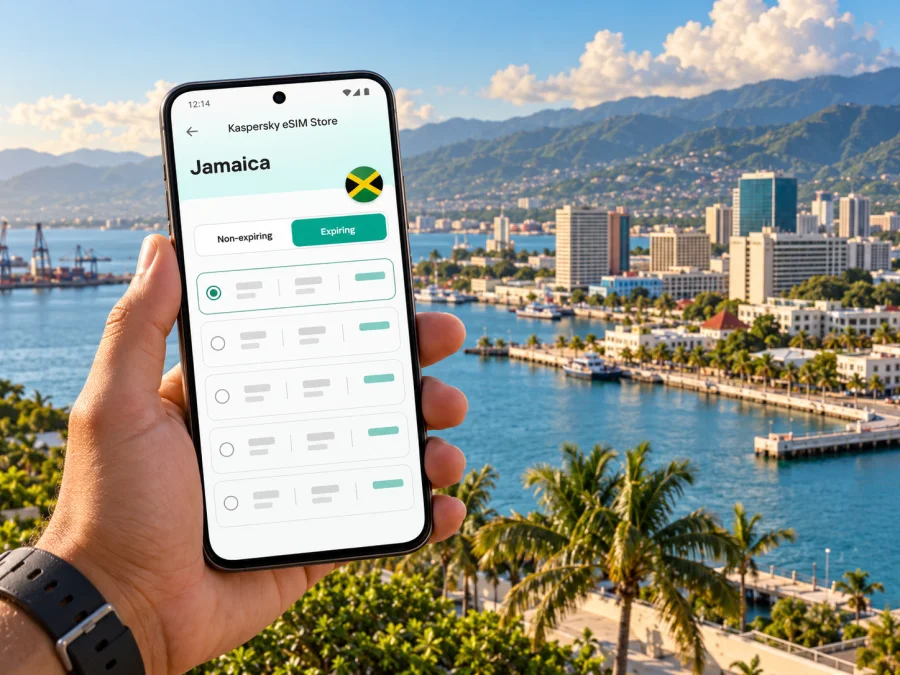
Kingston eSIM: Mobile Connection and Internet for Your Trip
Kingston is Jamaica’s capital, a working port city and a lively base for exploring the island’s south-east. Your first connection may be needed before you leave Norman Manley International Airport, then again while arranging a ride, checking an address in New Kingston, finding a museum downtown or coordinating a trip towards Port Royal. An eSIM can make mobile data easier to prepare for these moments, provided your phone supports it and the selected plan covers Jamaica.
This guide focuses on using mobile internet around Kingston: what to prepare before landing, how to choose a travel eSIM, which city journeys benefit from having maps and messages available, and what to do when data does not connect as expected. Jamaica is an island country in the Caribbean; Kingston is its capital on the south-eastern coast, around Kingston Harbour. It is not Montego Bay, and Jamaica is not part of the United States or a regional “US” roaming zone by default. Check the actual country list and network details attached to any plan you consider.
Why mobile data matters in Kingston
Kingston’s day-to-day geography makes a working map useful. Norman Manley International Airport sits along the Palisadoes peninsula, while Downtown, New Kingston and many visitor destinations are reached by road around the harbour and wider metropolitan area. Directions, a hotel’s exact pin, a driver’s message and a change to a meeting time are all easier to handle when you can get online without first locating a public Wi-Fi network.
The city also rewards flexible plans. A morning might begin with a meeting in New Kingston, continue with a gallery or lunch downtown, and end with a visit to Devon House or the Bob Marley Museum. Another itinerary may take you out to Port Royal or towards the Blue Mountains. The areas are distinct and travel time varies with route and traffic, so avoid relying on a single saved estimate. Keep the destination address, booking details and a backup route accessible offline as well.
An eSIM is a digital SIM profile installed on a compatible device. A travel data plan can support maps, search, email and internet-based messaging without replacing your physical SIM. Data-only plans generally do not include a Jamaican number, ordinary calls or SMS unless the terms say so.
Before choosing an eSIM for Kingston
Treat the plan’s country coverage as the first check. A city name may not appear as a separate destination: a plan for Jamaica is the relevant starting point for Kingston, but the terms still determine where it can connect and which local networks it can use. Do not infer that a Caribbean, North American or global plan includes Jamaica from its title alone. Open the plan details and look for Jamaica, data amount, validity, activation rules, supported network or networks, and any restrictions that matter to your itinerary.
Use this compact checklist before paying:
- Destination: Jamaica is explicitly included in the plan’s coverage list.
- Device: your exact phone model and regional variant support eSIM, and the device is not carrier-locked.
- Data: the allowance fits your expected use, including maps, ride coordination, messages and any work calls over apps.
- Validity: the plan’s validity period matches your travel dates and its start trigger is clear.
- Network: read the plan details for the local partner network or networks; city-level performance is not guaranteed at every address.
- Setup: know whether installation requires internet and whether activation should happen before departure or after arrival.
- Fallback: save your hotel address, airport transfer plan and essential booking references offline.
Navigation and messaging use less data than video calls, uploads, backups or streaming. Review background refresh and photo syncing before travel, download available offline maps, and use Wi-Fi for large files when practical.
Arrival at Norman Manley International Airport
Norman Manley International Airport (KIN) is Kingston’s main international gateway. Jamaica’s tourism board describes the airport as about 20 minutes from Downtown Kingston and about 30 minutes from the New Kingston business district; treat these as indicative journeys, not a promise for a particular time of day. The drive along Palisadoes gives you water views, but the airport’s position means you should confirm your onward ride rather than assuming a hotel is just around the corner.
The airport information lists taxi services, car rentals, currency exchange and tour operators in the Arrivals Ground Transportation Hall, along with Wi-Fi in the departure lounge and ticketing concourse. Availability and access conditions can change. If you plan to use Wi-Fi to message your accommodation, remember it may not be available at the exact point you need it, and airport Wi-Fi is not a substitute for mobile data during the journey into town.
A practical arrival sequence is:
- Install the eSIM before flying if the plan permits it; installation and activation may be different steps.
- Label your SIM lines in settings and keep the home SIM available if you need its number.
- After landing, select the travel eSIM for data when the plan is ready. Enable roaming on that line only if instructed.
- Check the connection before leaving the airport and keep ride details offline.
- Confirm your destination and pickup point with your driver or hotel.
If you plan to install after arrival, you will need a connection to download or activate the profile. Airport Wi-Fi may help, but access can take time; prepare instructions and QR details before departure. Do not delete an installed profile unless support advises it.
Kaspersky eSIM Store is an app and website where you can choose, arrange and activate an eSIM with a suitable travel data plan. It is not a Jamaican mobile network. The actual radio service comes from the local network named in the selected plan’s terms, and performance can change with location, indoor conditions, congestion, device bands and network availability. For a Jamaica trip, use the country page to review the options shown for that destination, then check each plan’s own conditions before choosing: explore eSIM plan options for Jamaica.
Getting around: where a connection helps
Kingston is spread across a metropolitan area, so a map pin and clear meeting point are useful. “Downtown,” “New Kingston,” “Half Way Tree,” “Papine” and “Port Royal” refer to different places, not interchangeable labels for the same central district. When someone shares an address, open it before setting off and check that the pin matches the written destination. Ask for a nearby landmark if an address is difficult to locate.
Jamaica Urban Transit Company (JUTC) is the official public bus service for the Kingston Metropolitan Transport Region. Its route information can change, so use current route and timetable information when planning a bus journey rather than relying on an old screenshot or a route number copied from a past trip. A mobile connection is useful for checking directions and coordinating a change, but you should also confirm the route, fare method and boarding point through current local information. A data plan does not include public transport fares.
For a taxi or pre-arranged transfer, connectivity can help you communicate an arrival time, verify the agreed pickup point and navigate to the accommodation. Confirm the ride arrangements and payment method directly with the service you choose. Keep the driver’s name, booking reference or hotel contact in a note that remains available offline in case mobile data drops during the drive.
| Kingston journey | Useful phone tasks | What to prepare offline |
|---|---|---|
| KIN airport to Downtown | Share arrival status, confirm pickup, follow the route | Hotel address, transfer booking, contact number |
| KIN airport to New Kingston | Check the business-district destination and arrival time | Meeting location, hotel details, calendar invitation |
| Downtown galleries and waterfront | Find entrances, opening details and nearby meeting points | Saved address and any pre-booked ticket |
| Half Way Tree or Papine | Check current public transport information and the correct stop | Route notes and a fallback ride plan |
| Port Royal or a day trip beyond the city | Coordinate with your driver or tour operator and check the return plan | Return time, meeting point and tour contact |
Stop in a safe place to check the map instead of looking at your phone while crossing roads. Keep your device charged, especially on long sightseeing days.
Choosing a base and planning neighbourhood days
Where you stay changes how often you will need directions. New Kingston is a common business and hotel area, while Downtown is closer to the waterfront, civic spaces and some cultural stops. The Palisadoes route leads towards the airport and Port Royal. The Bob Marley Museum, Devon House and Hope Botanical Gardens are further itinerary points rather than one compact walking circuit. Check each location’s current opening arrangements and exact entrance before leaving; a pin can point to a large property or a street frontage instead of the visitor entrance.
For work, save the venue pin and host’s directions. On a short visit, group nearby stops and leave room for road delays. Use precise meeting points, and download directions before leaving Kingston for a longer journey where conditions can differ.
Mobile data helps with driver coordination, locating entrances, checking reservations and sharing a location. Actual data use depends on app settings; disable automatic media downloads and use trusted Wi-Fi for large files where practical.
Jamaica’s mobile network market and coverage expectations
Jamaica’s mobile market includes the licensed operators Digicel, Flow and Rock Mobile. That national operator market does not identify which network a particular travel eSIM uses or guarantee a choice between them. Check the selected plan’s details for its Jamaican partner network and do not assume it connects to every local network or matches a local operator’s retail eSIM offer.
Coverage is a geographic and radio-network question, not a citywide guarantee. Even within Kingston, reception can vary between outdoor streets, a hotel room, a lower floor, a building with thick walls, a crowded event and a moving vehicle. If the plan lists a partner network, that is the network to check for your eSIM. If it does not identify one clearly, ask the relevant support team before purchase rather than guessing based on a logo, a country flag or the name of the app where you found the plan.
A data-only eSIM may not provide a Jamaican number. Use internet calling where available, or keep your home SIM for conventional calls subject to its roaming terms. Check which line is selected for data and voice.
Install and activate before you need directions
First, confirm compatibility. Support can depend on the exact device model, country or region of sale, carrier lock status and software configuration. A phone sold under the same family name can have different capabilities in different markets. Check the model number in your device settings and the manufacturer’s information, then check whether your device supports eSIM. Do not rely on a general list of popular phones if your specific regional variant is uncertain.
When ready, follow the plan’s installation instructions. The general process is to connect to Wi-Fi, add the eSIM from the app or QR code, assign a recognizable label, and select it for mobile data when the plan is active. The exact menu names vary by device and operating-system version. For step-by-step help, use the Android eSIM installation guide or the iOS eSIM installation guide.
Check the activation trigger: validity may start at installation, first connection or another event. If it starts immediately, install at a time that suits your dates. Keep the QR code and confirmation details secure.
After installation, review these settings:
- the travel eSIM is switched on;
- the eSIM is selected as the mobile-data line;
- data roaming is set as directed for that eSIM plan;
- your home SIM’s data roaming is off if you want to avoid unintended roaming data charges;
- automatic data switching is configured deliberately, if your phone offers it;
- the plan has not expired and has remaining data.
Settings vary by device. If you need your home number for calls or verification messages, check roaming charges and set the voice line deliberately.
Troubleshooting when mobile internet does not connect
First confirm the plan includes Jamaica, the eSIM line is enabled and selected for data, and its validity has not ended. If instructed, enable roaming for that line only. Toggle airplane mode briefly or restart, then wait for registration.
If you still cannot connect:
- Move to a place with a clearer signal, such as outdoors, if it is safe and practical.
- Check that the phone has not selected the home SIM for data.
- Re-read the plan’s network and activation instructions. Do not enter an access-point name or manually select a network unless the plan’s instructions recommend it.
- Check whether the plan’s data allowance is exhausted or its validity has ended.
- Contact the plan support channel with your order reference, device model, approximate location and a brief description of the steps already tried.
Avoid deleting the eSIM profile, resetting network settings or scanning a QR code repeatedly without guidance. Some profiles cannot be installed again after deletion, and network resets can remove saved Wi-Fi details. If you are at the airport and need to leave, keep your pickup point and hotel details available offline while you troubleshoot later.
Frequently asked questions
Is Kingston in Jamaica covered by a Jamaica eSIM plan?
It depends on the plan’s listed destination and network terms. A Jamaica plan is the relevant destination to check for Kingston, but read the specific coverage details rather than assuming every plan has the same footprint or partners.
Will my phone work with an eSIM in Kingston?
Only if your exact device variant supports eSIM, is unlocked for another profile and meets the plan’s requirements. Regional variants can differ, so verify the model number and compatibility before purchase.
Can I use an eSIM for calls and text messages?
A travel data eSIM is generally intended for mobile data and may not include a local phone number, voice service or SMS. Check the plan terms. Internet-based calls and messages may work through apps, while conventional calls can remain on your home SIM subject to roaming charges.
Should I install the eSIM before flying?
Often it is convenient if the plan allows pre-installation and its activation rules are clear. Check whether validity starts at installation or at a later event. If it starts immediately, choose a setup time that does not reduce the useful travel period.
Do I need data roaming turned on?
Some travel eSIM plans require data roaming on the eSIM line. Follow the instructions for the exact plan and keep track of which SIM is selected for data. Your home SIM may have separate roaming charges.
Is airport Wi-Fi enough for my trip?
It can help with a quick message or setup, but access may be limited to certain airport areas and may require a sign-in. Mobile data is useful after leaving the terminal; retain offline details in case either connection is unavailable.
What should I do if the eSIM shows signal but apps cannot load?
Verify the selected data line, plan validity and data balance first. Check the plan instructions for roaming settings, then toggle airplane mode or restart. If it persists, contact support with your order reference and device details rather than deleting the profile.
Get ready to connect in Kingston
Before departure, confirm that your phone is unlocked and supports eSIM, review Jamaica coverage and the selected plan’s data and validity terms, and save the addresses you will need in Kingston. After arrival, select the travel eSIM for mobile data according to its instructions and keep your home line configured only for the services you intend to use.
Kaspersky eSIM Store is an app and website that helps you choose, arrange and activate an eSIM with a suitable plan for mobile internet on an international trip. Review the current options for Jamaica and compare the terms that fit your route, dates and expected use: choose an eSIM plan for your Jamaica trip.


