Travel connectivity guide
Kinkala eSIM: Mobile Internet in the Republic of the Congo
Kinkala eSIM: Mobile Connection and Internet for Your Visit
Kinkala is a practical base for travel in the Pool Department of the Republic of the Congo. It is the department’s administrative centre, set inland south of Brazzaville, and a place where an arrival plan matters more than a tightly packed city itinerary. You may be coming for work with local institutions, visiting family, passing through on a regional journey, or arranging a few days outside the capital. In each case, mobile internet can help you coordinate the next leg, save addresses, message a host and keep travel details close at hand.
This guide focuses on the decisions that make a Kinkala visit easier: how to approach the town from Brazzaville, how to keep directions usable when you are on the move, what to prepare before leaving reliable Wi-Fi, and how to choose and set up an eSIM for the Republic of the Congo. Coverage and service quality depend on the local network, your exact location, device and conditions at the time. Treat mobile data as a useful tool, while keeping offline copies of anything essential.
First, place Kinkala on your itinerary
Kinkala is the chief town of Pool Department. It is not Brazzaville’s airport district or a suburb with the same transport patterns as the capital. The national capital is the usual gateway for many international visitors, while Kinkala is a separate inland destination reached overland. That distinction affects your arrival: you should plan the transfer as a journey in its own right, rather than assume that airport transport or city services continue seamlessly to Kinkala.
The road south from Brazzaville is the key connection for most visitors. Government material describes the paved Brazzaville–Kinkala section of National Road 1 as roughly 70 kilometres. This is a useful orientation figure, not a guaranteed door-to-door travel time. Traffic leaving the capital, weather, road conditions, stops and the exact pickup point all affect the journey. Confirm the day’s arrangements with a local host or driver before setting out, and ask where you should meet them rather than relying on a pin alone.
Kinkala’s role as the department’s administrative centre means that visitors may travel there for appointments, public services, local meetings or onward trips within Pool. The town is also a staging point for a region with dispersed settlements and rural roads. A map can help with general orientation, but it cannot confirm that a particular road is open, passable or appropriate for your vehicle today. For trips beyond the main town, check conditions locally and agree on transport before departure.
A connectivity plan for a town-and-road visit
The most useful mobile setup is one that supports small, important actions consistently: receive a message about a pickup, load a saved address, check a route, translate a short phrase, or tell someone that your plans have changed. It does not require you to stream or keep every app refreshing in the background. Before travel, identify which tasks really need data and prepare the rest for offline use.
| Part of the journey | Useful preparation | Why it helps |
|---|---|---|
| Before leaving home | Save accommodation, host and driver details | You can find key contacts without searching through email |
| At the airport in Brazzaville | Confirm the meeting point and destination spelling | A clear handover is easier than a last-minute map exchange |
| On the road to Kinkala | Download a map area and keep the phone charged | Navigation remains available if data is slow or unavailable |
| In town | Save appointment locations and share your plans | Short messages and landmarks can resolve uncertainty |
| Outside Kinkala | Check the route with a local contact before departure | Network maps and digital directions may not reflect local conditions |
A connection should be planned around your route, not only the town centre. If you will stay in Kinkala and make occasional trips toward Brazzaville, choose a plan whose country coverage and validity fit the full visit. If your itinerary crosses borders, check each destination separately: a Republic of the Congo plan should not be assumed to include neighbouring countries. Regional plan names can cover more than one market, but the included destinations must be read in the plan details.
Arrival from Brazzaville: make the handover simple
For many travellers, the first challenge is not finding a landmark inside Kinkala; it is coordinating the change from international arrival to a road transfer. Arrange the onward ride in advance where possible. Keep the driver’s name, phone number, vehicle description and agreed meeting location in a note you can reach offline. If someone is meeting you, send your flight and arrival updates when you have a connection, then confirm the final meeting point in plain language.
On arrival, take a moment to verify the accommodation or meeting address with your host. Local directions may use a recognizable junction, institution or other nearby landmark alongside a street name. Save that description in your notes and share it with anyone who may need to find you. If the exact location is hard to identify on a map, a short message or call through an internet-based app can be more effective than repeatedly adjusting a pin.
Moving around Kinkala without over-relying on a map
Use maps for orientation and retain local confirmation for the final approach. The town’s administrative role brings visitors to offices and services, while lodging, shops and meeting places may be described using local reference points. Search the destination before you leave, take a screenshot of the route and write down the name as your host uses it. When you arrive nearby, confirm the last part of the route with the person expecting you.
Plan each outing with a return in mind. Ask where a taxi or other arranged transport should collect you, how to describe the pickup point, and whether you should message before leaving. If you are travelling after dark or going to an unfamiliar area, make arrangements with your host rather than deciding on the street. This is good trip planning regardless of signal: a battery can run down, a data session can drop, and an app can show an imprecise location.
For a day in town, keep a compact set of information available:
- accommodation name and contact details;
- the address or meeting point for the day;
- a local contact who can clarify directions;
- a map screenshot or downloaded map area;
- a note with the planned return time and pickup location;
- a charger or power bank for a long day out.
Do not assume every business, office or service has a current online listing. Ask your host to verify opening arrangements and whether an appointment is required. If a place has more than one entrance or is known by a nearby landmark, write both details down. Your phone is most helpful when it supports a plan already checked with someone on the ground.
Choosing an eSIM for the Republic of the Congo
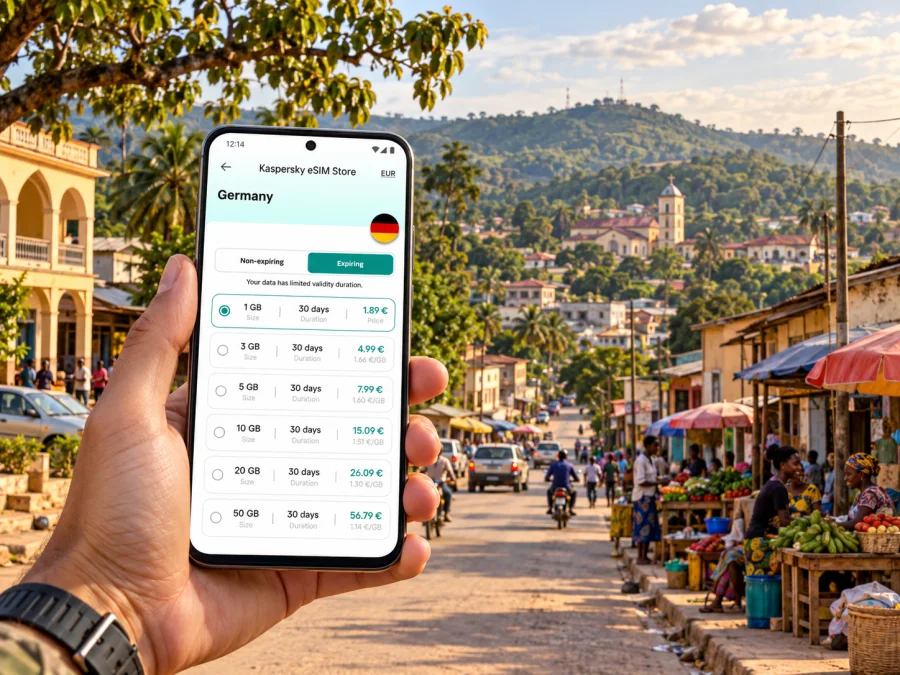
An eSIM is a digital SIM profile that you install on a compatible device. For a visitor, a travel eSIM can provide mobile data under the conditions of its selected plan, without replacing a physical SIM in the device. Kaspersky eSIM Store is an app and website where you can choose, purchase and activate an eSIM plan for mobile internet during an international trip. The exact destination, data allowance, validity, price and other conditions are shown with the plan; review them before purchase.
When planning for Kinkala, choose the country market that matches the Republic of the Congo. This is a specific operator market and must not be confused with the neighbouring Democratic Republic of the Congo. The two countries have distinct coverage and plan eligibility. A regional plan may be useful on a multi-country itinerary, but only if the Republic of the Congo appears among its included destinations and the other countries you need are also listed.
If you are comparing options, look at the trip as a whole rather than selecting by data volume alone. A short visit with messaging, maps and occasional browsing has different needs from a longer stay with work calls and regular uploads. Consider how many days you will be away, whether your accommodation has Wi-Fi, how often you will need navigation, and whether you will travel beyond Kinkala. Select a data allowance with a reasonable buffer for practical use, while keeping large downloads and automatic backups on Wi-Fi.
You can review eSIM options for a trip to the Republic of the Congo and check the plan details against your dates and route. The destination page is country-specific; it does not promise a particular signal in every neighbourhood, building or rural stretch. Actual performance depends on the local partner network, coverage, congestion, terrain, device settings and other conditions. If a plan lists a network or service limitation, use that detail when deciding whether it suits your itinerary.
Before you buy: device and plan checks
Confirm that your phone or tablet supports eSIM and is not restricted by a carrier lock. Support can differ by exact model, regional variant and device configuration, even when product names look similar. Check the manufacturer’s specifications for your specific device and review its SIM settings before travel. Check your device’s eSIM compatibility before choosing a plan.
Then compare the plan details against your actual visit:
- Destination: Confirm that the country is the Republic of the Congo, not the Democratic Republic of the Congo.
- Validity: Make sure the validity period covers the dates you need. Check when the validity begins under that plan’s terms.
- Data allowance: Match the allowance to your expected use and available Wi-Fi.
- Network and restrictions: Read any listed network, hotspot, speed or usage conditions.
- Device readiness: Check eSIM support, carrier unlock status, operating system and available space for a new profile.
- Installation timing: Follow the plan instructions. Some plans can be installed in advance, while activation and validity rules vary.
- Backup access: Keep important contacts, booking details and directions accessible offline.
Do not delete an installed eSIM profile to troubleshoot unless the plan instructions or support team tells you to. Some profiles cannot be installed again after removal. Keep your home SIM active if you rely on it for calls, bank verification or messages, and check which line is selected for mobile data. If the device supports dual SIM, name the travel profile clearly so it is easier to identify in settings.
Install and activate before the road transfer
Set aside a quiet moment with reliable Wi-Fi and enough battery to install the profile. Use the supported installation method shown for your plan, and read each step before confirming. If you use Android, follow the Android eSIM installation instructions; for an iPhone, use the iOS eSIM installation instructions. Device menus vary by model and software version, so follow the instructions for your device rather than relying on a remembered sequence.
A practical setup sequence is:
- Check compatibility and unlock status.
- Purchase the plan for the correct destination and review its terms.
- Connect to dependable Wi-Fi, open the installation instructions and add the eSIM profile.
- Label the line so you can distinguish it from your home SIM.
- Set the travel eSIM as the mobile-data line when the plan instructions say to do so.
- Enable data roaming for that eSIM only if the plan instructions require it.
- Confirm that the profile is ready, then test settings before travel where the plan permits.
- Keep the QR code or manual activation details secure and available until setup is complete.
Activation rules vary. Some plans start when installed; others begin when the eSIM first connects to a supported network or when another stated condition is met. Check the wording before installation so you do not start a limited validity period earlier than intended. Avoid installing at the last moment in a crowded or low-connectivity setting. If you run into a problem, note the exact error message and consult the plan’s support instructions.
A short stop, a work trip or a longer stay
For a short stop: Prioritize arrival coordination and a reliable way to open saved directions. Keep the schedule light enough to absorb delays on the road from Brazzaville. Download maps and booking information before leaving the airport or accommodation Wi-Fi.
For a work visit: Save meeting locations, names and contact numbers in one offline note. Ask the host to confirm how visitors should enter the venue and whether the location is best described by an address or landmark. For online meetings, check the connection requirements in advance and retain a fallback such as audio by a different available service.
For a family visit: Agree on a pickup point and a shared phrase for identifying the destination. Keep a relative’s number accessible outside your messaging apps. If several people are travelling together, one person can handle navigation while another keeps the group’s contacts and booking details.
For a longer regional itinerary: Treat Kinkala as one point on a route, not as a guarantee of coverage throughout Pool. Ask local contacts about road conditions and transport for each trip beyond town. Choose a country or regional plan only after verifying its included markets and validity, and download the information you will need before travelling into less connected areas.
A compact Kinkala travel checklist
Before departure
- Confirm your accommodation and who will meet you.
- Save the Republic of the Congo destination details and travel dates.
- Check the exact device variant for eSIM support and carrier unlock status.
- Compare plan allowance, validity and included market.
- Install the eSIM at the time permitted by its terms.
- Download maps, tickets, reservations and essential documents.
Before leaving Brazzaville
- Confirm the vehicle, driver and meeting point.
- Charge your phone and power bank.
- Share your expected arrival with your contact.
- Keep directions and contact details available offline.
- Ask about the final drop-off and return transport arrangements.
During your stay
- Verify unfamiliar addresses with a local contact.
- Use data for messages, maps and essential tasks; defer large downloads to Wi-Fi.
- Confirm conditions before travelling outside Kinkala.
- Keep a backup means of contacting your host.
Frequently asked questions
Is Kinkala the capital of the Republic of the Congo?
No. Brazzaville is the national capital. Kinkala is the chief town of Pool Department. It is a separate destination south of Brazzaville, so plan the road transfer as part of your trip.
Is there an airport in Kinkala?
The usual international gateway for visitors travelling to Kinkala is Maya-Maya Airport in Brazzaville, followed by an overland journey. Confirm your route and transfer arrangements for your dates; do not assume a direct international flight to Kinkala.
How far is Kinkala from Brazzaville?
Government material describes the paved section of National Road 1 between Brazzaville and Kinkala as about 70 km. That distance does not predict journey time, which can vary with traffic, weather, road conditions, stops and exact start and end points.
Will a travel eSIM work everywhere in Kinkala or Pool?
No plan should be assumed to work everywhere. Coverage and performance vary with the local network, location, device and conditions. Check the plan details and keep maps and essential information available offline, especially for travel beyond the town.
Is an eSIM a replacement for my normal phone number?
Usually a travel data eSIM is for mobile internet, not a standard local number, voice service or SMS. The exact inclusions depend on the selected plan. Keep your usual SIM available if you need its number, calls, texts or verification messages.
Can I install the eSIM before travelling?
Often installation can be done in advance, but validity may begin at installation, first network connection or another point specified in the plan terms. Read those terms and follow the installation instructions before adding the profile.
What if my phone supports eSIM only in some regional versions?
Check the exact model number and regional variant with the device manufacturer. Product family names are not enough to confirm compatibility. Also make sure the phone is carrier-unlocked before purchase.
Do I need mobile data for every trip around town?
No. Download maps and save addresses in advance, then use data when live updates or coordination are useful. A local host can confirm the final approach and current transport arrangements.
Prepare your connection for Kinkala
A smooth visit begins with a clear handover in Brazzaville, a confirmed road transfer and essential information stored offline. In Kinkala, use mobile data for the tasks where it helps most—messages, directions, appointments and coordination—while confirming local conditions with your host. Compare the destination, validity and data allowance before you travel, then install the eSIM according to its terms and device instructions.
Choose an eSIM plan for your dates in the Republic of the Congo through Kaspersky eSIM Store. Review the included destination and conditions, set up the profile on a compatible unlocked device, and keep key contacts and directions available offline for the journey.


