Travel connectivity guide
Kochkor eSIM: Mobile Internet for Your Trip
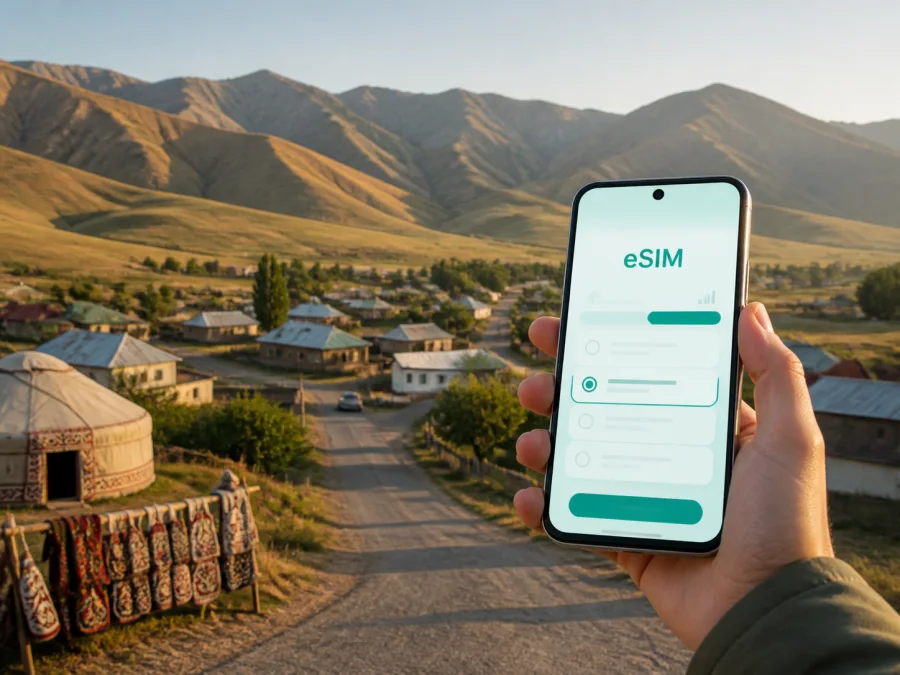
Kochkor eSIM: mobile connection and internet for your trip to Kyrgyzstan
Kochkor is a practical base for a trip through the mountain landscapes of Kyrgyzstan. Travelers use the settlement as a pause between the Bishkek–Naryn road, local craft visits, guesthouse stays, and journeys toward Song-Kul. In each of these situations, mobile internet is useful: you may need to confirm a pickup, find a homestay, translate a message, check a map, or tell someone that your route has changed.
An eSIM, or digital SIM, can help you prepare mobile data for the trip without removing your usual physical SIM card. Kaspersky eSIM Store is an app and website where you can choose, arrange, and activate an eSIM with a suitable prepaid data plan for an international journey. The right choice depends on your route, the length of your stay, the amount of data you use, and the conditions shown for the selected plan.
Quick answer: is an eSIM useful in Kochkor?
It can be useful if you want mobile internet ready for the road into Kochkor, your stay in town, and the next part of your itinerary. The strongest case is a multi-stop journey: you can keep your main number available for calls or messages while using the eSIM for data, subject to your device and plan settings.
An eSIM is especially practical for:
- confirming a shared taxi or private transfer after arriving from another part of Kyrgyzstan;
- opening maps while walking between a guesthouse, market, café, and meeting point;
- communicating with a host when your arrival time changes;
- arranging a driver, guide, horse trek, or yurt stay for an onward mountain route;
- sharing a small amount of data with a laptop when a plan and device support tethering;
- keeping travel notes, translation tools, and booking details available away from hotel Wi-Fi.
Unless the selected plan says otherwise, an eSIM for travel data does not include a separate phone number, ordinary voice calls, or SMS. You can use messaging and calling apps over mobile internet, while your regular SIM remains available for its usual services.
What makes Kochkor a distinctive connectivity stop?
Kochkor is a settlement in Naryn Region rather than a large urban center. That changes how you should plan your connection. In a capital or major resort, you might rely on a choice of cafés, hotel Wi-Fi, and frequent transport. In Kochkor, your day is more likely to combine an overland arrival, a family-run stay, a local workshop, and a pre-arranged trip into the surrounding highlands.
Kochkor’s felt-making visits and community-based travel plans often lead into Song-Kul arrangements. They involve meeting times, directions, and weather-dependent decisions, so mobile data is most useful for practical coordination.
The most useful tasks for mobile internet
| Travel moment in Kochkor | What you may need data for | Helpful preparation |
|---|---|---|
| On the road into town | Messaging your host, checking the meeting point, viewing a map | Save the accommodation details before departure |
| First walk around town | Navigation, translation, opening hours sent by a host | Download key map areas where your map app allows it |
| Workshop or market visit | Sending a message, checking a note, sharing a photo | Keep the phone charged and use data selectively |
| Transfer toward the mountains | Driver coordination and route updates | Confirm the pickup time and vehicle details in advance |
| Guesthouse evening | Weather checks, itinerary changes, messages | Use Wi-Fi when it is trusted and available; keep data as backup |
| Return to the main route | Navigation and communication during a change of plan | Keep the eSIM profile active until the journey is finished |
The exact experience can vary by neighborhood, building, terrain, weather, and the local network used by the selected plan. An eSIM does not create coverage where the underlying local network has none. For mountain excursions, treat mobile data as a useful aid, not as the only navigation or safety arrangement.
Arrival in Kochkor: prepare before leaving the main city
Many itineraries reach Kochkor overland from Bishkek or from the direction of Naryn. The trip may involve a marshrutka, a shared taxi, or a pre-arranged car, and departure points and waiting times can change. If you are connecting through Manas International Airport or spending your first night in Bishkek, use that time to save the information you will need later instead of assuming that every part of the road will offer the same convenience.
Before setting off, keep these details in one place:
- The name and address or recognizable location of your Kochkor accommodation.
- A phone number or messaging contact for the host, driver, or tour organizer.
- Your expected arrival window, with a note that road conditions may affect it.
- The name of the person meeting you and the agreed meeting point.
- A screenshot of the booking or arrangement in case you need to show it offline.
- A second way to identify the accommodation, such as a nearby landmark or street description.
Do not plan the first hour in Kochkor around finding public Wi-Fi. It may be available at a guesthouse or café, but access, quality, and login details vary. A prepared eSIM can reduce the number of things you need to solve immediately after arrival. Install it while you still have a stable internet connection, then activate it according to the plan’s conditions.
For a calm start, separate your phone’s lines clearly. Keep your regular SIM assigned to calls and messages if you need it, and select the travel eSIM for mobile data. Turn off automatic data switching if your phone might otherwise move traffic back to the primary line. Check which line is allowed to use data before you begin navigation.
When your route and dates are clear, you can choose an eSIM plan for a trip to Kyrgyzstan and compare the available data volume and validity period shown for the destination.
Choosing a plan for a Kochkor itinerary
There is no single correct data allowance for every visitor. A person staying one night and moving on will use data differently from someone working remotely from a homestay or organizing several mountain transfers. Start with the shape of the trip, then estimate your habits.
Match the data volume to your routine
Light use may cover text messages, occasional map checks, translation, email, and booking confirmations. Medium use is more suitable when you use navigation repeatedly, upload photos, make internet calls, or check transport and weather information during the day. Higher use may be relevant for frequent video calls, cloud work, large photo uploads, or sharing data with another device.
The labels and allowances available for a destination can change, so read the current plan details rather than relying on an old screenshot or a recommendation made for another trip. Look at:
- data volume and whether the plan is expiring or non-expiring;
- validity period and the event that starts it;
- whether the plan is intended for Kyrgyzstan or a wider region covering your full route;
- whether top-ups are available under the selected conditions;
- the displayed price and currency at the moment of purchase;
- any limits on hotspot use, network selection, or activation;
- refund and transfer conditions before you install the profile.
Country, regional, or multi-stop planning
If Kochkor is one stop in a longer route, do not judge a plan only by the town name. Check every country and region on your itinerary. For example, a traveler arriving from Kazakhstan, continuing through Kyrgyzstan, and then returning across a border may need to consider separate destination coverage or a regional option. The useful comparison is the complete route, not just the first overnight stay.
If the article of travel ends in Kochkor, a Kyrgyzstan plan may be a straightforward starting point. If you will continue to Song-Kul, confirm the practical limitations of mobile service in high mountain areas with your host or guide. A plan can be valid for the country while the specific route has intermittent or absent signal because of terrain and remote location.
Moving around Kochkor and planning onward travel
Kochkor is a small settlement: some central errands may be manageable on foot, while longer or unfamiliar trips call for a shared taxi, marshrutka, or pre-arranged car. Ask your host for a map pin and recognizable meeting point. A clear message helps:
Kochkor pickup — [accommodation], [time], [travelers], [destination]. Please confirm the meeting point.
Save pins for your stay, transport point, and return destination. Guesthouse Wi-Fi may be convenient but can vary, so keep mobile data for essential messages and navigation. For a business stay, confirm power access, a quiet place for calls, and a backup meeting arrangement.
Kochkor is a preparation point for Song-Kul and other highland routes. Outside town, weather, terrain, roads, and mobile service may be less predictable; remote camps may have limited or no signal. Confirm the vehicle, luggage plan, departure time, and overnight arrangement before leaving.
Offline-ready departure checklist
- [ ] Save pickup details and the host or guide’s number.
- [ ] Download maps, translation data, and reservations where supported.
- [ ] Share your route, charge the phone and power bank, and keep key information offline.
- [ ] Keep the eSIM installed, but do not treat it as the only safety plan.
Installing and activating an eSIM
Install the profile before the trip while you have a reliable internet connection. You normally need the purchase details or QR code, a charged device, and access to mobile-network settings.
- Check eSIM support and operator lock status. Check your device compatibility before purchasing.
- Choose a Kyrgyzstan or regional plan whose allowance and validity fit the complete route.
- Complete the purchase and keep the confirmation in your account or email.
- Add the profile by scanning the QR code or following the on-screen flow.
- Label it clearly, select it for mobile data, and review your primary line’s roaming settings.
- If the plan requires data roaming for the eSIM, enable it for that profile.
- Test a small task before starting the road to Kochkor.
Use the Android installation instructions or iOS installation instructions for platform-specific steps. Activation timing depends on the device, local network, and plan conditions, so allow time for questions before departure.
Avoiding common setup mistakes
Common mistakes include leaving the primary SIM selected for data, activating too early, forgetting required data roaming, or deleting the profile after a temporary issue. Read the plan details before changing settings.
Before leaving for Kochkor, confirm:
- [ ] The eSIM profile appears and has a clear label.
- [ ] The travel eSIM is selected for mobile data.
- [ ] Data roaming is configured according to the plan.
- [ ] A QR code or installation detail is stored safely.
- [ ] The phone and power bank are charged.
Save maps and reservations in advance, disable automatic updates and photo backups over mobile data, and check your allowance. If data stops working, check the selected line, eSIM status, signal, and allowance before contacting support. Do not delete the profile first.
FAQ about eSIM and mobile internet in Kochkor
Will an eSIM work everywhere around Kochkor?
No mobile plan guarantees a continuous signal everywhere. Service in town depends on the local network, device, building, and conditions; mountain terrain can interrupt or eliminate service. Carry offline maps and share your plan before leaving town.
Can I keep my regular number?
A dual-SIM phone can often keep the regular SIM active while the eSIM handles data. Exact behavior depends on device and operator settings. Check which line handles calls, messages, and data, and review primary-line roaming charges.
Does the travel eSIM include calls and SMS?
The travel use case is usually mobile data. Calls, SMS, and a separate number are not included unless the selected plan says so. Messaging and calling apps can work over the eSIM data connection.
Should I install the eSIM before arriving in Kochkor?
Installing before departure is convenient because you can use a stable connection and read the instructions. Whether validity starts at installation or first network use depends on the plan, so check its conditions before activating it.
What if I am going from Kochkor to Song-Kul?
Prepare as if service may be limited after leaving town. Confirm transport and accommodation, download offline information, charge your devices, and share your route. The eSIM is useful where a local network is available, but it is not your only safety or navigation plan.
Final checklist for a connected Kochkor trip
Define the full route, estimate data use, check your device compatibility and operator lock status, and choose by destination, allowance, validity, and conditions. Install and label the profile, save accommodation and driver details offline, select the correct data line, and test it.
Kochkor rewards flexible planning. A saved map pin, confirmed pickup, and prepared eSIM make the transition from the main road to a local stay easier.
Prepare your mobile internet for Kochkor
Review destination options, compare data volume and validity for your itinerary, and arrange the eSIM before leaving for the mountains. Choose an eSIM plan for your Kochkor trip through Kaspersky eSIM Store, then install and activate it on your device according to the selected plan’s instructions.


