Travel connectivity guide
Kogan Mobile eSIM in New Zealand: Activation Guide
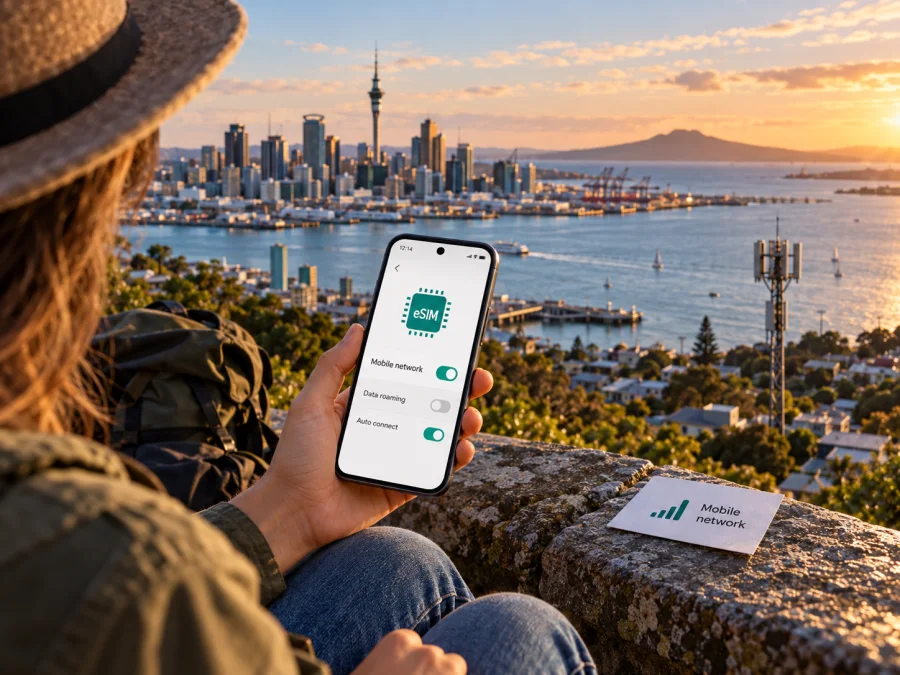
Kogan Mobile eSIM in New Zealand: activation, coverage and travel checks
Updated 2 November 2026. Kogan Mobile now offers eSIM in New Zealand. The key point for visitors is that the eSIM cannot be activated from abroad: Kogan Mobile says the phone must connect to the One New Zealand network while the customer is physically in New Zealand. That makes the timing of purchase and activation central to any travel plan. This guide explains what the current operator instructions say, what to check before you travel, and when a travel eSIM may be a more practical option.
Kogan Mobile is a prepaid mobile service for the New Zealand market. It operates using another carrier’s local mobile network rather than a separate nationwide radio network of its own. Its current New Zealand website presents prepaid mobile service, while its Help Centre has a dedicated eSIM guide and instructions for both new service activation and switching an existing physical SIM. Those pages confirm that eSIM is available, but availability alone does not establish that every device, account or traveller can complete activation in the same way.
For readers researching “Kogan Mobile eSIM New Zealand,” there are two distinct questions: can your particular phone use an eSIM profile, and can you complete Kogan Mobile’s activation process in the country? Check both before relying on the service for the first hours of a trip. Kogan Mobile Help Centre’s “Does Kogan have eSIM?” and “Why can I only activate my Kogan Mobile SIM in New Zealand?” pages, checked on 2 November 2026, describe these conditions. The operator’s instructions can change, so revisit its current Help Centre and account flow before purchase.
Is Kogan Mobile eSIM available in New Zealand?
Yes. Kogan Mobile’s New Zealand Help Centre states that eSIM is available for the service. Its public instructions describe a digital profile installed on an eSIM-compatible device. The operator identifies two general use cases: starting a new Kogan Mobile service with eSIM and moving an existing service from a physical SIM to an eSIM. The exact options shown to you may depend on the service and account, so confirm the current process in your Kogan Mobile account or with support before making travel arrangements.
The new-service flow is described as an online purchase made while signed in to a Kogan account. Kogan Mobile says it sends an email with a QR code and activation details. The user scans the code with the compatible device, follows the installation prompts and completes service activation through the Kogan Mobile account. A confirmation code may be requested during setup. This is a general outline of the published process, not a promise that every order is issued or activated instantly.
For an existing physical SIM service, the Help Centre describes a separate assisted process. The customer contacts Kogan Mobile through chat, completes identity authentication, and receives eSIM details and a QR code if the request is approved. The instructions say to keep the physical SIM in place until installation has succeeded. After the service has moved to the eSIM, the physical SIM stops working. If you are considering switching shortly before a trip, allow time for the support and verification steps and do not discard the old SIM until the change is complete.
Kogan Mobile’s “Why can I only activate my Kogan Mobile SIM in New Zealand?” article says activation must take place while you are physically in the country and connected to the One New Zealand mobile network. It explicitly includes eSIM in that restriction. The purchase process may begin online before departure, but the published requirement means an overseas visitor should not assume they can activate Kogan Mobile before boarding or while in transit. Confirm whether your flight arrival, local network access and account setup give you enough time to complete activation after landing.
What this means for travellers
The activation rule changes how you should plan connectivity. A visitor who needs mobile data immediately on arrival may need a separate way to get online before Kogan Mobile activation is complete. That could be the home operator’s roaming service, airport or accommodation Wi-Fi, or a travel eSIM that can be installed in advance and used when its own service conditions allow. These are alternatives for bridging the arrival period; they do not change Kogan Mobile’s activation requirement.
If you plan to use Kogan Mobile as your primary New Zealand service, prepare the account and device before departure where possible, but keep the eSIM inactive until you are in New Zealand and can connect to the local network. Save the confirmation email and QR code somewhere accessible from another screen or device if practical. Make sure you know how to open the mobile-network settings on your phone without relying on a data connection. Once in the country, use available Wi-Fi or another connection if needed, install the profile, then follow the operator’s account activation steps.
Avoid deleting a profile as a troubleshooting shortcut. An eSIM QR code or activation code may be single-use, and the public Kogan instructions do not guarantee that a deleted profile can simply be reinstalled using the original code. If installation stalls, keep the email, note the exact error and contact Kogan Mobile support before removing the profile or repeating the activation. If you are changing from a physical SIM, do not remove it until Kogan’s documented transfer steps have completed successfully.
For many visitors, the distinction is logistical: a Kogan Mobile eSIM profile can be prepared digitally, but Kogan’s activation condition still ties first use to arrival in New Zealand. If you need maps, messaging or booking access before that step is finished, arrange a separate connection for the airport and transfer. Keep your plans for both connections clear so you know which line is carrying data and when to switch.
For a data-only travel option, browse eSIM options for New Zealand. Kaspersky eSIM Store is an app and website that helps travellers choose, arrange and activate an eSIM with a plan for mobile internet abroad. The country page is a place to review currently available travel options; it is not a Kogan Mobile tariff page or a statement that Kogan Mobile supplies the plans shown there. Check the terms displayed for your destination and route before purchase.
Network coverage and technology
Kogan Mobile says it uses the One New Zealand mobile network. Its Help Centre coverage article, “Why are you using the One NZ?”, describes the service as using the 4G network and states that it reaches more than 96% of New Zealand’s population. That is the operator’s published population-coverage claim, not a guarantee of reception at a particular address, road, building or outdoor location. Population coverage also does not mean that every square kilometre of the country is covered.
The operator’s current home page refers to 5G network speeds, while its Help Centre coverage explanation describes 4G. Those pages do not, by themselves, explain which 5G access conditions apply to each plan, handset or location. Treat network availability as something to verify for your exact destination and service rather than inferring it from a headline. Kogan Mobile directs customers to its coverage map and network status information; check the map for towns, accommodation and travel corridors, and look for planned work or outages close to your dates.
A support page on handset compatibility lists legacy frequency information for the operator’s network and advises customers to check the phone’s specifications. Because device and network requirements can evolve, do not assume an old band list is a complete current compatibility test. Confirm that the exact handset variant supports eSIM and the network technologies and bands Kogan Mobile currently requires. This is particularly important for phones bought in another country, where a model sold under the same product family may have different cellular hardware.
Device compatibility before buying
An eSIM is a mobile subscription profile that is downloaded to a compatible device. A phone can have eSIM support in one market and lack it in another variant, even when the retail name looks nearly identical. Some devices sold through carriers are also network-locked. Kogan Mobile asks customers to make sure the handset supports eSIM and is not locked to another network before starting.
Before buying any travel eSIM, use the device compatibility check and confirm the phone is unlocked. Compatibility is a combination of eSIM hardware, regional variant, software and network support. If the phone is managed by an employer or restricted by a carrier, ask the administrator or carrier before travel. Installing a profile does not remove a lock or change the device’s radio capabilities.
How to prepare Kogan Mobile eSIM
Use this checklist before leaving home:
- Confirm your device supports eSIM and is not network-locked.
- Decide whether you are ordering a new service or moving an existing Kogan Mobile number from a physical SIM.
- Sign in to the correct Kogan account and check the current eSIM ordering or support instructions.
- Keep access to the email address and account used for the order; the QR code and activation details are sent there.
- Plan to complete activation only after you are in New Zealand and connected to the local network, as Kogan Mobile requires.
- Keep your physical SIM installed until an existing-service transfer has completed.
- Save another way to connect immediately after arrival if you will need internet before Kogan Mobile activation.
- Check coverage for the places on your itinerary and verify the exact device model’s network support.
Installing the eSIM profile
For a new Kogan Mobile eSIM, follow the current instructions in the activation email. The process described by Kogan generally involves opening the phone’s mobile-network or SIM settings, selecting the option to add an eSIM, scanning the supplied QR code, and following the on-screen steps. If requested, enter the confirmation code from the email. Then sign in to the Kogan Mobile account and complete activation while you are in New Zealand and connected to the local network.
Local prepaid service or travel eSIM?
A local prepaid service and a travel eSIM solve related but different problems. Kogan Mobile is a local New Zealand service that may suit someone who wants a New Zealand mobile account and is prepared to complete its location-specific activation. Its eSIM can be useful when the phone supports it and the traveller can follow the operator’s account, identity and network steps. Kogan Mobile’s current service details and terms should be checked directly with the operator.
A travel eSIM is designed around a destination or route and may be simpler for a visitor who wants to prepare mobile data before departure. With Kaspersky eSIM Store, the user can review the available destination options, select a suitable plan, arrange the eSIM through the app or website, and install it on a compatible device. The terms shown for the selected option determine where it works, when activation begins, whether data roaming must be enabled for that profile, and what happens when the allowance is used. Read those conditions before purchase.
Neither option should be described as universally cheaper, faster or better. Compare the current terms for your destination, route, length of stay and expected use. Consider whether you need voice calls, a local number, multi-country coverage, a particular network, hotspot use or support in a preferred language. For a short arrival window, also factor in whether the provider allows the profile to be installed before travel and when the service can actually be activated.
Kaspersky eSIM Store is an app and website for choosing, arranging and activating an eSIM plan for mobile internet while travelling. It is not a mobile operator, network owner or provider of mobile internet. Kogan Mobile and Kaspersky eSIM Store are independent services, and Kaspersky eSIM Store is not affiliated with or endorsed by Kogan Mobile. Product names belong to their respective owners.
Common questions
Can I activate Kogan Mobile eSIM before arriving in New Zealand?
No, according to Kogan Mobile’s current Help Centre instructions. The eSIM must be activated in New Zealand while connected to the One New Zealand network. You may be able to prepare an order or receive activation details earlier, but do not treat that as an active service. Confirm the latest steps before travel.
Can a visitor use Kogan Mobile eSIM?
The public eSIM instructions confirm availability and require an eSIM-compatible, unlocked device and activation in New Zealand. They do not set out a separate tourist eSIM product in the pages checked for this guide. Review the current sign-up requirements, account process and any identity checks with Kogan Mobile before purchasing. Do not assume that visitor status changes the activation rule.
Can I switch my current physical SIM to eSIM while travelling?
Kogan Mobile says existing customers should contact support through chat and complete authentication before the eSIM is issued. The operator sends the profile details and QR code after verification. Keep the physical SIM installed until the transfer has completed, and allow time for support and identity checks. The transfer still has to meet the local activation requirement.
Will my phone work just because it supports eSIM?
Not necessarily. The phone must be unlocked and support the relevant network technologies and frequencies for the service. Regional variants may differ. Check the exact model number, current device specifications and Kogan Mobile’s latest compatibility guidance before ordering.
Does Kogan Mobile eSIM include roaming outside New Zealand?
Do not assume that it does. Roaming is separate from local service and may have distinct eligibility and conditions. Check Kogan Mobile’s current roaming information for the countries on your itinerary. The operator’s eSIM activation instructions establish the New Zealand activation location but do not by themselves confirm roaming coverage or terms elsewhere.
Can I keep my home SIM active at the same time?
Many compatible phones can use dual SIM features, but behavior depends on the device and the profiles installed. You can often keep a home line available while choosing another profile for data. Check data-line selection and roaming settings carefully so that your home operator does not use roaming data unexpectedly.
What if the QR code does not scan?
Check that the phone has internet access, eSIM support and an available eSIM slot or profile capacity. Follow the instructions in the current Kogan email and make sure the code is displayed clearly on a separate screen if you are scanning it with the same phone. If it still fails, contact Kogan Mobile before deleting a profile or reusing a code; the operator can confirm whether a new activation code is needed.
Is a travel eSIM a replacement for a Kogan Mobile number?
Not necessarily. A travel eSIM may provide mobile data only and may not include a standard local phone number, voice calls or SMS. Kaspersky eSIM Store describes its New Zealand travel eSIM option as data-only. If you need a local number or conventional calling and messaging, verify those features with the relevant service before choosing.
A practical decision guide
Choose Kogan Mobile eSIM if you have confirmed the device and account requirements, want a local New Zealand service, and can wait until you are physically in New Zealand and connected to its network to activate. Review the coverage map for the places you will visit and verify current plan conditions directly with Kogan Mobile. The public network information is useful for planning, but it does not promise reception at every stop or explain every device and plan condition.
To review travel eSIM options for the country, open the New Zealand destination page. Kaspersky eSIM Store can help you choose, arrange and activate a suitable eSIM plan for mobile internet abroad. Check the destination and service terms displayed for your trip, and use the device compatibility check before purchase.
Information checked on 2 November 2026 against Kogan Mobile New Zealand Help Centre pages “Does Kogan have eSIM?”, “How do I change my physical Sim to an eSIM?”, “Why can I only activate my Kogan Mobile SIM in New Zealand?”, “Why are you using the One NZ?”, “How do I check your mobile coverage?” and “My phone doesn’t recognise the Kogan Mobile SIM card?”, as well as the current Kogan Mobile New Zealand home page and Kaspersky eSIM Store New Zealand destination page. Availability, activation steps, coverage information and service terms may change; confirm current details with the relevant provider before purchase. Kogan Mobile is not affiliated with Kaspersky eSIM Store.


