Travel connectivity guide
Kokopo eSIM: Mobile Internet Guide
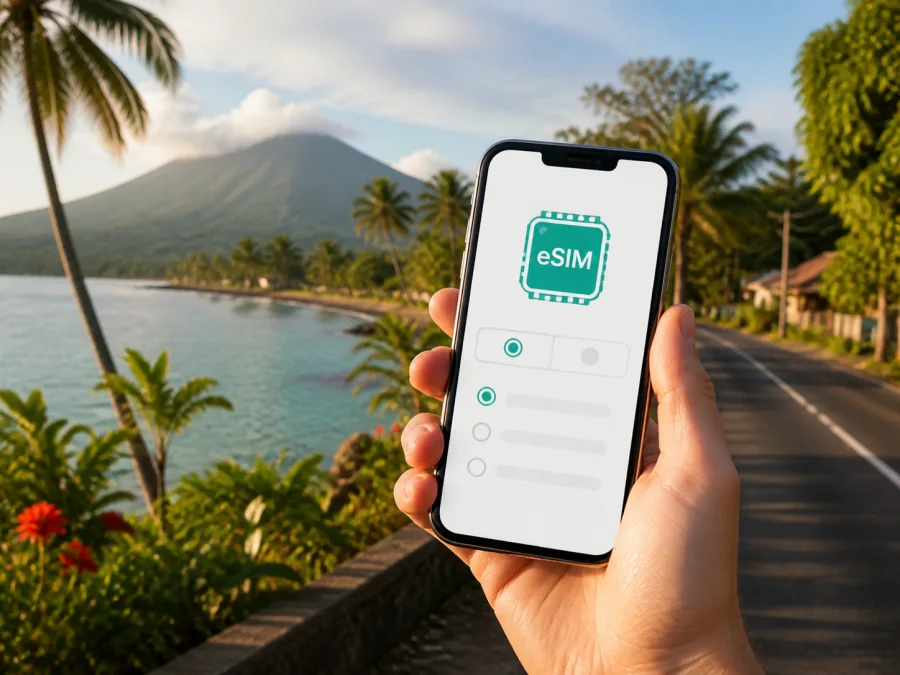
Kokopo eSIM: mobile connection and internet guide for Papua New Guinea
If you are travelling to Kokopo, reliable mobile data can make the first hours easier. You may need to locate your accommodation, contact a driver, check a booking, follow a route or message a colleague before settling into town. An eSIM, or digital SIM, lets you prepare a mobile internet plan for a compatible phone without removing your usual physical SIM card.
Kokopo is the capital of East New Britain Province on New Britain Island and a base for exploring the Gazelle Peninsula, travelling towards Rabaul and arranging coastal excursions. This guide covers the city-specific arrival, movement, business and day-trip scenarios that make an eSIM useful.
Why an eSIM can be useful in Kokopo
Kokopo trips often involve more than one hotel-to-town route. You may arrive through Tokua Airport, continue by road into Kokopo, visit the market or waterfront, and later travel towards Rabaul or arrange a boat outing. Each change of place creates a small need for a map, message, confirmation or internet call.
An eSIM can be helpful because the profile is digital. You can keep your everyday SIM available for its normal settings while using the travel eSIM for mobile data, subject to your phone’s capabilities and the conditions of the selected plan. There is no need to look for a physical SIM immediately after landing, and you can prepare the installation before departure when you have a stable internet connection.
An eSIM may be especially useful when:
- you are landing at Tokua Airport and need directions or a pre-arranged transfer;
- you want to confirm a hotel address or send your arrival time without searching for public Wi-Fi;
- you are moving between the town centre, the coast, accommodation and meeting venues;
- you are working during a business visit and need email, messaging or cloud documents;
- you are taking a road trip towards Rabaul and want your route details available on your phone;
- you are travelling onward and want to manage the next booking before leaving Kokopo.
Your first hours after arriving
Tokua Airport is the main air access point for travellers visiting Kokopo and the wider East New Britain area. Because the airport is outside the town, prepare your phone for data while you arrange the next part of the journey.
Before the flight, save your accommodation name, address and contact details. Keep a booking screenshot, and agree with your driver or hotel on an easy meeting point. After landing, use the travel line to check messages, open the saved map, confirm the transfer and report your arrival.
Do not assume that every arrival step will happen online. Combine a prepared eSIM with offline details, a charged phone and time for transport or check-in delays.
A simple arrival sequence
- Keep your main SIM active if you need to receive important messages on that number.
- Select the Kokopo travel eSIM as the line for mobile data after installation.
- Turn off automatic data switching if your phone offers that option, so you can see which line is being used.
- Open the saved accommodation details and confirm the transfer arrangement.
- Use navigation only for the next leg, rather than downloading large files or streaming while you are still organising transport.
This reduces the chance of using the wrong line or consuming data before reaching town.
Choosing an eSIM plan for a Kokopo trip
The right plan depends on how you will use Kokopo. The selected eSIM must be intended for Papua New Guinea or a region that explicitly includes it. If your itinerary continues beyond East New Britain, check whether a regional option is relevant instead of assuming that a country plan covers another destination.
Then consider four practical variables:
| Question | What to consider before choosing |
|---|---|
| How long will you stay? | Match the validity period to the whole itinerary, including arrival and departure days. Check when validity begins under the plan terms. |
| Where will you travel? | Confirm that the plan applies to Papua New Guinea and fits any onward route you have planned. |
| How will you use data? | Maps, messages and booking pages usually need less data than video calls, photo uploads or repeated hotspot use. |
| What backup do you need? | Keep essential addresses, tickets and contacts available offline in case your data session is interrupted. |
For a short Kokopo stopover, a smaller allowance may be enough for messages, navigation and confirmations. A longer stay, work calls or photo uploads may justify comparing a larger allowance. Compare volume, validity, destination and price together rather than relying on one headline figure.
In Kaspersky eSIM Store, you can choose an eSIM plan for a trip to Papua New Guinea after checking the destination, data allowance, validity and terms that suit your itinerary. The service helps you choose, arrange and activate an eSIM for mobile data abroad; it is not a mobile network operator.
Moving around Kokopo with less friction
Many town activities can be planned around a few known points, but movement depends on accommodation, weather, meetings and local arrangements. Use mobile data to coordinate the journey, not as a guarantee that a map answers every local question.
From Tokua Airport to your accommodation
Arrange the first transfer before travelling when possible. Save accommodation and driver details, and ask where to wait if the airport is busy. Send a short arrival message instead of repeatedly refreshing maps. If service drops, the saved details remain useful.
The town centre and market area
Kokopo Market may be part of a town walk. A map can help you orient yourself, while messaging can coordinate a guide or return to your hotel. Keep your phone secure in crowded areas, and carry a downloaded map and accommodation address as a backup.
The waterfront and nearby accommodation
Many travellers combine town errands with time near the waterfront. Review automatic uploads before taking photographs or sending updates. A message, map check and reservation confirmation are usually more important than background apps.
The road towards Rabaul
Rabaul and the area around Simpson Harbour are common reasons to base a trip in East New Britain. Treat the journey as a regional outing. Confirm the vehicle, meeting point, departure time and return plan with a local provider or your accommodation, and keep the details offline.
The route leads into a landscape shaped by volcanic activity and wartime history. For sites outside town, follow local guidance and the instructions of the excursion organiser. A charged power bank and offline information are as important as the eSIM.
Travel scenarios where mobile data matters
A short stopover
Prioritise the next action: keep the transfer confirmation visible, use maps for the planned route and save the next destination’s eSIM requirements before leaving your current connection.
A leisure stay
For a stay focused on town, coast and excursions, data use often comes from navigation, messaging, reservations and photographs. Set the travel eSIM as the data line, keep your regular line available, and check when validity begins.
A business trip
For business travel, ask the host or hotel for the exact venue and a contact method. Save calendar details and documents locally, test the meeting connection, and decide in advance whether a laptop will use hotel Wi-Fi or a phone hotspot.
A trip continuing beyond Kokopo
If Kokopo is one stop in a wider itinerary, list every country or region and check the eSIM destination rules for each. A plan for one country should not be assumed to apply elsewhere.
How to install and activate an eSIM
Install the profile with a stable internet connection and enough battery. Menu names vary by device, but the general process is similar.
Before installation
Check that your phone supports eSIM and is not restricted by an operator. Some models differ by region of sale, so do not rely on the model name alone. You can check your device compatibility before choosing a plan. Also confirm that the phone has space for another mobile plan and that you can access the QR code from the purchase email or profile.
For detailed steps, use the Android installation instructions or the iOS installation instructions, depending on your device.
General installation sequence
- Open the mobile network or mobile data settings.
- Choose the option to add an eSIM or mobile plan.
- Scan the QR code from the email or account area, or follow the in-app installation flow when available.
- Label the new profile clearly, such as “Kokopo travel data”.
- Select the new eSIM for mobile data and keep your regular line for the functions you still need.
- Read the plan instructions about data roaming and enable it for the travel eSIM only if the instructions require it.
- Turn off data switching between lines unless you deliberately want that behaviour.
Installation and activation can be separate steps. Validity may follow the conditions shown at purchase. Keep the QR code and plan information until the eSIM works as expected.
What to check before buying
Use this checklist before you pay for a plan:
- [ ] The destination is Papua New Guinea, or the regional coverage explicitly includes it.
- [ ] The validity period covers your Kokopo arrival, stay and departure.
- [ ] The data allowance matches your expected use, including work or hotspot needs.
- [ ] Your phone supports eSIM and is not operator-locked.
- [ ] You know which line will be used for mobile data after installation.
- [ ] You understand when the plan starts and how its data is measured.
- [ ] You have a stable connection and a QR code access method for installation.
- [ ] Important addresses, bookings and contacts are also saved offline.
Check the terms before purchase. If the phone is managed by an organisation or has travel restrictions, ask the administrator about adding a second data profile.
Keeping data use controlled in Kokopo
Turn off large automatic updates, pause cloud photo synchronisation and restrict background data for apps that do not need to refresh while moving. Download documents before leaving a reliable connection.
Make a distinction between essential and optional use:
| Essential while moving | Better postponed when possible |
|---|---|
| Routes, messages and bookings | Large updates and automatic video uploads |
| Short calls in a messenger | Cloud photo synchronisation and long streaming |
If a page does not load, check the active data line, mobile data setting and plan status before refreshing repeatedly.
If mobile data does not work
Check the basics in order:
- Move to an open location and wait briefly for the phone to register.
- Confirm that the eSIM profile is switched on.
- Check that it is selected as the mobile-data line.
- If required by the plan instructions, verify data roaming for that eSIM.
- Check the phone’s network selection and restart the device if appropriate.
- Review the plan status, remaining allowance and validity in the relevant account area.
- Contact support if the issue continues, keeping your order details and device information available.
Do not delete the profile as a first response. Record what you checked before contacting support so the next steps are clear.
Frequently asked questions
Is an eSIM useful if I am staying only in Kokopo?
Yes. It can support arrival coordination, navigation, messages, bookings and local day trips. Match the Papua New Guinea plan’s validity and allowance to your visit.
Can I keep my regular SIM active?
Usually, a compatible dual-line phone can keep the regular SIM available while the eSIM is selected for data. Check the device options and disable automatic data switching if you want tighter control.
Will the eSIM include a phone number and ordinary calls?
Not necessarily. Travel plans are generally intended for mobile data and may not include a number, ordinary calls or SMS unless the terms say so. Internet messengers can handle calls and messages when available.
Should I install the eSIM before flying?
Installing before departure is convenient because you have a stable connection. You may install after arrival if the phone is online and the terms allow it. Check when validity begins.
Can I use the eSIM for a laptop?
The eSIM is installed on a compatible mobile device. You may share its data through a hotspot if the phone and plan support that function. Check the conditions before relying on it for a full workday.
What if I travel from Kokopo to another country?
Review the next destination separately. Confirm whether the existing plan includes it or choose an option for the new country or region; do not assume a Papua New Guinea plan applies elsewhere.
Prepare your Kokopo connection before departure
Identify the destination, choose a suitable allowance and validity period, check your phone, install the profile at a convenient time, and save key details offline. In Kokopo, this supports airport transfers, town navigation, business coordination and trips towards Rabaul.
When your destination and device are ready, choose an eSIM plan for your Papua New Guinea journey, review the conditions, and follow the installation steps for your phone. Kaspersky eSIM Store helps you select, arrange and activate an eSIM plan for mobile data during an international trip.


