Travel connectivity guide
Kolasin eSIM: Mobile Internet for Mountain Trips
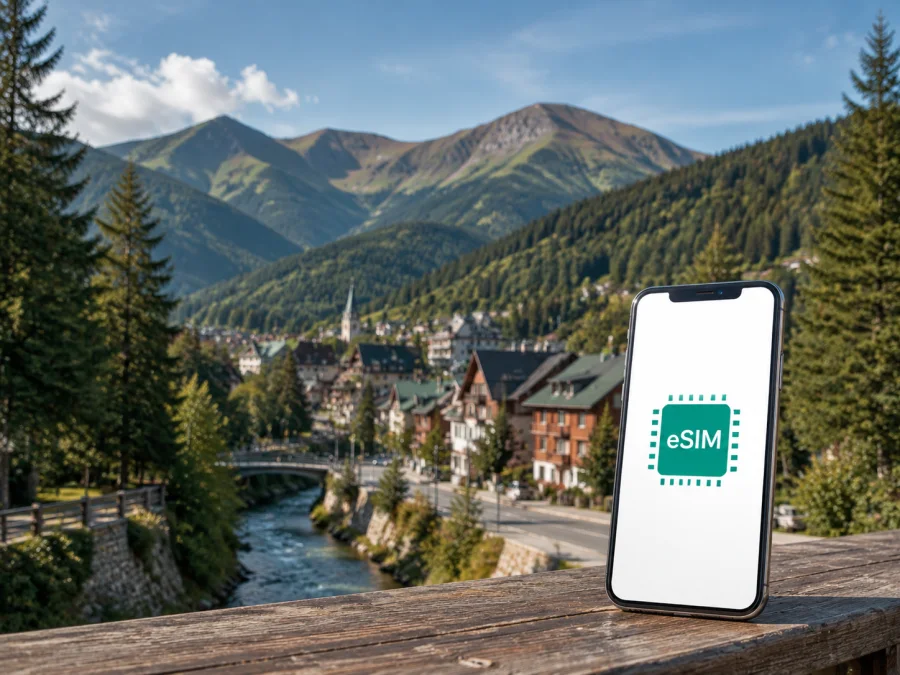
Kolasin eSIM: mobile connection and internet for your trip
Kolasin is a practical base for a mountain trip in the Republic of Montenegro. You may arrive with a hotel booking, a ski plan, a hiking route, or only a few hours between journeys. Mobile internet helps you check directions, contact accommodation, and follow a changing itinerary. An eSIM, or digital SIM, can be prepared before departure.
Kaspersky eSIM Store is an app and website where you can choose, arrange, and activate an eSIM with a suitable plan for mobile internet during an international trip. Choose by stay length, expected navigation and messaging, the rest of your route, and the device that will use the data.
Why an eSIM can be useful in Kolasin
Kolasin combines a compact town with outdoor areas, slopes, forest roads, viewpoints, and accommodation outside the central streets. A phone can become part of the basic travel kit: it may hold a map, a booking message, a translation tool, a transport conversation, or a work call made through an internet messenger. That makes a dependable data plan more useful than a plan designed only for a large city with frequent Wi-Fi.
The first hours after arrival
Many visitors reach Kolasin by road from Podgorica or another town in the Republic of Montenegro; some itineraries use the railway connection through the mountain region. Conditions depend on the starting point, season, and itinerary, so keep your accommodation address, a map area, and key messages available before leaving stable Wi-Fi.
With an active eSIM, you can use mobile data for the practical sequence after arrival:
- open the map and check the last part of the route;
- message the hotel, apartment host, driver, or travel companion;
- confirm the entrance instructions for your accommodation;
- check a booking or reservation stored in an email or app;
- share your approximate arrival time without searching for a local SIM shop.
You should still confirm details with the host or transport provider; the eSIM is simply a prepared data option for those steps.
Moving around the town and the mountain area
For a stay based in central Kolasin, some short errands may be possible on foot, but a trailhead, ski area, viewpoint, restaurant outside the center, or neighboring settlement may require a car, transfer, taxi, or excursion. Maps and messages are useful, while reception can vary as the road climbs or passes through forest.
Keep navigation practical: save the essential route on Wi-Fi, then use mobile data for adjustments, messages, and the final approach. A map app does not replace local safety advice. For a hike, share your route and return time and carry key information offline.
Hotels, apartments, and ski accommodation
Accommodation in and around Kolasin can differ in distance from the center. A property may send a pin, access code, parking instructions, or a check-in message. Save the full address and host instructions before leaving.
If you are staying at a mountain property, ask how the final approach works and whether the host recommends a route. Data can help you follow instructions, but it cannot guarantee that a remote road suits every vehicle or weather condition. For a transfer, save the driver’s contact details and agree on a meeting point.
Typical Kolasin travel scenarios
The same destination can require very different amounts of data. A short stopover does not need the same preparation as a week with daily navigation and photo sharing. Use your schedule rather than a generic estimate when choosing a plan.
| Trip pattern | What you may use mobile data for | Planning focus |
|---|---|---|
| Short stopover | Route checks, messages, and a booking | Allow for arrival and departure |
| Weekend in town | Maps, searches, messages, and transport | Cover the active days and transfers |
| Ski or hiking stay | Maps, group messages, and route changes | Allow room for navigation |
| Remote work trip | Email, calls, and hotspot use if permitted | Check data volume and tethering |
| Multi-stop route | Navigation and bookings between towns | Match the plan to the full route |
The exact traffic used by maps, video, photo backup, and video calls varies by app settings. To control consumption, disable automatic photo backup on mobile data, reserve large updates for Wi-Fi, and check the device’s data counter during the first day.
How to choose an eSIM plan for Kolasin
Start with the geography. If Kolasin is one stop on a route through the Republic of Montenegro, choose an option whose destination conditions match the entire itinerary, rather than treating the town as an isolated coverage promise. If your route crosses a border, check that the plan also covers the next country or select an additional suitable option.
Then consider four practical questions:
- How long will you need data? Count the arrival day, full days in Kolasin, excursions, and the departure route. A plan that expires before the return journey may create an avoidable gap.
- What will you do online? Estimate whether you mainly need text messages and maps or also work calls, hotspot use, photo uploads, and video.
- Where will you use it? A center-based holiday, a ski stay, and a driving itinerary through mountain roads create different usage patterns.
- What does the plan include? Review the destination, volume of traffic, validity period, price, activation conditions, and any limits before confirming the choice.
The Kaspersky eSIM Store interface helps you compare the visible conditions of available options for the selected direction. You remain responsible for matching those conditions to your route and device. If you need to prepare before travelling, you can choose an eSIM plan for a trip to the Republic of Montenegro and review the details before you leave.
Prepare before you leave for Kolasin
Prepare while you have reliable internet and time to read the plan conditions:
- confirm that your phone or tablet supports eSIM;
- check that the device is not locked to another operator;
- choose the country or region that matches the itinerary;
- compare the data volume, validity, price, and activation terms;
- keep the QR code or profile information available;
- save your accommodation address and key travel messages offline;
- bring a charging cable or power bank for the journey.
Check device compatibility
Before you choose a plan, check whether your device supports eSIM. Compatibility can differ between models, regional versions, and operator-locked devices, so use the compatibility check and device settings rather than appearance alone.
Also check whether the device can use two lines at the same time and which line will handle mobile data. Your physical SIM may remain available for calls or messages, but the controls vary by operating system.
Keep the activation information accessible
An eSIM profile may be installed from a QR code or through the profile in the app or website. Keep the information in the account where you can reach it, and do not delete the profile after installation unless you understand the consequences. Depending on the plan and profile conditions, an activated eSIM may not be transferable to another device.
How to install an eSIM before or after arrival
Installation is easier as a short sequence. You need a compatible, unlocked device and an internet connection. If the plan allows, install the profile before departure and select it for mobile data when needed; after arrival, use hotel Wi-Fi or another trusted connection.
For device-specific guidance, use the Android eSIM installation instructions or the iOS eSIM installation instructions.
1. Open the mobile-network settings
Find the section for mobile network, cellular service, or SIM management. Choose the option for adding an eSIM or mobile plan. The wording depends on the device and system version.
2. Add the profile
Scan the QR code supplied for the selected eSIM or follow the profile flow in the Kaspersky eSIM Store account. Keep the screen steady and allow the device to complete the installation. Do not scan the same code repeatedly if the first attempt is still processing.
3. Label the lines clearly
Give the travel eSIM a label such as “Montenegro travel” so you can recognize it next to your regular line. A clear label reduces the chance of selecting the wrong line when you arrive or when you cross between destinations.
4. Select the data line
In the mobile-data settings, choose the travel eSIM when you are ready to use the plan. If your primary line remains active, check the settings that govern automatic switching of data between lines so you do not unintentionally use the wrong line.
5. Enable data roaming if the plan requires it
Some travel eSIM profiles need data roaming to be enabled for the profile to work. Follow the plan or installation instructions and make the change only for the travel line where appropriate. If the phone asks which line should use mobile data, select the eSIM installed for the Republic of Montenegro.
6. Test the connection carefully
After you arrive, turn off Wi-Fi briefly and open a simple webpage or map search. Send a low-data message and check that the correct line is shown as the source of mobile data. Connection registration can take a few minutes, and the result can depend on local network conditions, the device, and the selected plan.
Using mobile internet during a mountain stay
Kolasin is often part of an outdoor itinerary, so review the route while connected, charge the phone, and keep accommodation and emergency details available offline. A live map is useful, but it is not a substitute for route planning or sensible decisions in changing weather.
For driving or a transfer, prepare the destination and meeting point before moving. For work, turn off automatic updates and photo backup on mobile data, use hotel Wi-Fi for large files when appropriate, and check whether hotspot use is allowed before connecting a laptop.
For a ski or hiking day, use this short preparation routine:
- Open the route and accommodation information before leaving.
- Save the destination, address, and return details.
- Share the day’s plan with a companion.
- Start with a charged phone and use mobile data for changes and messages.
Short trips from Kolasin
Kolasin can be a base for exploring Bjelasica, visiting the area around Biogradska Gora National Park, travelling toward the Tara area, or continuing to another town in the Republic of Montenegro. The right itinerary depends on season, road conditions, opening arrangements, and transport, so confirm current details before setting out.
Mobile data helps when a road leg takes longer, a host sends a new meeting point, a group separates, or a reservation needs to be opened. If the route crosses a border, review the destination conditions again before departure and keep the route aligned with the selected plan.
If the eSIM does not connect
Work through the basics in order: confirm that the travel eSIM is on and selected for mobile data, check mobile data and required data roaming, make sure airplane mode is off, and restart the phone if it has not registered. If you are inside a thick-walled building or mountain area, try a clearer location.
Then review the destination, validity, activation status, and remaining traffic. Do not delete the eSIM while troubleshooting. If the issue remains, note the device model, selected line, and error message before contacting support.
Frequently asked questions
Is an eSIM useful for a short stopover in Kolasin?
Yes. It can cover a map, booking details, messages, and transport coordination. Choose it based on the full itinerary and validity.
Can I use an eSIM for calls and SMS?
Usually, the travel eSIM is intended for mobile internet and does not include a separate phone number, ordinary calls, or SMS unless the selected plan says otherwise. Internet messengers can be used when data is available.
Can I keep my usual SIM active?
Many dual-line devices can keep both installed, but the combinations depend on the device. Decide which line handles mobile data and review automatic data switching.
Should I install the eSIM before travelling?
You can install it before departure with a compatible device and stable internet. Whether to activate or select it immediately depends on the plan’s conditions, so read the validity information first.
Will mobile internet work on every mountain route?
No connection should be described as universal. Reception can vary with terrain, buildings, weather, local conditions, and the route. Keep important information offline and the phone charged.
What is Kaspersky eSIM Store?
Kaspersky eSIM Store is an app and website that helps you choose, arrange, and activate an eSIM with a suitable plan for mobile internet during an international trip. The selected plan determines its destination, traffic, and validity.
A calm final check before departure
For Kolasin, match the plan to the Republic of Montenegro route, check the device, save the arrival details, and decide which line will handle data. Include any hotel outside the center, ski day, hike, or transfer in your planning.
When the device is compatible and the conditions fit your plans, choose an eSIM plan for your Kolasin trip. Install it through the relevant instructions, activate the travel line when appropriate, and keep the essential route information available offline. That gives you a clear, manageable way to prepare mobile internet for a mountain journey in the Republic of Montenegro.


