Travel connectivity guide
Kölbi eSIM in Costa Rica: what to check
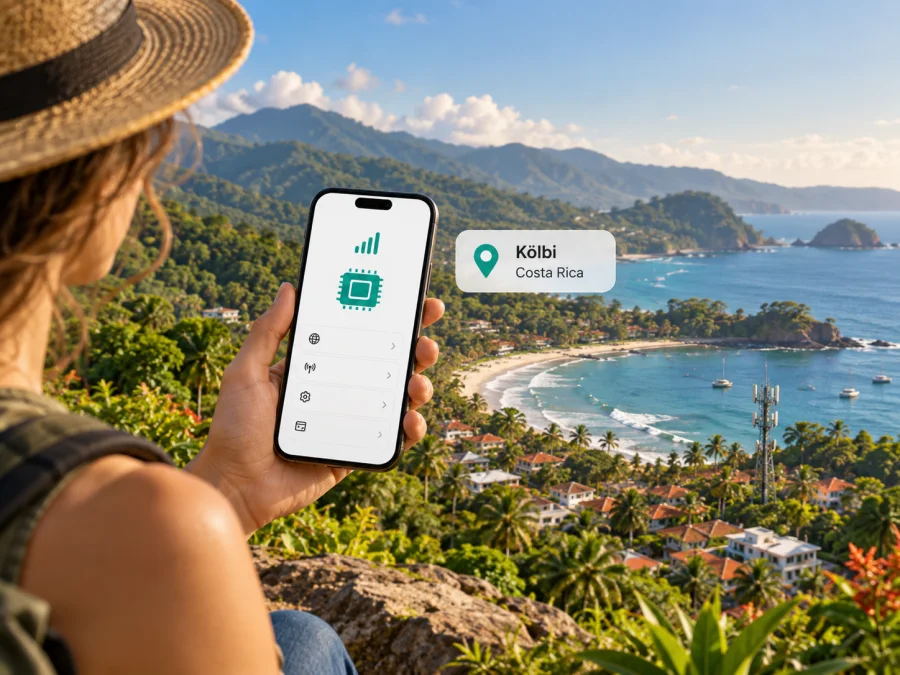
Kölbi eSIM in Costa Rica: what travelers should check
If you are traveling to Costa Rica, “Kölbi eSIM” can refer to more than one thing: a local mobile profile, a tourist SIM, or Kölbi’s separately branded global travel eSIM offer. The official pages describe these as distinct services. Kölbi publishes an eSIM setup guide for iPhone, a prepaid tourist SIM page, and a global travel eSIM page that names Airalo as the provider for service abroad. The pages reviewed do not clearly confirm that every visitor can get a local Kölbi eSIM on a prepaid tourist line. Confirm the exact line type and your eligibility with Kölbi before relying on it.
Use the distinctions below to check what is established and what to confirm before travel. Information was checked on 17 October 2026 against Kölbi’s public website and Kaspersky eSIM Store’s Costa Rica page.
Kölbi and mobile service in Costa Rica
Kölbi is the consumer mobile brand of Costa Rica’s Instituto Costarricense de Electricidad (ICE). Its public site covers mobile, prepaid and postpaid services, roaming, customer support and a mobile coverage map. Use the map to check your itinerary: urban areas, coastlines, mountain roads and remote parks can differ, and listed coverage does not guarantee indoor reception or signal along every route.
Kölbi’s mobile service pages refer to 4G/4.5G requirements for some services and devices. The operator also published a notice about a time-limited 5G Standalone pilot for eligible postpaid customers, planned to end in February 2026. That notice is historical and does not establish that general 5G service is available today to all customers, devices or locations. Check for a newer official update and confirm device requirements and coverage for the specific places you will visit.
What Kölbi’s pages confirm about eSIM
Kölbi describes its eSIM as a digital version of its physical SIM for prepaid and postpaid service on compatible phones. Its current service page says to request an eSIM at a Kölbi store or ICE agency, then follow the device guide to install it by QR code. The iPhone guide says to connect to Wi-Fi, open cellular settings, choose “Add eSIM” and scan the code. This confirms local eSIM support for compatible Kölbi service, including prepaid generally. The public tourist SIM page does not specifically say that SIM Turista is issued as eSIM, so visitors should confirm that product and registration process before travel.
A separate page, “kölbi eSIM Global,” describes a travel service for use abroad and identifies Airalo as the provider of purchase, installation, connectivity, billing and technical support. This is an outbound travel offer; it is not evidence that a visitor arriving in Costa Rica can obtain a domestic Kölbi line through it. Kölbi’s page says it facilitates access to the partner offer, while service-specific support is provided by the named service provider.
Kölbi also lists “kölbi SIM Turista,” a prepaid tourist SIM for visitors to Costa Rica. The page describes a SIM product but does not confirm that this particular offer is available as eSIM. Do not infer that the tourist product can be downloaded digitally just because Kölbi supports eSIM on some lines. Ask whether it currently has an eSIM version, what identification or registration is required, whether an in-person visit is needed, and whether it includes a local number.
Kölbi’s service page says compatibility is required and directs customers to request the profile at a store or ICE agency. A visitor should still confirm what identification and registration steps apply to their specific line, and whether the intended tourist offer is available as eSIM. Save the provider’s installation directions and support details where you can access them without mobile data.
Confirmed and still worth checking
| Topic | What the pages establish | What to confirm |
|---|---|---|
| Kölbi eSIM | Kölbi has an eSIM service section and an iPhone QR setup guide. | Eligibility for your line type and exact phone variant. |
| Tourist service | Kölbi lists a prepaid SIM Turista for visitors. | Whether the current tourist offer is available as eSIM. |
| eSIM Global | The offer is for travel abroad and identifies Airalo as the service provider. | Destination and terms for your trip; it is not a domestic-line confirmation. |
| 5G | A published pilot notice had a planned end date in February 2026. | Current rollout and device/location requirements. |
Choose the service around your trip
Start with what you need. If you require a Costa Rican phone number, standard voice service, SMS or a continuing local line, ask Kölbi which service fits and whether a visitor can register for it. Confirm if it can be activated as eSIM. If the operator cannot confirm those details, consider whether a physical tourist SIM or another documented option would suit you. A phone’s eSIM capability does not mean every operator product is issued digitally.
If you mainly need data for maps, messaging, reservations and transport, a travel eSIM may be easier to prepare before departure. Kaspersky eSIM Store is an app and website that helps travelers choose, arrange and activate an eSIM data plan for a destination. It is not a mobile operator, network owner or provider of mobile internet. The current Kaspersky eSIM Store Costa Rica listing identifies its local service supplier separately from Kölbi. A destination travel plan therefore should not be described as Kölbi service or as a Kölbi telephone number.
Choose based on whether you need calls on your usual number, whether your home carrier charges for roaming, and whether you need tethering. A San José stay and a route through rural mountains raise different coverage questions. Download offline maps and save essential addresses.
Before requesting or buying an eSIM
Check these details while you still have a reliable connection and time to contact the provider:
- Exact device compatibility: Look up the complete model number and sales region. Regional variants in the same product family may have different SIM capabilities.
- Unlock status: A carrier-locked phone may reject another provider’s eSIM even if the hardware supports eSIM.
- Line eligibility: Ask which Kölbi line types can be provisioned digitally, specifically for a new visitor, prepaid account, line replacement or number transfer.
- Registration: Confirm whether you need identification, an in-person visit or a local address, and whether activation can be completed before arrival.
- Product purpose: Distinguish local Kölbi service from eSIM Global, which Kölbi describes as travel abroad, and from the tourist SIM page.
- Included services: Confirm whether the product is data-only or includes a local number, voice and SMS.
- Coverage: Check your accommodation, transport routes and destinations on Kölbi’s current map; ask about any critical location that is unclear.
- Activation and support: Save the installation instructions and the official support channel. Keep the QR code private and accessible offline.
Ask whether the profile can be downloaded again if installation fails. Some eSIM activation codes are single-use or tied to one device. Do not delete an installed profile as a troubleshooting step unless its issuer confirms you can restore it. Keep Kölbi instructions separate from those for any travel profile: similar installation menus do not make profiles interchangeable.
Review the available eSIM options for Costa Rica to see what is currently listed for the destination. Before ordering, check the supplier, service description, coverage conditions and activation rules on the page. Availability and terms can change. A travel data eSIM may let you keep a physical SIM in the phone, but it may not include a local number, ordinary calls or SMS. Check explicitly if those features matter.
Installing and setting up an eSIM
Menu names vary by phone, software version and language. Use Wi-Fi during installation. For a Kölbi profile, follow the QR instructions issued by Kölbi. For a travel eSIM, use the issuing service’s app or email directions. The sequence is broadly similar, but eligibility and activation timing depend on the specific service.
- Confirm support and unlock status. Check the full device variant and remove any carrier restriction that blocks another profile.
- Prepare the phone. Charge it and connect to stable Wi-Fi. Keep the activation code or second screen ready.
- Read the issuer’s directions. Check whether to install before departure and when service or data use starts.
- Add the profile. Open cellular or mobile-network settings, select the option to add an eSIM, and scan the issuer’s QR code or follow its app flow.
- Label each line. On a dual-SIM phone, use clear labels such as “Home” and “Travel.”
- Choose mobile data deliberately. Select the intended eSIM for data and check the home line’s roaming settings to avoid unintended charges.
- Follow roaming instructions for that profile. Some travel eSIMs require data roaming on the eSIM. Enable it only as directed and keep the home line configured separately.
- Test on arrival. Allow time for network registration. If data does not work, check the selected line and provider instructions before removing the profile.
Kölbi’s iPhone guide specifically covers Wi-Fi, “Add eSIM” and scanning a provided QR code. It is a useful basic reference but does not answer every question about new-customer registration or device eligibility. Kölbi’s public materials also include device-specific Android instructions; exact menus vary among manufacturers and versions. Follow the current guide for your handset and service. If you need general system steps, use the phone’s own settings and the issuer’s directions. For Kaspersky eSIM Store profiles, the service page says the profile appears in the account and can be installed through the app or website, with a QR code also sent for activation. Check eSIM compatibility before purchase.
Coverage and technology: what to expect
Use Kölbi’s official mobile coverage map for a specific destination and check it again close to departure, since information and network deployment can change. Look beyond the arrival airport: include accommodation, road transfers, towns and remote excursions. Terrain, buildings, local conditions and the phone’s supported bands can affect reception even where a map indicates service.
A network label does not guarantee a particular speed. Access depends on the local network, device bands, line eligibility and conditions at the time. If connectivity is important for work or safety, ask Kölbi what applies to your model and route, and keep critical travel information offline. The 5G pilot announcement found for this guide had a stated end date in February 2026; the reviewed material does not establish current commercial availability across all Kölbi customers. No claim is made here that 5G works throughout Costa Rica or on every Kölbi line.
A travel eSIM may use a local network other than the brand shown on a travel offer. Check the service supplier and destination terms. The Kaspersky eSIM Store Costa Rica listing currently identifies its local telecommunications supplier; review the listing again when you purchase. Its performance depends on the local partner network and offer conditions, and it does not inherit Kölbi coverage simply because it is used in Costa Rica.
Local service or travel eSIM?
A local Kölbi line may be the right choice if you need a Costa Rican number, conventional calls or SMS, or an ongoing relationship with the operator. You may need registration or an in-person visit, and an eSIM version may not be available for every line. Confirm those points rather than assuming that a tourist SIM and eSIM are equivalent.
A travel eSIM is organized around data for a destination or route. It can be added digitally to a compatible, unlocked phone, which may reduce the need to find a sales point after arrival. Features vary, so check whether the service is data-only, which countries it covers, how it activates, whether tethering is allowed, and which support team handles problems. Do not assume that all travel eSIMs follow the same terms.
Many phones allow a home SIM and travel eSIM to coexist. You can keep your usual number for calls or messages while assigning mobile data to the travel profile, but behavior varies by device. The home carrier may still charge for calls, texts or roaming data. Set the data line carefully, review automatic switching and ask your home carrier about charges if you need certainty. Messaging apps use internet data; they are not ordinary SMS.
Kaspersky eSIM Store helps users choose, arrange and activate a travel data eSIM through its app or website. Kaspersky does not operate the Costa Rican network or provide mobile internet. The service is an option to consider for data-focused travel, not a substitute for a local telephone number or a promise of coverage at every location.
Troubleshooting
If an installed profile does not connect, first check that it is switched on, mobile data is enabled and the correct line is selected. Toggle airplane mode or restart, then give the phone time to register. If the issuer requires data roaming for that eSIM, enable it for that line only and verify that the home SIM is not selected for data roaming unintentionally.
If it still fails, check the issuer’s APN or manual network instructions rather than guessing settings. Confirm that the service covers Costa Rica, is active under its terms, and supports the phone’s bands. Contact the provider that issued the profile: Kölbi for a Kölbi line, or the named travel-service support channel for a travel eSIM. A local network operator may not be able to investigate a third party’s account or profile.
Do not delete and reinstall the eSIM as a first response. Some codes can only be used once or are tied to the first device. Save the error message, phone model, software version and location, then ask the issuer what to do. If the phone shows signal but apps do not load, check the selected data line and provider settings, then test in another open location. A reinstall cannot improve coverage.
Frequently asked questions
Does Kölbi offer eSIM in Costa Rica?
Kölbi says its eSIM works with prepaid and postpaid service on compatible phones, and publishes an iPhone QR setup guide. Whether the tourist SIM is issued as eSIM is not specified; confirm your line and handset with Kölbi.
Can I get the Kölbi tourist SIM as an eSIM?
The SIM Turista page describes a visitor-oriented prepaid SIM but does not say it is available as eSIM. Ask Kölbi about the current offer and registration process. Do not infer it from the separate eSIM setup guide.
Is Kölbi eSIM Global a local Costa Rican line?
Kölbi describes eSIM Global as a travel service for use abroad and names Airalo as provider of purchase, installation, connectivity, billing and support. That is not evidence that a visitor can use it as a domestic Kölbi line in Costa Rica.
Does a Kölbi eSIM include calls and texts?
It depends on the specific service and line. Confirm whether the local product includes a Costa Rican number, voice and SMS. A travel data eSIM may not include them; internet messaging is different from ordinary calls and texts.
Will my phone work with Kölbi eSIM?
Only if the exact variant supports eSIM, is unlocked and meets current operator requirements. Check the full model number and ask Kölbi to confirm your handset and line combination.
Is Kölbi 5G available throughout Costa Rica?
The public notice found described a pilot with a planned end date in February 2026. It does not confirm current nationwide commercial access. Look for a newer official update and confirm coverage for your phone, line and destination.
Can I install an eSIM before arrival?
The issuer decides when a profile can be installed and when it activates. Kölbi’s iPhone guide says Wi-Fi is needed to download its profile. Read the instructions for your particular service before scanning the code, especially if activation timing matters.
Can I move an eSIM to another phone?
Do not assume so. Transfer or reissue rules depend on the issuer. Ask before changing devices, resetting the current phone or deleting a profile.
A short decision path
- Decide whether you need a Costa Rican number, mobile data, or both.
- If you want a Kölbi line, confirm visitor eligibility, eSIM availability for your line type and exact phone model.
- If you want SIM Turista, ask whether the current product has a digital version; the public page does not confirm that it does.
- Check Kölbi’s current coverage map for your actual destinations.
- If choosing a travel eSIM, verify its supplier, coverage, features and activation steps.
- Install on Wi-Fi, label the profiles and select the intended data line.
- Keep support information and activation instructions accessible offline.
For data-focused travel, you can check current Costa Rica eSIM options and review the service provider and conditions. This is a destination page, not a Kölbi tariff page. For a local number or Kölbi subscriber line, confirm eligibility and activation details through Kölbi’s official channels.
Kaspersky eSIM Store is an independent travel eSIM service and is not affiliated with Kölbi or ICE.


