Travel connectivity guide
Konya eSIM for Mobile Internet in Türkiye
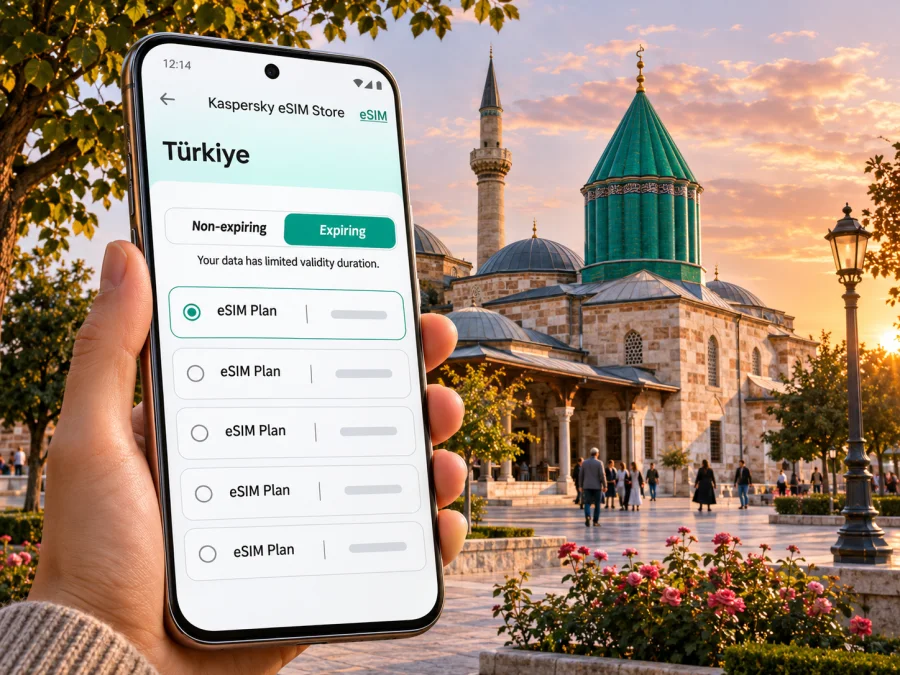
Konya eSIM: Mobile Connection and Internet for Your Trip
Konya is a large inland city in central Türkiye, known for the Mevlana Museum, Seljuk-era architecture and a broad urban footprint. A visitor may spend one day around the historic centre, then cross town to a hotel, a meeting, a railway station or a quieter neighbourhood. Mobile internet is useful for checking directions, translating signs and menus, coordinating a pickup, viewing transit information and keeping travel documents accessible.
An eSIM can help you prepare for that routine without replacing your physical SIM. Before travelling, check that your phone supports eSIM, confirm the plan’s destination and terms, and decide which line should handle mobile data. Coverage and performance depend on the local network, your location, device and plan, so keep offline navigation and key addresses available as a backup.
What mobile internet helps with in Konya
Konya’s sights and transport connections are spread across a city that can be easy to underestimate on a map. Data is especially useful between stops: to locate a bus or tram, message your accommodation, adjust a route or check current visiting information.
A connection is useful for more than opening a map. You may need to:
- confirm the exact entrance or meeting point when an attraction has several nearby buildings;
- look up a tram or bus route and check whether it has changed;
- call a ride through an app, share your location or message the driver;
- translate a short notice, read a menu or check opening information;
- use online tickets, booking confirmations and cloud-stored travel documents;
- contact colleagues or family through internet-based messaging and calls.
A travel data eSIM generally provides mobile data rather than a new local phone number. Unless the selected plan explicitly says otherwise, do not expect conventional voice calls or SMS from that eSIM. Keep your regular line available for calls or verification messages if its roaming settings and charges are suitable, and use internet messaging for data-based communication.
Arriving at Konya Airport
Konya Airport (KYA) serves the city with a shared domestic and international terminal. When you land, you may need to coordinate transport while moving between the terminal and your accommodation. Save the hotel name and address in Turkish, along with a map pin or a screenshot, before your flight. This is useful if you have not yet connected or if your phone is still selecting a network.
Check current transport options for your arrival time; airport services and pickup arrangements can change. Confirm details with your accommodation or airline. If someone is meeting you, agree on a recognizable pickup point and a fallback location before landing.
Do not remove or reinstall an eSIM profile just because the first connection is not immediate. First check the installation instructions, data-line selection and any roaming setting required for that specific profile. If the issue continues, use the provider’s support instructions and avoid changing multiple settings at once.
Moving around the city
Konya’s municipal transport information service, ATUS, includes bus and tram route information, stop details, schedules and vehicle-location features. Use live information to plan a specific journey, then recheck it before departure: routes and service can be affected by works, events or temporary changes. A network connection makes it easier to compare options, but a downloaded map and the name of your destination in Turkish remain useful backups.
Trams serve selected corridors, while buses cover more neighbourhoods. The best choice depends on your start point, time and current route. Walking may work between nearby central sights; for a cross-city trip, check the full journey rather than straight-line distance. Confirm a taxi pickup point in the app before setting off.
| Journey | Check online | Save offline |
|---|---|---|
| Airport transfer | Pickup details and address | Hotel name and map pin |
| Historic centre | Route and entrance | Map area and ticket |
| Bus or tram | Line, stop and service notice | Destination name |
| Return at night | Pickup point | Accommodation address |
Historic centre, Mevlana Museum and nearby streets
Many first-time visitors start near the Mevlana Museum and the surrounding central streets. The museum complex is a natural anchor for navigation, but a map pin alone may not tell you which entrance to use or whether a nearby address is inside the pedestrian area. Save the destination name and review the walking route before you leave your hotel. In busy periods, mobile data can help you adjust if a street is closed or your group separates.
Respect local customs when visiting religious and cultural sites. Check the visitor guidance at the destination, dress appropriately and be mindful of prayer times and photography rules. These details can vary by site, so verify them close to your visit. An online translation tool is useful for a short sign, but it should not replace posted instructions or staff guidance.
Neighbourhoods, hotels and work trips
Konya is not only its historic centre. Visitors may stay near a railway station, university, business district or a suburban hotel, and the practical route to a sight can be different from one base to another. Before booking or departing, check the exact location rather than choosing accommodation solely by a neighbourhood label. Use the map to compare walking distance to transit and the likely journey to your first appointment. For onward travel, TCDD Taşımacılık lists high-speed routes between Konya and Ankara, as well as Konya and Istanbul; check the current timetable and station details for your date. A day trip to Sille also calls for checking the return journey and saving the destination before you leave central Konya.
For longer stays, plan data around your actual pattern. A light-use visitor who mainly checks maps and messages needs a different allowance from someone who uploads photos, uses navigation for hours, or connects a laptop. The right plan depends on duration, data amount, validity period and whether the route includes destinations outside Türkiye. Read the chosen plan’s conditions carefully, including any start-of-validity rule, supported destination and top-up terms.
Choosing a travel eSIM for Türkiye
Konya is in Türkiye, so a city trip normally calls for checking a Türkiye destination plan rather than searching for a separate Konya product page. Availability, price, validity, supported networks and included data may change. Review the live terms shown for the selected option before payment, and make sure the destination matches every stop on your itinerary. If your route continues to another country, check whether the plan covers that destination or whether you need a separate option.
Kaspersky eSIM Store is an app and website where you can choose, arrange and activate an eSIM with a suitable plan for mobile data while travelling abroad. It is a preparation and plan-management service, not a mobile network operator. The plan’s own terms determine where it can be used and what it includes. To compare the currently available options for the country, review eSIM plans for Türkiye.
Use these questions to compare plans:
| Question | Why it matters for a Konya visit |
|---|---|
| Does the plan include Türkiye? | A city name may not appear as a separate destination; country coverage is the key check. |
| How much data is included? | Maps and messages are modest; video, cloud uploads and hotspot use can increase usage. |
| How long is the plan valid? | A short visit and a multi-week stay call for different validity periods. |
| When does validity begin? | Installation and first network connection may be treated differently; check the plan wording. |
| Can I top up or extend it? | This matters if your stay changes or usage is higher than expected. |
| What network or device conditions apply? | Availability can vary with local conditions and the phone’s supported bands and settings. |
Check the device before choosing a plan. It must support eSIM and should not be locked to a carrier in a way that prevents adding another profile. Model names can vary by sales region, even when two phones look alike, so verify the precise model and region variant in the manufacturer’s specifications or device settings. Check whether your device supports eSIM. If your phone does not support eSIM, consider your existing roaming option or ask your carrier about a local physical SIM after arrival.
Install before you travel, connect when needed
When possible, install the eSIM while you have stable internet access and enough time to follow the steps. Some plans can be installed in advance and used after arrival; exact behavior depends on the plan. Read the purchase confirmation and installation instructions so you know whether to activate immediately or wait until you reach Türkiye. Keep the QR code or activation details accessible on another screen or in a secure place if the same phone will be used for installation.
The usual sequence is:
- Confirm that the phone supports eSIM and is not carrier-locked.
- Check the selected plan’s country, validity, data amount and activation conditions.
- Connect to Wi-Fi and add the eSIM profile using the instructions for your operating system.
- Label the new line clearly, for example “Türkiye data,” while keeping your existing SIM identifiable.
- Before departure or on arrival, choose which line handles mobile data.
- Follow the plan’s guidance for data roaming and activation; settings differ by device and plan.
- Test with a simple webpage or message, then monitor data use in the phone settings or app.
Use the Android eSIM installation guide or the iPhone eSIM installation guide for the matching device. Menu names may differ between software versions. If you are unsure which line is active, pause before deleting a profile; some eSIMs cannot be reinstalled or transferred freely once removed.
To avoid unexpected charges on your regular SIM, review its roaming and mobile-data settings before the trip. You can keep the physical SIM enabled for incoming calls or verification messages if appropriate, while assigning data to the travel eSIM. The exact dual-SIM behavior differs across models and regions. After you change a setting, verify which line is selected for data rather than relying on the line label alone.
Practical scenarios
A one-day visit
You land, leave your luggage at the hotel and head to the Mevlana Museum area. Save the hotel and museum locations in advance, then use data for the airport transfer, route changes and messages. A modest data plan may be enough if you avoid video streaming and large uploads, but estimate based on your own use and confirm the package terms.
If mobile data does not work
A failed first connection does not necessarily mean the eSIM is unusable. Move to an open area, wait briefly and check settings one at a time. Use this order:
- confirm that the eSIM line is enabled and selected for mobile data;
- check whether the plan says it should activate at the current destination;
- review the data-roaming instruction for that profile;
- toggle airplane mode once, then allow the device time to reconnect;
- restart the phone if the previous steps do not help;
- consult the plan instructions or support channel before deleting the eSIM.
A weak or unavailable signal can also reflect the building, location, local network conditions or device configuration. If you need to move on, use Wi-Fi where available, show your saved address to a driver, or continue with an offline map. Avoid changing network-selection settings unless the plan’s instructions recommend it.
Monitor remaining data if you use navigation for much of the day. Download offline map areas in advance where the app allows it, disable automatic media uploads on mobile data and reserve video calls for Wi-Fi when practical. These small steps make a limited plan easier to manage without interrupting essential route and messaging use.
A compact preparation checklist
Before leaving for Konya, check the following:
- [ ] Your exact phone model and regional variant support eSIM.
- [ ] The phone is not carrier-locked against adding another eSIM profile.
- [ ] The selected plan lists Türkiye and matches your trip dates and route.
- [ ] You understand the plan’s data amount, validity, activation and top-up terms.
- [ ] The eSIM is installed or you know how you will install it.
- [ ] Your regular SIM’s roaming settings and possible charges are understood.
- [ ] Airport transfer details, accommodation address and first destination are saved.
- [ ] You have an offline map, booking details and enough battery for the day.
- [ ] You know which line provides data and how to contact support if setup fails.
Frequently asked questions
Is Konya a separate eSIM destination?
Usually you should search by the country, Türkiye, and check the plan’s stated coverage. Konya is a city within Türkiye, and a separate city-specific page may not be offered. Confirm the destination and terms shown for the plan before purchase.
Will an eSIM provide a Turkish phone number?
Not necessarily. Travel data eSIMs are commonly intended for mobile internet and may not include a local number, regular calls or SMS. Check the plan details. You can keep your usual number for calls if your carrier and roaming settings permit, or use internet-based calling and messaging over data.
Can I keep my regular SIM active?
Many dual-SIM phones let you keep a physical SIM and an eSIM active, but options vary by device and region. Check your phone’s settings and your carrier’s roaming terms. Assign mobile data deliberately and verify the selected line after setup.
What if I travel from Konya to another country?
Check every destination on your route. A Türkiye plan may not include another country, and regional plans have their own coverage and validity terms. Compare the route with the selected plan before relying on it for onward travel.
Set up for the way you travel
For a smooth visit, prepare the essentials before you arrive: verify the phone, review the plan terms, save your Konya addresses and decide which SIM will carry data. Use mobile internet for the live details that make a journey easier, while keeping offline information for the moments when a signal is delayed or unavailable.
When you are ready, choose an eSIM plan for your trip to Türkiye through Kaspersky eSIM Store, the app and website for selecting, arranging and activating an eSIM plan for mobile data abroad. Check the current destination, data allowance, validity and activation rules before completing your choice.


