Travel connectivity guide
Kopaonik eSIM: Mobile Internet for Your Trip
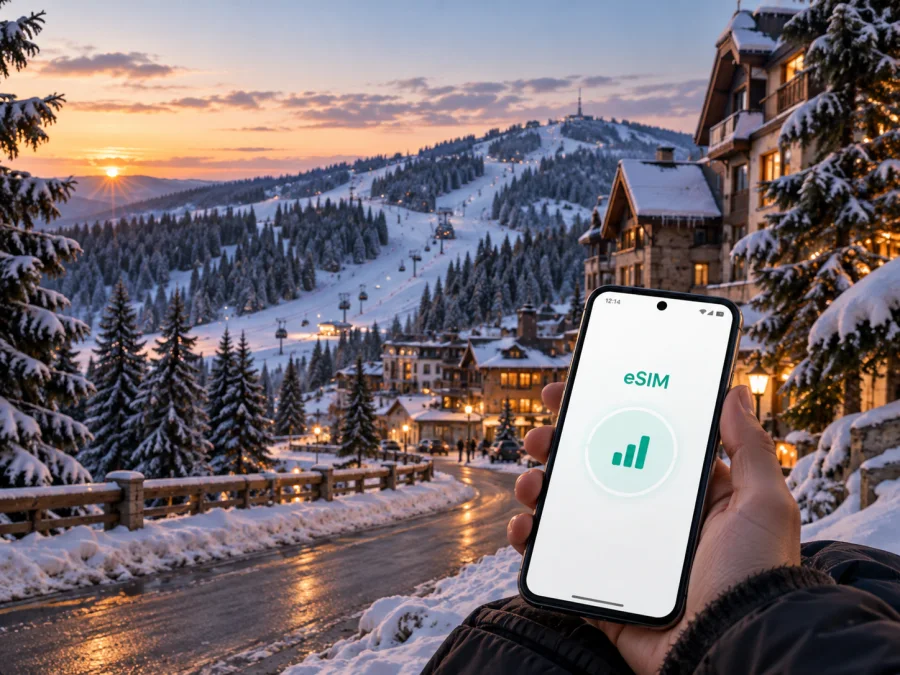
Kopaonik eSIM: mobile connection and internet for a mountain trip
Kopaonik is a mountain destination where a journey may begin at an airport, continue along a winding road and end at a hotel, apartment or ski area. In those first and last kilometres, mobile data is practical: you may need the exact accommodation entrance, a message from a driver, a live route or a booking confirmation. An eSIM can help you prepare a digital SIM for Serbia, keep your primary number available for important calls and use mobile internet for maps, messages, reservations and work.
This guide focuses on Kopaonik: arrival, resort movement, navigation, accommodation, work, stopovers and trips through Serbia. Kaspersky eSIM Store is an app and website where you can choose, arrange and activate an eSIM with a suitable plan for mobile internet during an international trip. Check the plan’s scope, traffic allowance, validity and activation conditions before travelling.
Why mobile data matters in Kopaonik
Distances in a mountain resort can be easy to underestimate. A property may be close to a lift or trail on a map but still require a particular road, entrance or seasonal transfer. Accommodation described as being in Kopaonik may be in the central resort area, on an approach road or in a nearby settlement such as Brzeće. Your arrival plan therefore depends on the exact address, road conditions and the transport arrangement offered by the property.
Mobile internet is useful before the first activity as well as during it. You may need to:
- open the exact hotel address and send it to a driver;
- check a reservation message while changing transport;
- use navigation when snow, fog or darkness makes landmarks less helpful;
- contact reception, share a meeting point or check weather and road information;
- keep work messages and authentication available.
An eSIM does not replace preparation. Save key addresses, download essential map areas where possible and keep accommodation contacts offline. It provides current data for decisions that cannot be made in advance.
Kopaonik arrival and movement scenarios
The first hours after arrival
Most visitors reach Kopaonik by road after landing elsewhere in Serbia or in a neighbouring country. The last part of the journey is regional, so an exact address, a driver’s message and a live route can be more useful than a city-centre landmark. Mobile data lets you confirm a meeting point, report a delay or compare the planned route with current conditions.
Before leaving the airport or starting a long transfer:
- Confirm the accommodation name and full address.
- Save the destination and driver’s contact details.
- Check that the eSIM is installed and that its data line will be selected when needed.
- Confirm how late check-in works if your arrival is outside normal hours.
Connectivity supports communication; keep a short version of the address in your notes.
Getting around the resort
Kopaonik movement is seasonal and accommodation-dependent. In winter, visitors may combine walking, a hotel shuttle, a taxi, a private car and ski-area transport. In warmer months, a trip may involve trailheads, viewpoints, cycling routes or a day drive. Treat old schedules as planning clues, not guarantees.
| Situation | Mobile data is useful for | Prepare offline |
|---|---|---|
| Airport transfer | Sharing the entrance and confirming timing | Reservation number and driver name |
| Hotel-to-slope movement | Checking a meeting point or shuttle message | Hotel address and reception details |
| Walking between buildings | Following a pin and identifying the correct road | Local screenshot |
| Drive to another settlement | Recalculating after a weather or traffic change | Fuel and route outline |
| Day trip from Kopaonik | Keeping maps, messages and bookings available | Return route and contacts |
Confirm transfers directly with the accommodation or the provider named in your booking.
Navigation in a mountain environment
On a flat urban map, a short route can look simple. In Kopaonik, snow, ice, fog and limited daylight can change the journey. A map pin may mark a property rather than its reception or driveway. Check the route before setting out, compare it with the accommodation’s instructions and ask locally if conditions deteriorate.
Keep the phone charged, carry a power bank and avoid typing while walking, driving or wearing equipment. Tell a companion your intended route beyond the central resort. For trails and outdoor activities, follow local signs and the relevant provider’s guidance; a data connection does not measure safety or make every path suitable.
Choosing an eSIM plan for a Kopaonik trip
Choose for the whole Serbian itinerary, not only the nights in the resort. A traveller may fly into Belgrade, spend several days in Kopaonik and continue towards Novi Pazar, Raška or another Serbian destination. A country scope that fits the complete route can be more useful than a plan selected only because a resort name appeared in a search.
Check four things:
- Validity. Match the duration to arrival and departure days, and check when the validity period begins.
- Geographic scope. Confirm that the plan covers Serbia and any other countries on a cross-border route.
- Data allowance. Navigation, messages and email are lighter than video calls, cloud backups, social video or hotspot use. Choose from the plan details.
- Dual-SIM behaviour. Decide whether the eSIM is for data while your regular SIM remains available for calls and messages, and check which line the phone will use.
For a short stay, list daily route searches, messages, weather checks, reservations, work calls and uploads, then add a margin for the long arrival and departure journeys. If several devices will share one phone’s hotspot, account for that separately because tethering can use data quickly.
You can choose an eSIM plan for a trip to Serbia after checking the country scope, data allowance, validity and activation conditions. Kaspersky eSIM Store helps you review those details, complete the selection and activate the eSIM; the selected plan’s conditions are the source of truth.
Installing an eSIM before departure or in Kopaonik
Installation is easiest with stable internet, enough battery and time to read the plan conditions. If you install before departure, you can keep the profile ready and choose when to turn on the data line, subject to the plan’s activation rules. If you wait until arrival, use reliable Wi-Fi or the primary SIM’s working connection while adding the profile.
Before you begin, check whether your device supports eSIM and confirm that it is not operator-locked. Menu names vary by model and operating-system version. Keep the activation details or QR code accessible on another screen if the phone cannot scan a code displayed on itself.
Step-by-step setup
- Check the conditions. Confirm compatibility, unlocked status, country scope and the validity start point.
- Connect to the internet. Use Wi-Fi or another working data line while adding the profile.
- Open mobile-network settings. Select the option for adding a mobile plan or eSIM.
- Scan or enter the activation details. Follow the on-screen instructions and name the line clearly, such as “Serbia travel data”.
- Choose the data line. Set the travel eSIM as the mobile-data line when you want to use it in Serbia.
- Check roaming settings. Some plans require data roaming for the eSIM. Avoid enabling it on the primary line unless you understand possible charges.
- Test the line. Turn off Wi-Fi briefly and open a lightweight page or messaging service.
Use the Android eSIM installation instructions or the iOS eSIM installation instructions for platform-specific detail. If data does not work, check the selected line, roaming setting, signal conditions and plan validity before deleting the profile. Reinstallation may depend on the plan’s conditions.
Device, battery and data checks
Kopaonik days can begin early and finish away from a power socket. Before departure, check:
- [ ] The phone supports eSIM and is not operator-locked.
- [ ] The profile is installed or its activation details are accessible.
- [ ] The travel eSIM is selected for Serbian data and primary-SIM roaming matches your cost plan.
- [ ] Validity and data allowance cover the complete route.
- [ ] Hotel, transfer and important details are saved offline.
- [ ] The phone, cable and power bank are ready.
Cold conditions and continuous location use consume battery. Lower brightness, use battery-saving features when appropriate and decide in advance whether hotspot use is practical.
Accommodation, districts and arrival details
Kopaonik has several accommodation contexts rather than one uniform street grid. The central resort area may suit visitors who want short access to services and activities. Properties farther along access roads, including around Brzeće, may offer a different balance of space, slope access and transport dependence. Verify the details before travelling.
Ask these practical questions:
| Question | Why it matters |
|---|---|
| What is the exact entrance or reception point? | The map pin may not show the driveway. |
| Is a shuttle available, and in which season? | Daily movement may depend on a timetable or reservation. |
| Is parking available? | A car route and walking route may end at different places. |
| Where does Wi-Fi work? | This affects how much data you need for work and uploads. |
| What happens with late check-in? | You may need to message staff while still on the road. |
Save a short arrival note with the property name, road, landmark, entrance, reception contact and check-in window.
Business trips and remote work
A mountain location rewards redundancy. A conference or retreat may move between a hotel, meeting room and outdoor activity. Mobile data helps with calendars, authentication, messages and routes.
Before the trip, prepare authentication, urgent contacts, scheduled calls and key documents. Large updates can wait for suitable Wi-Fi. For a workday:
- Save each venue and allow extra time between locations.
- Test the eSIM with a small data action before the first meeting.
- Keep calendar and contact details available offline.
- Carry a charger and follow your employer’s rules for confidential work.
Stopovers and trips beyond Kopaonik
Kopaonik may be one leg of a Serbian route: an arrival through Belgrade, a mountain stay, a continuation towards Novi Pazar or Raška, and a return to an airport. A country plan can provide continuity when its conditions cover the route.
For a stopover or day trip:
- save the next destination and return route;
- check weather and estimated travel time;
- keep booking confirmations and contacts in one note;
- review data before a long transfer and confirm scope before a border crossing;
- avoid deleting or resetting the eSIM between legs.
Do not treat a map estimate as a promise. Build a buffer and tell your accommodation or driver if your arrival changes.
Troubleshooting mobile data
If the eSIM is installed but you cannot get online, start with these checks:
- Move to an open, safe location if the surroundings may block reception.
- Confirm that the travel eSIM is enabled and selected for data.
- Check whether the selected plan requires data roaming.
- Toggle airplane mode briefly and allow the phone time to register again.
- Review validity, remaining traffic and country scope.
- Restart the phone if the settings are correct but the connection has not refreshed.
Avoid changing several settings at once or removing the profile because one location has weak reception. If the issue continues, contact support through the relevant Kaspersky eSIM Store service flow.
Questions travellers ask about Kopaonik eSIM use
Is an eSIM useful if I stay mainly at one hotel?
Yes, for arrival, walks, transfers or time away from hotel Wi-Fi. It is also a backup for messages, maps and bookings.
Should I install it before leaving for Serbia?
Installing with stable internet and battery is convenient. Check when validity begins.
Can I keep my regular number active?
On a compatible dual-SIM phone, you can often keep the primary line available while using the eSIM for data. Check the selected line and roaming.
Does the eSIM include a Serbian phone number?
Not necessarily. These plans are intended for mobile internet; a number, ordinary calls and SMS are not included unless the plan says otherwise. Messengers work when data is available.
Can I use one eSIM beyond Kopaonik?
Check geographic scope. A Serbia plan may suit a route within Serbia, while a cross-border trip may need a regional or additional plan.
A calm connection plan for your Kopaonik trip
The dependable setup is simple: confirm the accommodation entrance, save the route and contacts, install the eSIM on a compatible unlocked device, select the travel line for data and test it. In Kopaonik, use mobile data for arrival coordination, navigation, weather, bookings and route changes, while keeping offline information as a second layer.
Kopaonik rewards flexibility. Weather, road conditions, seasonal transport and accommodation location all influence the day. Check the plan conditions, keep your phone charged and leave time to adapt.
When you are ready to prepare the digital part of the trip, select a suitable eSIM plan for Serbia, then install and activate it according to the plan instructions. This gives your Kopaonik itinerary a practical mobile-data foundation from the first transfer to the journey home.


