
Travel connectivity guide
Korcula eSIM: Mobile Internet for Your Trip
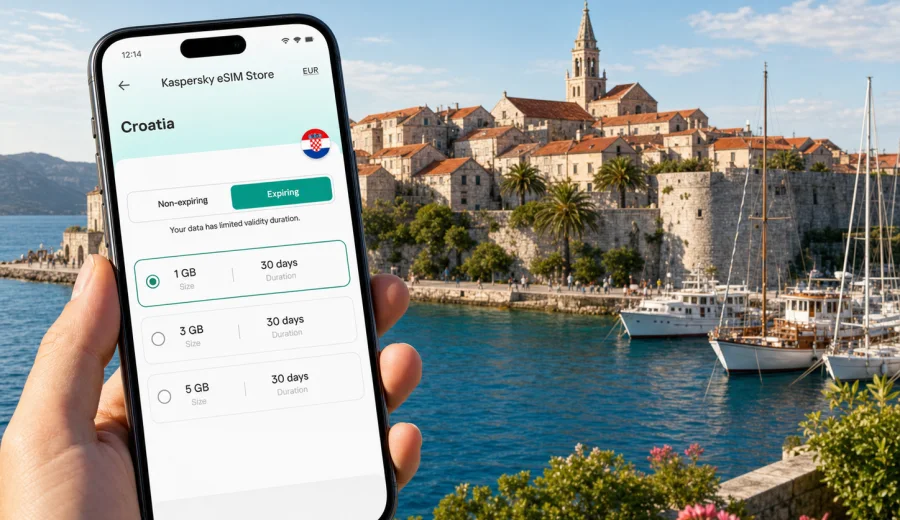
Korcula eSIM: mobile connection and internet for a smooth island trip
Korcula is an island city where mobile internet quickly becomes part of the travel plan. You may need maps when you arrive by ferry, a taxi contact after dark, a hotel confirmation at the Old Town gate, a restaurant booking near the marina, or weather updates before a boat trip. The city is compact, but the journey around it often includes ports, beaches, hillside roads, and day trips where public Wi-Fi is not something to plan around.
An eSIM can help you prepare mobile internet before you reach Croatia or shortly after arrival. With Kaspersky eSIM Store, you can choose, arrange, and activate an eSIM tariff for travel data on a compatible device. This is useful in Korcula because many practical moments happen outside a hotel lobby: checking the ferry timetable at the harbor, navigating stone lanes, coordinating with a host, or using a messenger when you are between the Old Town and a beach village.
This guide focuses on Korcula city and nearby island movement: arrival routes, local transport, hotels, business stays, stopovers, navigation, and trips across Croatia. It does not replace the conditions of a specific tariff. Before buying, check the data allowance, validity period, destination, activation rules, and device compatibility.
Why mobile internet matters in Korcula
Korcula rewards slow walking, but the logistics around it are precise. Ferries and catamarans depend on route, season, and weather. Buses and taxis may be limited outside the busiest summer hours. Accommodation can be inside the pedestrian Old Town, on the waterfront, or in a quieter bay where the final few minutes are easier with a map.
Reliable travel data helps with:
- finding your accommodation after arriving at the ferry terminal;
- sharing your live location with a host, driver, or travel companion;
- checking boat schedules before a day trip;
- using maps in narrow lanes where street signs are easy to miss;
- comparing restaurants, beaches, and walking routes while you are already outside;
- keeping messenger calls available if your regular phone number is not practical abroad;
- managing online check-in, boarding passes, and payment confirmations.
Korcula is not a city where you need constant screen time. It is a city where the right connection at the right moment can prevent small travel problems from becoming tiring ones.
Arrival scenarios: when you will need data first
Most travelers reach Korcula by sea. Depending on your route, you may arrive from Split, Dubrovnik, Hvar, Mljet, or the Peljesac Peninsula. Some visitors also travel by car and ferry. In each case, the first 30 minutes after arrival are often when mobile internet is most useful.
| Arrival point or route | What you may need online | Practical eSIM use |
|---|---|---|
| Ferry or catamaran to Korcula town | Maps, host messages, taxi contact, hotel location | Activate data before docking or shortly after landing |
| Car route via Peljesac and ferry | Navigation, parking search, route changes | Keep maps and traffic information available |
| Transfer from Dubrovnik | Driver coordination, arrival updates, ticket details | Use messaging and email without hunting for Wi-Fi |
| Island-hopping route | Ferry updates, weather checks, booking confirmations | Keep data available across travel days |
If Korcula is part of a longer Croatia itinerary, think about your eSIM as a country-level travel data tool, not only a city accessory. The same preparation can help in Dubrovnik, Split, Zagreb, Hvar, or the road sections between them, as long as the tariff conditions match your route.
Korcula areas where mobile data is useful
Korcula Old Town is small, historic, and easy to enjoy on foot. It is also a place where GPS can be helpful despite the compact scale. The streets curve around the peninsula, and many accommodation entrances are tucked into lanes that look similar on a first visit.
Useful areas to plan for:
- Old Town: maps, restaurant bookings, walking directions, museum opening times, and messenger coordination.
- Ferry terminal and waterfront: arrival updates, taxi contacts, boat schedules, and luggage-related decisions.
- Marina and promenade: route planning, weather checks, and meeting points.
- Hotels and apartments outside the walls: navigation on arrival, especially with bags or after sunset.
- Nearby beaches and villages: maps, return transport, and sharing your location with other travelers.
- Business or event venues: email, calendar updates, file access, and video-call backup where Wi-Fi quality varies.
Public Wi-Fi can be useful in cafes or hotels, but it is not a complete travel plan. You may need the connection before you order a coffee, after check-out, on the pier, or while walking between places.
How much data to plan for
Your data needs depend on how you travel. Korcula is photogenic, but uploading every video over mobile data can use a package quickly. For most visitors, maps, messaging, web search, ticket checks, and occasional photo sharing are the main activities.
| Traveler type | Typical data use in Korcula | Planning advice |
|---|---|---|
| Weekend visitor | Maps, messenger, ferry checks, restaurant search | A smaller package may be enough if hotel Wi-Fi handles media uploads |
| One-week island stay | Daily navigation, beach planning, calls through messengers | Choose a longer validity period and a data volume that fits daily use |
| Remote worker | Email, documents, hotspot backup, video meetings | Check tethering rules and keep important calls on reliable Wi-Fi when possible |
| Island-hopper | Ferries, maps, bookings across several towns | Prefer a Croatia tariff that covers the whole route |
| Family trip | Multiple navigation checks, shared photos, translation, tickets | Consider how many devices need data and whether each device supports eSIM |
Data-saving habits help in Korcula because you will often be outside: download offline map areas before long walks, update apps on Wi-Fi, reduce automatic cloud backups, and save high-resolution uploads for your hotel connection.
eSIM, mobile connection, and regular phone service
An eSIM for travel data is mainly about internet access. It usually does not replace your regular phone number, and voice calls or SMS are not included unless a specific tariff states otherwise. For many travelers, that is enough: messaging apps, internet calls, email, maps, and bookings work over mobile data.
Before your trip, check three things:
1. Your smartphone supports eSIM.
2. Your device is not locked in a way that prevents using another mobile profile.
3. The tariff you choose covers Croatia and matches your trip length.
If you are unsure about the first point, use the compatibility check before purchase: check your device. This is especially important when you travel with an older phone, a device bought through a carrier, or a dual-SIM setup that you have not used abroad before.
When to install and activate your eSIM
For Korcula, preparation is usually easier than improvisation at the port. You can install the eSIM profile before departure while you still have stable home Wi-Fi. Activation timing depends on the tariff conditions, so read the details before you start. Some tariffs begin when the eSIM connects to a supported network at the destination; others may have different rules.
A practical sequence:
1. Choose Croatia as your destination and compare data volume and validity period.
2. Check that your device supports eSIM and is ready for another mobile profile.
3. Complete the purchase process and keep the installation details accessible.
4. Install the eSIM while connected to stable Wi-Fi.
5. Keep your primary SIM available for calls or SMS if you need your regular number.
6. On arrival, select the eSIM for mobile data and enable data roaming for that eSIM if the instructions require it.
7. Test maps, browser access, and messenger delivery before leaving the port area.
For installation steps, follow the official device guidance: Android instructions and iOS instructions. Do not delete an installed eSIM profile unless you are sure the tariff conditions allow reinstallation.
Choosing a Croatia eSIM tariff for a Korcula trip
If Korcula is your main destination, choose a data package around your actual travel rhythm. A traveler staying in the Old Town for two nights has different needs from someone using Korcula as a base for beaches, wineries, ferry rides, and remote work.
After you know your dates, route, and expected data use, you can choose an eSIM tariff for a Korcula trip in Croatia through Kaspersky eSIM Store. The important details are the same ones you would check for any travel data plan: country coverage, validity period, data volume, price, activation terms, and whether the tariff suits your device and itinerary.
Use this quick decision table:
| Trip pattern | What to prioritize | Why it matters in Korcula |
|---|---|---|
| Two or three nights in town | Short validity and enough data for maps and messages | You may not need a large package if hotel Wi-Fi is reliable |
| One week on the island | Validity that covers the whole stay | You will use data repeatedly for beaches, restaurants, and local movement |
| Croatia route with Korcula stop | Croatia-wide coverage and adequate duration | The same tariff may support travel days beyond the island |
| Work trip or conference | More data and hotspot awareness | Email and backup connectivity can use data quickly |
| Family or group travel | Device-by-device planning | One eSIM profile serves one compatible device unless conditions say otherwise |
Avoid choosing only by the lowest price. A small package can be convenient for light use, but it may be less suitable if you rely on maps, messenger calls, shared photos, and transport checks every day.
Local movement: walking, taxis, buses, and boats
Korcula town is walkable, but local movement is not only walking inside the walls. You may take a taxi to accommodation outside the center, a bus toward Lumbarda, a boat excursion, or a transfer connected to a ferry. Mobile data makes these changes easier because you can adjust while you are already outside.
For walking:
- save your hotel location before arrival;
- use maps for the first route through the Old Town;
- check whether your apartment entrance is on a stepped lane;
- keep a screenshot of the address in case signal is weak inside stone buildings.
For taxis and transfers:
- confirm the pickup point in writing;
- send your live location if the driver cannot stop exactly at the gate;
- keep the ferry arrival time and booking reference easy to access;
- allow extra time in summer, when the waterfront can be busy.
For buses and boats:
- check the timetable before leaving your accommodation;
- keep weather changes in mind for sea routes;
- save return options before heading to a beach or village;
- use mobile data sparingly during long scenic trips so the package lasts.
Hotels, apartments, and Wi-Fi expectations
Many Korcula stays include hotel or apartment Wi-Fi, but quality can vary by building, room position, season, and number of guests online. Thick stone walls may affect indoor performance. A travel eSIM gives you another way to stay online when Wi-Fi is slow, password access is delayed, or you need internet before check-in and after check-out.
Use this hotel checklist:
- save the booking confirmation offline;
- message the host before boarding the ferry if arrival time may change;
- check whether the property is inside a pedestrian zone;
- confirm late check-in instructions before sunset;
- keep mobile data available for the final walk from the pier;
- avoid using public Wi-Fi for sensitive tasks unless you understand the risk.
If you need to work, test both Wi-Fi and mobile data before an important call. For video meetings, a stable hotel or coworking-style connection is usually preferable. The eSIM can be useful as backup, for email, or for tethering if the selected tariff and your device settings allow it.
Business trips, day trips, and short stopovers
Korcula is mostly a leisure destination, but mobile data also matters for remote workers, event guests, yacht crews, and travelers adding island days to a Croatia business route. Keep essential files offline, test hotel Wi-Fi before important calls, and check hotspot rules if you expect to connect a laptop through your phone.
For day trips from Korcula city, mobile internet is useful for beach directions, Lumbarda routes, boat updates, winery opening times, weather checks, and return transport. A compact power bank is worth carrying on longer outdoor days because maps, camera use, and bright screens can drain a phone quickly.
If Korcula is only a one-day stop, use data to reduce admin time: save the return pier, set a boarding reminder, keep your ticket available, choose a simple Old Town walking route, and avoid heavy video uploads until you are back on stable Wi-Fi.
| Situation | Why data helps |
|---|---|
| Ferry delay | You can update a host, driver, or travel companion |
| Hard-to-find apartment | Maps and saved pins help in stone lanes |
| Beach or village plan | You can check routes before leaving town |
| Slow hotel Wi-Fi | Mobile data can cover essential messages |
| Weather change | You can adjust boat or outdoor plans |
The best setup is layered: offline documents for essentials, hotel Wi-Fi for heavy uploads, and mobile data for movement and decisions.
Common mistakes to avoid
Avoid buying before checking eSIM compatibility, installing the profile on the wrong device, deleting the eSIM after activation without checking reinstallation rules, choosing a validity period shorter than your Croatia route, or assuming travel data includes a regular phone number. Also limit automatic cloud backup on mobile data. A few minutes of preparation before departure can make the first hour in Korcula much easier.
FAQ: eSIM and mobile internet in Korcula
Is Korcula a good place to use an eSIM?
Yes, Korcula is a practical place to use travel data because arrival, navigation, ferry planning, accommodation access, and day trips often happen away from reliable Wi-Fi.
Do I need a separate city eSIM for Korcula?
Usually you choose a Croatia tariff rather than a city-specific tariff. Check the tariff conditions to confirm that Croatia is included and that the validity period matches your itinerary.
Can I keep my normal SIM active?
On many compatible phones, you can keep your regular SIM for calls or SMS and use the eSIM for mobile data. The exact setup depends on your device.
Will an eSIM give me a Croatian phone number?
Travel data eSIM tariffs usually focus on mobile internet. They do not include a regular phone number, voice calls, or SMS unless the tariff details specifically say so.
Should I activate the eSIM before arriving in Korcula?
You can usually install the eSIM before travel using Wi-Fi, then activate or select it for data according to the tariff instructions. Read the activation rules before departure.
What if I travel from Korcula to Dubrovnik or Split?
Choose a tariff that covers Croatia and lasts for the full route. That way, your travel data planning is not limited to the island stop.
Final checklist before you travel
Before you leave for Korcula, make sure you have:
- a compatible, unlocked eSIM-ready device;
- the eSIM installed or installation details saved;
- your accommodation address and ferry details available offline;
- data roaming settings understood for the eSIM profile;
- maps downloaded for Korcula and your wider Croatia route;
- automatic cloud backups limited on mobile data;
- a power bank for long outdoor days;
- the Android or iOS installation instructions saved if you may need them again.
Korcula is easier to enjoy when mobile connection is already handled. You can focus on the Old Town, the waterfront, beaches, food, and day trips instead of looking for the next Wi-Fi password.
To prepare before departure, choose an eSIM tariff for Croatia in Kaspersky eSIM Store, check the tariff details, install it on a compatible device, and keep mobile internet ready for your Korcula trip.