Travel connectivity guide
Košice eSIM for Mobile Internet in Slovakia
Kosice eSIM: Mobile Connection and Internet for Your Trip
Kosice is a compact city for a first visit, but arriving, finding a hotel, checking a tram or bus, and keeping plans in sync all depend on having useful information at hand. A travel eSIM can provide mobile data without replacing the physical SIM already in your phone. It is useful for maps, tickets, messages, bookings, and work while you explore Kosice and eastern Slovakia.
A city guide cannot promise how a particular network will perform at your hotel, on a train, or inside a stone building. Coverage depends on the local network, the device, location, and conditions at the time. Treat a travel eSIM as one part of your connectivity plan: check the destination and terms before purchase, keep essential details available offline, and retain another way to communicate if mobile data is unavailable.
What mobile data helps with in Kosice
The historic centre is easy to explore on foot, and Hlavná Street is a natural starting point. A map can help you orient yourself between the railway station, the pedestrian centre, your accommodation, and places such as St. Elisabeth Cathedral, the Urban Tower, and the Singing Fountain. Use mobile data to look up opening information, confirm a meeting point, translate a short message, or share your location with someone travelling with you.
Connectivity is also useful for the less picturesque parts of a city break: checking a booking confirmation, contacting a host about a late arrival, or finding a pharmacy after normal plans change. If you are travelling for work, reliable access to email, calendar updates, two-factor sign-in, and a video-call link can make a short visit easier to manage. For calls and texts, keep your regular SIM available if you need its number; a data-only eSIM does not automatically replace voice or SMS service.
At the airport and on the way into town
Airport Kosice’s passenger information currently says bus 23 links the airport with the city centre, railway station, and bus station, with a journey of around 20 minutes. The airport advises passengers to check the additional markings beside scheduled departures before boarding. Those details can change, so check the live timetable for your arrival date rather than relying on a saved screenshot or an old travel post.
Mobile data can help you compare the bus stop and departure time with your arrival plans, message your accommodation if a flight is delayed, or find a taxi or pickup point. Keep the hotel address and booking reference saved offline as well. If your phone has not connected yet, you can still show a saved address or use airport Wi-Fi if available; do not make the entire arrival plan depend on a new profile activating at the exact moment you land.
Getting around: walk first, then check the route
Kosice’s main historic sights cluster along the central Hlavná corridor. For a short visit, walking may cover much of the centre without needing to learn the full public-transport network. Navigation is still helpful for finding side streets, a specific entrance, a café reservation, or the route back to a hotel after dark. Download a map area or save key addresses before setting out, especially if you plan to spend time underground, inside large buildings, or beyond the central streets.
For longer journeys, DPMK publishes timetables for city buses, trams, and night lines and provides a stop and route search. Verify the relevant line and departure on the day you travel. A route that looks direct on a general map may have a different service pattern at night, on a weekend, or during a temporary change. Internet access can make it easier to check that information while you are out, but the operator’s current timetable is the final reference for service details.
| Trip situation | What to check on your phone | A practical backup |
|---|---|---|
| Airport to accommodation | Bus 23 timetable, airport signage, route from the arrival stop | Saved address and booking details |
| Historic centre walk | Walking route, opening information, meeting point | Offline map and a written landmark |
| Evening return | Current departure and stop location | Hotel address saved in the local language or as a map pin |
| Visit outside the centre | Transit connection, last return option, route to the stop | Screenshot the planned route before leaving |
| Train or bus onward | Station, platform or departure update from the carrier | Ticket and reference stored offline |
Choose a plan for the whole route, not just the hotel
For a trip based mainly in Kosice, estimate how often you will use maps, messaging, email, social media, photo uploads, and video. Navigation and text messages generally need less data than streaming or backing up large photo libraries. Hotel or café Wi-Fi may reduce mobile use, but it is sensible to allow for days when you are moving between places or need to look something up away from Wi-Fi.
Before choosing a plan, check the destination list and the exact plan terms shown at checkout. A city name may not be a separate coverage destination: the relevant selection is usually the country or region stated in the offer. If your itinerary continues from Kosice to Bratislava, another part of Slovakia, or across a border, make sure the selected destination includes every place where you expect to use data. Do not assume a Slovakia plan covers a neighbouring country, or that a regional plan includes every country on your route.
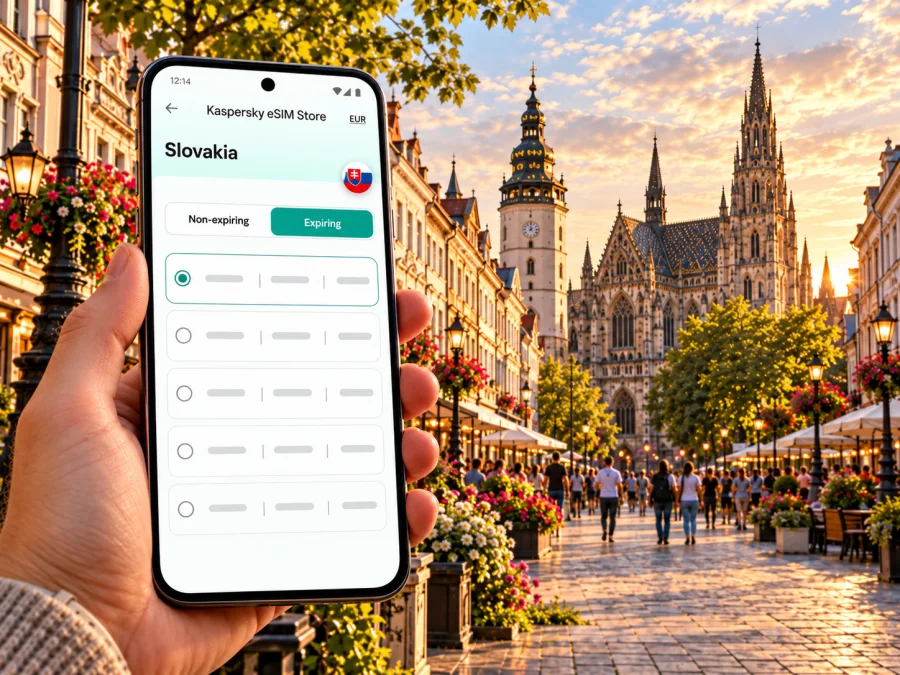
You can browse the current options for Slovakia in Kaspersky eSIM Store. Review the listed destination, data amount, validity period, activation terms, and any limitations before you pay. Availability, prices, and conditions can change; the details displayed for the selected offer are the ones to rely on.
Match data to your itinerary
Use your habits rather than a generic “per day” estimate. A traveller who uses offline maps, sends messages, and checks transport may need a different allowance from someone who uploads lots of video or works remotely. If you have a fixed data allowance, identify the apps that use data in the background and disable automatic photo backup or large updates while travelling. You can turn those settings back on when connected to a suitable Wi-Fi network.
Consider the trip in three parts:
- Arrival and first day: maps, accommodation messages, transport checks, and perhaps a digital ticket.
- Days in the city: routine navigation, communication, reservations, and occasional searches while walking.
- Travel beyond Kosice: rail or bus updates, route planning, and possible changes in the destination country or region.
eSIM readiness before you travel
An eSIM is a digital SIM profile installed on a compatible device. It can let you add travel data while keeping a physical SIM in the phone, depending on your device and its settings. Support varies by exact model and sales region; a model name alone is not always enough to confirm compatibility. Before buying, check whether your device supports eSIM, and confirm that it is not locked to a mobile operator.
Keep the distinction between installation and use clear. Installing a profile does not necessarily mean that mobile data is already active, and the start of a plan’s validity may follow its own terms. Read the activation instructions displayed for the specific offer. If you need the eSIM for the airport journey, set it up in advance while you have a stable internet connection, but do not enable data or start the plan earlier than intended if the offer’s rules make timing relevant.
A simple setup checklist
- Confirm eSIM support for the exact device and sales region; check for an operator lock.
- Confirm that the plan covers Slovakia and every other destination on your route.
- Read the plan’s data amount, validity, activation trigger, and any restrictions.
- Install the profile using the supplied instructions and a stable internet connection.
- Label the profile clearly so you can distinguish it from your regular SIM.
- Decide which line handles calls and texts and which line handles mobile data.
- Enable data roaming for the travel eSIM only if its instructions require it; verify that your main SIM will not use roaming data unintentionally.
- Keep QR details, support information, accommodation details, and tickets somewhere accessible if you temporarily lose internet access.
For device-specific steps, follow the Android eSIM installation guide or the iOS eSIM installation guide. Menu names differ between operating-system versions and manufacturers, so use the instructions shown for your phone rather than assuming every handset follows identical steps.
Keep your primary number and travel data straight
You can often keep your usual number for account recovery or incoming calls while selecting a separate profile for data, depending on the phone. Before departure, check the data line, automatic switching, and roaming charges from your home operator. Settings vary by device.
A data-only travel plan does not provide an ordinary local phone number unless the selected offer explicitly says otherwise. Messaging and internet calls can work through apps that you already use, provided the other person can reach you there and the app is configured. For urgent contact, keep an alternate method in mind and do not rely on one app or one data connection alone.
Kosice scenarios where preparation pays off
A weekend around Hlavná Street
Save a walking map and pin your accommodation. Use live data for changing opening hours, reservations, and meeting points, while allowing yourself to wander without needing a constant route. If you visit St. Elisabeth Cathedral, the Urban Tower, the Singing Fountain, or the Lower Gate, check current visitor information before you set off. The city’s central sights are close enough to plan as a walking day, but comfort, weather, and mobility needs affect the route you choose.
A work trip with a meeting outside the centre
Save the venue address and organizer’s contact details, then check the route and return option before leaving. Keep calendar invitations, presentation files, and authentication codes available offline where appropriate. Use mobile data for messages and changes to the schedule, but choose a quiet workspace and a reliable connection for important calls rather than assuming a street-side connection will be suitable.
A day at Hradová or in a park
Hradová Lookout Tower and the city’s green spaces offer a change from the centre. Visit Kosice describes the tower as reachable by bus 29 followed by a short walk through the forest area. Check current access and transport information before going, especially if weather or seasonal opening arrangements could affect the visit. Download the route in advance; a wooded path is not the place to depend on uninterrupted navigation data.
When mobile internet is slow or unavailable
A phone may show signal while an app still struggles to load. Move to a more open location, wait briefly, and retry; thick walls, underground spaces, crowded venues, or temporary network conditions can affect service. Check that the eSIM profile is enabled, that the correct line is selected for data, and that airplane mode is off. If the plan requires data roaming for the travel profile, confirm that setting against its instructions.
If the problem continues:
- Check the plan’s destination, activation state, and remaining data in the account or app.
- Review the device’s mobile-data selection and network settings; avoid deleting an eSIM profile as a first troubleshooting step.
- Restart the phone or briefly toggle airplane mode, then allow it to reconnect.
- Use available Wi-Fi to consult the installation or support guidance for the specific plan.
- Keep using saved maps and documents while you resolve the connection issue.
Quick questions
Is Kosice itself a separate eSIM destination?
Usually a plan is listed for a country or region rather than for each city. Check that the selected offer explicitly includes Slovakia and read its terms. Do not infer coverage from a city name in an article or from a neighbouring destination.
Can I use a travel eSIM for navigation and messaging?
If the plan includes mobile data, your device supports eSIM, and the connection is active, data-based maps and messaging apps can use it. App availability, data consumption, and network performance vary. Download important maps and travel details before departure as a backup.
Will a travel eSIM give me a Slovak phone number?
Not necessarily. Data-only plans do not provide standard voice calls or SMS unless the specific offer states that they do. Keep your regular number or use internet-based calling and messaging apps as appropriate.
Should I install the eSIM before flying?
Installing before departure can make setup easier because you can use a stable connection and take time to read the steps. Check when the plan’s validity begins and whether activation can be scheduled. Installation and plan activation are separate actions in some offers.
What if I use more data than expected?
Check the account or app for usage information and review whether the offer allows a top-up. Reduce background sync, video streaming, and automatic uploads if you need to conserve a limited allowance. Exact options depend on the plan terms.
Choose an eSIM plan for Kosice
Kaspersky eSIM Store is an app and website where you can choose, purchase, and activate an eSIM plan for mobile data on an international trip. Review the destination and terms, check device compatibility, and install the profile according to its instructions. When you are ready, browse the current options for Slovakia and choose a plan that matches your itinerary.


