Travel connectivity guide
Kostanay eSIM: Mobile Internet for Your Trip
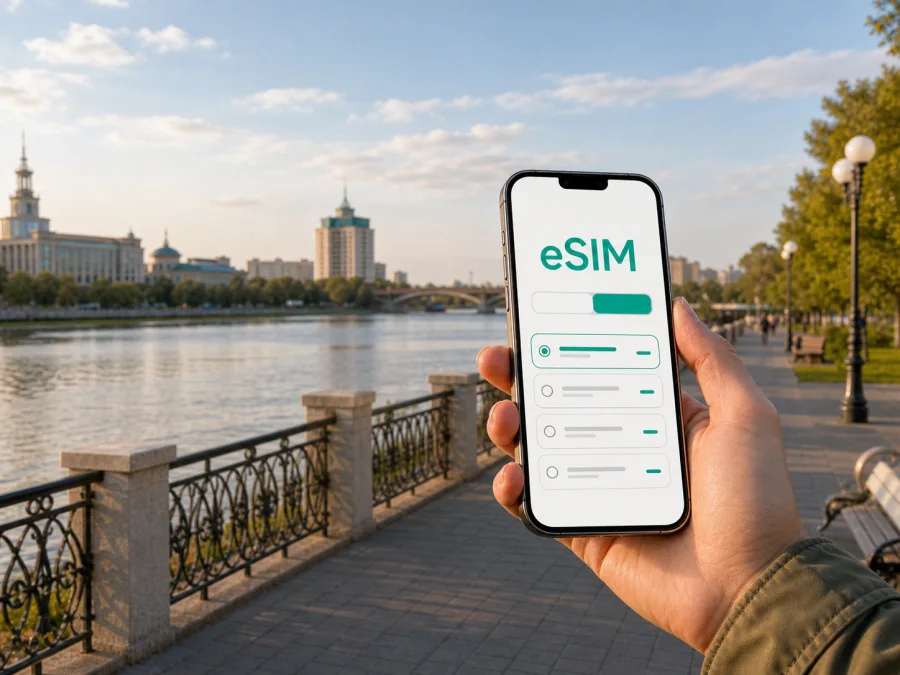
Kostanay eSIM for Mobile Connection and Internet During Your Trip
Kostanay is a practical base for exploring northern Kazakhstan and a destination in its own right. The city lies on the Tobol River and combines a compact central area, broad streets, residential districts, business venues, a railway station and an airport. Whether you are arriving for a meeting, spending a night between connections or staying long enough to explore the city and its surroundings, a dependable mobile connection makes the first hours easier.
An eSIM, or digital SIM card, can help you prepare mobile internet without removing the physical SIM card already in your phone. You can keep your usual number available for calls or messages while selecting the eSIM for mobile data when you need maps, transport information, hotel communication, translation, work services or a message home. Kaspersky eSIM Store is an app and website that helps you choose, arrange and activate an eSIM with a suitable plan for mobile internet during an overseas trip.
This guide is about using mobile data in Kostanay: preparing before departure, arriving through the airport or railway station, moving between the centre and other districts, choosing accommodation, handling a business stay, planning a stopover and organising a short journey beyond the city.
Why mobile internet matters in Kostanay
Kostanay is not merely a point on a long-distance itinerary. A day can include an airport transfer, hotel check-in, a walk beside the Tobol, a museum visit, a meeting and a return to the station. Mobile data helps with the practical transitions: finding an address, checking a bus, messaging a host, navigating between districts and reviewing a regional return plan.
Hotel and café Wi‑Fi can handle heavier work, but it is not available during every transition. An eSIM works best as one part of a travel setup: check the device, choose a suitable plan and understand when data use begins. It can reduce the need to search for a physical SIM card immediately after arrival while letting you keep your regular line in the phone.
Prepare before travelling to Kostanay
Deal with connectivity before your flight or train leaves. You can read the plan conditions calmly, install the profile while you have a stable connection and keep the activation details accessible. Avoid making the decision while carrying luggage or searching for an exit.
Preparation checklist
- Confirm that your phone supports eSIM and is not locked to an operator. Check your device compatibility before selecting a plan.
- Check that Kazakhstan and the validity period match the full time you expect to use mobile data.
- Estimate usage from your itinerary: maps and messages need less data than frequent video calls, cloud backups or streaming.
- Keep the QR code or activation details in your profile or confirmation message.
- Save the hotel address, station details and first transfer offline.
- Tell colleagues or family which number or messenger account you will use.
- Pack a charger or power bank.
A short stopover may need data for a transfer and messages; a longer visit or regional trip may justify a larger package. Include every planned day when considering validity and use.
Arriving by air
Kostanay Airport serves the city and publishes passenger information and flight schedules. Flight timetables change, so check your own booking close to departure. Airport passenger guidance also lists check-in, identification and baggage procedures; keep those documents and your transfer details ready.
On arrival, enable the eSIM if installed, select it for mobile data and check that your regular SIM is not using data unintentionally. Send a message before leaving the terminal, confirm the destination with your reservation and save the railway station if you have a later connection.
Airport arrival routine
- Collect your luggage and keep the phone charged.
- Confirm the data line and check the address.
- Send an arrival message or open the transport service.
- Confirm the destination before starting navigation.
If the eSIM does not connect, check one setting at a time: whether the line is enabled, assigned to data and valid for the destination. Some devices may require data roaming for the eSIM profile. Registration can take a few minutes; if the issue continues, consult the support information associated with the purchase.
Arriving by rail or long-distance bus
Kostanay’s railway station is an important reference point for visitors arriving by train. Long-distance buses also connect the city with regional destinations. A station arrival puts you closer to the urban area than an airport arrival, but the same questions matter: which entrance should you use, where is the hotel and how will you reach the first appointment?
Before boarding, save the station name and accommodation address in a map and note. This prevents selecting a different property with a similar name. If someone is meeting you, agree on a visible point and time window.
The station is also a starting point for travel outside Kostanay. Bus times and availability can vary, so confirm the current departure and return options before leaving your accommodation. For an early departure, mark the walk to the pickup point, save the booking and keep a ticket screenshot.
Moving around Kostanay
The city can be explored through a combination of walking, buses and car journeys. The right mix depends on weather, luggage, time and the distance between your hotel and appointment. A common pattern is to walk to a stop, take a bus toward the central area and finish on foot; a car may be more practical for a distant business meeting.
Municipal information describes a developed bus route network and notes that mobile applications can help passengers track buses and plan routes. Schedules can change, so allow time to find the stop. Street names may appear in different transliterations; compare the address, map pin and nearby landmark before boarding.
A practical transport method
- Enter the exact destination address.
- Compare walking, bus and car options.
- Check the direction of travel, not only the route number.
- Save the stop where you need to get off.
- Recheck the final walking section before leaving the vehicle.
- Keep the destination address visible if you need to ask for help.
For a short central journey, walking may be the clearest way to understand Kostanay. A bus or car is more practical with luggage, a family or a schedule crossing several districts.
Reduce data use while moving
Update your route and download relevant map information before leaving the hotel where possible. Turn off automatic photo backup and app updates while using the travel eSIM, and use Wi‑Fi for large files. Lower screen brightness, carry a power bank and close navigation at a saved landmark.
Where to stay
Kostanay accommodation is spread across different parts of the urban area. You might prefer the centre for walking access to cultural venues and the riverfront, or a location near transport links for an early departure. Choose according to the day you need to manage, not only the hotel’s name.
Central stay
A central location suits a first visit, short break or meetings around central streets. Use mobile data outdoors and reserve hotel Wi‑Fi for heavier work.
Station or early-route stay
If you leave Kostanay early, proximity to the railway station or a confirmed pickup point may matter more than a landmark. Check the route at the expected time, save the entrance and keep the ticket and address offline.
Business stay
Business travellers may need several addresses, email, documents and messenger scheduling. Disable automatic media downloads in work chats and use Wi‑Fi for large attachments. If the eSIM is data-only, it may not include a regular number, voice calls or SMS unless the selected plan says otherwise.
Before booking, check the distance to the first appointment and ask the accommodation about check-in, luggage storage and the most practical arrival approach through its normal contact channel.
Short walks, business trips and stopovers
The Tobol River, central public spaces and historic streets give you a simple orientation route after arrival. A first afternoon can combine one walk, one indoor cultural stop and a flexible meal break; save names and addresses before leaving the hotel.
A workday may involve several addresses, a changed meeting time and a return to the station or airport. Save entrances, contacts and the next route before the first appointment, use Wi‑Fi for large documents, and keep mobile data for maps and messages. For a short stopover, choose a route that starts and ends near the same hub or accommodation.
Trips from Kostanay into the region
Kostanay is a base for exploring the wider region. Tourism information highlights relict pine forests, lakes and the Naurzum Nature Reserve, while regional cultural information describes historical sites and museums outside the city. Travel time, roads, opening arrangements and seasonal access can differ, so treat an out-of-city route as a separate journey.
Confirm transport and the return option, check whether the destination is likely to have reception and download directions before leaving Kostanay. Carry identification, offline details, water and the contact of your driver or host. Confirm the destination’s name and transliteration, save the departure point and return plan, leave a margin for boarding, and check that the eSIM plan’s conditions cover the full route. No itinerary should depend on a continuous signal in every rural location.
Choosing an eSIM plan
Start with your itinerary, then compare the plan conditions shown during selection. Consider destination, validity, data volume and how you use your phone.
| Travel pattern | Main data tasks | What to consider |
|---|---|---|
| Short stopover | Arrival messages, maps, hotel contact | Validity covering arrival and onward departure |
| City visit | Navigation, transport checks, messengers | Data for several days and route changes |
| Business stay | Email, documents, maps, internet calls | A larger package if files or video calls are frequent |
| City plus regional trip | Urban use and out-of-city planning | Conditions for the complete itinerary |
Do not choose by volume alone. A longer validity can suit a flexible itinerary, while a smaller package may be enough if hotel Wi‑Fi handles heavy tasks. Read whether the plan is prepaid, how validity is defined, when usage begins and how balance or top-ups work. Prices and conditions can change, so rely on the information shown for the plan you select.
When you are ready to review the country option that includes Kostanay, you can choose an eSIM plan for your trip to Kazakhstan. A city visit uses the relevant country destination; a separate city landing page is not required.
Installing and activating eSIM
Installation is easier with stable internet, enough battery and time to read each screen. Before starting, confirm compatibility, keep the QR code or activation details available and decide which line should carry mobile data.
For device-specific steps, use the Android installation instructions or the iOS installation instructions. Android and iOS menus differ, so follow the instructions for your operating system.
General sequence
- Check that the device supports eSIM and is not operator-locked. Check your device compatibility.
- Connect to dependable Wi‑Fi and open mobile-network settings.
- Choose the option to add a mobile plan or eSIM.
- Scan the QR code or enter activation details, then label the new line.
- Select the eSIM for mobile data and keep your regular line for calls if needed.
- Enable data roaming for the eSIM only if the device or plan requires it.
- Test a map or simple web page; registration can take a few minutes.
Installation and first use are not always the same event. Depending on the plan, validity may be linked to activation or another point defined in its terms. Read those terms and avoid activating earlier than necessary if timing matters. After the eSIM works, confirm that your main SIM is not selected for mobile data and that automatic switching is disabled if you want predictable usage.
What an eSIM can and cannot replace
An eSIM can provide mobile data under the conditions of the selected plan, but it may not include a conventional local telephone number, voice calls or SMS. Check the plan and keep offline copies of tickets, your hotel address and important contacts. Navigation, messaging, accommodation coordination, work tools, translation and transport planning are the main uses for visitors to Kostanay; internet-based calls and chats can work when both sides use the same service.
Kaspersky eSIM Store helps you select, arrange and activate an eSIM plan for mobile internet during an overseas trip. Network conditions and the underlying service depend on the selected plan and its local operator arrangements. Review the destination, traffic amount, validity and other terms before proceeding.
Troubleshooting in the city
Identify whether a problem concerns the phone, selected line, plan or local signal, and change one setting at a time. For no data after arrival, check that the eSIM is enabled, selected for data and valid for Kazakhstan. If the regular SIM is using data, review the data-line and automatic-switching settings. If data works indoors but not outside, check the signal and plan conditions. For a QR code that will not scan, increase brightness and check whether the profile was already added. On a regional route, review validity and prepare offline information.
At an airport, station or on a street, secure your luggage, use Wi‑Fi if available and keep the activation details. Do not delete a working profile as a first step; reinstallation may be more complicated under the plan’s conditions.
FAQ for a trip to Kostanay
Do I need a separate city plan?
For Kostanay, choose the Kazakhstan destination shown in the available plans. Suitability depends on validity, data amount and stated conditions.
Can I keep my usual number active?
On many dual-line devices, keep the physical SIM in the phone and assign the eSIM to mobile data. Review line preferences so the regular SIM does not use unwanted data.
Is an eSIM useful for one night?
It can be useful for directions and communication after arrival. Choose validity covering the stopover and onward departure.
What should I do before leaving Kostanay?
Confirm transport, save the return plan, download offline information and check that the plan suits the complete route. Treat reception outside the city as variable.
Does the eSIM include a local number?
Not necessarily. Travel mobile-internet plans may not include an ordinary number, voice calls or SMS. Check the selected plan.
Final checklist before leaving
- Your phone supports eSIM and is not operator-locked.
- The Kazakhstan destination, validity and data volume match the itinerary.
- The QR code, activation details and operating-system instructions are accessible.
- Hotel, airport or station details and the first transfer are available offline.
- The eSIM is assigned to data only when you want it used.
- Automatic updates and cloud backups are controlled.
- Tickets, identification, contacts and a charger are ready.
Kostanay is easier to experience when connectivity supports the journey without taking it over. Use mobile data for arrival, navigation, transport changes, meetings and communication, and use saved maps and notes as a backup. Before travelling, select an eSIM plan for Kazakhstan, review its conditions, check your device and prepare the profile for the route you have actually planned.


