Travel connectivity guide
Kota Kinabalu eSIM: Mobile Internet Guide
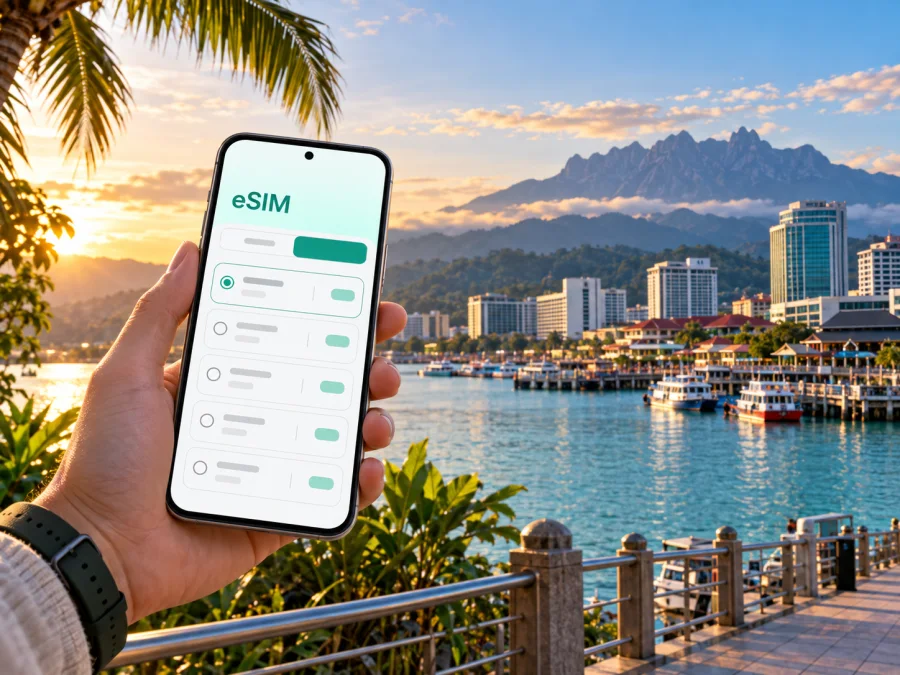
Kota Kinabalu eSIM for Mobile Connection and Internet
Kota Kinabalu is a compact coastal city, a working state capital and a starting point for journeys across Sabah. You may land at Kota Kinabalu International Airport, check in near the waterfront, head to a meeting in the commercial centre, then leave early for a boat or an overland trip. Mobile data helps link those separate parts of a visit: check a pickup point, follow a map, message your hotel and keep a changing itinerary in view.
An eSIM can make that first stretch easier to plan. Set it up before you travel, then use mobile data for navigation, ride-hailing, translation, reservations and messaging when you are away from hotel Wi-Fi. The useful question is not simply how much data to buy; it is where your days will take you, how often you will be online and whether your device supports eSIM.
Start with the shape of the city
Kota Kinabalu is often shortened to KK. The coastal centre brings hotels, shops, food spots, offices and ferry access within a compact area. Kota Kinabalu International Airport is about 8 km from the city; road time varies with traffic and destination. Save a map pin for your hotel entrance, not just its name.
The waterfront and Gaya Street are useful references for central walks, while Tanjung Aru, Likas and destinations farther north or south require separate transfers. Heat, rain, road crossings and route shape can make a short-looking journey less comfortable on foot.
A first-day connection is useful for more than sightseeing. It can help you:
- check the airport-to-hotel route before leaving the terminal;
- share your arrival details with a driver or travel companion;
- confirm check-in instructions if you arrive outside the usual daytime hours;
- look up opening times or adjust plans when weather changes;
- keep maps and booking messages available while moving between neighbourhoods.
Arrival at Kota Kinabalu International Airport
After landing, confirm your next step before leaving the airport. Open the hotel address, check the pickup point and make sure the destination is the right branch or entrance. For a prearranged transfer, compare driver details with your booking; for a taxi or e-hailing ride, follow current airport and app instructions rather than an old screenshot.
Save the address and an offline map before travel. Mobile data can provide live directions and updated pickup details, while offline information is a useful backup. Check at home that your phone supports eSIM and is ready to add a plan. Read its setup instructions over reliable Wi-Fi, including when activation should happen, and keep your primary line if you need it for calls or verification.
Moving around KK: maps, rides and walking
Choose transport by distance and conditions. Walking can suit nearby central stops; taxis or e-hailing are more practical for longer rides, rain or luggage. Buses serve city and regional routes, but check current stops and schedules before relying on a connection to a flight, ferry or appointment.
Sabah Tourism Board identifies Padang Merdeka, KK Central and local stops among the city’s bus points, and lists taxi and e-hailing options. These are planning references, not guarantees of departure times or waits. Verify details for your travel date. Mobile data helps with pickup changes, mall entrances and route updates; confirm the destination pin and vehicle before setting off.
| Situation | Useful preparation | Why mobile data helps |
|---|---|---|
| Airport to hotel | Save the full address and confirm the entrance | Check a live route and coordinate a pickup |
| Short central walk | Pin the next stop before setting off | Recheck directions without returning to the hotel |
| Ride across town | Confirm the drop-off point and building name | Follow updates and contact the driver |
| Bus connection | Check the route and stop for that day | Review changes and locate the boarding point |
| Ferry or island day | Confirm the jetty and departure details | Keep booking messages and directions accessible |
Use navigation as a guide, not as a substitute for local signs or instructions. If a road is closed, a jetty entrance has changed, or a venue staff member directs you another way, follow the current on-site information. Battery use can rise when maps, camera and mobile data are all active; start the day charged and carry a power bank if you expect a long outing.
Choose where to stay and plan by area
A central waterfront stay can simplify visits to markets, restaurants, shops and ferry access. A hotel near a major road or mall may suit meetings; Tanjung Aru may suit a stay focused on that coastal area. Save the street address, pin, entrance details and check-in instructions together. Group nearby stops into one block and leave a transfer buffer before any booked departure.
Make a city day easier to navigate
The central waterfront is a useful place to orient yourself, but it is not a complete itinerary by itself. A morning around Gaya Street and the central market can pair naturally with nearby city stops; save the exact pins for each place so a map does not route you to a similarly named business or the wrong side of a block. If you plan to visit a museum or another indoor attraction later, check its current hours on the day rather than assuming the schedule has not changed.
For a boat trip, build the day around the departure time, not around a vague idea of “the waterfront.” Kota Kinabalu has more than one jetty used for island services. Keep the operator’s message, ticket details and named departure point easy to find, and open the route before you leave the hotel. If the weather or your plans change, contact the operator through the details on your booking and confirm any revised instructions. This is one occasion when a live connection is particularly useful, while an offline copy of the booking gives you a fallback.
Tanjung Aru and the central area are distinct parts of a stay. If you plan to move between them, check the route and allow for road conditions instead of scheduling the transfer as if it were a short central walk. A visitor with a late arrival may prefer to keep the first evening close to the hotel; someone with a full day can group a coastal stop with nearby plans and leave another block for the market, shops or a meeting. A flexible outline is often easier to follow than a string of tightly timed cross-city appointments.
Keep travel details available on the move
Mobile data is most valuable when a small detail changes: the driver asks you to move to another pickup point, reception sends a different entrance, a meeting runs late, or a boat operator confirms a departure update. Keep booking and accommodation messages searchable, and use clear map pins when sharing a destination with another person. If you are travelling with colleagues or family, agree on one meeting point that is easy to describe rather than relying on “I’m nearby.”
Use hotel or café Wi-Fi for large downloads and updates where appropriate, and reserve mobile data for tasks that benefit from access while moving. Check that photo backups and app updates are not consuming data in the background if your plan has a limited allowance. Download an offline map before heading away from the centre, but still check the live route when you have a connection; roads, entrances and meeting points may require current information. Keep your screen brightness and navigation use in mind on a hot day, since continuous mapping can drain the battery before the return trip.
When you are ready to compare available options for the country, review eSIM plans for Malaysia and match the allowance and validity to your stay in Kota Kinabalu and any onward travel.
Match your eSIM plan to your itinerary
Data needs depend on phone habits. Maps, messages and reservations use less than streaming, large uploads or frequent video calls. Review a plan’s allowance and validity, and choose for the full trip rather than one busy day.
For a city stay with day trips, consider the parts of the itinerary that use the most data:
- Light use: directions, text messages, ticket or booking checks and occasional searches.
- Regular use: frequent map checks, ride requests, social posts, browsing and voice or video calls through apps.
- Heavy use: regular video, large uploads, hotspot sharing or remote work with substantial file transfers.
These are planning categories, not data estimates. App settings, backups, hotspot use and Wi-Fi affect consumption. Check when validity begins and whether tethering is supported if you need a laptop connection.
If KK is one stop on a Sabah itinerary, check plan coverage and terms for the whole route. Connectivity can vary outside populated areas, so do not treat any plan as a promise of uninterrupted service.
Get the phone ready before departure
A few checks at home can prevent a rushed setup at the airport:
- Check eSIM support. Look up your exact phone model and confirm support in the manufacturer’s settings or documentation. Support can vary by model, sales region and carrier lock status. Check whether your device is compatible.
- Review your primary line. Decide whether you need it available for calls, banking messages or account verification. Keep it installed if needed, and understand which line will be used for mobile data.
- Choose a plan for the trip. Compare data allowance, validity, coverage and any usage conditions with your itinerary. Avoid choosing only by the headline data amount.
- Install using a stable connection. Follow the steps for Android eSIM installation or iPhone eSIM installation. Menu names differ between software versions, so follow the instructions that match your device.
- Confirm the data line after setup. When you are ready to use the travel eSIM, select it for mobile data and check the plan instructions for any additional settings. Keep data roaming settings aligned with the plan’s directions.
Kaspersky eSIM Store is an app and website that helps you choose, arrange and activate an eSIM with a suitable data plan for an international trip. It is not the mobile network itself. Before relying on a plan, read its included services and conditions; eSIM plans for travel are commonly designed around mobile data, so do not assume ordinary calls or SMS are included unless the plan says so. Internet-based messaging and calling apps can be useful when both parties have a data connection.
Kota Kinabalu as a base for short excursions
Jesselton Point and the DBKK Jetty are city departure points for boat trips to nearby islands, according to Sabah Tourism Board. Confirm the correct jetty, ticket arrangement and time with your operator; save the booking and pin, and allow time to reach the waterfront.
For inland travel, the board lists Inanam for long-distance express buses and Padang Merdeka for taxis or minibuses serving west-coast and interior destinations. Verify the departure point and onward transfer for your date. Routes beyond the city take more planning: save confirmations, follow local guidance and expect mobile service to vary outside built-up areas.
Business travel and short stopovers
For a business visit, keep the meeting address, contact person and building entrance together. Confirm whether the venue is central, in a hotel complex or farther away; mobile data helps check traffic and communicate delays. For a stopover, choose one walkable cluster or destination, check the return route first and allow a generous airport buffer.
Frequently asked questions
Is an eSIM useful after landing in Kota Kinabalu?
If prepared before travel, mobile data can help with directions, e-hailing, hotel messages and bookings. Check the plan’s activation timing before departure.
Can I use an eSIM beyond Kota Kinabalu?
Check the plan’s coverage and validity for your full route. Connectivity may vary outside populated areas, so keep key bookings and directions available offline.
Do I need to replace my usual SIM?
Not necessarily. A compatible dual-SIM phone may keep your usual line installed while using an eSIM for data. Check your device and plan settings, then select the intended line for each service.
Stay ready for the next leg
Kota Kinabalu is easier to navigate when arrival details, city transfers and onward plans are kept together. Prepare your phone before departure, choose data for the way you actually travel, and save the addresses and bookings you will need even if a connection is interrupted. In the city, use mobile data for live decisions and offline notes as a fallback; before leaving for an island or an inland destination, check the departure point and timing again.
When your itinerary is set, choose an eSIM plan for Malaysia through Kaspersky eSIM Store and prepare it for your trip to Kota Kinabalu. Review the plan terms, install the eSIM on a compatible device and follow its activation instructions before you set out.


