Travel connectivity guide
Kotor eSIM: Mobile Internet for Your Montenegro Trip
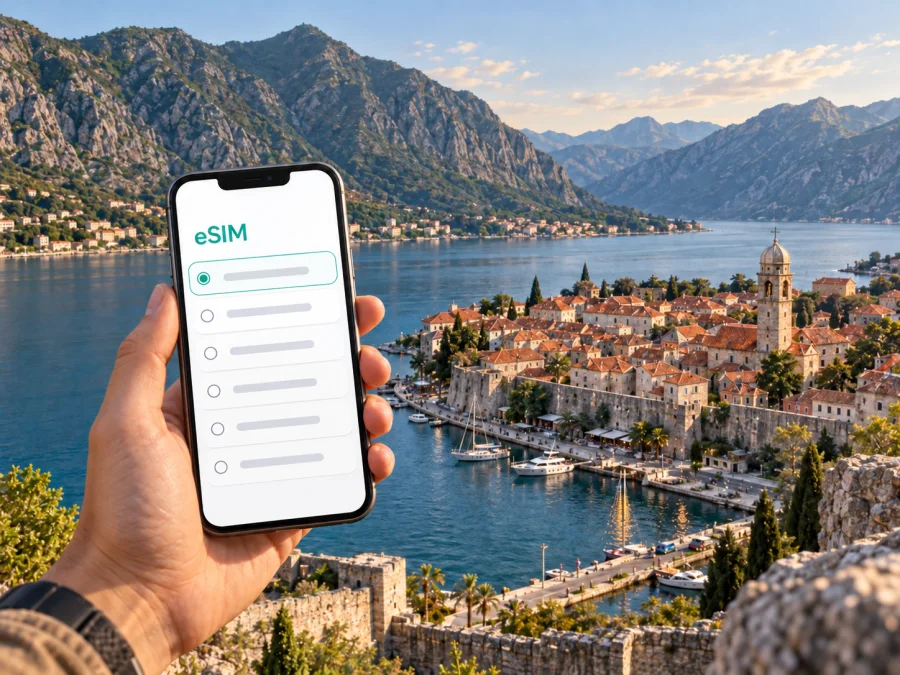
Kotor eSIM: mobile connection and internet for your trip
Kotor rewards unhurried exploration, but the first hours in a new city bring practical questions: how to reach your accommodation, where a road turns toward the waterfront, whether a boat departure point is nearby, and how to let someone know you have arrived. Mobile internet can make those transitions easier. An eSIM is one way to prepare data access for a trip to Kotor without swapping a physical SIM card.
The city stands at the southeastern end of Boka Kotorska, the Bay of Kotor, where steep slopes meet a sheltered Adriatic inlet. The old town is enclosed by historic walls and threaded with narrow lanes, small squares, churches, cafés and guesthouses. Beyond it, the municipality stretches along the bay, so “Kotor” can mean a compact walking destination or a base for moving between waterfront settlements. That distinction matters when you choose where to stay, how to travel and how much data to plan for.
What mobile internet helps with in Kotor
A connection is most useful in the gaps between planned activities. You may need to check a reservation message after landing, compare a route to a hotel, translate a phrase, confirm a meeting point or tell your host that traffic has delayed you. In the old town, a map can help you orient yourself after a turn through similar-looking lanes; on the waterfront, it can help distinguish a nearby pier from a road entrance.
Mobile data is also useful when a day extends beyond the historic centre. The bay’s shoreline bends around inlets and peninsulas, and journeys between places can involve road sections, boat transfers or both. Checking a timetable or pickup message away from hotel Wi-Fi gives you flexibility. It does not replace local signs, posted schedules, a confirmed ticket or the directions supplied by your accommodation.
An eSIM is a digital SIM profile installed on a compatible device. For a visitor, it can provide a separate data option for the trip while the regular SIM remains available for other uses, depending on the device and its settings. The details depend on the selected plan. Read the destination, data allowance, validity period, activation terms and restrictions before purchase; do not assume every plan includes calls or text messages.
Arriving in Kotor: plan the last leg
Many air travellers compare Tivat and Podgorica when planning access to Kotor. Tivat Airport is the nearer airport geographically, while Podgorica Airport is farther inland. The best option depends on available flights, arrival time, fare and onward transport. A short map distance does not guarantee a quick journey: the coastal road can be busy, especially during high season, and travel time changes with traffic and road conditions.
Before departure, save your accommodation address in a format your driver can recognize. Ask the host whether vehicles can reach the entrance or whether you should meet at a gate, parking area or nearby landmark. The old town has pedestrian lanes and limited vehicle access, so a car may not be able to stop at the exact lodging door. If you arrive late, confirm the check-in procedure in advance rather than relying on finding a contact after you reach the walls.
At the airport or bus station, connect only after checking the network and plan settings on your device. If you have installed an eSIM before travel, keep the installation instructions available offline and avoid deleting the profile if it does not connect immediately. Network selection, data roaming settings and activation behavior vary by plan and device; follow the plan instructions and check which SIM is selected for mobile data.
A practical arrival sequence looks like this:
- Keep the accommodation address, booking reference and host contact somewhere accessible offline.
- Confirm the transfer or bus stop and exact drop-off point before setting out.
- Turn on the intended data line in your phone settings and verify that mobile data is assigned to it.
- Open the route while you have a stable connection, then keep the destination name visible for the driver.
- Once you reach the lodging, check in and confirm the route for your first walk or meeting.
This preparation is useful whether you arrive by air, coach, car or ferry connection. It reduces the pressure to solve several unrelated tasks while standing with luggage in an unfamiliar place.
Choose a base that fits your route
Kotor is not a large city by metropolitan standards, but the experience changes noticeably from one part of the bayfront to another. A room inside the old town places you among the lanes and sights, but luggage must be carried over stone paving and stairs may be part of the route. Accommodation outside the walls can make vehicle access easier, while adding a walk or short ride to the historic centre. Properties farther along the bay offer a quieter waterfront setting, but make you more dependent on the road, a bus, taxi or boat for evening plans.
Use the map to check the route at walking scale, not just the straight-line distance. A lodging can look close to a gate yet sit across a steep lane or road junction. Ask the property whether the location shown in the booking map is the actual entrance. If arriving with a suitcase, this can matter more than a few hundred metres.
For work trips, compare the practical route between the lodging and meeting location, not only the room’s view. A video call may work best from the accommodation’s reliable Wi-Fi, while mobile data can be useful for messages, navigation and schedule changes while travelling. Confirm workspace, power access and internet arrangements directly with the property if they are important to your stay.
Moving around: lanes, roads and the water
Inside the old town, walking is the natural way to get around. The layout is compact but irregular: small squares connect through lanes that bend, narrow and sometimes change level. A navigation app can help you find a nearby landmark, though it may not capture every pedestrian entrance or temporary closure. Use the map as a guide, then follow visible street signs and local directions. When meeting someone, agree on a recognizable square, gate or waterfront point rather than an unnamed alley. If your itinerary continues beyond the city, compare eSIM options for a trip to the Republic of Montenegro with your route and expected data use before departure.
Outside the walls, movement follows the shoreline road and connecting streets. Traffic can build when visitors arrive at the same time, and road conditions can change the timing of a taxi or transfer. If you have a boat excursion, appointment or onward coach, leave a buffer and confirm the departure point with the operator. A pin on a map is helpful, but a text confirmation of the actual pier or pickup side is better.
Regional buses connect Kotor with other towns, but route frequency and schedules can vary by season and day. Check current details shortly before travelling, and verify the stop location as well as the departure time. If carrying luggage or travelling with children, allow time to reach the station and board without rushing. For a private transfer, share your accommodation’s precise entrance details with the driver rather than only a broad neighbourhood name.
Boats offer a different perspective on the bay and may be part of a day trip. Departure points, operating periods and itineraries depend on the service. Confirm whether a tour leaves from Kotor itself or another settlement, how long it lasts, and when you need to return. A mobile connection can help you receive a change message or find the meeting point, but download or screenshot essential booking information before leaving your lodging.
A small navigation routine
- Pin the hotel or apartment entrance, not just the street.
- Save the old town gate closest to your accommodation.
- Keep a second meeting point in mind in case a lane is crowded.
- Check the return route before boarding a bus or boat.
- Carry a power bank if you plan to navigate, photograph and message throughout the day.
- Look up the area before walking away from the waterfront; uphill routes can feel different from the map.
Explore beyond the walls without losing the city focus
The old town is the obvious starting point, but Kotor works well as a base for a broader bay itinerary. Perast lies farther along the bay and is known for its historic waterfront setting; other stops may appeal for swimming, dining or a quieter evening. These are separate destinations rather than extensions of the old town, so plan each as a small journey. Check how you will travel there, where you will get off and what the return options are before you leave.
If driving, map estimates should be treated as estimates. The bay road curves around the water, and the route may be slower than the distance suggests. If taking a bus, note the stop name and direction, since a return stop may be across the road or at a different point. If choosing a boat, make sure your plan accounts for the final service or return time. Keep enough battery for maps and messages, especially when spending the day away from your accommodation.
For a short stopover, avoid trying to fit the entire bay into a few hours. Leave luggage at a confirmed storage location or with your accommodation if arranged, walk the old town, take a break by the waterfront and keep your onward departure time in view. A data connection is useful for checking a live message from a driver or host, but the core plan should still work if signal or battery is temporarily unavailable.
If Kotor is one stop on a longer Montenegro itinerary, treat each change of town as a fresh logistics check. Confirm the next accommodation’s address and check-in time, transport mode and departure point, and whether your data plan covers the full route. Kotor’s compact centre can make an excursion feel simple, while road travel around the bay adds more time than a quick glance at a map may suggest.
Pick an eSIM plan for the way you will use your phone
There is no single data amount that suits every traveller. Someone who mainly checks messages and looks up directions may use less than someone who uploads video, joins calls or uses cloud maps throughout the day. Think through a normal day in Kotor: will you navigate on foot, make reservations, send photos, stream content or work remotely? Use that pattern to compare the plan’s data allowance and validity.
Kaspersky eSIM Store is an app and website where you can choose, arrange and activate an eSIM with a suitable plan for mobile internet on an international trip. Before selecting an option for Kotor, make sure the destination is the Republic of Montenegro and review the plan details displayed for that destination. Plan availability, data allowance, duration and conditions can change, so rely on the current terms shown during selection.
A city name may not appear as a separate destination: select the country that covers your stay, then check the specific plan’s terms. If your trip crosses borders, check whether the plan covers every destination rather than assuming that a Montenegro plan includes neighboring countries.
Check whether the plan starts when installed, when first connected or at another stated moment. Activation rules differ, so install at the time instructed by the plan and avoid guessing. Keep your regular number available if you need it for calls or verification codes, and verify which line handles mobile data to avoid using the wrong connection unintentionally.
Before you install: device and settings
An eSIM requires a compatible, unlocked device. Support can depend on the model, regional version and carrier settings. Check your exact phone model and make sure it is not restricted to a single operator before choosing a plan. You can check whether your device supports eSIM before purchase.
Installation and activation checklist
- Read the plan’s setup instructions and note when its validity begins.
- Use a stable internet connection for installation, ideally before departure.
- Follow the steps for Android or iOS, depending on your device.
- Label the new line clearly, such as “Montenegro data,” so it is easy to recognize in settings.
- Keep your primary line selected for calls and messages if needed, and choose the travel eSIM for mobile data.
- Enable the settings required by the plan, including data roaming if its instructions say to do so.
- Save the plan details and installation guidance offline in case you need them later.
Do not remove an eSIM profile as a first troubleshooting step. Some profiles cannot be installed again after deletion. If the connection does not work, check that the eSIM line is enabled, the correct line is selected for data and the device settings match the plan instructions. Restarting the phone may help in some cases; if the issue remains, use the support route provided with the purchase.
An eSIM data plan may not include a conventional phone number, voice calls or SMS unless the plan explicitly says so. Messaging and voice apps can use mobile data, but they still depend on the other person’s app and your account settings. If you need regular calls, keep a separate calling option available.
Prepare your eSIM for Kotor
Choose a plan for the Republic of Montenegro that fits the length and data needs of your visit, review its activation terms and install it on a compatible device before you need directions. Kaspersky eSIM Store lets you select, arrange and activate an eSIM for mobile internet during an international trip. Compare eSIM plans for Republic of Montenegro and get your phone ready for arrival in Kotor.


