Travel connectivity guide
Kotu eSIM: Mobile Internet in The Gambia
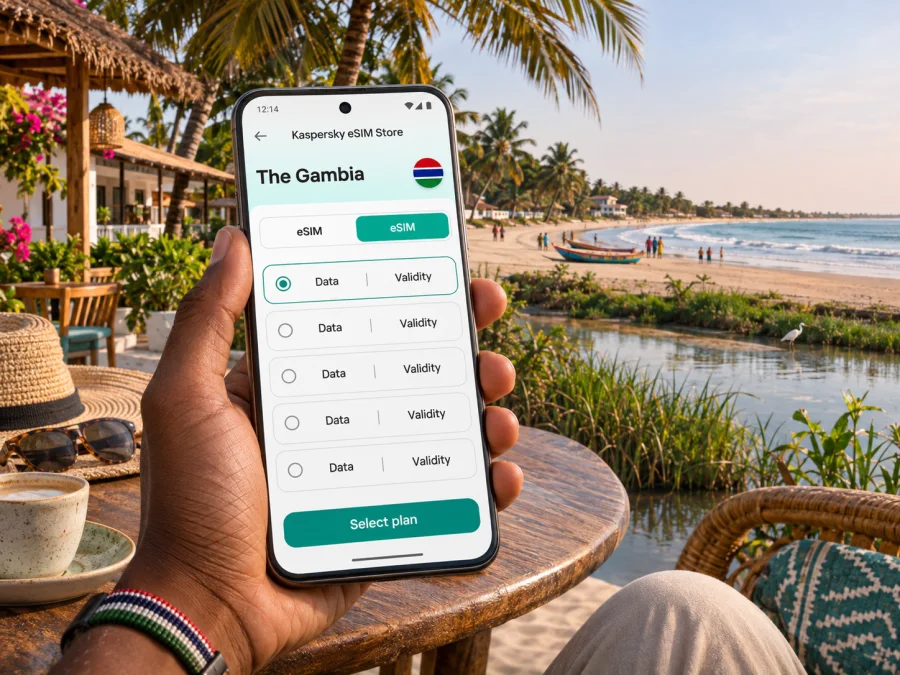
Kotu eSIM: Mobile Connection and Internet for a Coastal Stay
Kotu is a small coastal resort area in The Gambia, known to visitors for its Atlantic beach, hotels, restaurants and the Kotu Stream wetlands. It is not the country’s capital: Banjul is the capital, while Kotu sits in the wider Kanifing Municipality on the developed coastal side of the Greater Banjul area. That distinction matters when you plan arrival and day trips. Your flight may be described as arriving in Banjul, but the airport is at Yundum and your accommodation may be in Kotu.
For a beach break, the phone is useful well beyond the hotel lobby. You may need a map from the airport, a message to your host, a ride to Kotu Beach, a route toward nearby Kololi, or a way to confirm a meeting time. An eSIM can give a compatible, unlocked phone a separate mobile-data profile for travel, provided the chosen plan supports the destination and its network conditions work for your itinerary. It does not automatically replace your regular SIM for calls or text messages.
This guide focuses on the practical connection decisions for Kotu: how to prepare before departure, what to check when you arrive, how data fits beach days and local excursions, and what to do if the signal or setup is not as expected.
Kotu’s location and what that means for your trip
Kotu is part of the coastal belt in Kanifing Municipality, alongside places such as Kololi, Fajara and Bakau. Travellers often use “Kotu” to mean the beach resort neighbourhood and its surrounding hotels, not a large standalone city with a single central square. The Kotu Stream reaches the Atlantic coast here, and wetlands and waterways form part of the area’s landscape. The shoreline, hotel entrances and inland roads are distinct points, so save your accommodation’s exact name and map pin instead of relying on “Kotu” alone.
The coastal setting makes short distances feel different from a simple straight line on a map. A hotel can be near the beach but farther from a particular restaurant, a stream crossing or the main road. Heat, rain, uneven pavements, sand and the time of day can also affect whether walking is comfortable. Use your map as a guide, then confirm directions with your hotel or a local driver when a turn or entrance is unclear.
| Place or route | Why you may need mobile data | A useful preparation |
|---|---|---|
| Banjul International Airport at Yundum to Kotu | Confirm your pickup, share arrival updates and follow the route | Save the hotel contact and agree the pickup point before boarding |
| Kotu Beach and nearby hotels | Find an entrance, meeting point or restaurant | Save the specific venue name and offline map area |
| Kotu Stream and surrounding wetlands | Check a walking route and arrange a guide if needed | Ask locally about access and conditions; do not assume every path is public |
| Kotu to Kololi or the Senegambia area | Coordinate a taxi or dinner plans in a neighbouring resort district | Confirm the destination name and fare before the ride |
| Kotu toward Fajara, Bakau or Banjul | Navigate a longer visit or return trip | Check the route and return plan before leaving the coast |
Plan for the airport-to-Kotu arrival
Banjul International Airport, also called Yundum International Airport, is the main international gateway for The Gambia. It is outside Banjul itself. If you are staying in Kotu, arrange the onward leg as a separate part of the journey rather than assuming the airport is beside the resort area.
Airport taxis and hotel-arranged transfers are common options. The airport’s published guidance describes taxis at scheduled arrivals and recommends agreeing the fare in advance for destinations without a stated fixed rate. Because prices and arrangements can change, do not rely on an old fare quoted online. Ask your accommodation whether it can arrange a pickup, confirm the driver’s name or vehicle details, and agree the price and currency before setting off. If you choose a taxi at the airport, clarify the exact Kotu hotel or landmark, not only the general area.
A working mobile connection can help you message the hotel if your flight is delayed, show a booking reference, or share your location with a travel companion. Before landing, keep the essential details available without a connection as well: accommodation name, address or map pin, contact number, transfer arrangement, and a screenshot of the booking. Mobile data is a convenience, not a substitute for a confirmed pickup plan.
Arrival checklist
- Save your accommodation’s full name and exact location in your phone.
- Keep the transfer contact and booking reference in an offline note or screenshot.
- Agree where to meet the driver and what happens if the flight is late.
- Confirm the fare and payment currency before the ride begins.
- Download an offline map covering the airport-to-Kotu route and your first walking area.
- Keep your home SIM available for important account verification, but check its roaming rules before using mobile data on it.
Once in Kotu, navigation is most useful for linking known places: your hotel, beach access, a restaurant, an ATM or a road pickup point. A pin can be approximate, and a route suggested for a car may not be suitable on foot. For a place with multiple entrances, ask the host which gate or road to use and share that detail with your driver.
Choosing mobile data for Kotu
A Kotu itinerary usually combines a fixed base with short excursions. A beach holiday may involve maps, messaging, translation, ride coordination, web searches and occasional photo uploads. A work trip may add calls over data, email attachments and hotspot use. The right package therefore depends on how many days you will use it, how often you stream or upload, and whether you need to connect another device.
Before choosing, check that the offer explicitly includes The Gambia and read its coverage notes, data allowance, validity period, activation rules and any speed or hotspot limits. A regional package may include several destinations, but its name alone is not proof that it covers your stops. If the listing does not clearly show The Gambia or you cannot verify an important condition, confirm with support before payment. Availability, local partner networks and service conditions can change; no eSIM can guarantee a signal at every beach, hotel room or road.
If you want to review current options, you can browse the Kaspersky eSIM Store and check destination availability. This is the Store homepage, not a confirmed Gambia-specific tariff page. Select The Gambia only if it appears in the current destination options, then review the individual plan details before choosing.
Match a plan to the way you use your phone
| Travel pattern | Data use to consider | What to check in the plan |
|---|---|---|
| Mostly offline beach days | Occasional messaging, maps and ride coordination | A modest allowance may be enough if you download maps and media in advance |
| Daily sightseeing around the coast | Navigation, search, restaurant messages and photo sharing | Estimate how frequently you will use maps and upload images |
| Remote work from a hotel | Email, cloud documents, voice or video calls | Check data limits and whether your device can share a connection; hotel Wi-Fi can be a backup |
| Several travellers sharing one phone | Messaging and route checks for the group | Agree who carries the active phone and how the group will reconnect if separated |
| A multi-stop trip beyond Kotu | Data in each country or region on your route | Verify every destination, not only the first stop |
Streaming video, automatic cloud backups and high-resolution uploads can consume data quickly. If you are unsure how much you need, keep large downloads for reliable Wi-Fi, disable automatic media uploads over mobile data, and check usage in your phone settings or account. Choose a package using its stated terms rather than assuming the same allowance will suit every trip.
Also consider when validity begins. Some plans start their validity or data period under specific activation conditions. Read the offer before purchase, especially if you install the eSIM days before flying. If the plan offers a scheduled start or an option that does not expire until first use, follow the displayed terms; do not assume every plan behaves the same way.
Device compatibility and the regional variant check
An eSIM is a digital SIM profile stored on a compatible device. Support varies by exact model, country or region of sale, and sometimes by carrier lock status. A phone from a product family that supports eSIM in one market may have a different configuration in another. Check the exact model number and manufacturer specifications, and make sure the device is not locked to a home operator. You can check whether your device supports eSIM before you choose a plan.
Keep a physical SIM for your usual number if you need it, but set mobile data to use the travel eSIM after installation. Check the selected line carefully: using the home SIM for data abroad may trigger charges under your home operator’s roaming terms. Depending on the device and plan, data roaming may need to be enabled for the eSIM itself. Follow the instructions for the selected profile, and do not change roaming settings on your home SIM without understanding your plan.
An eSIM intended for mobile data does not by itself provide a new regular phone number, voice minutes or SMS. If those are not explicitly included in the selected offer, use your existing number for calls and texts under its normal conditions, or use internet-based messaging and calling apps. Keep access to your existing number if banks or other services send verification codes by SMS.
Install before you leave, activate with care
Install when you have a stable internet connection and enough time to complete the setup. Depending on your phone, you may scan a QR code, use an in-app installation flow or enter details manually. Keep the installation email or instructions available on a second screen if the phone cannot scan its own display. Some activation codes can be used only once, so do not delete the eSIM or attempt to move it to another phone unless the plan’s instructions say that is supported.
- Check the device. Confirm eSIM support for the exact regional model and check that the phone is unlocked.
- Read the plan conditions. Confirm destination, data amount, validity, activation timing and any roaming or hotspot requirements.
- Add the eSIM profile. Follow the on-screen steps or the relevant Android eSIM installation instructions or iOS eSIM installation instructions.
- Label the line clearly. For example, use “Travel data” so you can distinguish it from your home SIM in settings.
- Choose the data line. Set mobile data to the travel eSIM when you are ready to use the selected plan.
- Wait for registration. After arrival, allow the phone to connect and follow the plan’s troubleshooting guidance if it does not register.
- Check that the home SIM is not carrying data. Keep its voice and SMS functions only if you need them and your home plan allows it.
Do not turn on the eSIM early unless you know how that plan’s validity works. If it is installed before departure, you can usually leave the line switched off until you need it, but follow the plan’s own activation instructions. Save the QR code and account access securely; a screenshot on the same phone may not help if that phone is being used to scan it.
Getting around Kotu while staying connected
Kotu is a useful base for a slower coastal stay, but you may still travel between the beach, accommodation, nearby resort districts and urban services. Mobile data supports the planning around those journeys; it does not tell you whether a road is safe to walk at a particular time or whether a driver’s route is the best one.
- For beach walks: save your hotel and a recognisable return point. Sand entrances and paths can be hard to distinguish after dark.
- For Kotu Stream and wetlands: use local guidance about access, weather and suitable routes. The stream and its surrounding area are part of a larger waterway and community landscape, not simply a marked tourist trail.
- For meals and evening plans: message the venue to confirm opening times and directions, then arrange how you will return before leaving.
- For Kololi and the Senegambia area: give the driver the venue or street name, not just “near Kotu.” These are nearby but separate neighbourhoods, and a precise destination avoids confusion.
- For Fajara, Bakau or Banjul: check the return journey as well as the outward route. Do not assume a late ride will be available on the same terms as a daytime trip.
Public transport and informal shared rides may suit some travellers, but routes, stops and payment arrangements are not always easy to infer from a map. If you want to use them, ask your host which stop to use, what destination name to tell the driver and how to pay. Keep enough time for changes and carry your destination written down. For an unfamiliar late-night journey or a tight appointment, agree a direct transfer with your accommodation or a driver you trust.
If the eSIM or mobile data does not work
A setup issue is not always a coverage issue. Check the basics in order and avoid deleting the profile while troubleshooting, because some eSIMs cannot be reinstalled with the same code.
- Confirm the eSIM line is switched on and selected for mobile data.
- Check airplane mode, then restart the phone if the line is not registering.
- Confirm that the plan is valid for The Gambia and that its activation conditions have been met.
- Check whether the selected plan requires data roaming on the eSIM line; do not switch on roaming for the home SIM by mistake.
- Move to an open area and wait briefly for network registration. Indoor walls, distance from a signal source or local network conditions can affect reception.
- Check the phone’s data limit and whether low-data or battery-saving settings are restricting use.
- If the problem continues, use the Store’s support route and share the device model, operating system, location and error message. Do not send payment details or a one-time verification code in an open message.
If mobile data remains unavailable, use hotel Wi-Fi for essential messages, ask the accommodation to help arrange a ride, or use a local SIM option if that is appropriate for your needs and device. Keep the location written down and avoid relying on a single map app or one method of contact.
Frequently asked questions
Is Kotu a city in The Gambia?
Kotu is commonly described as a coastal resort area or settlement within Kanifing Municipality. It is not the capital; Banjul is. For directions, use the specific hotel, beach entrance or venue because “Kotu” covers a broader area than one address.
Does an eSIM work everywhere in Kotu?
No plan can promise service everywhere. Coverage depends on the selected offer, its local network arrangements, device compatibility, surroundings and other conditions. Check that The Gambia is explicitly included and review the coverage information before payment.
Can I use an eSIM for normal calls and SMS?
Only if the specific plan says those services are included. A travel data eSIM generally supports internet access rather than a new phone number, ordinary voice service or SMS. Internet-based calls and messages can work through apps when data access is available.
Should I install the eSIM before flying?
You can install it before departure if the plan’s instructions permit it and you have a stable connection. Check when validity begins and whether activation should wait until arrival. Keep your QR code or installation details accessible and do not remove the profile casually.
Can I rely on data for the airport transfer?
It can help with maps and messages, but prepare a backup. Save the accommodation details offline, agree the meeting point in advance and confirm the transfer fare before the ride starts.
What if The Gambia is not listed in the Store?
Do not infer destination support from a regional label or a plan shown for another country. Check the current destination list and plan details; if availability or coverage is unclear, contact support before purchase or consider another way to connect.
Get ready for Kotu
A comfortable Kotu arrival starts with a precise hotel location, a confirmed transfer and a phone setup you have already checked. Use mobile data for maps, messages and itinerary changes, while keeping essential details available offline. Before choosing an eSIM, verify device compatibility and confirm that the current plan explicitly covers The Gambia and matches your expected use.
When you are ready, check current destinations and choose an eSIM plan for your trip. The Store homepage lets you review the available destinations; confirm The Gambia and the individual plan conditions before checkout, then install and activate the eSIM according to its instructions.


