Travel connectivity guide
Kourou eSIM: Mobile Internet Guide
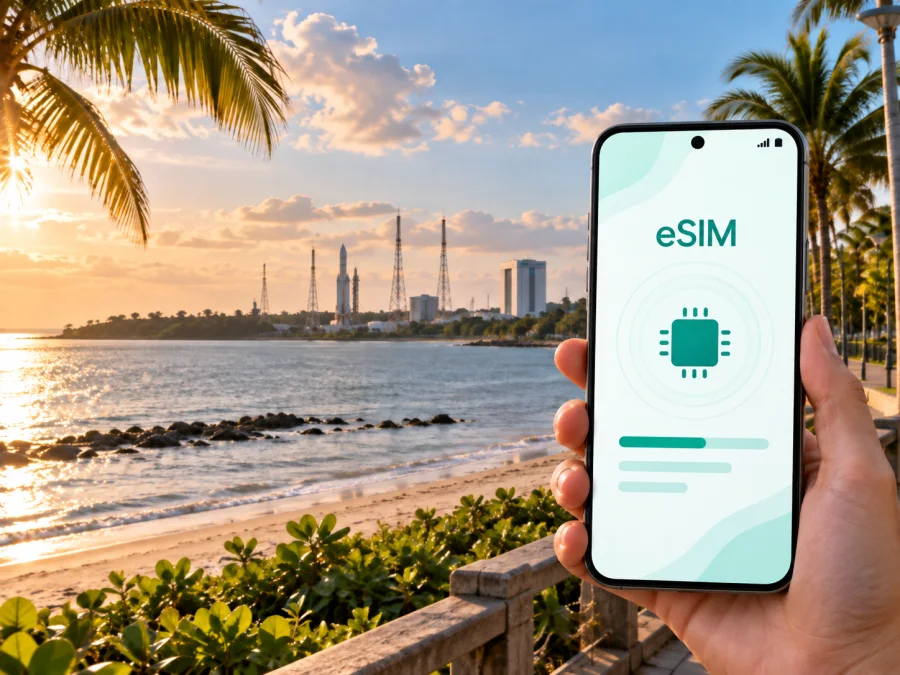
Kourou eSIM: a practical guide to mobile connection and internet in French Guiana
Kourou is a coastal town in French Guiana with a very particular rhythm. It is a base for space activity, a place of beaches, savannah and river excursions, and a working town where visitors may need to move between accommodation, meeting points, the waterfront and sites outside the central streets. A reliable mobile internet plan is useful here because the trip is not limited to one walkable sightseeing district. You may need navigation for a road transfer, a booking confirmation for a boat trip, a message to a colleague or a live update about a launch-related visit.
An eSIM, or embedded SIM, can prepare that digital layer before you leave home. Choose a suitable tariff for French Guiana, install it on a compatible unlocked device and match the data allowance to a short stopover, a space-centre visit, a business stay or a longer coastal itinerary.
Why mobile internet matters specifically in Kourou
Kourou is easy to understand on a map and less predictable when you are moving through it with luggage, a tight schedule or a day trip in mind. The town, the space-centre area, beaches and departure points are not one single attraction complex. Your phone can serve as a practical travel tool throughout the day:
- confirm the address and opening time of a visitor experience;
- navigate from your hotel to a meeting point or the embarkation area;
- check a changing departure, launch-viewing or boat-tour arrangement;
- translate a message or communicate with a host, driver or colleague;
- use a ride or map service without searching for public Wi-Fi first;
- share a location when a meeting point is outside the busiest part of town.
Kourou rewards a little preparation: save key addresses, keep booking details available offline and ask your accommodation about local access before setting out. Mobile data is a flexible backup when the plan changes or you are away from a hotel connection. An eSIM also separates the travel data plan from the physical SIM already in the phone; dual-SIM behaviour varies by device, so check the settings before departure.
Arriving in Kourou from the airport
Most international visitors plan their first arrival through Félix-Éboué Airport near Cayenne and then continue overland to Kourou. That makes the first hours different from arriving in a compact city with a rail link from the terminal. You may need to coordinate a pre-arranged transfer, rental car, taxi or other road transport, and the last part of the journey is easier when the route, accommodation address and contact details are already on your phone.
Before leaving the airport area, check three things:
- The exact address of your accommodation, including any building or residence name.
- Whether the driver or host expects a call, a message or a meeting at a particular landmark.
- Whether the eSIM is installed but still inactive, or already selected for mobile data.
The main road connection along the coast is the practical backbone of a Cayenne–Kourou itinerary. Allow more time than a map’s ideal driving estimate if you have a timed visit, a boat departure or a work appointment. Road conditions, weather, traffic and the availability of a driver can all affect the final transfer. If you are collecting a rental vehicle, download or save the route details before setting off and keep your phone charged.
A simple arrival checklist
| Before leaving for French Guiana | What to prepare |
|---|---|
| Phone | Confirm that the device is unlocked and supports eSIM. |
| Travel data | Choose a tariff by validity period and expected traffic, not only by headline price. |
| Route and bookings | Save the hotel address, route to Kourou and key confirmations offline. |
| Battery and backup | Carry a charger and keep your usual SIM available if appropriate. |
If your arrival is late, have the accommodation details ready, use the eSIM for essential data tasks and leave detailed exploration for daylight.
Choosing a Kourou trip data plan
The right amount of data depends less on the name of the city than on your itinerary. A short visit focused on the centre and one organised attraction has a different profile from a week combining work calls, navigation and excursions. Consider these questions before selecting a plan:
- How many days will you spend in Kourou and in other parts of French Guiana?
- Will you upload photos and video, or mainly use maps, messages and booking pages?
- Will you work from a hotel, office or shared space and need your phone as a hotspot?
- Are you travelling during a launch period or another busy event, when plans may change?
- Will you continue from Kourou towards Cayenne, Sinnamary or Saint-Laurent-du-Maroni?
Navigation, messages, text-based research and occasional ride requests are relatively light uses; video calls, cloud backups, frequent photo uploads and streaming can consume far more. Turn off automatic app updates and photo synchronisation over the travel line unless the plan covers them. Review the tariff’s data amount, validity, activation conditions and top-up rules before paying.
For a city stay, Kourou’s eSIM choice may also be part of a regional plan. If you are arriving from Cayenne, spending a few days in Kourou and then travelling west, compare the destination scope with your whole route. A plan that fits one town may not be the right choice for a multi-stop journey. Kaspersky eSIM Store helps you review the available option for the destination and prepare an eSIM tariff before the journey; you can choose a mobile-data option for a trip to French Guiana when you are ready to compare the details.
Moving around Kourou: build your day in zones
Group activities instead of crossing Kourou repeatedly: treat the centre and waterfront as one part of the day, the space-centre visit as another, and beaches or boat departures as separate timed activities.
The central area and everyday errands
The centre is where practical needs are easiest to combine: groceries, cafés, basic services, an early meal and a starting point for a walk. It is also a useful place to check messages and download details before heading farther out. If you are staying in a residential area, plan the return journey before an evening walk.
The waterfront and beaches
Kourou’s coastal character is part of the experience, but a beach visit is not the same as a city-centre errand. Protect the phone from heat, sand and water, save the return location and keep the accommodation address offline. The Cocoteraie and Pim-Poum beaches are associated with the town’s coastal life and launch-viewing information, but conditions and access can vary.
Space-centre surroundings
The Centre Spatial Guyanais is the defining reason many people come to Kourou. A visit to the facilities, a programme at Guyaspace Expérience or a launch-related outing may involve a specific meeting point, reservation and security or schedule requirements. Save the confirmation before leaving your hotel. A visitor ticket and a launch-viewing arrangement may refer to different places and access conditions.
For a launch, viewing arrangements can change, and some sites require booking. Use mobile internet for updates and group messages, but store the address, meeting time and route in advance. Arrange transport both ways if the site is outside the urban core.
The embarkation point for the Îles du Salut
The Îles du Salut are a natural extension of a Kourou stay, not a quick urban detour. Boat trips leave from the Kourou area and depend on the operator’s schedule, sea conditions and the day’s logistics. Keep the booking, departure time and return plan together, and allow time to reach the embarkation point. A data connection helps if the operator sends an update, but a screenshot or offline copy of the confirmation is a sensible backup.
Hotels, apartments and work trips
Accommodation decisions in Kourou are often about logistics rather than a single “best” neighbourhood. For leisure, proximity to food, the centre or the waterfront may simplify evenings; for work, prioritise the route to the appointment and a dependable transfer.
When booking or checking in, confirm the full address, reception or key-collection hours, the route to your main meeting point and whether the property can help arrange a transfer. Also ask how a late return from an excursion affects access to the building.
For business travellers, the eSIM can support two-factor authentication, maps, messages, email and an occasional hotspot when the tariff and device allow it. Keep large downloads under control and test the connection at the actual workspace before an important meeting.
For a short stopover between longer stays, check the activation window and validity period so the plan matches the dates when you actually need data. Read the selected tariff’s conditions carefully.
Navigation and transport habits that save time
Navigation is most reliable when you combine live data with offline preparation. Before leaving each morning, open the route, note the destination name exactly as provided by the organiser and take a screenshot of the relevant confirmation. If you are heading to a beach, a boat departure or a space-centre meeting point, store the return destination as well as the outward route.
Use this small routine:
- Charge the phone and check that the travel eSIM is selected for data.
- Look at the day’s appointments, opening windows and transport arrangements.
- Save the first destination, the return address and a contact number if supplied.
- Download or screenshot tickets, reservations and access instructions.
- Tell a travelling companion where you are going if the route leaves the busy centre.
- Keep some battery in reserve for the return trip, not only the outbound journey.
The road is central to trips around Kourou and the wider coastal area. Public transport and taxi availability may not match a major capital, so ask locally about the best way to reach a specific address. A map can suggest a route but cannot guarantee that a car, bus or boat is operating; confirm the final details with your hotel, organiser or driver.
Installing and activating an eSIM for Kourou
Install the eSIM while you still have a dependable internet connection, either before departure or at the accommodation. The exact menus differ between manufacturers, but the preparation sequence is consistent:
- Check that the phone supports eSIM and is not locked to another operator. You can check your device compatibility before selecting a tariff.
- Choose French Guiana as the destination and review the tariff’s data volume, validity, activation rule and conditions.
- Complete the purchase through the Kaspersky eSIM Store website or app. The eSIM profile should then appear in your account or be provided through the stated installation flow.
- Add the mobile plan in the phone’s cellular settings, using the QR code or manual details when requested.
- Label the line clearly, for example “French Guiana travel”, so that you do not confuse it with your home SIM.
- Decide which line handles mobile data and whether data switching should be disabled.
- Activate the eSIM according to the selected tariff’s instructions. Depending on the device and local network, connection may take a few minutes.
For detailed device steps, use the Android eSIM installation instructions or the iOS eSIM installation instructions. On arrival, verify the data line, mobile data settings and any required data-roaming option for the travel eSIM. Do not change several settings at once if the connection does not appear immediately; check the plan status, restart the device if appropriate and follow the provider’s support guidance.
Remember the limits of a data-focused eSIM: it may not include a regular number, voice calls or SMS unless the selected tariff says so. Messaging and calls through internet apps use data; keep the home SIM available if a critical service sends a code to it.
Practical Kourou scenarios
- One-day stopover: save the transfer and accommodation details, then combine a central walk with one planned attraction or waterfront stop. Keep the next destination and transport offline before leaving.
- Two or three days: allow separate time for the centre and coast, the Centre Spatial Guyanais or Guyaspace Expérience, and the Îles du Salut if a suitable boat trip is available. Leave room for weather and schedule changes.
- Business or launch visit: test the eSIM at the hotel, save the meeting point and return route, and check whether the event needs registration or a reserved viewing place. Keep the phone charged and the confirmation offline.
FAQ: eSIM and mobile internet in Kourou
What if my phone does not connect after installation?
Check that the eSIM is enabled, selected for mobile data and configured according to the instructions. Confirm whether data roaming is required, check the tariff status and restart the device if appropriate. If the issue remains, contact support with the device model and the steps completed.
Prepare your Kourou connection before departure
Kaspersky eSIM Store is an app and website that helps you choose, arrange and activate an eSIM tariff for mobile internet during an international trip. Check the destination, validity, data amount and activation terms, then install the eSIM on a compatible unlocked phone. When you are ready, prepare an eSIM tariff for your trip to French Guiana and arrive with one less connection detail to solve on the road.


